AI Tools Overview for CMOs, Art Directors, and Studio Ops
Explore an AI tools overview for CMOs, art directors, and studio ops, with categories, governance needs, and selection criteria.
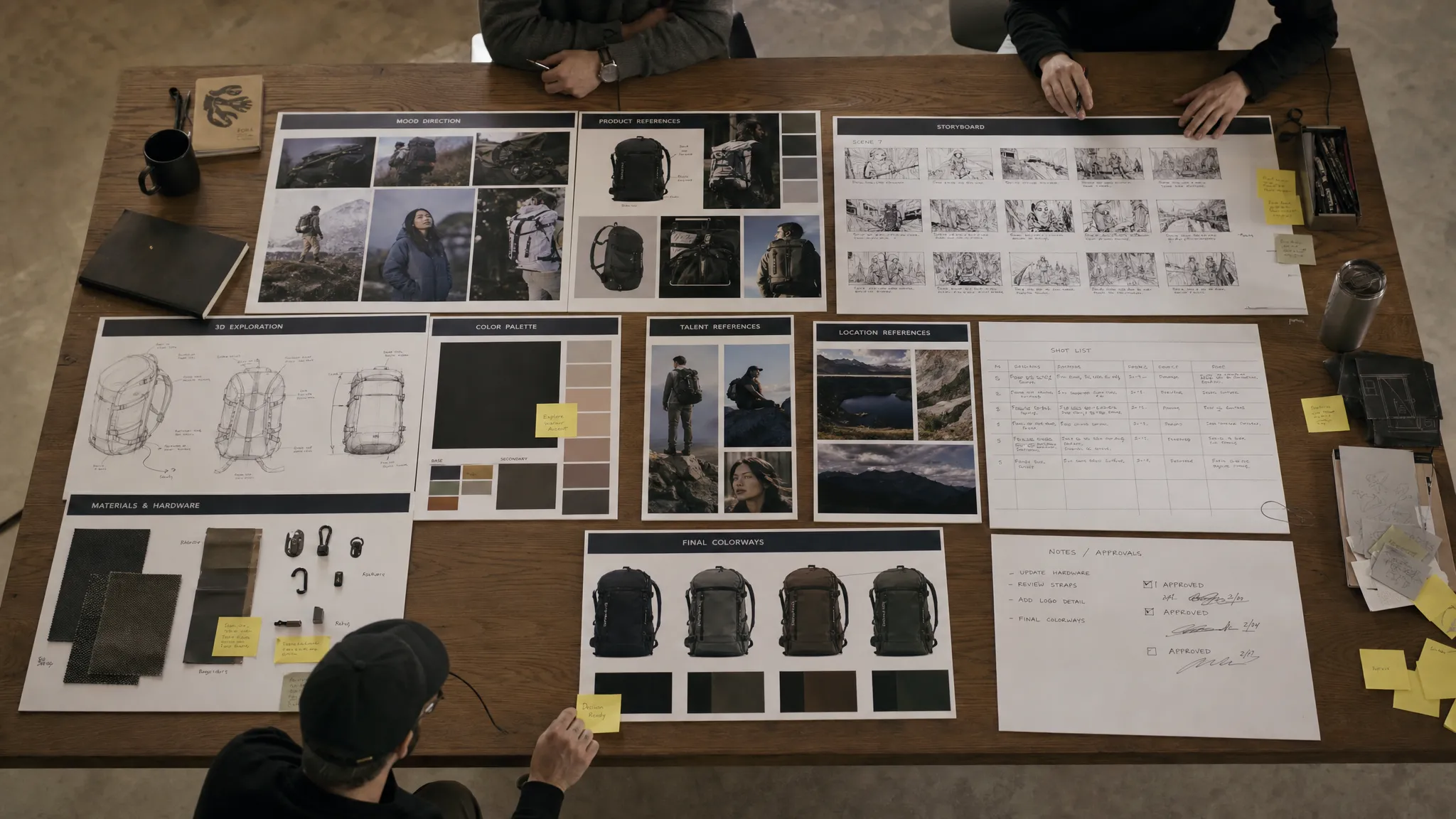
Creative AI has moved from isolated experimentation into the daily reality of campaign production, game asset creation, product visualization, and brand content operations. For enterprise teams, the question is no longer whether AI can create an impressive image or video. The real question is whether AI can create repeatable, compliant, brand-safe work across many teams, markets, formats, and tools.
That makes this AI tools overview especially important for CMOs, art directors, and studio operations leaders. Each group sees AI through a different lens. CMOs care about speed, consistency, performance, and risk. Art directors care about creative control, quality, and intent. Studio ops teams care about orchestration, governance, integrations, approvals, and delivery.
According to McKinsey’s 2024 State of AI survey, regular generative AI use in organizations accelerated sharply in 2024. As adoption increases, creative teams need more than point solutions. They need an operating model for how AI runs across the studio.
What counts as an AI tool in creative production?
In creative teams, the phrase AI tool can mean several different things. It might refer to a model that generates an image, a writing assistant that creates campaign copy, a video generator, a 3D asset prototype tool, or a workflow layer that coordinates everything.
For enterprise creative operations, it is useful to separate AI tools into three levels.
| Level | What it does | Typical limitation |
|---|---|---|
| AI model | Generates or transforms content in a specific modality, such as text, image, video, audio, or 3D | Usually needs surrounding controls, context, and review processes |
| AI application | Gives users an interface to prompt, edit, refine, or export AI outputs | Often works well for individuals but may not scale across teams |
| AI operating layer | Orchestrates models, workflows, permissions, approvals, assets, and governance | Requires alignment with existing creative and IT systems |
This distinction matters because many failed AI rollouts are not caused by weak models. They fail because the team has no shared process for briefs, context, approvals, versioning, compliance, and asset delivery.
A strong AI strategy does not simply add more tools. It defines how AI fits into the creative production system.
AI tools overview: the main categories creative teams should know
The market changes quickly, but the core categories are becoming clearer. CMOs, art directors, and studio ops leaders should evaluate tools by use case, not by hype.
| AI tool category | Primary output | Best suited for | Key watchout |
|---|---|---|---|
| Research and strategy assistants | Briefs, audience insights, trend summaries, competitive scans | CMOs, strategists, planners | Source quality, data privacy, factual accuracy |
| Copy and localization tools | Ads, social posts, product descriptions, landing page variants | Marketing teams, ecommerce teams, regional teams | Brand voice, legal claims, translation nuance |
| Image generation and editing tools | Concepts, campaign visuals, product scenes, style explorations | Art directors, designers, content teams | Brand consistency, usage rights, production quality |
| Video generation and editing tools | Storyboards, animatics, social videos, product motion concepts | Creative teams, performance marketing, game studios | Temporal consistency, licensing, review workflows |
| 3D generation and asset tools | Concept meshes, textures, prototypes, environment ideas | Game developers, product visualization teams, 3D artists | Topology, scale, file formats, technical QA |
| Audio and voice tools | Scratch voiceover, sound cues, music concepts, localization drafts | Video teams, game teams, campaign teams | Consent, voice rights, regional regulations |
| Collaboration and review tools | Comments, approvals, annotations, task status | Studio ops, producers, art directors | Fragmented feedback, unclear ownership |
| DAM, PIM, and integration tools | Asset metadata, product information, publishing connections | Studio ops, application managers, ecommerce teams | Version control, system compatibility, governance |
| Creative AI operating systems | Multi-model generation, workflow orchestration, governance, asset control | Enterprise creative teams and studios | Requires strategic rollout and adoption planning |
The right stack is rarely one tool. It is usually a combination of specialist tools, existing production systems, and an orchestration layer that gives the organization control.
How CMOs should evaluate AI tools
For CMOs, AI is not just a creative technology. It is a growth, efficiency, and governance question.
A CMO needs to know whether AI can help the organization produce more high-quality campaign assets without weakening brand consistency or increasing compliance risk. This is especially important in global organizations where teams need to adapt creative across regions, channels, languages, and product lines.
The most important CMO questions are practical:
- Can teams generate campaign variations while staying within brand guidelines?
- Can the organization reduce production bottlenecks without lowering creative quality?
- Can AI-generated outputs be reviewed, approved, and tracked?
- Can regional teams adapt content without creating off-brand assets?
- Can marketing, legal, product, and studio teams work from the same approved context?
A common mistake is treating AI as a cost-cutting tool only. Cost reduction may be part of the business case, but the larger opportunity is creative capacity. AI can help teams test more concepts, personalize more formats, produce more variants, and support faster campaign cycles.
However, that only works when governance is built in. Brand safety, data privacy, IP risk, and claims review cannot be handled manually at scale. A CMO should look for systems that support approved templates, controlled workflows, review gates, and clear accountability.
How art directors should evaluate AI tools
Art directors usually experience AI tools at the point where promise meets frustration. A tool may create something impressive, but not quite the right composition, mood, lighting, character, product detail, material, or brand world.
That is why art directors should evaluate AI tools based on controllability, not just output beauty.
Prompting alone is rarely enough for professional creative direction. Art directors need ways to preserve intent across iterations. They need references, mood boards, shot direction, style constraints, visual continuity, and repeatable generation settings. In image, video, and 3D workflows, this becomes even more important because one asset often depends on the previous one.
A useful AI tool for art direction should support:
- Reference-based creation using approved visual context
- Iteration without losing the original creative intent
- Consistency across a campaign, character, product, or environment
- Clear handoff from concept to production
- Collaboration with producers, designers, 3D artists, and reviewers
The goal is not to replace art direction. The goal is to expand the number of ideas the team can explore while keeping human creative judgment at the center.
For art directors, AI works best as a visual thinking partner. It can accelerate exploration, generate options, and reduce blank-page time. But final quality still depends on taste, direction, curation, and production discipline.
How studio ops should evaluate AI tools
Studio operations teams are responsible for turning creative ideas into repeatable production. They manage the less glamorous but critical work: permissions, queues, versioning, approvals, asset status, integrations, file delivery, and compliance.
For studio ops, the key challenge is tool sprawl. Individual teams may adopt separate AI apps for copy, image, video, 3D, and audio. Each app may have different user accounts, storage behavior, model settings, rights policies, and output formats. At small scale, this feels manageable. At enterprise scale, it creates risk and friction.
Studio ops should ask how each AI tool fits into the production pipeline. Does it connect to existing creative tools? Can it integrate with DAM, PIM, DCC, or project management systems? Can outputs be traced back to briefs, prompts, references, approvals, and owners? Can teams apply different rules for different brands, products, markets, or clients?
This is where workflow orchestration becomes essential. Without it, AI outputs may be fast to create but slow to approve, locate, adapt, or reuse.
A strong studio ops approach includes defined intake, approved generation paths, review workflows, metadata rules, asset management, and pipeline tracking. AI should not become a parallel production universe. It should become part of the studio operating system.
Governance is now a core AI buying criterion
Enterprise AI adoption has made governance a buying requirement, not a secondary feature. The NIST AI Risk Management Framework gives organizations a useful way to think about AI risk through governance, mapping, measuring, and managing. In Europe, the EU AI Act also reinforces the need for structured AI oversight.
Creative teams may not always work on high-risk AI applications, but they still face meaningful operational and legal questions. Who approved the source image? Was unreleased product data used? Is a generated claim substantiated? Can an asset be used commercially? Does the output include metadata or provenance? Did the team follow the right workflow?
| Risk area | What can go wrong | Practical control |
|---|---|---|
| Brand drift | Assets look polished but no longer feel like the brand | Approved generation blueprints, brand context, review gates |
| IP and provenance | Teams use unapproved references or unclear source material | Approved mood boards, source tracking, usage policies |
| Sensitive information | Unreleased products, campaigns, or client assets are exposed | Access controls, enterprise infrastructure, data handling rules |
| Claims and compliance | AI-generated copy or visuals imply unsupported claims | Legal review steps, approved claim libraries, audit trails |
| Production quality | Outputs are attractive but not usable in final production | QA workflows, format requirements, human approval |
| Tool sprawl | Teams use disconnected apps with no shared oversight | Central orchestration, integrations, role-based permissions |
Provenance standards are also maturing. The C2PA specification, for example, focuses on content credentials and metadata that can help identify how digital content was created or modified. For brands, publishers, and studios, this direction matters because AI-generated assets need clearer documentation over time.
Governance should not slow creative teams down. Done well, it does the opposite. It gives teams confidence to use AI more often because the rules are clear.
The enterprise creative AI architecture
A scalable AI stack usually has three layers: models, applications, and an operating layer. Each layer has a different role.
| Stack layer | Role in the studio | Enterprise question |
|---|---|---|
| Foundation and specialist models | Generate or transform content across text, image, video, audio, and 3D | Which model is best for this specific task and risk level? |
| Creative applications | Give designers, marketers, artists, and editors ways to create and refine outputs | Can users work efficiently without breaking process? |
| Creative AI operating layer | Connects models, workflows, governance, context, approvals, and assets | Can the organization scale AI safely across teams and tools? |
This is the reason model-agnostic orchestration is becoming important. The best model for a campaign image may not be the best model for video, 3D, product visualization, localization, or internal concepting. Model performance also changes quickly.
An operating layer lets organizations adapt as the model landscape changes. Instead of rebuilding workflows every time a new model appears, teams can keep the process stable while changing the generation engine behind the scenes.
The Creative AI OS is built for this operating layer. As a Creative AI OS, Virtuall helps studios and enterprise teams control, orchestrate, and scale AI-powered content creation across images, video, 3D, and audio. It supports governance controls, workflow orchestration, generation blueprints, studio context memory through mood boards, collaboration and review workflows, asset management, pipeline tracking, and integrations with creative tools through plugins and API.
Virtuall also includes Nyx, the intelligence layer of the Creative AI OS. Nyx orchestrates multiple industry-leading AI models and keeps intent and context across studios and teams. For organizations trying to move from experimentation to production, that context continuity is often the difference between isolated AI outputs and a usable creative pipeline.
Evaluation criteria by role
Different stakeholders should not evaluate AI tools with the same scorecard. A CMO, art director, and studio ops lead may agree on the destination, but they need different proof points.
| Criterion | CMO perspective | Art director perspective | Studio ops perspective |
|---|---|---|---|
| Brand consistency | Does AI support the brand system across markets and channels? | Can the tool preserve style, mood, and creative intent? | Can brand rules be embedded into workflows? |
| Speed to market | Can campaigns launch faster with more variants? | Can concept exploration happen faster without losing quality? | Can tasks move through production with fewer bottlenecks? |
| Creative quality | Are outputs strong enough to improve campaign performance? | Are outputs controllable, editable, and production-ready? | Are outputs delivered in the right formats and states? |
| Governance | Are risk, compliance, and approvals visible? | Are reference materials and sources approved? | Are permissions, audit trails, and review gates enforceable? |
| Integration | Does AI support the broader marketing operating model? | Does it fit existing creative tools and handoff processes? | Does it connect to DAM, PIM, DCC, and workflow systems? |
| Scalability | Can many teams use it consistently? | Can creative direction scale across projects? | Can the studio manage users, assets, pipelines, and rules? |
This kind of role-based evaluation prevents a common problem: buying a tool because one team loves the demo, then discovering it does not meet enterprise requirements.
A practical 90-day AI tools evaluation plan
A good pilot should test real production needs, not just isolated prompts. Ninety days is often enough to understand whether a tool can support creative work at scale.
- Map real workflows first: Identify where AI could improve campaign ideation, image creation, video adaptation, 3D prototyping, localization, review, or asset delivery.
- Define approved use cases: Separate low-risk internal exploration from external, customer-facing, regulated, or product-sensitive content.
- Create a shared test set: Use representative briefs, brand guidelines, product references, format requirements, and approval criteria.
- Run side-by-side pilots: Compare output quality, controllability, speed, governance, integration fit, and user adoption.
- Decide the operating model: Define who can generate, approve, publish, archive, and reuse AI-assisted assets.
The most valuable pilots include all three stakeholder groups. CMOs define business value. Art directors define creative quality. Studio ops defines scalability and control. IT, legal, and procurement should be involved early when enterprise data, integrations, or compliance are in scope.
Common mistakes when choosing AI tools
The first mistake is choosing based on output quality alone. Beautiful examples are useful, but they do not prove that a tool can handle brand rules, approvals, user permissions, commercial usage needs, or production handoff.
The second mistake is allowing every team to choose separate tools without a shared governance model. This can create faster experimentation in the short term but greater complexity later.
The third mistake is treating AI as separate from the existing creative stack. If generated assets do not connect to DAM, PIM, DCC, review workflows, or asset management processes, teams may spend more time organizing outputs than creating value.
The fourth mistake is assuming one model will solve every creative problem. In practice, teams often need different models for ideation, image generation, video, audio, 3D, and refinement. The orchestration layer matters because it lets the organization route the right task to the right model under the right rules.
The fifth mistake is underestimating change management. AI adoption is not just a technology rollout. It changes how people brief, explore, review, approve, and measure creative work.
What to prioritize in 2026 and beyond
For teams planning their AI roadmap, the most future-proof investment is not a single model. It is the ability to operate AI across the creative organization with consistency and control.
Models will continue to improve. Video will become more controllable. 3D generation will become more useful for prototyping and production workflows. AI agents will handle more repetitive coordination tasks. Multimodal systems will connect text, image, video, audio, and 3D more fluidly.
But enterprise creative teams will still need the same foundations: approved context, clear workflows, governance, review, asset management, and integration with existing systems.
The winning organizations will not be the ones with the longest list of AI tools. They will be the ones that know how to operate creative AI at scale.
Frequently Asked Questions
What is an AI tools overview for creative teams? An AI tools overview explains the main categories of AI software used in creative production, including text, image, video, 3D, audio, workflow orchestration, asset management, and governance tools. For enterprise teams, it should also explain how these tools fit into production workflows.
Which AI tools should CMOs prioritize first? CMOs should prioritize tools that improve campaign velocity, brand consistency, content variation, localization, and governance. The best starting point is usually a high-volume workflow where speed matters but brand and compliance rules are clear.
What should art directors look for in AI tools? Art directors should look for controllability, reference-based generation, style consistency, iteration history, production-ready outputs, and collaboration features. The tool should help preserve creative intent, not just generate attractive one-off images.
How can studio ops prevent AI tool sprawl? Studio ops can prevent tool sprawl by defining approved use cases, centralizing governance, integrating AI into existing DAM, PIM, DCC, and workflow systems, and using an orchestration layer to manage permissions, approvals, assets, and pipeline status.
Do enterprises need a Creative AI OS? Enterprises often need a Creative AI OS when AI moves beyond experimentation into repeatable production. A Creative AI OS helps coordinate models, workflows, context, governance, collaboration, and asset management across teams and formats.
Ready to operate creative AI at scale?
If your team is moving from AI experiments to production workflows, Virtuall can help you bring structure, governance, and orchestration to the process.
With Virtuall, teams can manage AI-powered creation across image, video, 3D, and audio while keeping workflows, approvals, studio context, assets, and compliance under control. Explore how the Virtuall Creative AI OS can help your organization scale creative AI with confidence.