Artificial Intelligence Assistant Operating System: What It Enables
Learn what an artificial intelligence assistant operating system enables: governed workflows, multi-model creation, compliance, and scalable production.
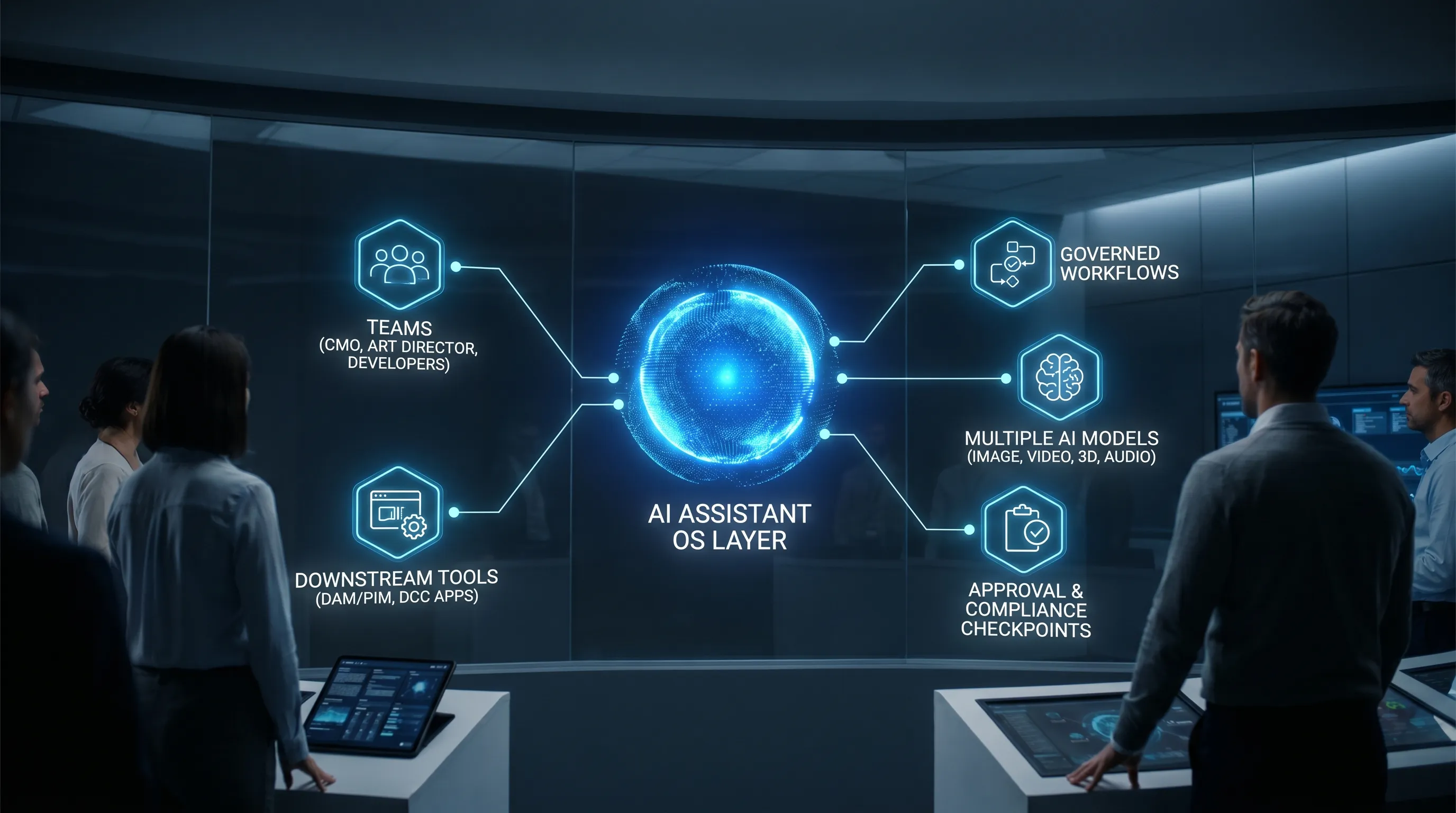
Most teams have already tried “AI assistants” in the form of chatbots or single-model tools. The breakthrough now is the next layer: an artificial intelligence assistant operating system (AI assistant OS) that sits above models and tools, so you can run AI across a studio the way you run any other production system, with rules, workflows, permissions, and auditability.
For enterprise creative teams, this shift is less about novelty and more about reliability: consistent brand outputs, controlled risk, faster throughput, and fewer one-off experiments that never reach production.
What an artificial intelligence assistant operating system is (and is not)
An AI assistant OS is a control layer that orchestrates how AI work happens across people, models, and production tools.
It is not just:
- A chat UI for prompting one model
- A plugin inside a single creative app
- A prompt library without governance
- A one-off automation script that breaks when teams scale
Instead, an AI assistant OS provides operational primitives similar to an operating system in IT: identity and access, policy enforcement, workflows, integration points, and standardized “runs” that can be observed and improved.
Why “OS” matters for creative teams
Creative work is inherently multi-step and multi-role: concepting, generation, iteration, review, legal checks, localization, and delivery into downstream systems. When AI enters that chain, the bottleneck often shifts from “how do we generate?” to:
- Who is allowed to generate what, and under which constraints?
- How do we keep results consistent across teams and regions?
- How do we prove compliance, provenance, and approval history?
- How do we integrate AI output into existing pipelines (DAM/PIM/DCC, tracking tools, approval systems)?
An AI assistant OS is designed to solve these operational questions at scale.
What it enables in practice (the capabilities that change outcomes)
Below are the core capabilities that typically define an AI assistant OS, and what they enable for CMOs, art directors, application managers, and game developers.
1) AI governance controls (policy, permissions, and risk boundaries)
Governance is the difference between “AI is available” and “AI is safe to use in production.” In creative environments, governance usually includes:
- Role-based permissions (who can generate, approve, publish)
- Constraints on which models can be used for which tasks
- Rules around brand safety, IP sensitivity, and content categories
- Logging and audit trails for accountability
For enterprises operating under strict regulatory and contractual requirements, governance also helps align with frameworks like the NIST AI Risk Management Framework and internal security standards.
What it enables: faster adoption with fewer escalations, clearer accountability, and fewer “shadow AI” workflows that create compliance debt.
2) Workflow orchestration (from idea to approved asset)
Most creative work is not a single prompt, it is a pipeline. Workflow orchestration brings structure to how AI steps connect to human steps.
Common stages include:
- Brief intake and constraints
- Generation (image, video, 3D, audio depending on needs)
- Iteration and versioning
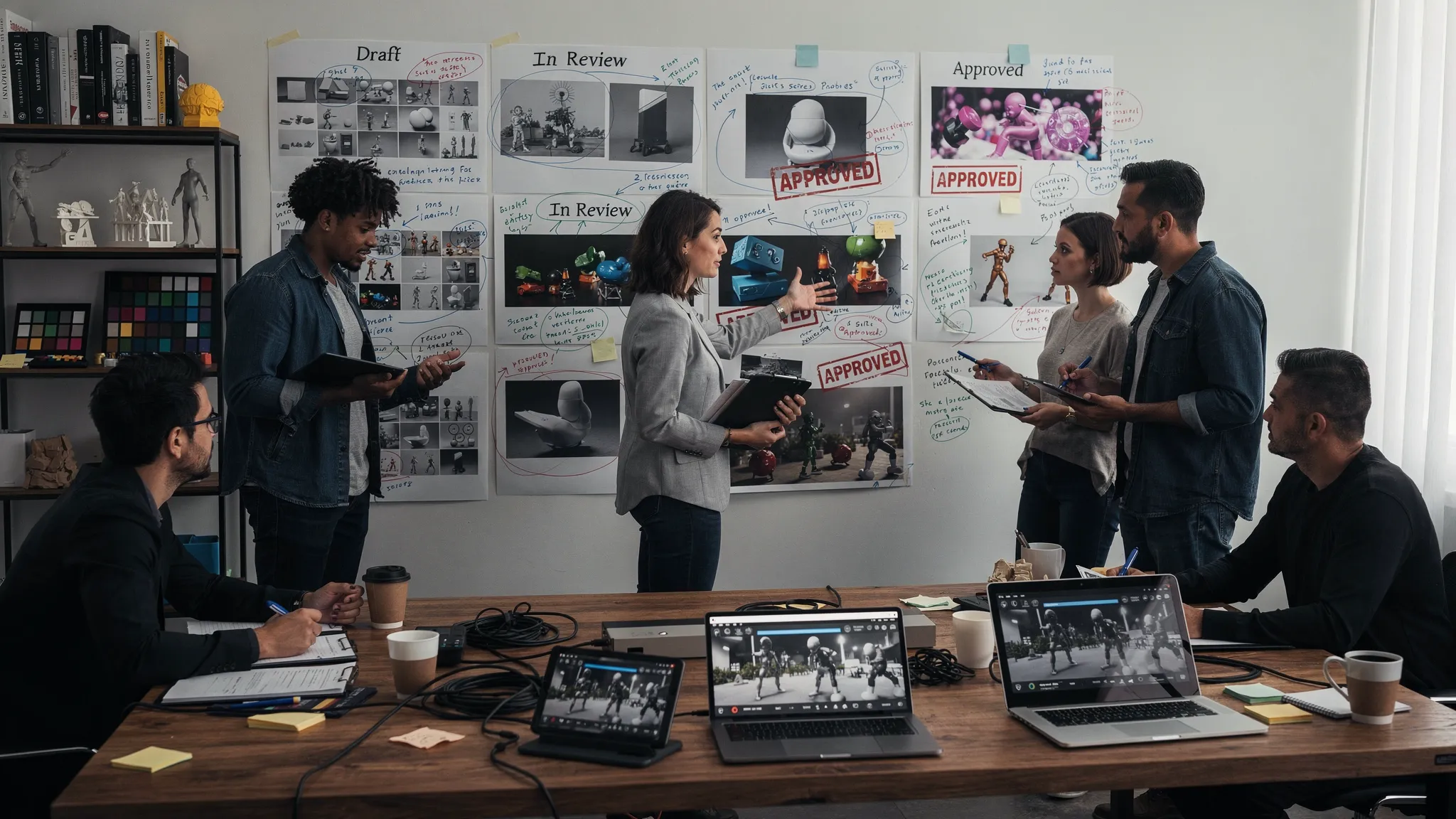
- Review workflows, approvals, and annotations
- Delivery into asset systems and production pipelines
What it enables: predictable lead times, fewer handoffs lost in chat threads, and repeatable production quality.
3) Multi-model content generation (using the right engine for each job)
Enterprises rarely want a single-model dependency for everything. Different tasks perform better with different models, and model capabilities evolve rapidly.
A true AI assistant OS supports multi-model generation across modalities, so teams can select or standardize the best tool for:
- Images
- Video
- 3D
- Audio
What it enables: better output quality, less vendor lock-in, and flexibility as new models appear.
4) Generation blueprints (templates that encode best practice)
In scaled production, “prompting” becomes a process design problem. Blueprints (templates) encode repeatable generation patterns that teams can reuse.
A good blueprint can include:
- Required inputs (SKU attributes, style constraints, camera rules)
- Guardrails (what is disallowed, what must be present)
- Output specs (resolution, aspect ratios, variants)
- Review routing and approval logic
What it enables: consistent creative direction, faster onboarding, and reduced variance between teams and agencies.
5) Studio context memory (shared intent across iterations)
Creative quality depends on context: brand identity, mood boards, creative direction, and the “why” behind decisions.
A studio context memory (for example, mood boards and shared context) helps preserve intent across:
- Multiple creators working on the same campaign
- Long-running franchises or seasonal design systems
- Asset families that must look cohesive across channels
What it enables: fewer rework loops, more consistent outputs, and less reliance on tribal knowledge.
6) Collaboration tools (review, approvals, annotation)
AI increases volume, which makes human review more important, not less. Collaboration features typically include:
- Structured review queues
- Approval gates by role
- Content annotation for feedback and corrections
- Clear version history
What it enables: higher confidence in releases and faster alignment between creative, brand, and legal stakeholders.
7) Asset management and pipeline tracking
When AI output is production-ready, it needs to be discoverable, traceable, and connected to downstream work.
Asset management and pipeline tracking help teams:
- Store and retrieve outputs with metadata
- Track what is in progress vs approved vs delivered
n- Reduce duplication and orphan assets
What it enables: fewer “lost” assets, clearer operational visibility, and better reuse.
8) Compliance-ready operations (especially important for enterprise and regulated sectors)
Compliance is not a single checkbox, it is the ability to demonstrate controls, location, and process.
Depending on your industry, compliance may involve:
- Data residency requirements
- Access controls and auditability
- Vendor risk management
- Alignment with emerging regulation (for example, the EU AI Act overview from the European Commission)
What it enables: a safer path to production adoption, especially across global teams.
AI assistant OS vs chatbot vs workflow tool (a quick comparison)
Many teams evaluate AI through the lens of what they already know. This table helps clarify where an AI assistant OS fits.
| Category | Best for | Typical limitation at scale | What an AI assistant OS adds |
|---|---|---|---|
| Chatbot assistant | Quick ideation, drafting, single-user tasks | Hard to govern, hard to standardize outputs, weak audit trail | Policies, team workflows, standardization, traceability |
| Single-model creative tool | High-quality output in a narrow modality | Vendor lock-in, uneven performance across tasks, limited orchestration | Multi-model routing, consistent workflows, shared context |
| Automation/workflow tool (non-AI) | Deterministic process automation | Does not handle creative variation, lacks model control | AI-aware orchestration plus governance and review |
| DAM/PIM only | Storage and distribution | Does not produce assets, does not enforce AI usage rules | AI generation and approvals connected to asset lifecycle |
What it enables for each target audience
For CMOs: scale campaigns without scaling chaos
An AI assistant OS can enable:
- Faster campaign variant production across channels and regions
- Better brand consistency through blueprints and context memory
- Fewer compliance surprises through auditable workflows
The key benefit for CMOs is operational: the ability to increase creative throughput while maintaining control.
For Art Directors: protect quality while increasing volume
Art direction at scale is largely about constraints and consistency. With an AI assistant OS, art directors can:
- Encode style guidance into reusable blueprints
- Maintain cohesive look and feel via shared studio context
- Run structured review workflows rather than ad hoc feedback loops
For Application Managers: integrate AI without breaking the stack
Application managers typically worry about governance, integration, and long-term maintainability. An AI assistant OS supports:
- Centralized controls across multiple models and teams
- Integration with existing creative tools and enterprise systems via plugins and APIs
- Repeatable workflows that can be managed like other business processes
For Game Developers: accelerate asset iteration while keeping pipelines clean
Game studios often need high-volume iteration (concept art, props, environments, 3D exploration, marketing renders). An AI assistant OS can help:
- Standardize asset generation workflows across teams
- Track outputs and approvals as part of production pipelines
- Maintain consistent art direction across sprints and contributors
A practical checklist for evaluating an AI assistant OS
When you evaluate platforms, focus on whether the system can be operated, not just used.
- Governance: Can you define who can do what, with which models, under which rules?
- Workflow orchestration: Can you map generation into a real approval process with stages and routing?
- Multi-modality: Does it support the formats you actually ship (image, video, 3D, audio as needed)?
- Blueprints/templates: Can you standardize best practices into repeatable building blocks?
- Context management: Can teams share mood boards and creative intent across time?
- Collaboration: Are review, approvals, and annotation first-class features?
- Asset lifecycle: Are outputs managed and trackable, not just downloadable?
- Compliance posture: Can it support your data residency, audit, and enterprise requirements?
- Integration: Does it connect to your DCC, PIM, DAM, or other production systems?
Common pitfalls when teams try to “scale AI” without an OS layer
Tool sprawl and inconsistent results
When teams adopt multiple AI tools independently, outputs vary widely. Brand consistency drops, and it becomes difficult to reproduce “what worked.”
No audit trail for approvals
Without structured review and approval workflows, teams may struggle to prove who approved what, and under which constraints.
Hidden compliance risk
Even well-intentioned teams can violate internal policies if there is no centralized governance layer. This often shows up during procurement, security review, or external audits.
Bottlenecks move to review
AI increases output volume, which can overwhelm reviewers. Without workflow design, annotation, and routing, speed gains disappear.
Where Virtuall fits
Virtuall positions itself as a Creative AI operating system for studios and teams that need to control, orchestrate, and scale AI content creation across image, video, and 3D, with enterprise-grade governance and compliance.
Based on the product overview, Virtuall includes:
- AI governance controls
- Workflow orchestration
- Multi-model generation across formats (including 3D)
- Generation blueprints (templates)
- Studio context memory (mood boards)
- Collaboration (review workflows, approvals, content annotation)
- Asset management and pipeline tracking
- Compliance with EU-based infrastructure and inference
- Integrations via plugins and API
- Nyx, an intelligence layer that orchestrates multiple models while keeping intent and context across teams
If your organization is past early experimentation and moving toward production scale, those capabilities map directly to the “OS layer” requirements described above.
Frequently Asked Questions
What is an artificial intelligence assistant operating system? An artificial intelligence assistant operating system is a control and orchestration layer that governs how AI is used across teams, workflows, and tools, including permissions, templates, approvals, and auditability.
How is an AI assistant OS different from an AI chatbot? A chatbot helps individuals generate or brainstorm quickly, but it typically lacks enterprise governance, workflow orchestration, and standardized production processes. An AI assistant OS is designed to run AI reliably across an organization.
Do we need multi-model support to scale creative AI? Often, yes. Different models excel at different tasks (images vs video vs 3D). Multi-model support reduces vendor lock-in and helps teams pick the best engine for each workflow.
What should enterprises prioritize first when adopting an AI assistant OS? Start with governance and workflow design. If you do not define permissions, review gates, and compliance requirements early, you may scale risk faster than you scale output.
Can an AI assistant OS integrate with our existing creative stack? It should. Look for platforms that support integrations via plugins and APIs, so AI generation and approvals connect to your DCC tools and systems like PIM or DAM.
Operate creative AI at scale with Virtuall
If you are looking to move from isolated AI experiments to a production-grade approach, Virtuall is built to operate creative AI across your studio with governance, orchestration, and compliance in mind.
Explore Virtuall at Virtuall.pro to see how a Creative AI OS can help your team ship consistent, production-ready outputs across image, video, and 3D.