How AI and Machine Learning Improve Creative Workflows
See how AI and machine learning improve creative workflows with faster production, stronger governance, consistent assets, and scalable content ops.
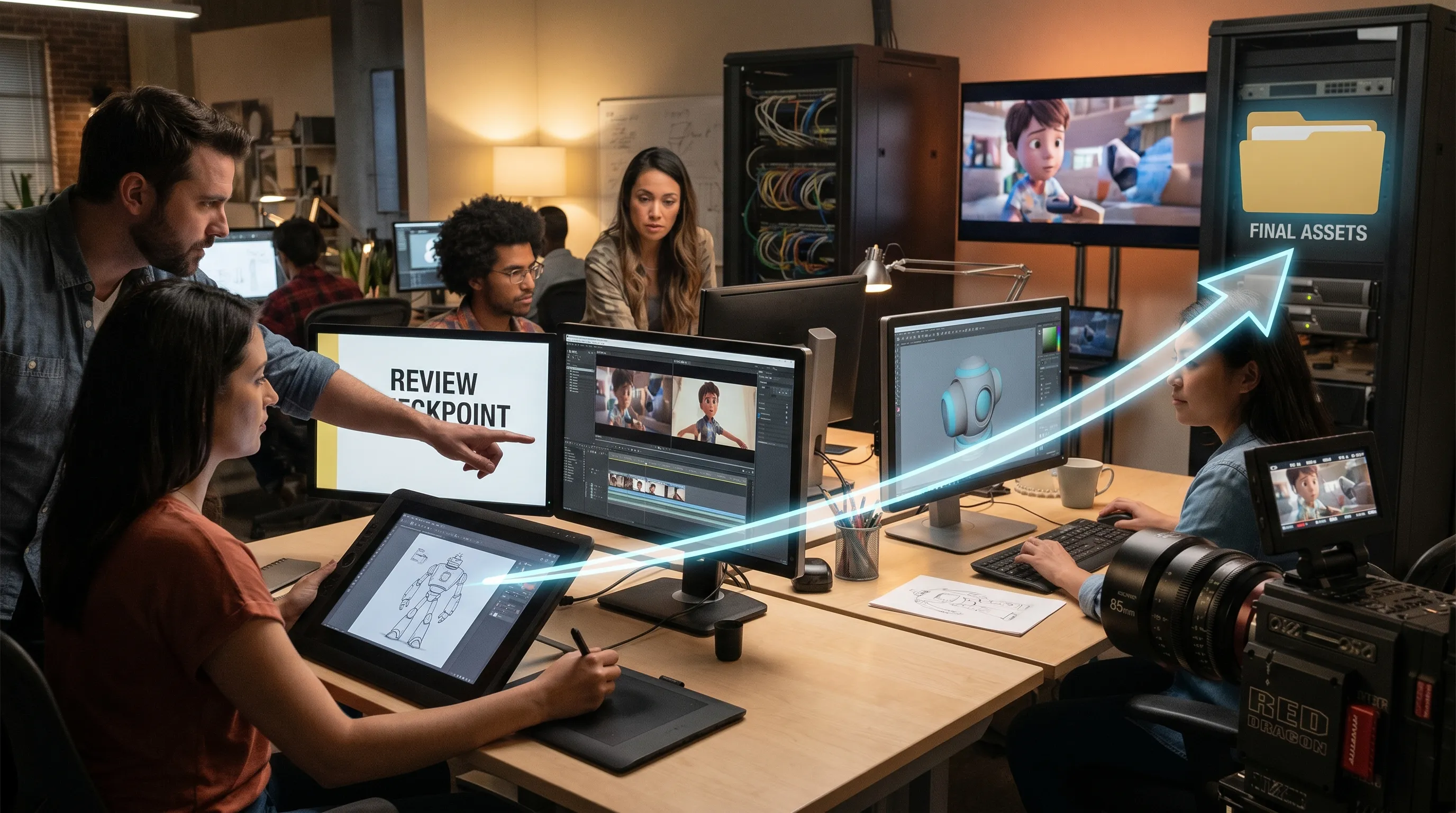
AI and machine learning are no longer side experiments for creative teams. They are becoming workflow infrastructure: the layer that helps teams interpret briefs, generate options, reuse context, review work, and deliver production-ready assets with fewer manual handoffs.
For enterprise studios, the real opportunity is not simply making more images or clips. It is making creative operations more reliable. A CMO wants faster campaign adaptation without brand drift. An art director wants more exploratory range without losing taste and control. An application manager wants AI connected to existing tools, policies, and security requirements. A game developer wants prototypes, environments, and asset variations to move through the pipeline without breaking production standards.
That is where AI and machine learning improve creative workflows most: by turning fragmented creative tasks into controlled, repeatable systems.
What AI and machine learning actually do in creative workflows
AI is the broader field that enables software to perform tasks associated with human intelligence, such as generating content, understanding language, recognizing patterns, or making recommendations. Machine learning is a core subset of AI. It allows systems to learn from examples and improve outputs or predictions over time.
In creative operations, this distinction matters. Generative AI can create a visual concept, a video draft, an audio variation, or a 3D asset proposal. Machine learning can classify assets, recommend references, detect similar visuals, route tasks, identify quality patterns, and help teams apply the right model or workflow based on the brief.
The result is not creativity without people. It is a more capable production environment where people spend less time on repetitive setup, formatting, searching, and rework, and more time making decisions that require taste, strategy, and judgment.
How AI improves each stage of the creative workflow
Creative work is rarely a single act of inspiration. It is a sequence of decisions: brief, research, ideation, production, review, revision, approval, publishing, and reuse. AI and machine learning can improve every stage when they are implemented as part of the workflow, not added as disconnected tools.
| Workflow stage | How AI and machine learning help | Business value |
|---|---|---|
| Briefing and intake | Summarize requirements, extract constraints, identify missing context, connect to references | Fewer unclear briefs and faster alignment |
| Research and inspiration | Organize mood boards, surface similar assets, cluster references by style or theme | Stronger creative direction and less time searching |
| Ideation | Generate multiple visual, video, audio, or 3D directions from controlled prompts and templates | More options without multiplying manual effort |
| Production | Create variations, adapt formats, support model orchestration, automate repetitive asset tasks | Higher throughput and shorter production cycles |
| Review and approval | Centralize feedback, annotate assets, track decisions, preserve version context | Fewer review loops and better accountability |
| Asset management | Tag, classify, retrieve, and reuse approved assets and references | Less duplicate work and better use of existing content |
| Governance | Apply usage rules, approved workflows, brand constraints, and compliance requirements | Lower operational and reputational risk |
This is why the best creative AI strategies focus less on isolated prompts and more on workflow design. A powerful model is useful, but a controlled workflow is what makes AI usable at scale.
Better briefs and faster alignment
Many creative delays begin before production starts. A brief may be incomplete, brand guidance may live in another system, product information may be outdated, or different teams may interpret the same request differently.
AI can help by turning unstructured inputs into clearer production instructions. For example, it can summarize a campaign brief, extract mandatory product details, identify tone and format requirements, and highlight missing information before a team starts generating assets. Machine learning can also connect a new brief to relevant past projects, approved references, and reusable components.
For CMOs and creative operations leaders, this reduces a common source of waste: work that looks polished but does not match the actual business objective. For art directors, it creates a stronger starting point. Instead of correcting avoidable misunderstandings in round three, they can guide the work from a clearer foundation.
More creative exploration without losing control
One of the clearest advantages of AI in creative workflows is rapid exploration. A team can generate multiple directions for a product campaign, game environment, character concept, social ad, or visual identity system in minutes rather than days.
But speed alone is not enough. Enterprise teams need exploration within boundaries. The most useful AI systems let teams work from approved context, such as mood boards, brand references, product constraints, and generation blueprints. A blueprint acts like a repeatable creative template: it can define the type of asset, the required inputs, the style parameters, the output format, and the review path.
This helps solve a major challenge in AI-assisted creativity: inconsistency. Without shared context, two team members can enter similar prompts and get assets that feel like they belong to different brands. With shared templates and studio memory, teams can explore broadly while still preserving intent.
For game developers, this can be especially valuable during pre-production. AI can support fast visual iteration for environments, props, textures, characters, or mood exploration. The goal is not to bypass the art team. It is to compress the time between idea and reviewable direction, so creative leads can make better decisions earlier.
Production acceleration across image, video, audio, and 3D
Creative demand has expanded beyond static images. Campaigns need variants for channels, regions, audiences, languages, formats, and product lines. Games and immersive experiences require large volumes of concepts, 3D elements, textures, animations, and supporting media. Video teams need cutdowns, storyboards, motion tests, and localization assets.
AI and machine learning improve this production reality in several ways. They can help teams generate first drafts, adapt assets into different formats, create controlled variations, and automate repetitive transformations. Multi-model workflows are particularly important because no single AI model is best for every task. One model may be better for realistic product imagery, another for stylized concepts, another for video motion, and another for 3D generation.
This is where orchestration becomes critical. A creative AI system should help teams choose, combine, and govern models across the pipeline. Virtuall's intelligence layer, Nyx, is designed for this kind of orchestration: it coordinates multiple industry-leading AI models while keeping intent and context across studios and teams.
That kind of orchestration matters because production teams do not want to manage a patchwork of disconnected AI tools. They need a system that can move work from concept to approved output while preserving context, approvals, and asset relationships.
Stronger collaboration and fewer review loops
Creative work is collaborative by nature. A single asset may involve a creative director, art director, brand manager, product owner, legal reviewer, localization lead, and production team. When AI increases the number of assets produced, review complexity can increase too.
This is why AI-enabled workflows need collaboration features, not just generation features. Review workflows, approvals, annotations, and pipeline tracking help teams understand what was generated, why it was generated, who reviewed it, what changed, and what is ready for production.
Machine learning can also support collaboration by organizing feedback patterns. Over time, teams can identify recurring issues: certain prompts may create off-brand results, certain asset types may require extra review, or certain product categories may need stricter constraints. These insights help leaders improve the workflow itself.
For application managers, this is a major operational benefit. When AI work happens inside a governed environment, it becomes easier to support, integrate, and scale than when teams rely on individual accounts and disconnected tools.
Asset reuse and context memory
Most studios already have valuable creative knowledge: approved campaign assets, style explorations, brand rules, rejected directions, product visuals, 3D libraries, and review comments. The problem is that this knowledge is often scattered across folders, DAM systems, spreadsheets, presentations, and chat threads.
AI and machine learning can improve asset management by making creative memory more usable. They can help classify assets, connect similar items, retrieve relevant references, and preserve the relationship between a brief, a mood board, a generated asset, and an approved output.
For enterprise teams, this creates compounding value. The more a studio captures approved context, the easier it becomes to start future projects from a strong baseline. A campaign team can reuse a proven visual system. A game team can retrieve environment references that match a world style. A product team can generate variations that stay aligned with current packaging and merchandising rules.
In practical terms, context memory turns AI from a one-off generator into a studio capability.
Governance: the difference between AI experiments and AI operations
As AI enters creative production, governance becomes non-negotiable. Teams need to define which models are approved, what data can be used, who can generate what, which assets require review, where outputs are stored, and how compliance is handled.
This is not only a legal concern. It is a brand and operational concern. Without governance, teams risk inconsistent visuals, unapproved claims, unclear rights, data exposure, and shadow AI usage outside approved systems.
Useful governance should cover five areas: model access, data boundaries, brand rules, review requirements, and output traceability. Frameworks such as the NIST AI Risk Management Framework can help organizations think systematically about AI risk, while the European Commission's AI regulatory framework is important context for teams operating in or serving European markets.
For creative teams, governance should not feel like a blocker. Good governance makes AI easier to use because it gives teams confidence. When people know which workflows are approved, which references are safe, and how outputs will be reviewed, they can move faster without creating unnecessary risk.
Virtuall is built around this enterprise requirement. It combines AI governance controls, workflow orchestration, asset management, collaboration, pipeline tracking, and EU-based infrastructure and inference so creative teams can scale AI with more control.
Why a Creative AI OS is different from a collection of tools
Many teams begin with individual AI tools. That is a natural starting point, but it creates limitations quickly. Prompts sit in personal documents. References live in different folders. Outputs are downloaded locally. Review happens in chat. Compliance teams cannot see how assets were created. Application managers have to support multiple tools with different security models.
A Creative AI OS takes a different approach. It provides a shared operating layer for AI-powered creation across the studio. Instead of forcing teams to jump between disconnected systems, it brings generation, context, review, asset management, and governance into a coordinated environment.
For enterprise teams, this operating layer is what enables scale. It helps answer practical questions that matter in production: Which template should this team use? Which model is best for this output? Which mood board defines the style? Which assets are approved? Which version is final? Which workflow satisfies our compliance requirements?
Virtuall approaches creative AI in this way. It supports multi-model content generation across image, video, audio, and 3D, generation blueprints, studio context memory through mood boards, collaboration tools, asset management, pipeline tracking, and integrations with creative tools through plugins and API. The goal is not to replace the creative stack, but to connect AI to the way studios already produce work.
Measuring the impact of AI and machine learning on creative operations
AI should not be evaluated only by how impressive an individual output looks. Creative leaders need to measure whether the workflow is improving. That means tracking speed, quality, consistency, reuse, and risk reduction.
| Metric | What it helps measure |
|---|---|
| Time from brief to first reviewable direction | Whether AI is reducing early-stage production time |
| Number of usable variations per brief | Whether generation is creating meaningful options, not noise |
| Review rounds per approved asset | Whether briefs, blueprints, and feedback loops are improving |
| Asset reuse rate | Whether teams are benefiting from existing creative memory |
| Percentage of work using approved workflows | Whether governance is being adopted in practice |
| Production cost per approved asset | Whether AI is improving operational efficiency |
| Consistency across markets or formats | Whether brand and style controls are working |
These metrics help separate novelty from value. A team may generate thousands of assets, but if few are usable, review time increases, or compliance becomes harder, the workflow is not improving. The real goal is not more content at any cost. It is more effective content with less friction and more control.
How to introduce AI into creative workflows without disrupting the studio
The best implementations start with a focused workflow rather than a broad mandate. AI adoption becomes easier when teams can see a clear before-and-after improvement in a specific production process.
- Choose a repeatable use case: Start with a workflow that has clear inputs, review criteria, and output requirements, such as campaign variants, concept exploration, product visuals, or 3D asset prototyping.
- Define the rules before scaling: Decide which models, data sources, brand references, and approval steps are allowed before teams begin producing at volume.
- Capture studio context: Organize mood boards, approved assets, style references, product constraints, and past examples so AI workflows begin from shared knowledge.
- Create generation blueprints: Turn successful workflows into reusable templates that make outputs more consistent across teams and projects.
- Connect to existing tools: Integrate AI workflows with creative tools, DAM, PIM, DCC software, and other production systems where possible.
- Measure operational outcomes: Track review time, usable output rate, asset reuse, workflow adoption, and production efficiency.
This approach helps teams avoid the most common AI adoption trap: running exciting experiments that never become reliable production workflows.
The human role becomes more important, not less
AI can generate, classify, adapt, and accelerate. It cannot own the brand strategy, understand cultural nuance with full accountability, or make final creative judgments for a company. Human direction remains essential.
In stronger AI-enabled workflows, the role of creative professionals shifts upward. Art directors spend more time defining taste, selecting directions, and refining systems. CMOs can align content production more closely with market needs. Game developers can test worlds and mechanics earlier. Application managers can create safer, more integrated AI environments for the business.
The creative teams that benefit most from AI and machine learning will not be the ones that automate everything. They will be the ones that decide what should be automated, what should be governed, and where human judgment creates the most value.
Frequently Asked Questions
How do AI and machine learning improve creative workflows? AI and machine learning improve creative workflows by accelerating ideation, automating repetitive production tasks, organizing assets, supporting review processes, preserving creative context, and helping teams apply governance rules at scale.
Will AI replace creative teams? AI is more useful as a workflow amplifier than as a replacement for creative professionals. It can generate options and reduce manual work, but strategy, taste, brand judgment, and final approval still require people.
What is the difference between using an AI tool and using a Creative AI OS? An individual AI tool usually solves one task, such as image generation or video editing. A Creative AI OS connects generation, context, approvals, asset management, governance, and integrations so teams can operate AI across the full production workflow.
Why is governance important for AI-generated creative content? Governance helps teams control model usage, data boundaries, brand consistency, review requirements, and compliance. Without it, AI adoption can create inconsistent outputs, unclear ownership, security concerns, and operational risk.
How can game studios use AI in creative workflows? Game studios can use AI for concept exploration, environment references, prop ideas, texture variation, rapid prototyping, and production support. The highest value comes when AI outputs remain connected to the studio's art direction, asset pipeline, and approval process.
How does Virtuall support AI-powered creative workflows? The Creative AI OS provides a Creative AI operating system for orchestrating AI content creation across image, video, audio, and 3D. It supports governance controls, generation blueprints, studio context memory, collaboration, asset management, pipeline tracking, integrations, and EU-based infrastructure and inference.
Bring AI and machine learning into your creative workflow with control
AI can help teams create faster, but speed only becomes an advantage when it is paired with consistency, collaboration, and governance. For enterprise studios, the next step is not another disconnected AI experiment. It is an operating layer that connects models, workflows, context, assets, and approvals.
Virtuall helps creative teams operate AI at scale across image, video, audio, and 3D production. If your team is ready to move from experimentation to controlled creative AI operations, The Creative AI OS gives you the structure to define the rules, preserve context, and deliver production-ready results with confidence.