How NVIDIA Enterprise Support Affects AI Production Uptime
Learn how NVIDIA Enterprise Support affects AI production uptime, MTTR, risk, and creative workflow resilience for enterprise teams.
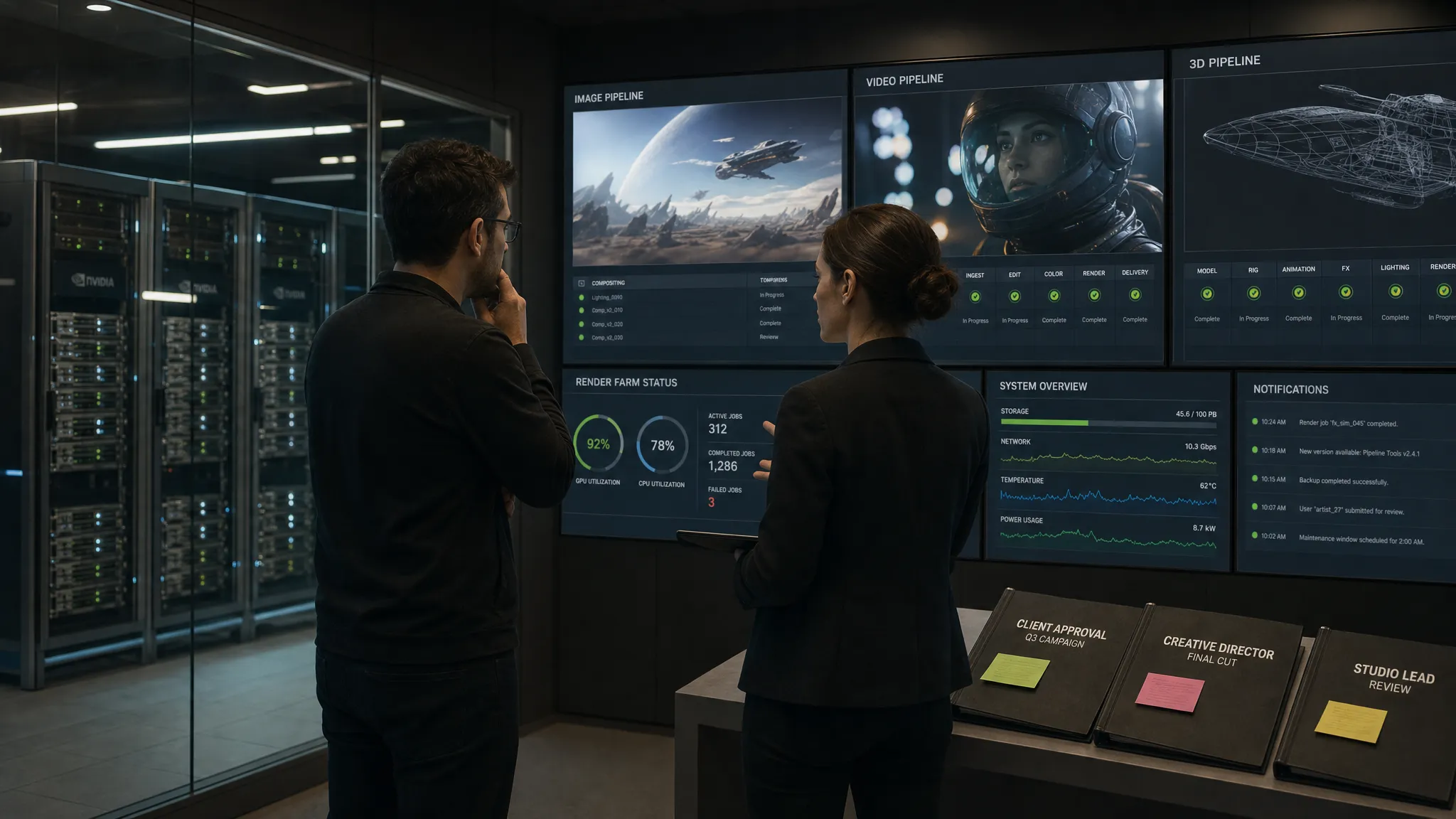
AI production uptime is no longer an infrastructure-only metric. For enterprises using generative AI in creative pipelines, downtime can mean campaign assets stuck in queue, 3D variants missing a build window, product visuals delayed before launch, or art teams reverting to manual work under pressure.
That is why NVIDIA Enterprise Support matters. It does not magically make an AI production environment resilient on its own, but it can materially affect how quickly teams prevent, diagnose, escalate, and recover from failures in the GPU-accelerated stack.
For CMOs, art directors, application managers, and game developers, the practical question is not simply whether support exists. The better question is: how does that support reduce production risk when AI becomes part of the studio operating model?
What AI production uptime really means
Traditional uptime often refers to whether a server or application is available. AI production uptime is broader. A GPU node can be healthy while the creative pipeline is effectively down because jobs are failing, model outputs are inconsistent, approvals are blocked, or an integration with a DAM, PIM, DCC, or game engine is not behaving as expected.
In a production creative AI environment, uptime usually depends on several connected layers:
- Compute and acceleration: GPUs, drivers, CUDA libraries, firmware, networking, storage, and infrastructure configuration.
- AI software stack: inference servers, containers, model frameworks, orchestration services, and dependencies.
- Creative workflow layer: briefs, generation blueprints, prompt templates, review cycles, approvals, asset versioning, and delivery rules.
- Governance and compliance: access controls, allowed models, usage policies, auditability, regional requirements, and IP safeguards.
- Human operations: incident ownership, escalation paths, change management, and launch-readiness planning.
NVIDIA Enterprise Support mainly affects the first two layers, and sometimes parts of the AI runtime layer depending on the products and subscriptions involved. The rest still requires a disciplined operating model.
Where NVIDIA Enterprise Support fits in the AI stack
NVIDIA Enterprise Support provides support resources for eligible NVIDIA enterprise products, including access to support channels, documentation, updates, and case handling based on entitlement. For organizations running production AI, this can include support around NVIDIA software and platform components that are critical to GPU-accelerated workloads.
Many enterprise AI teams also evaluate NVIDIA AI Enterprise, NVIDIA's software platform for building and running production AI applications. Entitlements, response targets, support hours, and coverage vary by product, contract, region, and severity level, so teams should verify the exact terms before relying on them for production commitments.
The key uptime benefit is not that support prevents every failure. It is that your team has a defined path to expert help when a production issue touches the NVIDIA stack. That can reduce uncertainty during incidents, especially when the root cause sits between GPUs, drivers, CUDA versions, containers, model runtimes, and infrastructure configuration.
How enterprise support affects uptime across the incident lifecycle
The biggest mistake teams make is thinking about support only after something breaks. In practice, support affects uptime before, during, and after incidents.
| Incident stage | How NVIDIA Enterprise Support can help | What your team still owns |
|---|---|---|
| Prevention | Guidance on supported configurations, version compatibility, known issues, updates, and patches | Architecture, staging, testing, release planning, and change controls |
| Detection | Faster interpretation of logs, errors, and symptoms related to supported NVIDIA components | Monitoring, alerting, queue visibility, and business impact classification |
| Diagnosis | Access to technical expertise for driver, CUDA, runtime, or GPU-related issues | Reproducing the issue, collecting evidence, and isolating workflow variables |
| Escalation | Formal case management and vendor escalation for covered products | Severity definitions, internal incident command, and stakeholder communication |
| Recovery | Recommendations for fixes, workarounds, rollback paths, or supported version changes | Deployment execution, validation, approval, and post-incident review |
For production teams, this often translates into lower mean time to recovery, better confidence in changes, and fewer unresolved gray-zone incidents where infrastructure, model runtime, and application teams point at each other.
The uptime value is strongest when support is tied to change management
AI systems are highly sensitive to version changes. A driver update, container refresh, CUDA dependency, model serving change, or framework upgrade can have unexpected effects on throughput, memory behavior, or output reliability.
NVIDIA Enterprise Support is most valuable when it is connected to a formal change management process. Before major launches or seasonal production spikes, teams should know which driver versions are approved, which model runtimes are supported, and which combinations have been tested in staging.
This is especially important for creative AI because output quality matters as much as availability. A system that stays online but starts producing inconsistent renders, broken product angles, or unusable video frames may still create a production outage from the business perspective.
A practical operating model should include:
- A tested baseline for GPU drivers, CUDA, containers, and inference components.
- A staging environment that mirrors production closely enough to catch compatibility issues.
- A rollback plan for every production upgrade.
- A change freeze before major campaign, game build, or product launch deadlines.
- A clear definition of what counts as a critical incident for creative production.
Support accelerates recovery, but internal discipline reduces the number of incidents that require recovery in the first place.
Common AI production incidents where support can matter
Consider a studio generating product visuals, campaign variations, game assets, or 3D content at scale. When an incident occurs, the technical symptom is often not the same as the business impact.
A driver upgrade may appear successful, but generation jobs start failing under load. An inference container may run in staging, but crash intermittently in production. A model may produce outputs correctly, but throughput drops enough to delay asset delivery. A security patch may be urgent, but the team is unsure whether it affects a validated production stack.
In these situations, NVIDIA Enterprise Support can help teams confirm whether the issue is tied to a supported NVIDIA component, identify known compatibility constraints, and evaluate remediation options. That can be the difference between a short interruption and a multi-day investigation.
However, support alone will not decide which assets are business-critical, which jobs should be prioritized, or whether a creative approval flow can be bypassed during an incident. Those decisions belong to the studio, IT, and business teams.
Where support does not solve the whole uptime problem
NVIDIA Enterprise Support is important, but it is not a substitute for creative operations, AI governance, or workflow orchestration.
If the GPU stack is healthy but your teams have no shared generation rules, no approval workflow, no asset versioning discipline, and no way to track production status, the studio can still experience downtime in practice. Creative AI uptime depends on both infrastructure resilience and operational control.
This is where a Creative AI operating layer becomes critical. A platform such as Virtuall's Creative AI OS is designed to help teams control and orchestrate AI-powered content creation across image, video, and 3D workflows, with governance, collaboration, asset management, pipeline tracking, and integrations around the production process.
In other words, NVIDIA support helps protect the underlying acceleration and AI software stack. A creative AI operating system helps protect the studio workflow that turns models into usable, compliant, production-ready assets.
How different roles should evaluate uptime impact
NVIDIA Enterprise Support affects each stakeholder differently. A CMO may care about campaign delivery risk, while an application manager cares about escalation paths and version compatibility. The same support contract can create value for both, but only if expectations are aligned.
| Role | Primary uptime concern | Questions to ask |
|---|---|---|
| CMO | Can creative AI support campaign timelines and brand commitments? | What is the business impact if generation is unavailable for one hour, one day, or one week? |
| Art Director | Can teams maintain creative consistency when systems change? | Are approved models, references, and generation blueprints protected during updates? |
| Application Manager | Who owns incident response across vendors and systems? | Which NVIDIA products are covered, and how do support cases integrate with internal ITSM processes? |
| Game Developer | Will AI tools disrupt builds, asset pipelines, or engine workflows? | Are GPU drivers, plugins, model runtimes, and DCC integrations tested before production use? |
This cross-functional view matters because AI production uptime is not just a technical KPI. It is a business continuity issue for creative organizations.
Metrics that reveal whether support is improving uptime
To understand whether NVIDIA Enterprise Support is improving production resilience, teams should track metrics that connect technical incidents to creative throughput.
Standard infrastructure metrics are useful, but not enough. GPU utilization, node availability, and error rates should be paired with workflow metrics such as generation success rate, average queue time, failed render percentage, approval delays, and time to publish.
Useful metrics include:
- Mean time to acknowledge: how quickly the right internal owner and vendor path are engaged.
- Mean time to recovery: how long it takes to restore usable production capacity.
- Job success rate: the percentage of AI generation tasks completed without technical failure.
- Queue latency: how long creative teams wait before generation begins.
- Rollback time: how long it takes to return to a known-good stack.
- Repeat incident rate: whether the same compatibility or configuration issue keeps returning.
- Business delay avoided: launches, builds, or delivery milestones protected by faster recovery.
The goal is not to prove that support replaces engineering. The goal is to show that supported configurations, faster escalation, and better vendor guidance reduce the cost and duration of production disruption.
A practical checklist before relying on support for production AI
Before placing critical creative AI workloads on an NVIDIA-powered stack, enterprise teams should clarify the operating details. This is especially important when AI workflows span cloud, on-premises infrastructure, external vendors, internal tools, and multiple creative applications.
Ask these questions before production rollout:
- Which NVIDIA hardware, software, drivers, containers, and AI platform components are covered by the support entitlement?
- What are the severity levels, response targets, and support hours for production-blocking incidents?
- Are the versions used in production still supported, and for how long?
- What evidence must be collected before opening a high-severity case?
- Who is authorized to contact support, and who can approve emergency changes?
- How are support cases connected to internal incident management tools and communication channels?
- What is the rollback plan if a recommended update does not behave as expected?
- Are creative workflow owners involved in classifying business impact?
These questions prevent support from becoming a last-minute scramble. They also help application managers and studio leads translate vendor support into real production resilience.
The governance angle: uptime also depends on controlled AI use
AI uptime can be undermined by unmanaged experimentation. If teams use unapproved models, inconsistent prompts, unknown plugins, or undocumented model versions, troubleshooting becomes significantly harder.
Governance helps reduce this operational noise. The NIST AI Risk Management Framework emphasizes governance, measurement, management, and mapping as key functions for managing AI risk. For creative production, those ideas translate into approved model catalogs, access controls, traceable decisions, and repeatable workflows.
This is highly relevant to uptime. A governed AI environment is easier to support because teams know what changed, who changed it, which outputs were affected, and which production path should be restored first.
For enterprise creative teams, compliance and uptime are connected. The same controls that protect brand, IP, and regional requirements also make incidents easier to isolate and recover from.
The right way to think about NVIDIA Enterprise Support
NVIDIA Enterprise Support should be treated as a resilience multiplier, not a standalone uptime strategy.
It can improve AI production uptime by giving teams access to support for covered NVIDIA components, helping validate configurations, speeding diagnosis, and reducing the uncertainty of complex GPU-related incidents. It is particularly valuable when AI has moved from experimentation into scheduled production, where every delay affects creative output, revenue timelines, or build quality.
But uptime depends on the full system. Enterprises still need workflow orchestration, governance rules, asset management, approval processes, monitoring, runbooks, and cross-functional ownership. Without those, even a well-supported infrastructure stack can fail to deliver reliable creative production.
The strongest approach is to combine enterprise-grade support for the underlying AI infrastructure with a creative operating layer that controls how AI runs across studios, workflows, and tools.
Frequently Asked Questions
Does NVIDIA Enterprise Support guarantee AI production uptime? No. Support can help reduce risk and recovery time for covered NVIDIA components, but uptime also depends on architecture, monitoring, change management, workflow orchestration, and internal incident response.
Is NVIDIA AI Enterprise the same as NVIDIA Enterprise Support? Not exactly. NVIDIA AI Enterprise is a software platform for production AI, while enterprise support refers to support services and entitlements. Support coverage depends on the specific NVIDIA products and subscription terms your organization has purchased.
When does NVIDIA Enterprise Support matter most for creative AI teams? It matters most when AI generation becomes production-critical, such as campaign delivery, high-volume product imagery, 3D asset pipelines, video generation, or game development workflows that depend on reliable GPU-accelerated systems.
What should application managers verify before going live? They should verify covered products, supported versions, severity definitions, escalation paths, required logs, response targets, rollback plans, and how vendor support connects to internal IT operations.
Can a Creative AI OS improve uptime beyond infrastructure support? Yes. Infrastructure support helps with the GPU and AI software stack, while a Creative AI OS helps manage workflow rules, approvals, context, asset tracking, governance, and integrations that determine whether creative teams can keep producing usable outputs.
Turn support into production resilience
If your organization is scaling AI-generated image, video, or 3D content, NVIDIA Enterprise Support can be an important part of your uptime strategy. The bigger opportunity is to connect that support to a governed creative production system.
Virtuall helps teams operate creative AI at scale by bringing control, orchestration, governance, collaboration, asset management, and workflow consistency into the production layer. That way, infrastructure support is not isolated from the creative work it is meant to protect.
When AI becomes part of your studio's production backbone, uptime is not just about keeping GPUs online. It is about keeping creative output moving, compliant, and ready for delivery.