How to Bring AI Into the Enterprise Without Chaos
Bring AI in the enterprise with governance, workflows, and creative controls that scale production without chaos, risk, or tool sprawl.
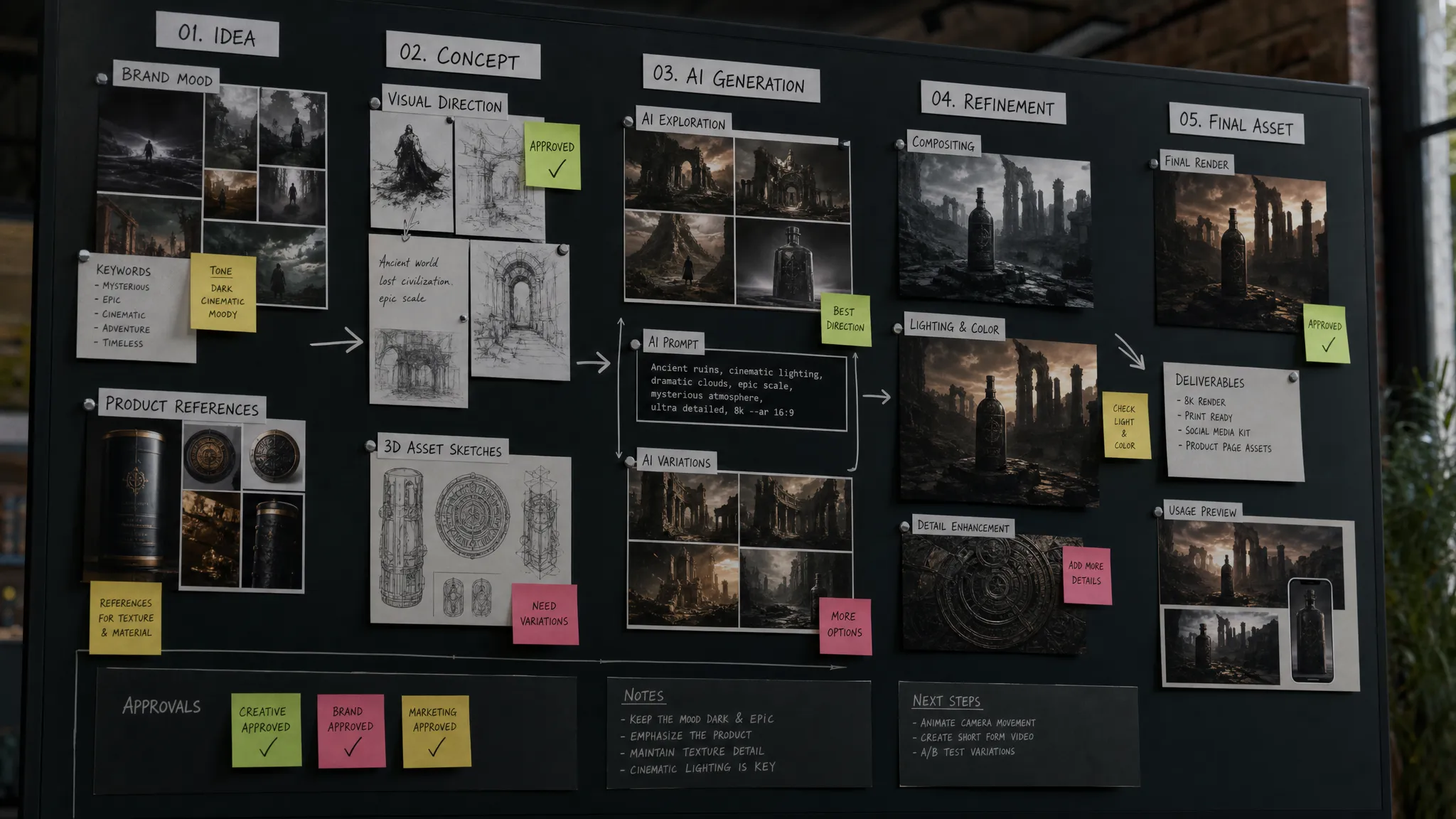
AI adoption has moved from innovation theater to operating reality. Marketing teams are generating campaign concepts, art departments are exploring style directions, application teams are connecting AI to business systems, and game studios are accelerating asset ideation across images, video, audio, and 3D.
That momentum is useful, but it can quickly become messy. One team signs up for a model. Another builds a prompt library in a spreadsheet. A third uploads sensitive creative assets into an unapproved tool. Legal asks who approved what. Brand asks why outputs look inconsistent. IT asks where the data went.
Bringing AI in the enterprise is not mainly a tooling challenge. It is an operating challenge. The companies that scale it successfully treat AI as a governed production capability, not as a collection of experiments.
This guide explains how to introduce enterprise AI without chaos, especially for creative organizations where quality, speed, compliance, and brand consistency all matter.
Why AI becomes chaotic inside large organizations
Enterprise AI rarely becomes chaotic because people are careless. It becomes chaotic because the technology is easy to access, hard to standardize, and exciting enough that every team wants to move fast.
According to McKinsey's 2024 global AI survey, 72% of organizations reported adopting AI in at least one business function. That level of adoption means AI is no longer confined to innovation teams. It is entering daily work, production pipelines, content operations, and customer-facing processes.
The problem is that enterprise structures were not built for dozens of fast-moving AI tools appearing at once. Common symptoms include:
- Model sprawl: Different teams use different AI models without shared standards for quality, security, cost, or compliance.
- Inconsistent outputs: Creative results vary by user, prompt, tool, or model, which creates rework and brand drift.
- Shadow AI usage: Employees use public tools because approved alternatives are too slow or unavailable.
- Unclear ownership: Nobody knows whether AI decisions belong to marketing, IT, legal, creative operations, or product teams.
- Disconnected workflows: AI outputs are created outside existing DAM, PIM, DCC, review, and approval processes.
For creative enterprises, these issues are amplified. A single AI-generated image might involve brand IP, product accuracy, usage rights, regional compliance, campaign approval, and downstream adaptation for multiple formats. Without an operating model, every output becomes a small governance problem.
Start with an AI operating model, not a tool list
A common mistake is to begin by asking which AI tools the organization should buy. A better first question is: how should AI work here?
An AI operating model defines how AI is selected, governed, used, reviewed, measured, and improved across the enterprise. It gives teams freedom to create while reducing ambiguity about risk, ownership, and production standards.
The operating model should answer five practical questions:
| Question | Why it matters | Typical owner or contributor |
|---|---|---|
| What use cases are approved? | Prevents scattered experiments and focuses resources | Business leadership, creative operations |
| Which models and tools can be used? | Reduces security, licensing, and quality risks | IT, application management, AI leadership |
| What data and assets can be used? | Protects IP, customer data, and confidential material | Legal, compliance, data governance |
| Who reviews and approves outputs? | Keeps human judgment in the loop for brand and risk | Art directors, brand teams, legal, producers |
| How is performance measured? | Proves value beyond novelty | CMO, operations, finance, product leaders |
This does not need to be bureaucratic. In fact, the best operating models reduce friction because they replace ad hoc decisions with clear defaults. Teams should know what they can do, what requires approval, and where to go when a use case falls outside the standard path.
Define the use cases before scaling the technology
AI in the enterprise should be tied to specific business outcomes. For a CMO, that might mean faster campaign localization, more creative variations, or improved content throughput. For an art director, it might mean better pre-visualization and stronger style consistency. For an application manager, it might mean governed integration with existing systems. For a game developer, it might mean accelerating concept art, 3D iteration, or environment exploration.
A useful way to prioritize AI use cases is to evaluate them against three criteria:
| Use case dimension | Good candidate | Risky candidate |
|---|---|---|
| Business value | Clear time, cost, quality, or capacity gain | Interesting but not tied to measurable impact |
| Operational fit | Can connect to existing workflows and approvals | Requires teams to work around core systems |
| Risk level | Uses approved assets, clear review, manageable compliance | Uses sensitive data or creates unclear rights exposure |
For creative teams, strong early candidates often include concept exploration, campaign adaptation, mood board expansion, product visualization drafts, storyboard generation, and 3D asset ideation. These use cases can create immediate value while keeping human creative direction central.
Avoid starting with the most legally sensitive or customer-facing use cases. Build confidence first, then expand toward more complex workflows once governance and review practices are proven.
Build governance that enables speed
Governance is often treated as the opposite of creativity. In AI, the opposite is true. Good governance creates the conditions for creative teams to move faster because they do not have to guess what is allowed.
The NIST AI Risk Management Framework describes trustworthy AI through practices such as mapping, measuring, managing, and governing AI risks. For enterprises, this is a helpful mindset: identify risks before production, monitor them during use, and create accountability after deployment.
For organizations operating in or serving Europe, the EU AI Act also matters. The regulation entered into force in 2024, with obligations applying in phases. By 2026, enterprise AI programs need to be especially attentive to risk classification, transparency, data practices, and governance. This is not legal advice, but it is a strong reason to formalize AI controls now rather than after tools have spread informally.
Practical AI governance should cover:
- Approved models, tools, and vendors
- Rules for confidential assets, customer data, product data, and brand IP
- Human review requirements by use case and risk level
- Output labeling, audit trails, and approval history
- Prompt, asset, and generation documentation for repeatability
- Escalation paths for legal, brand, or compliance questions
The goal is not to approve every prompt manually. The goal is to create risk-based pathways. Low-risk internal ideation can move quickly. High-risk external production assets may require formal review, rights checks, and approval records.
Enterprises can also look to ISO/IEC 42001, the international standard for AI management systems, as a reference point for building repeatable governance practices. Even if certification is not the goal, the standard reinforces an important principle: AI needs management systems, not just policies.
Standardize creative intent with context and templates
One of the biggest hidden costs of AI is inconsistency. Two talented people can use the same model and get very different results because they describe the task differently, reference different assets, or interpret the brand in different ways.
For creative enterprises, consistency requires shared context. That context may include brand guidelines, campaign strategy, art direction, product constraints, approved references, mood boards, regional requirements, and channel specifications.
This is where AI operations must move beyond individual prompting. Teams need reusable structures that preserve creative intent across people, tools, and production stages.
Generation blueprints, templates, and shared context libraries help teams standardize the inputs without flattening creativity. Instead of asking each user to reinvent the prompt, the organization can define repeatable patterns for common production needs. For example, a campaign image variation, a product scene, a 3D concept pass, or a video storyboard can each have an approved structure.
The creative benefit is significant. Art directors can guide the visual language more reliably. Marketing leaders can scale campaigns without losing brand control. Producers can reduce rework. Application teams can connect repeatable AI processes into systems with less ambiguity.
Orchestrate models instead of betting on one model
No single AI model is best for every creative task. One model may be strong for photorealistic imagery, another for stylized concept art, another for video, another for audio, and another for 3D-related generation or transformation. Model performance also changes quickly.
This is why enterprises should avoid building their AI strategy around a single model interface. The more durable approach is orchestration. Orchestration means routing tasks to the right models, preserving context across steps, applying governance rules, and tracking outputs through the production pipeline.
For creative work, orchestration matters because production is rarely one step. A team may move from campaign brief to mood board, from mood board to image exploration, from images to video treatments, from approved concepts to 3D assets, and from there into review, localization, and asset management.
| Production need | Why orchestration helps |
|---|---|
| Image generation | Applies brand context, approved references, and review rules consistently |
| Video generation | Coordinates storyboards, style direction, versioning, and approvals |
| 3D workflows | Connects ideation to asset pipelines and downstream creative tools |
| Audio generation | Keeps campaign intent and usage context aligned with other assets |
| Multi-format campaigns | Preserves creative direction across channels, regions, and formats |
This is especially important for game studios and content-heavy brands. The value of AI is not just producing one impressive asset. The value is producing many usable assets that fit the same world, brand, product, or campaign.
Keep humans in the loop where judgment matters
Enterprise AI does not remove the need for expert judgment. It changes where that judgment is applied.
Art directors should not spend their time manually repeating low-value variations if AI can generate options faster. But they should remain responsible for creative direction, taste, quality thresholds, and final selection. CMOs should not approve every generated asset personally, but they should define brand, risk, and performance expectations. Application managers should not block innovation, but they should ensure AI connects safely to enterprise systems. Game developers should use AI to accelerate iteration, while preserving gameplay intent, world consistency, and production constraints.
A practical human-in-the-loop model defines who reviews what and when. Not every AI output needs the same level of scrutiny. Internal sketches and ideation boards can move with lightweight review. Final campaign assets, product visuals, or commercial 3D outputs need stronger approval paths.
The key is to make review part of the workflow rather than a separate afterthought. If approvals happen in disconnected chat threads or folders, teams lose traceability. If review workflows, annotation, approvals, and asset management are connected, AI becomes easier to scale responsibly.
Integrate AI into the systems teams already use
AI chaos often begins when teams create content outside the enterprise production environment. They generate assets in standalone tools, download files locally, rename versions manually, and then try to reinsert everything into the official workflow.
That may work for experiments. It does not work at enterprise scale.
AI should connect with the systems where creative work already lives. Depending on the organization, that may include digital asset management systems, product information management platforms, 3D and DCC tools, review and approval systems, campaign management platforms, and internal content pipelines.
Integration matters for three reasons. First, it reduces duplication because assets, context, and metadata do not have to be recreated manually. Second, it improves governance because approved workflows can be enforced at the system level. Third, it helps teams measure AI impact across the full production process, not only at the moment of generation.
For application managers, this is often the difference between AI as a risky side channel and AI as a manageable enterprise capability. APIs, plugins, and workflow orchestration make it possible to introduce AI while respecting existing architecture.
Create a 90-day rollout plan
A controlled rollout is usually better than either a long theoretical strategy or a free-for-all launch. The goal is to prove value, learn from real users, and refine governance before expanding.
| Timeframe | Focus | Outcome |
|---|---|---|
| Days 1 to 30 | Select priority use cases, define governance basics, identify approved tools and assets | A focused pilot scope with clear rules |
| Days 31 to 60 | Run pilot workflows, collect user feedback, test review and approval paths | Evidence of value, friction points, and risk gaps |
| Days 61 to 90 | Standardize successful workflows, integrate with core systems, expand to additional teams | Repeatable AI operating model ready to scale |
During the first month, resist the temptation to include every department. Choose a contained but meaningful workflow, such as campaign concepting, product image variation, 3D pre-visualization, or creative localization.
During the second month, observe how people actually work. Where do prompts fail? Where do outputs need rework? Which approvals slow down unnecessarily? Which risks are not covered by the policy?
During the third month, turn what worked into repeatable blueprints. This is the moment to document standards, connect systems, assign ownership, and prepare training for a broader rollout.
Measure more than productivity
Speed is important, but enterprise AI should not be measured only by faster output. If AI produces more content that requires more rework, the organization has not improved. If it accelerates production while increasing compliance risk, the cost may appear later.
A balanced measurement framework should include:
- Cycle time from brief to approved asset
- Number of usable creative variations produced per workflow
- Rework rate and approval pass rate
- Brand consistency and creative quality feedback
- Tool adoption by approved users and teams
- Compliance incidents, escalations, and policy exceptions
- Cost per approved asset or campaign variation
These metrics help leaders understand whether AI is improving the production system, not just generating more files. They also create a shared language between creative leaders, technology teams, legal, and finance.
Where a Creative AI OS fits
As AI moves deeper into enterprise production, organizations need more than access to models. They need a control layer for how creative AI runs across studios, workflows, and tools.
The Creative AI OS is built for that operating challenge. As a Creative AI OS, it helps teams govern, orchestrate, and scale AI-powered content creation across image, video, audio, and 3D workflows. Teams can define rules, use generation blueprints, preserve studio context through mood boards, collaborate through review and approval workflows, manage assets, and track pipelines.
Virtuall's intelligence layer, Nyx, orchestrates multiple industry-leading AI models while keeping intent and context across studios and teams. For enterprises that need compliance, Virtuall also supports EU-based infrastructure and inference, along with integrations through plugins and API for creative and business systems such as DCC, PIM, and DAM environments.
The point is not to add another isolated AI tool. The point is to make AI operational, governed, and production-ready.
Frequently Asked Questions
What is the safest way to introduce AI in the enterprise? Start with a defined operating model, approved use cases, clear governance rules, and a limited pilot. Avoid giving teams unrestricted access to disconnected tools before security, compliance, and review practices are in place.
How can creative teams use AI without losing brand consistency? Standardize creative context. Use approved references, mood boards, generation templates, review workflows, and clear art direction. AI should amplify the brand system, not replace it with one-off prompts.
Who should own enterprise AI governance? Ownership is usually shared. IT and application teams manage systems and security, legal and compliance define risk requirements, creative leaders define quality and brand standards, and business leaders set priorities and success metrics.
Should an enterprise choose one AI model for all teams? Usually not. Different models perform better for different tasks. A multi-model orchestration approach gives teams flexibility while keeping governance, context, and workflow control centralized.
How do you know if AI is creating real value? Measure approved output, cycle time, rework rate, adoption, quality feedback, compliance exceptions, and cost per usable asset. The best metric is not how much AI generates, but how much production-ready work it helps teams deliver.
Bring control to creative AI before it scales itself
AI will enter the enterprise with or without a formal plan. The choice is whether it grows through fragmented tools and informal practices, or through a governed operating model that supports speed, quality, and compliance.
If your organization is ready to scale AI-powered content creation across images, video, audio, and 3D without losing control, explore Virtuall. Build the rules, workflows, and context your teams need to turn AI from experimentation into production.