How to Create an AI Model for Studio-Specific Workflows
Learn how to create an AI model for studio workflows with the right data, governance, orchestration, evaluation, and production rollout plan.
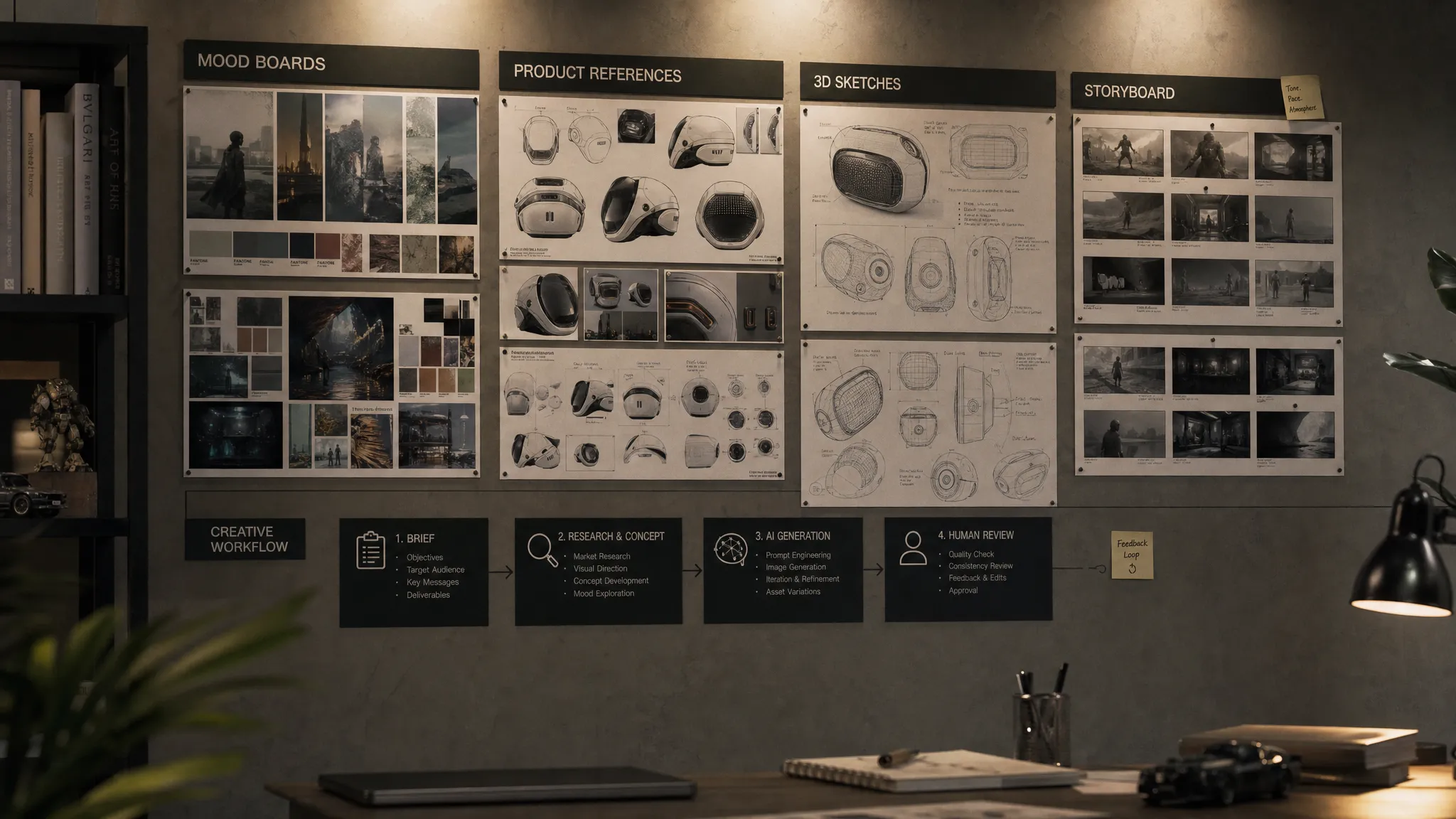
By 2026, the question is no longer whether AI can generate creative assets. It can. The harder question is how to create an AI model that understands the way your studio actually works, from brand rules and review cycles to game asset pipelines, product data, compliance requirements, and final delivery specs.
For enterprise creative teams, “creating an AI model” rarely means training a foundation model from zero. More often, it means building a controlled AI production system around the right models, context, data, templates, evaluation methods, and governance rules. That distinction matters. A model that produces one impressive concept image is not the same as a model that reliably supports a studio workflow across hundreds of campaign variants, 3D assets, product visuals, or localized video outputs.
This guide breaks down how to approach studio-specific AI model creation in a practical, production-minded way.
What it means to create an AI model for studio workflows
In a studio environment, a “model” should be treated as part of a larger creative operating layer. The neural network is only one component. Your studio also needs context, guardrails, approval logic, asset references, workflow templates, and integrations with the tools your teams already use.
There are three common paths:
| Approach | Best for | Main advantage | Main caveat |
|---|---|---|---|
| Orchestrating existing models with templates and context | Most enterprise studios starting out | Fast to deploy and easier to govern | Depends on the strengths and limits of selected models |
| Fine-tuning or adapting a model | Distinctive styles, recurring asset types, character consistency, product-specific outputs | Better alignment with studio patterns | Requires curated data, rights checks, and evaluation |
| Training a model from scratch | Research labs or very large AI organizations | Maximum architectural control | Expensive, complex, and usually unnecessary for studio needs |
For CMOs, the goal is brand consistency at scale. For art directors, it is creative control without repetitive manual production. For application managers, it is secure integration into existing systems. For game developers, it is faster iteration without breaking pipeline quality. A useful studio AI model needs to serve all of those priorities.
Start with the workflow, not the model
The biggest mistake teams make is choosing a model before defining the workflow. A studio-specific AI model should be designed around a repeatable production job, not around a generic capability like “generate images” or “make video.”
Start by writing an output contract. This defines what the AI system must produce, under what constraints, and how humans will approve or reject the result. For example, a retail studio might need product images that match exact SKU data, lighting rules, camera angles, and regional campaign guidelines. A game studio might need 3D prop concepts that fit a specific art direction, polygon budget, lore context, and engine pipeline.
A strong workflow definition should answer:
- What creative task will the AI support?
- What inputs are required, such as briefs, mood boards, product data, sketches, or reference assets?
- What outputs are acceptable, such as images, videos, 3D models, audio, annotations, or scene variations?
- What rules must never be violated, including brand, legal, safety, rights, and technical constraints?
- Who reviews the output, and what does approval mean?
- Where does the output go next, such as a DAM, PIM, DCC tool, game engine, or campaign management system?
This workflow map becomes the foundation for model selection, data preparation, prompt design, evaluation, and governance.
Build a studio data foundation
A studio-specific AI system is only as reliable as the context and data behind it. This does not mean throwing every asset into a training set. It means curating the right materials, with clear rights, metadata, and purpose.
Your data foundation may include approved final assets, source files, brand books, product catalogs, campaign briefs, mood boards, shot lists, lighting references, character sheets, 3D assets, rejected outputs, and review comments. Rejected examples are especially useful because they teach the system what “off-brand,” “not production-ready,” or “technically incorrect” looks like.
Metadata is critical. A beautiful image without context is much less useful than an image tagged by campaign, SKU, style, camera angle, region, character, season, rights status, model version, and approval outcome. The AI system needs to know not only what an asset looks like, but why it was approved.
For enterprise teams, data documentation should be part of the process. The concept of Datasheets for Datasets is useful here: document where data came from, what it represents, how it may be used, and what limitations it has. This helps creative teams, legal teams, and technical teams work from the same source of truth.
Choose the right model strategy
Once the workflow and data foundation are clear, you can decide how to create the AI model layer. The best strategy depends on asset type, quality requirements, control needs, and compliance constraints.
For many studios, the most effective approach is multi-model orchestration. One model may be best for image ideation, another for video generation, another for 3D reconstruction, another for audio, and another for semantic tagging or QA. The studio-specific intelligence comes from how those models are selected, sequenced, constrained, and evaluated.
Use criteria like these when selecting models:
| Selection factor | Why it matters for studios |
|---|---|
| Output quality | The model must meet creative expectations, not just technical benchmarks |
| Controllability | Teams need to guide composition, style, camera, motion, materials, and constraints |
| Licensing and rights | Enterprise teams need clarity on data use, output use, and commercial deployment |
| Deployment options | Some workflows require private infrastructure, regional inference, or strict access rules |
| Latency and cost | High-volume production needs predictable performance and budget control |
| Integration fit | The model must connect to existing DAM, PIM, DCC, review, and production systems |
| Evaluation support | Teams need repeatable tests, versioning, and quality comparison across models |
The right answer may change by workflow. A campaign ideation model can tolerate more variation. A product rendering workflow cannot. A game concept pipeline may benefit from broad exploration early, then require stricter technical and stylistic constraints as assets move toward production.
Turn creative intent into generation blueprints
A generation blueprint is a reusable template that translates studio intent into structured AI instructions. It is where creative direction becomes operational.
Instead of asking each team member to write prompts from scratch, a blueprint standardizes the inputs, constraints, references, and output requirements for a specific workflow. This improves consistency and makes the system easier to evaluate.
| Blueprint component | Example |
|---|---|
| Intent | “Create lifestyle campaign variants for an outdoor apparel product line” |
| Context | Brand mood board, approved campaign palette, product metadata, target region |
| Constraints | No unapproved logos, no inaccurate product features, no unsafe activity depiction |
| Output format | 4K image, transparent background, 16:9 social crop, 3D mesh, or video storyboard |
| Review criteria | Brand fit, product accuracy, composition, technical quality, rights compliance |
| Handoff | Send approved assets to DAM, PIM, DCC tool, or production tracker |
Generation blueprints are especially valuable for large teams because they reduce creative drift. They also make AI easier to govern. If a brand rule changes, update the blueprint rather than relying on every person to remember the new instruction.
Add studio context before fine-tuning
Fine-tuning can be powerful, but it should not be your first move. Many workflow problems can be solved by improving context, references, templates, and orchestration.
Studio context may include mood boards, approved references, product facts, art direction notes, campaign history, shot preferences, lighting rules, and technical requirements. When the AI system can retrieve and apply that context consistently, outputs become more aligned without necessarily modifying the underlying model weights.
Fine-tuning becomes more appropriate when you need a model to repeatedly reproduce a distinctive visual language, character, product category, material behavior, camera treatment, or asset structure. Even then, the training data must be carefully curated. More data is not automatically better. A small set of approved, well-labeled, rights-cleared examples can outperform a large, noisy dataset.
This is where operating systems for creative AI become relevant. Virtuall’s Creative AI OS is designed to help teams orchestrate AI-powered content creation across image, video, 3D, and audio while preserving studio context, governance, and workflow control. Its intelligence layer, Nyx, is positioned to orchestrate multiple AI models and keep intent and context across teams, which is often more practical than forcing one model to handle every creative task.
Orchestrate the production pipeline
A studio-specific AI model is not truly useful until it fits the production pipeline. That means the system should handle more than generation. It should support intake, context selection, model routing, review, annotation, approval, versioning, asset management, and handoff.
For example, an AI-assisted product content workflow might begin with a brief and SKU data from a PIM. The system selects the right generation blueprint, attaches approved brand and product context, routes the request to appropriate image or video models, generates variants, sends them to art direction review, captures comments, and stores approved assets in a DAM. For a game studio, the process may connect concept generation with 3D tools, asset naming conventions, technical validation, and pipeline tracking.
This orchestration layer is what turns AI from a creative experiment into a repeatable studio capability. It also gives application managers a clearer architecture: models are not floating tools used in isolation, but governed services connected to business systems.
Evaluate like a production system, not a demo
A demo can be judged by surprise. A production AI workflow must be judged by repeatability.
Create a test set that represents real studio work: easy cases, edge cases, high-value assets, risky requests, regional variations, and examples that historically caused rework. Run the same tests across model versions, blueprint changes, and workflow updates. This gives your team a way to compare quality over time rather than relying on subjective impressions.
Evaluation should include both creative and operational criteria:
| Evaluation area | What to check |
|---|---|
| Brand consistency | Does the output match the approved visual language and tone? |
| Asset accuracy | Are products, characters, materials, logos, and claims represented correctly? |
| Technical readiness | Does the file meet resolution, format, topology, timing, or export requirements? |
| Rights and safety | Does the output avoid restricted content, unauthorized references, and policy violations? |
| Reviewer effort | Does AI reduce rework, or simply shift effort to correction and cleanup? |
| Pipeline performance | Are cost, latency, versioning, and handoff predictable enough for production? |
Documentation also matters. Model Cards are a helpful framework for describing a model’s intended use, limitations, evaluation results, and ethical considerations. For enterprise studios, similar documentation should exist not only for the base model, but also for fine-tuned variants, generation blueprints, and workflow-specific configurations.
Put governance and compliance into the design
Governance should not be added after rollout. It should shape how you create the AI model from the beginning.
The NIST AI Risk Management Framework organizes AI risk work around governance, mapping, measurement, and management. That structure is useful for creative teams because AI risk is not only technical. It includes brand risk, IP risk, privacy risk, safety risk, reputational risk, and operational risk.
At a minimum, enterprise creative AI governance should define:
- Which models are approved for which workflows
- Which data can be used for prompting, context, training, and evaluation
- Which outputs require human review before publication or production use
- How prompts, inputs, outputs, model versions, and approvals are logged
- How rights, regional requirements, and customer data are handled
- Who can change blueprints, policies, integrations, and deployment settings
Regulatory expectations are also evolving. The European Commission’s AI Act overview is a useful reference for teams operating in or serving the EU. Even when a creative workflow is not classified as high risk, enterprises still benefit from clear documentation, traceability, data controls, and human oversight.
For organizations with European infrastructure requirements, deployment geography and inference location should be part of the architecture discussion. Compliance is easier to manage when data handling, model access, and workflow approvals are designed into the operating layer.
Pilot with one workflow, then scale the operating model
The best way to create an AI model for studio-specific workflows is to start narrow. Pick one workflow where success is measurable, data is available, and the review process is well understood.
Good pilot candidates include product image variants, campaign concept exploration, localized ad visuals, 3D prop ideation, storyboard generation, asset tagging, or internal mood board expansion. Avoid starting with the most politically sensitive or legally complex workflow unless the organization already has mature AI governance.
A practical rollout can follow this structure:
| Phase | Goal | Primary owner | Output |
|---|---|---|---|
| Discovery | Define workflow, constraints, and success metrics | Creative lead with technical support | Workflow map and output contract |
| Prototype | Test models, context, and blueprints | AI or application team | Working proof of concept |
| Controlled pilot | Run real work with human review | Studio team | Approved outputs and evaluation results |
| Production hardening | Add governance, integrations, logging, and documentation | Application manager and operations | Governed workflow |
| Scale | Extend to more teams, markets, asset types, or formats | Studio leadership | Reusable operating model |
Scaling is not just about more prompts or more users. It is about making the AI system predictable across teams. That requires shared blueprints, common evaluation standards, approved model catalogs, context management, review workflows, and integration with the systems where creative work already happens.
Common mistakes to avoid
Many AI initiatives stall because teams focus on novelty instead of operations. If your goal is studio-specific production, avoid these traps:
- Training too early, before workflow requirements are clear
- Using proprietary assets without rights review or documentation
- Measuring only aesthetic quality while ignoring technical readiness
- Letting every team create separate prompts, rules, and asset conventions
- Relying on one model for every image, video, 3D, and audio task
- Skipping version control for prompts, blueprints, context, and model changes
- Treating human review as a bottleneck instead of a quality control system
The most successful studios treat AI as a production capability. They do not remove creative direction. They encode it, govern it, and make it easier to apply consistently.
Frequently Asked Questions
Do I need to train a model from scratch to create an AI model for my studio? Usually, no. Most studios should start by orchestrating existing models with curated context, generation blueprints, evaluation, and governance. Fine-tuning is useful for recurring styles or asset types, but full training from scratch is rarely necessary.
How much data do I need for a studio-specific AI model? It depends on the workflow and customization method. For blueprint-driven workflows, you may need well-structured references and metadata rather than training data. For fine-tuning, quality, rights clearance, consistency, and labeling matter more than raw volume.
How can we protect brand consistency when using AI? Use approved mood boards, brand rules, structured generation blueprints, human review workflows, and repeatable evaluation sets. Consistency improves when creative intent is captured as reusable context rather than rewritten manually each time.
Can AI-generated assets be production-ready? Yes, but only when the workflow includes technical specifications, review criteria, file requirements, and approval steps. Production readiness is not only visual quality. It also includes format, rights, traceability, and downstream compatibility.
Who should own studio AI workflows? Ownership should be cross-functional. Creative leaders define quality and intent, application managers handle integration and governance, legal and compliance teams define constraints, and production teams validate whether outputs work in real pipelines.
Make studio-specific AI operational
Creating an AI model for studio-specific workflows is not a one-time training exercise. It is the design of a governed creative system that understands your assets, rules, tools, and approval process.
Virtuall helps studios and enterprise teams operate creative AI at scale across image, video, 3D, and audio with governance controls, workflow orchestration, generation blueprints, studio context memory, collaboration tools, asset management, pipeline tracking, and integrations through plugins and API. If your team is ready to move from isolated AI experiments to controlled creative production, explore Virtuall and see how a Creative AI OS can support your studio workflows.