How to Build AI Governance Into Studio Workflows
Learn how to embed AI governance into studio workflows with clear roles, model controls, approvals, asset tracking, and compliance.
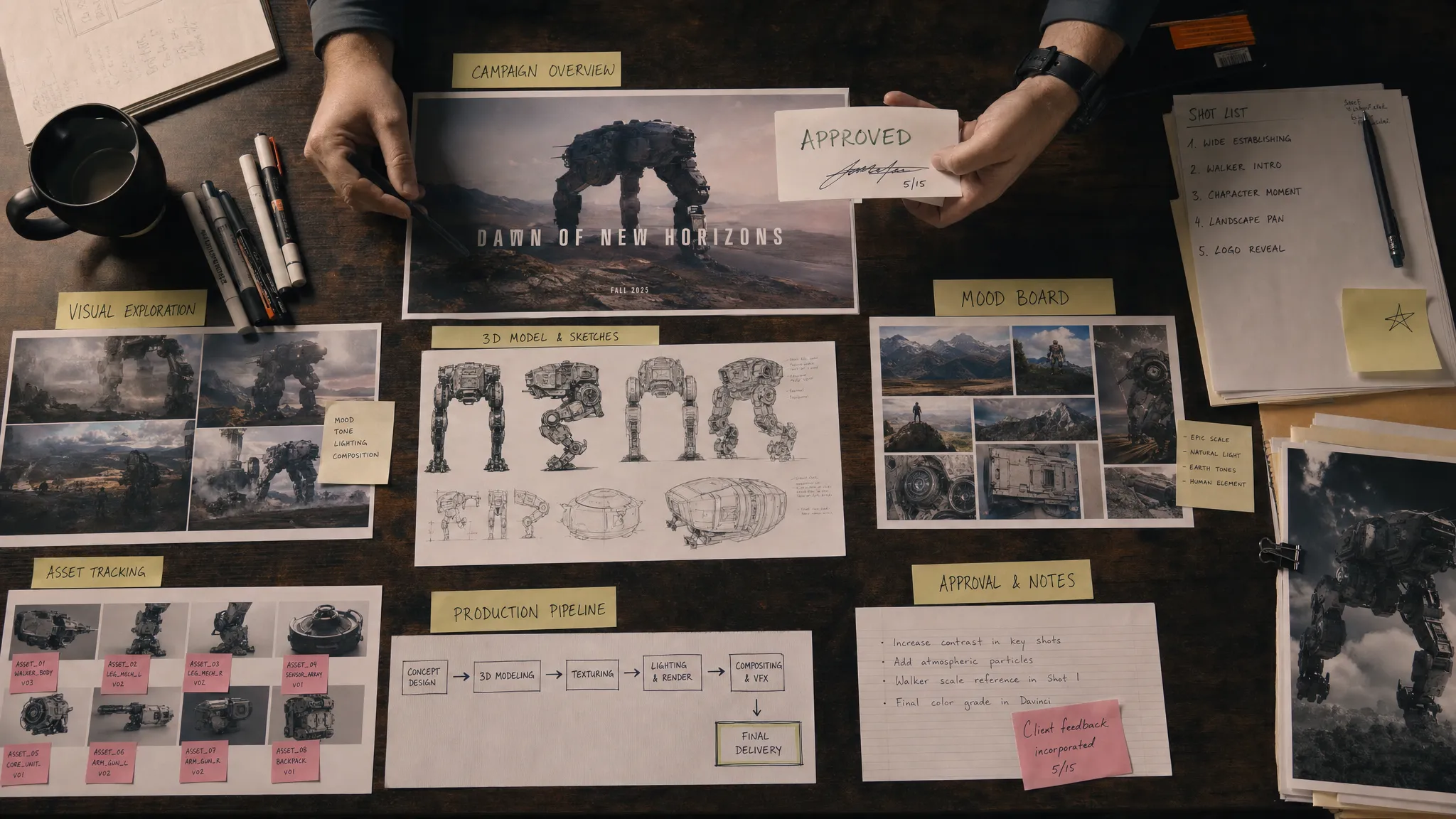
Creative AI has moved from experimentation to production. Marketing teams are generating campaign visuals, art departments are exploring worlds and characters, game studios are testing 3D variations, and enterprise teams are looking for faster ways to produce content across regions and channels.
That speed creates a new operational challenge: if every team uses different tools, prompts, models, review steps, and storage habits, creative AI becomes difficult to control. Brand consistency weakens. Legal review gets harder. Asset lineage disappears. Security teams lose visibility. Production teams spend more time cleaning up outputs than shipping work.
This is where AI governance needs to become part of the studio workflow, not a policy PDF stored somewhere after a legal meeting. The goal is not to slow creative teams down. The goal is to make safe, consistent, high-quality AI production repeatable.
What AI governance means in a studio context
In a creative studio, AI governance is the operating structure that defines how AI is selected, used, reviewed, tracked, and scaled across content workflows. It covers the full chain from idea to final asset: models, data, prompts, references, approvals, rights, metadata, storage, and publishing.
For enterprise creative teams, governance usually has to answer questions such as:
- Which AI models and tools are approved for production work?
- What data, references, or brand assets can teams use in prompts?
- Who approves AI-generated images, videos, audio, or 3D assets before release?
- How do we prove where an asset came from and how it was made?
- How do we keep creative output consistent across teams, markets, and vendors?
- How do we comply with internal policies, client requirements, and emerging regulation?
This aligns with broader AI risk management principles. The NIST AI Risk Management Framework, for example, emphasizes governance, mapping, measurement, and management as core functions for responsible AI adoption. For studios, those ideas become most useful when translated into concrete production steps.
Start by mapping the real creative workflow
AI governance fails when it is designed in isolation from how creative work actually happens. Before defining controls, map the current workflow for each major content type: image, video, 3D, audio, campaign adaptation, product visualization, concept art, or game asset creation.
A useful workflow map should include the moments where people make decisions, use data, move assets, or approve work. For example, an AI-assisted image workflow might include briefing, mood boarding, prompt development, generation, selection, editing, brand review, legal review, export, and asset management. A game studio workflow might add 3D model generation, retopology, material review, engine testing, and performance validation.
Once you see the workflow, governance becomes practical. You can place controls where they reduce risk without interrupting creative momentum.
| Workflow moment | Typical risk | Governance control to embed |
|---|---|---|
| Brief and concept | Unclear usage rights or brand requirements | Standardized creative brief with approved references and restrictions |
| Prompting and generation | Sensitive data entered into unapproved tools | Approved model list, prompt rules, and access controls |
| Asset selection | Inconsistent quality or off-brand outputs | Review criteria, art direction checkpoints, and comparison against mood boards |
| Editing and refinement | Loss of lineage between source and final asset | Metadata capture, versioning, and pipeline tracking |
| Approval | Legal, brand, or compliance gaps | Role-based approval workflows and content annotation |
| Storage and distribution | Untraceable or duplicate assets | DAM or asset management integration with provenance records |
This table should not be a one-time document. It should become the basis for operational rules inside the tools your team uses every day.
Assign ownership before scaling usage
AI governance needs clear ownership across creative, technical, legal, and business functions. If no one owns the system, governance becomes reactive. If only legal owns it, creative teams may see it as a blocker. If only creative teams own it, security and compliance may not have enough visibility.
A practical studio governance model usually includes these roles:
- Creative leadership defines quality standards, brand fit, art direction, and acceptable creative use cases.
- Marketing or business leadership defines campaign goals, market requirements, and reputational risk thresholds.
- Application managers or IT teams manage access, integrations, model availability, permissions, and infrastructure requirements.
- Legal and compliance teams define data handling rules, rights review, consent requirements, and regulatory obligations.
- Production leads translate rules into deadlines, review gates, naming conventions, and asset handoff processes.
For enterprise teams, a small AI governance council can help align these functions. The council should not approve every asset. Instead, it should define the rules, review exceptions, monitor risk, and update standards as models, tools, and regulations change.
Create an approved model and tool intake process
One of the fastest ways to lose control is allowing every team to choose its own AI tools independently. Different tools may have different data retention policies, licensing terms, infrastructure locations, output quality, moderation approaches, and integration limits.
A tool intake process gives teams a safe path to adopt new AI capabilities. It should be lightweight enough to encourage compliance, but detailed enough to support enterprise requirements.
At minimum, evaluate each AI model or tool against the following criteria:
- Data handling and retention policies
- Commercial usage terms for generated outputs
- Ability to restrict or control training on customer data
- Security posture and access management
- Regional infrastructure and inference requirements
- Output quality for your studio use cases
- Logging, auditability, and integration options
- Suitability for images, video, audio, 3D, or multimodal work
For organizations operating in Europe or serving European customers, AI governance should also account for the EU AI Act, which introduces a risk-based regulatory framework with phased obligations. Not every creative AI use case will carry the same level of risk, but teams should still document how AI systems are used, what controls exist, and who is accountable.
Organizations looking for a formal management system can also review ISO/IEC 42001, the international standard for AI management systems. It can be especially useful for enterprises that need structured accountability across departments and vendors.
Translate policy into reusable generation blueprints
Policies are important, but creative teams do not want to read a governance manual every time they generate a concept image or product video. The most effective approach is to translate policy into reusable workflow components.
For example, a generation blueprint can define the approved model, prompt structure, brand rules, reference sources, output format, review steps, and metadata requirements for a specific type of asset. Instead of asking every designer to interpret policy from scratch, the studio gives them a production-ready starting point.
A good blueprint might include:
- The use case, such as product lifestyle image, social video variation, game prop concept, or 3D asset exploration
- Approved models or model families for that use case
- Required brand context, mood board, visual references, or style constraints
- Prompt and negative prompt guidance
- Output specifications such as resolution, file type, aspect ratio, polygon budget, or duration
- Review requirements for art direction, brand, legal, or compliance
- Metadata fields for model version, prompt history, source references, and approval status
This approach helps studios balance control and creativity. Teams still have room to explore, but they explore inside a known production frame.
Keep studio context consistent across teams
A common problem in AI-assisted production is context drift. One team may interpret the brand as minimal and premium. Another may produce colorful, playful outputs. One vendor may use old campaign references. Another may generate assets that look impressive but do not match product reality.
Governance should include shared context, not just restrictions. Mood boards, visual systems, product references, approved language, composition rules, and previous campaign assets all help AI systems and human creators work from the same creative memory.
For art directors, this is especially important. The value of AI is not only generation speed. It is the ability to scale a coherent creative direction across many variations, markets, and formats. Without shared context, scaling AI simply scales inconsistency.
Build review and approval gates by risk level
Not every AI-generated asset needs the same review process. A low-risk internal concept sketch should not require the same approval path as a global campaign hero image, a regulated product claim, or a final game asset shipped to players.
A risk-based approval model keeps teams moving while protecting high-impact outputs. Studios can classify work into tiers such as experimental, internal, client-facing, public-facing, or regulated. Each tier should have clear review expectations.
For example, internal concept exploration may require only art director review. Public campaign assets may require art direction, brand, legal, and market approval. Product visuals may require additional accuracy checks. Game assets may require technical validation inside the engine, performance checks, and IP review if external references were used.
The key is to make approval visible in the workflow. Teams should know who needs to review an asset, what feedback has been given, what changes were made, and whether the asset is approved for production.
Preserve provenance and asset lineage
AI governance depends on traceability. If a studio cannot explain how an asset was created, it becomes harder to manage rights, quality, compliance, and reuse.
Provenance should include the model or tool used, the prompt or generation parameters where appropriate, source references, human edits, approval history, and final usage rights. For complex work, such as video or 3D, it may also include intermediate files, material sources, animation passes, or engine validation notes.
The creative industry is also moving toward stronger content provenance standards. The Coalition for Content Provenance and Authenticity develops technical standards for certifying the source and history of digital media. While not every studio will implement content credentials in the same way, the underlying principle is important: production assets need a trustworthy history.
Asset lineage is not only for compliance. It also improves production efficiency. When teams know which prompt, model, reference, and edit path produced a successful asset, they can reproduce quality more reliably.
Connect governance to the existing production stack
AI governance should not live in a separate silo. Studios already use creative tools, DCC software, DAM systems, PIM platforms, review tools, game engines, and project management systems. If AI workflows are disconnected from that stack, teams will duplicate work and lose visibility.
Application managers should treat AI governance as part of the studio architecture. The goal is to connect AI generation, review, asset management, and delivery into a controlled production pipeline. This may require plugins, APIs, permission mapping, metadata standards, and integration with existing asset libraries.
For game developers, this integration is critical. A generated 3D model is not production-ready simply because it looks good. It may need geometry cleanup, material review, rigging checks, naming conventions, engine import validation, and performance testing. Governance should support that journey from generation to usable asset.
Measure governance with operational metrics
If AI governance is working, teams should see both better control and better throughput. Measure the system like a production capability, not a compliance checkbox.
| Metric | What it tells you |
|---|---|
| Approved model usage rate | Whether teams are adopting sanctioned tools instead of shadow AI |
| Average approval cycle time | Whether governance is slowing production or improving clarity |
| Rework rate | Whether outputs meet brand, technical, and legal expectations earlier |
| Asset traceability coverage | Whether final assets have sufficient metadata and provenance |
| Policy exception volume | Where rules are unclear, too strict, or not supported by available tools |
| Output consistency score | Whether creative direction remains stable across teams and markets |
These metrics should be reviewed regularly by creative operations, IT, and governance stakeholders. The aim is continuous improvement. If teams frequently bypass a control, the control may be poorly designed. If approval times are rising, review criteria may need to be clearer. If outputs are inconsistent, shared context and blueprints may need refinement.
A practical 30-60-90 day rollout plan
AI governance does not need to start with a large transformation program. Most studios can begin with a focused rollout that proves value quickly.
| Timeline | Focus | Key outcomes |
|---|---|---|
| First 30 days | Audit and alignment | Map AI use cases, identify active tools, define owners, and classify risk levels |
| Days 31 to 60 | Controls and workflow design | Create approved tool criteria, build initial generation blueprints, and define review gates |
| Days 61 to 90 | Pilot and scale | Run governed workflows with one or two teams, measure results, refine controls, and prepare wider rollout |
Start with a workflow that matters but is not too risky. Campaign adaptation, product concepting, 3D ideation, or internal visual exploration can be good candidates. Once the governance model works in one workflow, expand to higher-value and higher-risk production areas.
Where Virtuall fits into governed creative AI production
The Creative AI OS is built for teams that need to operate creative AI at scale while maintaining control across studios, workflows, and tools. As a Creative AI operating system, it helps teams orchestrate AI-powered content creation across image, video, audio, and 3D formats with governance and compliance built into the production layer.
For enterprise studios, this means governance can be connected directly to how work is produced. The Creative AI OS supports AI governance controls, workflow orchestration, multi-model content generation, generation blueprints, studio context memory through mood boards, team collaboration workflows, approvals, content annotation, asset management, and pipeline tracking.
Virtuall also includes Nyx, the intelligence layer of the Creative AI OS. Nyx orchestrates multiple industry-leading AI models and keeps intent and context across studios and teams. For organizations managing complex creative pipelines, that context continuity can help reduce drift between strategy, art direction, generation, review, and final asset delivery.
Because enterprise AI adoption often requires infrastructure and compliance considerations, Virtuall also supports EU-based infrastructure and inference, along with integration into creative tools such as DCC, PIM, and DAM systems through plugins and APIs.
Frequently Asked Questions
What is AI governance for creative studios? AI governance for creative studios is the set of rules, workflows, roles, and controls that define how AI tools are used to create, review, track, and approve content. It helps teams manage quality, brand consistency, rights, security, and compliance.
Does AI governance slow down creative teams? It can slow teams down if it is handled as manual bureaucracy. When governance is embedded into templates, approved models, review workflows, and asset tracking, it usually reduces rework and makes production faster to scale.
Who should own AI governance in a studio? Ownership should be shared. Creative leaders should own quality and direction, IT or application managers should own access and integrations, legal should own rights and compliance, and production leads should own workflow execution.
What is the first step to implementing AI governance? Start by mapping your existing AI-assisted workflows and identifying risk points. Once you know where tools, data, approvals, and assets move through the studio, you can add controls in the right places.
How does AI governance apply to 3D and game asset workflows? For 3D and game teams, governance should cover model selection, source references, geometry quality, material usage, naming conventions, engine validation, performance requirements, approval history, and asset provenance.
Build governance into the way your studio creates
AI governance works best when it feels like part of production, not an external restriction. The studios that succeed with creative AI will be the ones that combine speed with structure: approved models, shared context, clear review gates, traceable assets, and workflows that scale across teams.
If your organization is moving from AI experimentation to governed creative production, Virtuall can help you orchestrate AI across images, video, audio, and 3D while maintaining the control, consistency, and compliance enterprise teams need.