How to Generate Game Assets With AI That Ship
Learn how to generate game assets with AI that meet art direction, legal, technical, and engine-ready standards for production.
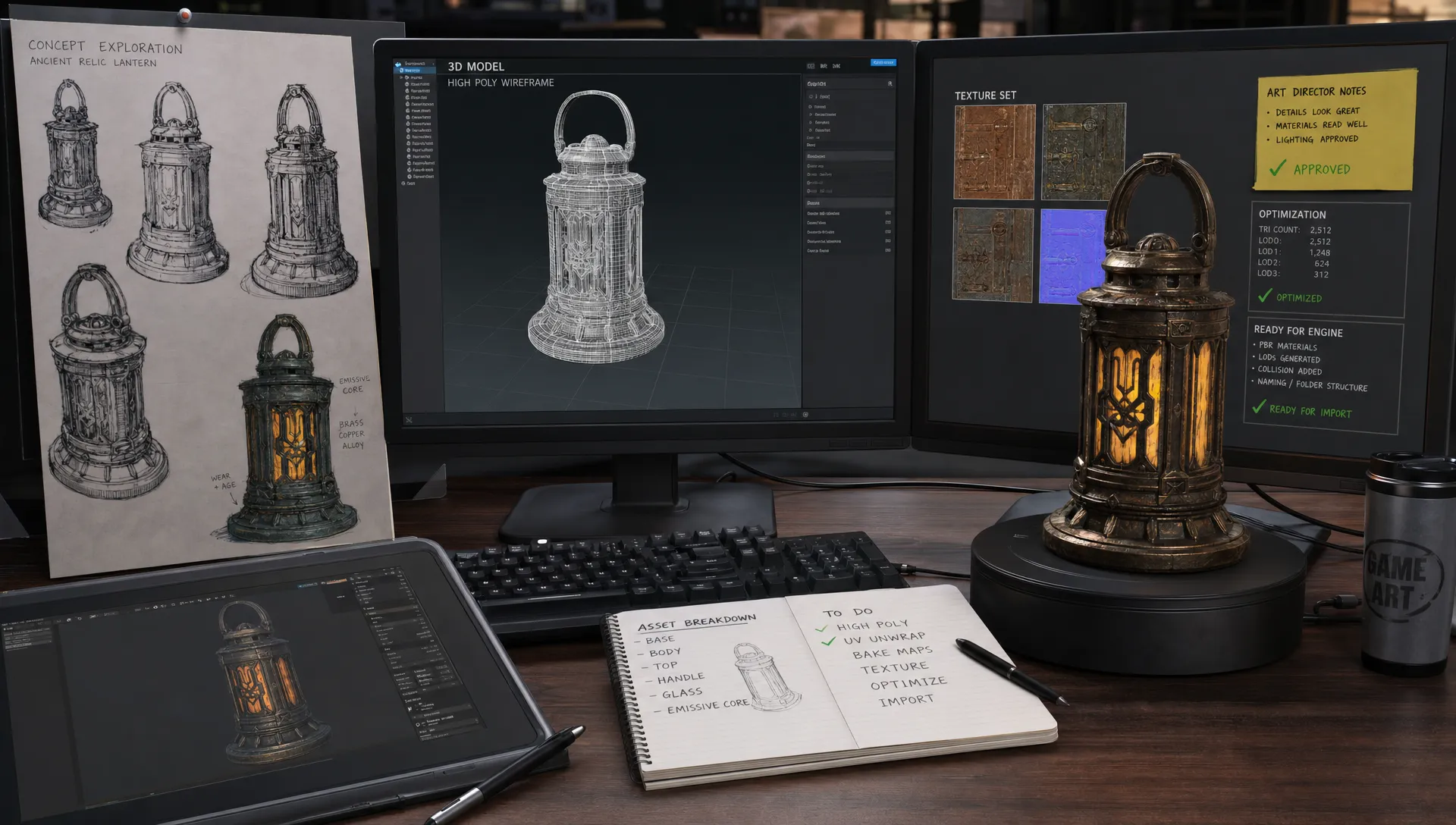
AI can produce impressive game asset concepts in minutes. Shipping them is a different discipline.
A studio asset has to survive art direction, legal review, technical validation, engine import, performance budgets, naming rules, localization needs, and sometimes years of live operations. The real question is not whether AI can generate game assets. It is whether your team can turn AI outputs into controlled, traceable, consistent, production-ready assets without slowing down the people who need to approve and use them.
For enterprise game teams, the winning approach is a pipeline, not a prompt. AI becomes useful at scale when it is connected to the same standards that already govern your studio: style bibles, asset specs, versioning, approvals, DCC tools, game engines, DAM or PIM systems, and compliance policies.
This guide walks through a practical workflow for generating game assets with AI that are more likely to ship, from brief to final engine-ready delivery.
What shipping means for AI-generated game assets
A shippable AI asset is not simply attractive. It is usable in the production context it was made for.
For a concept artist, that may mean a character exploration board that follows the worldbuilding rules and gives the art director useful choices. For a technical artist, it may mean a prop mesh with sane topology, proper UVs, optimized textures, and predictable naming. For a producer, it may mean an approved asset that is tracked, traceable, and ready to move into the next milestone.
In practical terms, an AI-generated asset is closer to shipping when it meets six standards:
- It matches the art direction and approved creative context.
- It is created from references and inputs the studio has the right to use.
- It has been reviewed by the right humans at the right stage.
- It meets the technical target for platform, engine, file format, scale, and performance.
- It is versioned, named, and stored where the team can find it.
- It has an audit trail that explains how it was produced, approved, and modified.
That last point matters more as teams scale. A single AI experiment may not need a full approval trail. A global franchise, licensed IP, or live-service pipeline does.
Start with asset specifications before prompts
The fastest way to get unusable AI output is to start with a vague prompt. The fastest way to get production value is to start with a production brief.
Before anyone generates images, textures, models, or animations, define the intended use of the asset. The prompt should come after the asset spec, not before it. This prevents the common pattern where a team creates visually exciting assets that later fail because they are the wrong size, style, license posture, file type, or complexity level.
A good AI asset specification includes creative, technical, and governance requirements in one place.
| Requirement | What to define | Why it matters |
|---|---|---|
| Asset type | Character, prop, environment kit, UI icon, texture, skybox, VFX concept, marketing key art | Different asset types need different validation paths. |
| Production role | Exploration, placeholder, final source, final in-engine, marketing adaptation | Prevents concept output from being mistaken for final production output. |
| Style rules | Shape language, palette, mood, detail density, camera angle, genre codes | Keeps generations aligned with the art direction. |
| Technical target | Engine, file format, texture size, polygon budget, LOD requirements, rigging needs | Reduces rework during technical art and engine import. |
| Rights and references | Approved reference libraries, forbidden sources, IP constraints, brand rules | Helps reduce legal and compliance risk. |
| Review owner | Art director, lead artist, technical artist, producer, legal or brand reviewer | Makes approval responsibilities clear. |
| Output destination | DAM, DCC tool, engine folder, PIM, review board, localization package | Ensures assets do not disappear into personal folders. |
This table can become a reusable template for AI generation requests. In a governed studio pipeline, the template is not just documentation. It becomes the control layer that shapes what the AI is allowed to do.
Build AI-ready creative context
AI is only as useful as the context it receives. If every artist writes prompts from memory, the outputs will drift. If the AI generation process is grounded in shared studio context, the results become more consistent.
For game assets, creative context usually includes approved mood boards, style guides, existing key art, material references, character proportions, environmental rules, UI conventions, and brand restrictions. The goal is not to overload the model with every document your studio owns. The goal is to provide the smallest set of high-signal references that define what good looks like.
This is especially important for sequels, franchises, stylized worlds, or licensed games. A fantasy sword for one title might be clean, readable, and toy-like. For another, it might need historical construction, worn metal, and aggressive silhouette breaks. The words are similar, but the production meaning is different.
If your team is still formalizing this step, Virtuall has a separate guide on how to create AI game assets that match your art style, which is a useful companion to this shipping-focused workflow.
The key principle is simple: do not ask AI to invent your style every time. Give it reusable creative constraints, then use human review to decide which outputs deserve to move forward.
Generate in controlled stages, not one giant prompt
Trying to generate a final game asset in one step is tempting, but it often creates hidden rework. A better approach is staged generation. Each stage has a purpose, a review gate, and a different definition of done.
A typical AI-assisted asset workflow might look like this:
- Creative exploration: Generate broad variations to test silhouette, mood, material direction, and gameplay readability.
- Art direction selection: Have the art director or lead choose directions that fit the world, gameplay role, and visual hierarchy.
- Production refinement: Generate more targeted variants from the chosen direction using approved references and tighter constraints.
- Asset construction: Convert the approved direction into usable 2D, 3D, texture, animation, or audio components.
- Technical validation: Check topology, UVs, texture resolution, naming, scale, import behavior, platform budget, and performance.
- Final approval and registration: Store the approved asset with metadata, versions, rights notes, and pipeline status.
This staged approach keeps AI from becoming a black box. It also gives each discipline a clear moment to contribute. Artists shape taste. Technical artists protect performance. Producers protect schedules. Legal and brand teams protect risk. AI accelerates the work, but the studio still controls the result.
Turn AI outputs into game-ready files
Different asset categories require different production passes. A generated concept image, a seamless texture, and a 3D mesh may all come from AI, but they do not become shippable in the same way.
For 2D assets, review resolution, transparency, edge quality, color profile, readability at target size, localization flexibility, and whether any text or symbols need manual correction. AI-generated UI icons can look polished at full size but fail when reduced to 64 pixels. Marketing art may need separate checks for platform rules, ratings, logo placement, and regional adaptations.
For textures and materials, test tiling, seams, normal map behavior, roughness and metallic consistency, texel density, and performance budgets. AI can accelerate material ideation, but a texture still needs to behave correctly under the game lighting model. If the material is used repeatedly across a world, small inconsistencies become visible quickly.
For 3D assets, the production pass is even more important. AI-generated meshes may require retopology, UV unwrapping, cleanup, scale correction, pivot placement, collision setup, LOD generation, texture baking, and engine import tests. If you are building a deeper 3D workflow, this AI-powered 3D asset workflow for games covers the mesh-specific steps in more detail.
Engine requirements also matter. Unity and Unreal both have detailed import and asset pipeline expectations, and studios often add their own rules on top. The official Unity model import documentation and Unreal Engine FBX Content Pipeline documentation are useful references when building technical validation checklists.
The practical takeaway: AI can create a strong starting point, but game-ready files still need the same production discipline as any other asset.
Add governance before you scale
AI asset generation becomes risky when it spreads faster than the studio can govern it. This is where many enterprise teams get stuck. Individual creators see productivity gains, but the organization cannot easily answer basic questions: Which model was used? Which references were allowed? Who approved this output? Can this asset be used commercially? Is it safe for this region, brand, or platform?
Governance does not need to feel bureaucratic. It should feel like guardrails that make good work easier.
At minimum, AI game asset governance should define approved models, approved reference sources, forbidden inputs, review stages, data storage rules, permission levels, and documentation requirements. If your studio handles licensed IP, children’s content, real-world likenesses, regulated brands, or user-generated content, governance becomes even more important.
Copyright and authorship also deserve careful attention. The U.S. Copyright Office has repeatedly emphasized that copyright protection is grounded in human authorship, and it continues to publish guidance through its Copyright and Artificial Intelligence initiative. This does not mean studios cannot use AI. It means teams should document human creative contribution, avoid unclear training and reference practices, and involve legal counsel where necessary.
For enterprise teams, governance is not an afterthought. It is part of the asset pipeline.
Use quality gates that match real production roles
A shippable AI workflow needs checkpoints. Without them, assets either move too quickly and create downstream problems, or move too slowly because nobody knows who can approve them.
The best quality gates mirror the way game teams already work. They are not generic AI reviews. They are discipline-specific production reviews.
| Quality gate | Primary reviewer | What to check |
|---|---|---|
| Creative fit | Art director or lead artist | Style, silhouette, mood, readability, franchise fit, visual hierarchy |
| Source and rights | Producer, legal, brand, or compliance reviewer | Approved inputs, reference provenance, IP restrictions, commercial use posture |
| Technical art | Technical artist | Topology, UVs, texture sets, scale, pivots, LODs, collision, naming |
| Engine import | Game developer or technical artist | File behavior, materials, lighting response, animation compatibility, runtime issues |
| Performance | Rendering engineer or platform owner | Memory, draw calls, texture size, shader complexity, platform budgets |
| Final registration | Producer, asset manager, or pipeline owner | Version, metadata, approval status, storage location, dependency tracking |
These gates should be lightweight for low-risk assets and stricter for hero characters, monetized cosmetics, licensed content, or marketing materials. Not every asset needs the same process. The point is to match the level of control to the level of risk.
A practical workflow example: an AI-generated environment prop
Imagine a studio needs a set of abandoned sci-fi market stalls for an open-world game. The team wants AI to accelerate ideation and production, but the assets still need to ship on console.
The producer starts with an asset spec: modular stall props, mid-distance environment use, worn industrial sci-fi style, no readable text, no real-world logos, target engine defined, texture budgets set, and final files stored in the studio DAM and engine project.
The art director provides approved references: existing city district screenshots, shape language notes, palette guidance, material examples, and a mood board. The team generates concept variations, then selects three directions. The chosen design is refined into front, side, and detail views.
A 3D artist or technical artist then uses the approved concept to create or refine meshes. AI may support blockout, texture generation, or material exploration, but the final production pass includes cleanup, UVs, texel density checks, LODs, collision, naming, and import validation. The asset is tested in a representative scene, where lighting, scale, readability, and performance are checked.
Only after approval does the prop set become part of the production library. The final asset record includes the prompt or generation blueprint, approved references, reviewer notes, version history, and destination path.
This is what it means to generate game assets with AI that ship. The AI step is valuable, but it is only one part of a controlled asset supply chain.
Common mistakes that keep AI assets from shipping
Most failed AI asset workflows do not fail because the images look bad. They fail because the pipeline is not designed for production.
Common mistakes include treating AI output as final art too early, generating without approved style references, skipping rights review, ignoring engine constraints until the end, and letting every team invent its own prompt formats. Another frequent issue is asset sprawl: hundreds of promising outputs stored across personal drives, chat threads, and local folders with no metadata or approval status.
The fix is not to ban experimentation. The fix is to separate experimentation from production. Give artists room to explore, but create a clear promotion path for assets that are candidates for shipping. Once an AI output enters production, it should follow the same rules as any other production asset.
How The Creative AI OS supports AI game asset pipelines
For studios operating AI across teams, tools, and asset types, the challenge is orchestration. You need more than disconnected generation tools. You need a controlled environment where creative intent, workflow rules, reviews, and compliance requirements stay connected.
Virtuall is a Creative AI OS built to help studios control, orchestrate, and scale AI-powered content creation across image, video, audio, and 3D workflows. For game teams, that means AI generation can be connected to governance controls, workflow orchestration, generation blueprints, studio context memory through mood boards, collaboration workflows, asset management, and pipeline tracking.
Nyx, the agent in the Creative AI OS, orchestrates multiple industry-leading AI models while keeping intent and context across studios and teams. This matters because production teams rarely want one generic output from one generic model. They need the right model, with the right context, under the right rules, for the right asset stage.
For enterprise teams, Virtuall also supports compliance-oriented workflows, including EU-based infrastructure and inference, and integration with creative tools such as DCC, PIM, and DAM systems through plugins and API. The goal is not to replace your production pipeline. It is to make AI operate inside it.
FAQ
Can AI-generated game assets be used in commercial games? Yes, but the answer depends on the tools, model terms, inputs, references, and jurisdiction. Studios should use approved tools, rights-clean references, clear documentation, and legal review for higher-risk assets.
What types of game assets are best suited for AI generation? AI is especially useful for concept exploration, mood boards, prop variations, texture ideas, UI icon directions, marketing adaptations, and early 3D ideation. Final production assets usually still require human review and technical cleanup.
Can AI create final 3D assets for games? AI can accelerate 3D creation, but generated models often need retopology, UV work, texture validation, LODs, collision setup, and engine testing before they are production-ready.
How do you keep AI-generated assets consistent with a game’s art style? Use approved mood boards, style guides, reference sets, reusable prompts or generation blueprints, and art director review. Consistency improves when AI generation is grounded in shared studio context rather than isolated prompts.
Who should approve AI-generated game assets? Approval should match the asset risk and use case. Art directors approve creative fit, technical artists validate production quality, producers track status, and legal or brand teams review rights-sensitive assets.
Bring AI into the production pipeline, not around it
AI can help game teams move faster, explore more directions, and reduce repetitive production work. But assets only ship when they meet the standards of the game, the studio, and the platform.
The studios that get the most from AI will not be the ones with the longest prompts. They will be the ones with the clearest creative context, the strongest governance, the right quality gates, and a production pipeline that turns AI output into approved assets.
If your team is ready to operate creative AI at scale, Virtuall can help you bring generation, governance, collaboration, and asset workflows into one controlled operating system for images, video, audio, and 3D.