What Is Creative AI? From Generating Content to Directing Creative Work
Creative AI uses AI across the whole creative process, from idea to finished asset. See how it differs from generative AI, real examples, and the human role.
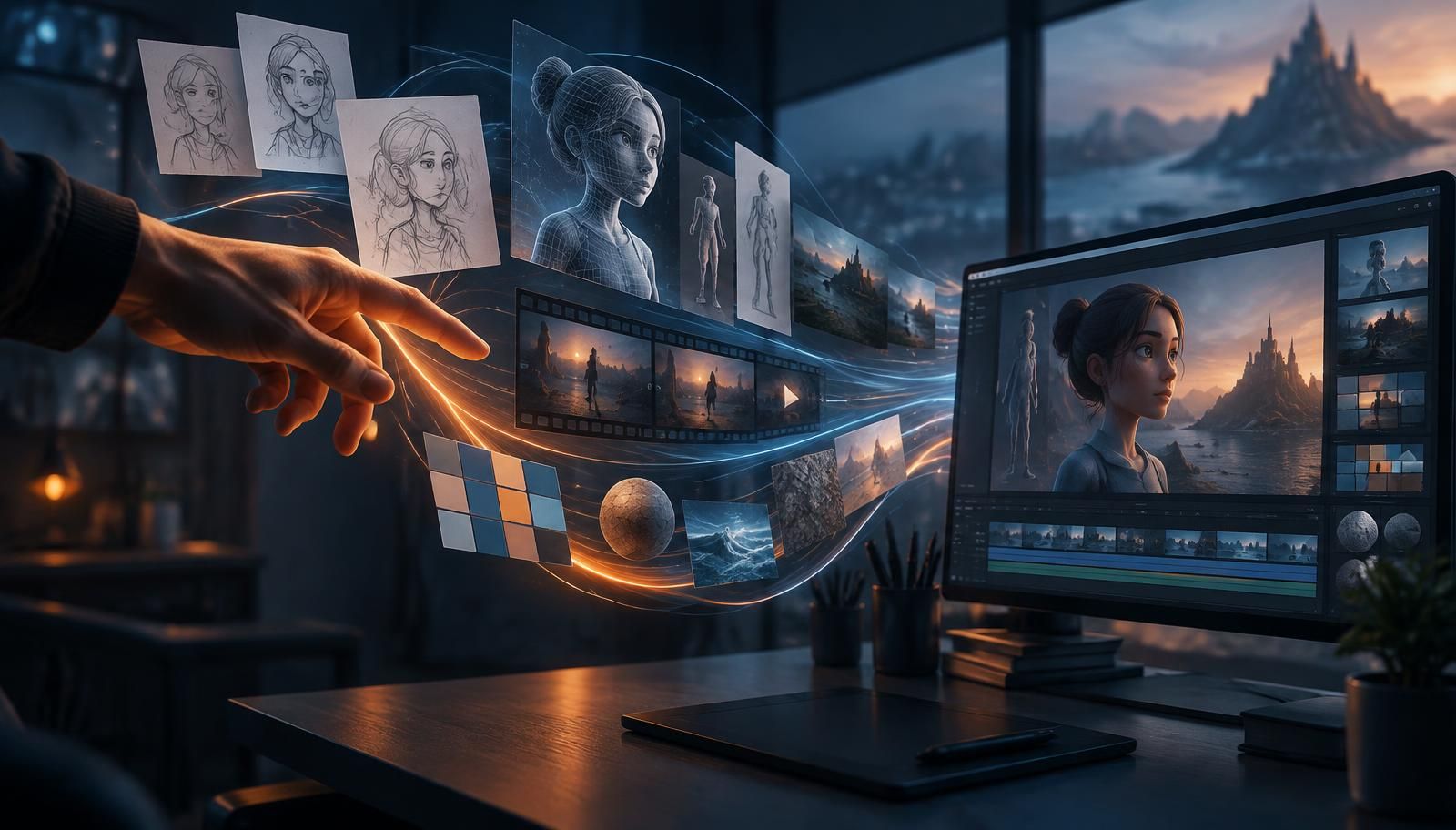
Creative AI is the use of artificial intelligence throughout the creative process, helping people explore ideas, develop artistic direction, generate and refine content, and bring creative work into production. It combines generative AI with human judgment, contextual understanding, and intelligent workflows to turn creative intent into meaningful results.
Key takeaways
- Creative AI is AI used across the whole creative process: ideas, direction, generation, refinement and production.
- Generative AI produces content. Creative AI connects human intent to the process of creating.
- Strong results often combine several specialised models rather than relying on one.
- A good-looking output is not the same as a usable asset; production work still has to happen.
- Shared creative context lets teams build on each other's work instead of starting over.
- People stay responsible for vision, taste and judgement.
Most people encounter creative AI through something remarkably simple: they describe what they want, and artificial intelligence generates it.
An image. A video. A piece of music. A 3D model.
It's an extraordinary technological capability. But after working with artists, designers, game studios, and enterprise creative teams, we've learned that generating content is only one part of a much bigger transformation.
Because creating something isn't the same as generating something.
Generation is an event. Creation is a process.
And understanding that distinction changes how we think about creative AI.
What is the difference between Creative AI and Generative AI?
Generative AI describes technologies capable of producing content, including text, images, video, audio, code, and 3D assets.
Creative AI describes how artificial intelligence participates in creative work, from the earliest idea to a finished result.
The two concepts overlap, but they emphasize different things.
Generative AI focuses on what the technology can produce. Creative AI focuses on what people can accomplish with it.
A designer generating an illustration is using creative AI. So is a game studio coordinating thousands of assets across multiple people, AI models, and production workflows.
The difference is not a strict technical classification. It's a difference in perspective.
Generative AI produces content. Creative AI connects human intent to the process of creating.
Creative AI vs Generative AI at a glance
| Generative AI | Creative AI | |
|---|---|---|
| Focus | What the technology can produce | What people can accomplish with it |
| Typical output | A single image, clip, track or model | A finished, usable result |
| Who decides | The prompt | The creator, supported by AI |
| Where it stops | When the model returns an output | When the work is reviewed, refined and delivered |
Where is creative AI used?
Creative AI shows up across most creative formats today:
- Image and design: illustration, concept art, product photography, ad creative, icons and textures generated and edited from text or reference images.
- Video and audio: storyboards, animated clips, motion loops, voiceovers, music and sound effects.
- 3D: models generated from images or text, with textures, cleanup and export for games, product visualisation and architecture.
- Co-creative tools: systems that respond to an artist in real time and work as an improvising partner rather than a vending machine.
- Prototyping: turning sketches into quick 3D or visual prototypes, and helping write code for interactive work.
What these uses have in common is less important than what separates them from finished work. That is where the rest of this article focuses.
What we've learned from people creating with AI
At Virtuall, we're building a Creative AI Operating System used by individual creators and professional teams working with images, video, and 3D.
Being close to their everyday work has challenged some of our assumptions about how creative AI should function.
Several lessons stand out.
1. A prompt is not a creative brief
One of the most common misconceptions about creative AI is that better prompts automatically produce better creative work.
Prompts matter, but professional creativity rarely starts with a perfectly articulated instruction.
An artist may begin with a handful of references, a visual feeling, an incomplete concept, or something they struggle to describe.
Experienced creative professionals don't necessarily know the exact outcome when they begin. They discover it through exploration.
We've found that an effective approach often starts before generation. Give AI the references, let it examine them, discuss the intended direction, and develop an approach before producing anything.
This changes the interaction from repeatedly requesting outputs to developing a creative idea together.
The distinction matters.
Prompting tells AI what to generate. Creative direction establishes why, how, and toward what outcome.
2. The best creative results don't necessarily come from one AI model
AI models have different strengths. One may excel at image composition, another at realistic textures, another at 3D geometry or motion.
Working with game studios has made this particularly clear.
Generating an attractive character concept is one challenge. Turning that concept into a usable 3D asset is another. The model that produces the strongest geometry may not be the one that produces the most suitable textures.
And when the asset needs to become part of a video, animation, or game production workflow, additional capabilities become important.
We've learned to think less about which AI model is universally best and more about which combination of capabilities serves a particular creative objective.
This is an important evolution.
A creative professional shouldn't need to become an expert in every available AI model to get their work done.
The creative intent should lead. Technology should help determine the execution.
3. An impressive result isn't necessarily a usable asset
It's easy to be impressed by AI-generated content.
But there's a difference between something that looks good on a screen and something that can actually be used in production.
A game studio may need a 3D object with suitable geometry, textures, and export formats.
A marketing team may need one approved design adapted into dozens of formats.
An artist may generate a sheet of icons but still need every icon individually cropped, cleaned, given a transparent background, and exported.
We've seen how seemingly small production tasks can become real bottlenecks, even when the underlying generation took only seconds.
These experiences have shaped how we build.
Creative AI shouldn't end when a model returns an output. It should help people refine, transform, organize, and deliver the work.
The real measure of creative AI is not how quickly something can be generated, but how effectively it can become something useful.
4. Creative context is more valuable than isolated prompts
Another pattern emerges when individual experimentation becomes teamwork.
Someone discovers a successful visual direction, develops a workflow, and produces a set of assets. But when another person attempts to continue the work, much of the original knowledge is missing.
The references, decisions, iterations, and reasoning behind the result may exist only in one person's conversation with an AI tool.
The next creator starts over.
This is more than an inconvenience. It means an organization can repeatedly experiment without accumulating much shared creative knowledge.
We believe one of the most important developments in creative AI is the ability to preserve context across people, projects, and time.
What was the original artistic direction? Which references mattered? What did the team approve? What worked? What should remain consistent?
When AI can use relevant context, each new creative task doesn't have to begin from zero.
Models become more capable. But it's the creative knowledge an organization retains that makes those capabilities increasingly valuable.
5. Giving people AI tools doesn't mean they'll know what to do with them
Perhaps one of our most revealing observations is how easily people underestimate what AI can already help them accomplish.
We've watched creators approach AI as if it were a familiar single-purpose application.
Someone arrives to generate a 3D model, planning to export it into another tool to create a video. They may not realize they could describe the intended outcome and have AI help coordinate the entire process.
This isn't simply a question of technical capability. It's about changing established ways of working.
People naturally understand new technology through the tools and workflows they already know.
For organizations, the challenge becomes even larger.
Individual experimentation can happen quickly. Developing common practices, building confidence, establishing quality standards, and helping entire teams adopt new ways of working takes more than access to software.
AI availability is a technology decision. AI adoption is a human and organizational process.
We've learned that guidance, creative examples, shared knowledge, and the freedom to experiment are as important as adding new AI capabilities.
The three layers of Creative AI
These observations point toward three increasingly connected capabilities.
Generation: Making things possible
The first layer enables people to generate and edit creative materials, including images, videos, audio, designs, and 3D assets.
It dramatically expands the possibilities available to creators and lowers the effort required to explore ideas.
Direction: Making things intentional
The second layer connects AI capabilities to creative intent.
References, brand guidelines, artistic choices, project context, and feedback help guide the creative process.
AI can assist with interpreting a brief, planning an approach, selecting capabilities, evaluating alternatives, and refining results.
The human remains responsible for the vision and creative judgment.
Production: Making creativity work together
The third layer connects creative activities into repeatable, collaborative workflows.
Different AI capabilities can contribute to one process. Assets move between formats. Teams share context and review results. Production requirements remain visible.
This is where AI becomes more than a collection of creative tools.
It becomes part of the infrastructure through which creative work gets done.
How does Creative AI change the human role?
As artificial intelligence takes on more production tasks, the role of the human creator evolves.
Time previously spent on manual execution can increasingly be devoted to exploration, direction, evaluation, and refinement.
But this doesn't mean creativity becomes easier in every respect.
When generating alternatives becomes inexpensive, choosing between them becomes more important.
When technical execution becomes more accessible, originality, taste, and artistic identity become stronger differentiators.
And when anyone can produce convincing content, understanding why something should exist becomes especially valuable.
AI can generate possibilities. People contribute experience, perspective, intention, and responsibility for the result.
The more content AI can produce, the more important it becomes to know what is worth creating.
This doesn't diminish traditional creative skills. It changes how those skills are applied and creates opportunities for people who previously lacked access to specialized production capabilities.
What does Creative AI look like in practice?
Consider a game studio preparing a new campaign.
The team needs character concepts, promotional illustrations, 3D assets, animated sequences, and variations for different marketing channels.
With isolated AI generators, these tasks may become disconnected experiments.
Each tool requires new instructions. References must be repeated. Artistic consistency becomes difficult to maintain. Finished outputs may require significant manual work before they become usable.
A connected creative AI process works differently.
The team begins by establishing the artistic direction and relevant context.
AI can help explore concepts, generate references, develop assets, coordinate different models, and prepare outputs for subsequent production steps.
People review and refine the work throughout the process.
The goal isn't to eliminate individual creative decisions. It's to connect those decisions so that each step contributes to the intended result.
The same principle applies to product visualization, advertising, filmmaking, architecture, and many other creative disciplines.
The challenges of Creative AI
Creative AI also introduces challenges that become more visible as adoption grows.
Copyright, licensing, ownership, consent, and the handling of source material matter. So do consistency, provenance, security, and the ability to review what AI has produced.
Creative freedom presents its own challenges.
Artists work with subjects and ideas that can be unconventional, provocative, or difficult for automated safety systems to interpret. A system that doesn't distinguish legitimate artistic intent from prohibited uses can unnecessarily restrict creative work.
At the same time, professional organizations need controls that protect intellectual property, personal rights, and production integrity.
These are not challenges that generation quality alone can solve.
They require thoughtful technology choices, governance, and human involvement.
From Creative AI tools to a Creative AI Operating System
Today, much of creative AI is experienced through individual applications.
Generate an image here. Create a video there. Move an asset into another tool. Rebuild the context. Repeat.
But creative work is rarely that isolated.
This is why we believe creative AI is evolving toward connected environments that bring models, creative direction, organizational knowledge, production workflows, and collaboration together.
We call this a Creative AI Operating System.
It's not simply a collection of AI models. It's an environment where creative intent can be carried through multiple stages of production, supported by relevant context and shared across people.
At Virtuall, this is the direction we've chosen with our Creative AI OS and Nyx, our AI Art Director.
And the more we learn from people creating with AI, the more convinced we become of one thing:
The future of creative AI won't be defined by how much content machines can generate. It will be defined by what people become capable of creating with them.
Try it yourself: describe what you want and let Nyx create it. Start Creating or read the Creative AI OS FAQ.
Frequently Asked Questions
What is Creative AI in simple terms?
Creative AI is artificial intelligence that helps people create. It supports the process of developing ideas, generating and refining content, making artistic decisions, and bringing creative work into production.
How is Creative AI different from Generative AI?
Generative AI is the technology that produces content. Creative AI is the application of artificial intelligence within creative processes, including ideation, artistic direction, iteration, production, and collaboration. The concepts overlap, but creative AI emphasizes the complete creative process.
What are examples of Creative AI?
Creative AI is used in illustration, graphic design, photography, advertising, video production, music, 3D modeling, game development, architecture, and product visualization. It can support individual creative tasks or coordinated workflows across professional teams.
Can Creative AI work with multiple AI models?
Yes. Creative AI systems can combine specialized models for image, video, audio, and 3D production. Different models may contribute to different stages of the same creative process.
Does Creative AI replace human creativity?
Creative AI can automate parts of creative production, but human judgment, intention, and artistic direction remain important. It changes how creative work is performed and may reshape professional roles, while expanding the tools available to creators.
What is a Creative AI Operating System?
A Creative AI Operating System is a connected environment for managing AI-assisted creative work. It brings together AI models, creative direction, context, asset management, collaboration, and production workflows so individuals and teams can move from isolated generations to coordinated creative production.