How to Prevent Unapproved AI Use by Game Art Outsourcing Partners
Control AI use by game art outsourcing partners with approved tools, project access, production records, shared feedback and a practical acceptance checklist.
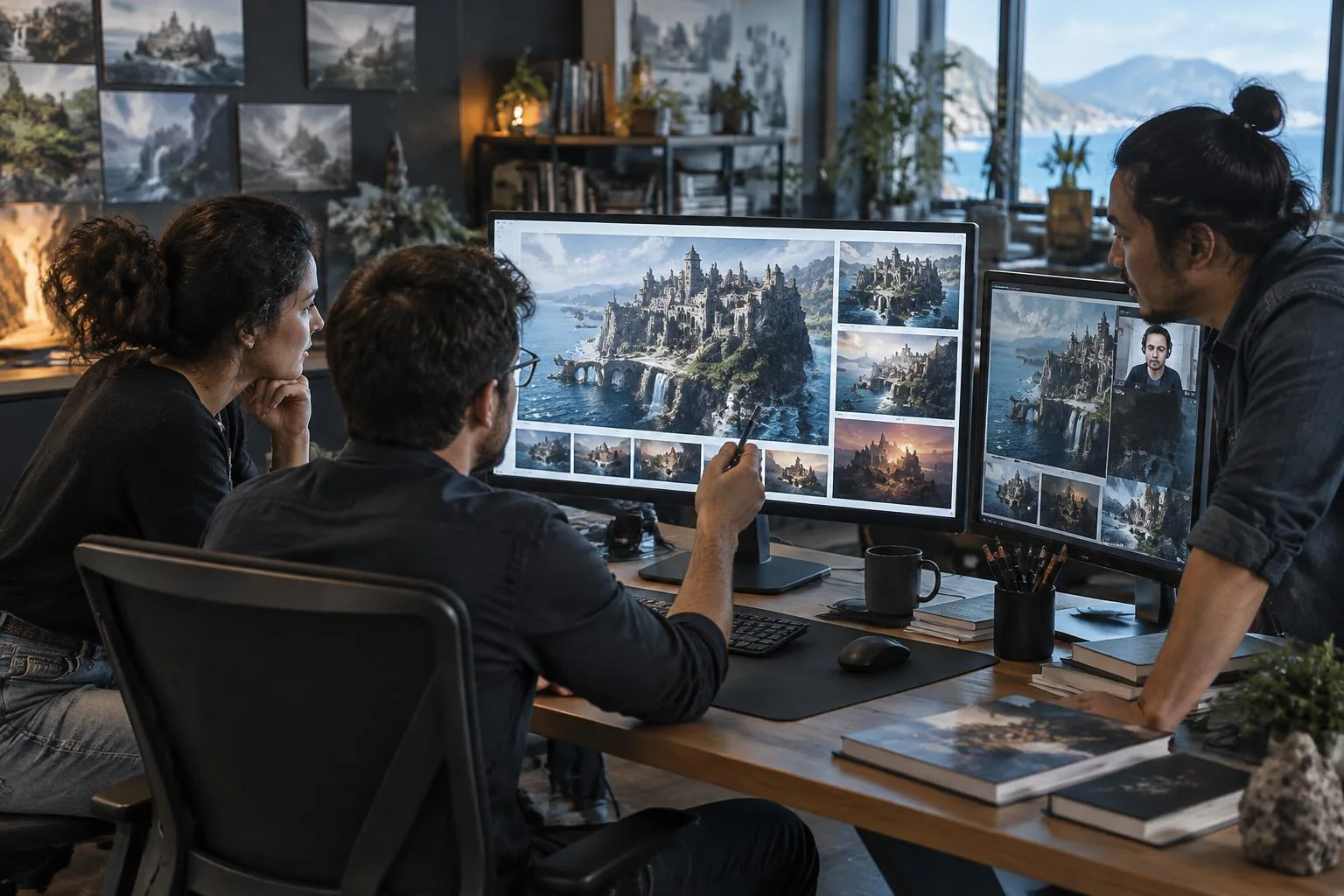
To prevent unapproved AI use by game art outsourcing partners, define a project-specific AI policy, provide approved tooling where AI is permitted, require records of how assets were made, and review work before accepting it. A finished image alone cannot reliably tell you which model, inputs or rights were involved. The stronger approach is to control and document the production process—not try to guess it from the final pixels.
That raises a more useful question: is AI itself the problem, or is the problem that your studio cannot verify which AI was used and whether that use was approved?
Sometimes AI is not appropriate. An artist-led commission, a client agreement or a particular production requirement may prohibit it entirely. That decision should be respected. But where AI is allowed, a studio can give employees and external partners the same clear instruction: “If you use AI on this project, use this approved environment.”
With Virtuall’s Creative AI OS Workspace, that environment can bring creation, assets, collaboration, feedback and approvals into one production pipeline. The goal is not simply more generation. It is work your team can understand, review and accept.
Why outsourcing makes the question harder
An external partner may deliver a polished concept, texture, animation or marketing video. You can assess its quality, but the file does not necessarily explain the process behind it. Was a reference uploaded to a personal account? Was an unapproved model used for one background? Did a subcontractor introduce generated material into a larger, otherwise hand-created asset?
These are production questions, not grounds for assuming that every vendor is hiding something. Good partners benefit from clear expectations too. Without them, the studio and supplier may have different definitions of what counts as AI use, what needs disclosure and what constitutes an acceptable delivery.
A blanket “no AI” instruction can be appropriate, but it still needs a definition, milestones and acceptance evidence. An “AI is fine” instruction needs even more specificity. Neither is a substitute for a shared process.
Separate AI use from the risks you actually need to control
- Undisclosed process: the studio does not know how part of the delivery was created.
- Unapproved models: a supplier chooses a tool whose licensing or data handling has not been reviewed.
- Confidential inputs: unreleased characters, artwork or other protected material enter an unauthorized service.
- Unclear rights: commercial-use permission, rights to references and the status of the finished work are treated as though they were one question.
- Missing review: an output looks convincing but has not met artistic, legal or technical acceptance criteria.
AI can be useful for permitted concept exploration, variations, supporting assets or repetitive format work. It can also produce material that fails your requirements. The important distinction is between a controlled, appropriate use and a process that your studio cannot verify.
Why an AI detector is not an acceptance process
Visual inspection still matters: anatomy errors, inconsistent textures or unexpected style changes deserve questions. But neither an unusual-looking image nor a detector score establishes the full production history.
In A Sanity Check for AI-generated Image Detection, researchers evaluated nine existing detectors on a deliberately challenging image dataset and found substantial failures to identify generated images. This is evidence of limitations on that benchmark, not proof that every detector fails in every situation. It is a good reason not to use a score as your only basis for accusing a supplier or accepting a delivery.
Ask for working files, intermediate versions, reference sources and agreed production records. Review at milestones, while corrections are still manageable. Evidence gathered during the work is more useful than an argument about pixels after the deadline.
Turn your AI policy into a working production rule
Before a partner starts, make the following decisions explicit:
- Permitted tasks. Separate concept exploration, internal review, marketing production and final in-game assets. Permission for one does not automatically cover another.
- Approved tools and models. Identify the environment and the models cleared for the intended task. Do not assume every model in a broad library has identical terms.
- Allowed inputs. Specify which studio references, third-party assets and confidential materials can be used, and where.
- Required records. Agree which working files, model details, references, generation records and version history accompany delivery.
- Approval authority. Name who can approve a result or an exception. A vendor’s internal approval is not automatically the studio’s acceptance.
- Subcontracting. Require the same expectations to apply to anyone contributing to the delivery, with disclosure and authorization where your agreement requires it.
Keep the rule practical. If a permitted task has no usable approved tool, partners will encounter a conflict between the production target and the process. Resolve that conflict through an exception request or a different workflow—not silent substitution.
One approved Workspace for your team and external partners
The Creative AI OS is designed to manage more than creation. The Workspace brings assets and their versions together with collaboration, feedback and approvals. For outsourcing, that means the partner can work inside the studio’s production environment rather than deliver a disconnected result from an unknown collection of accounts.
The studio can provide individual accounts with appropriate user rights and, for Enterprise arrangements, advanced user and group management. Configure access around the project and responsibility: a partner should see what they need, not unrelated projects or the entire studio’s reference library.
In the current plan structure, user management is available on Team, Studio and Enterprise; advanced user and group management is Enterprise. The exact partner setup, model access and approval responsibilities should be agreed for your deployment. Do not treat a personal subscription as equivalent to an Enterprise partner environment.
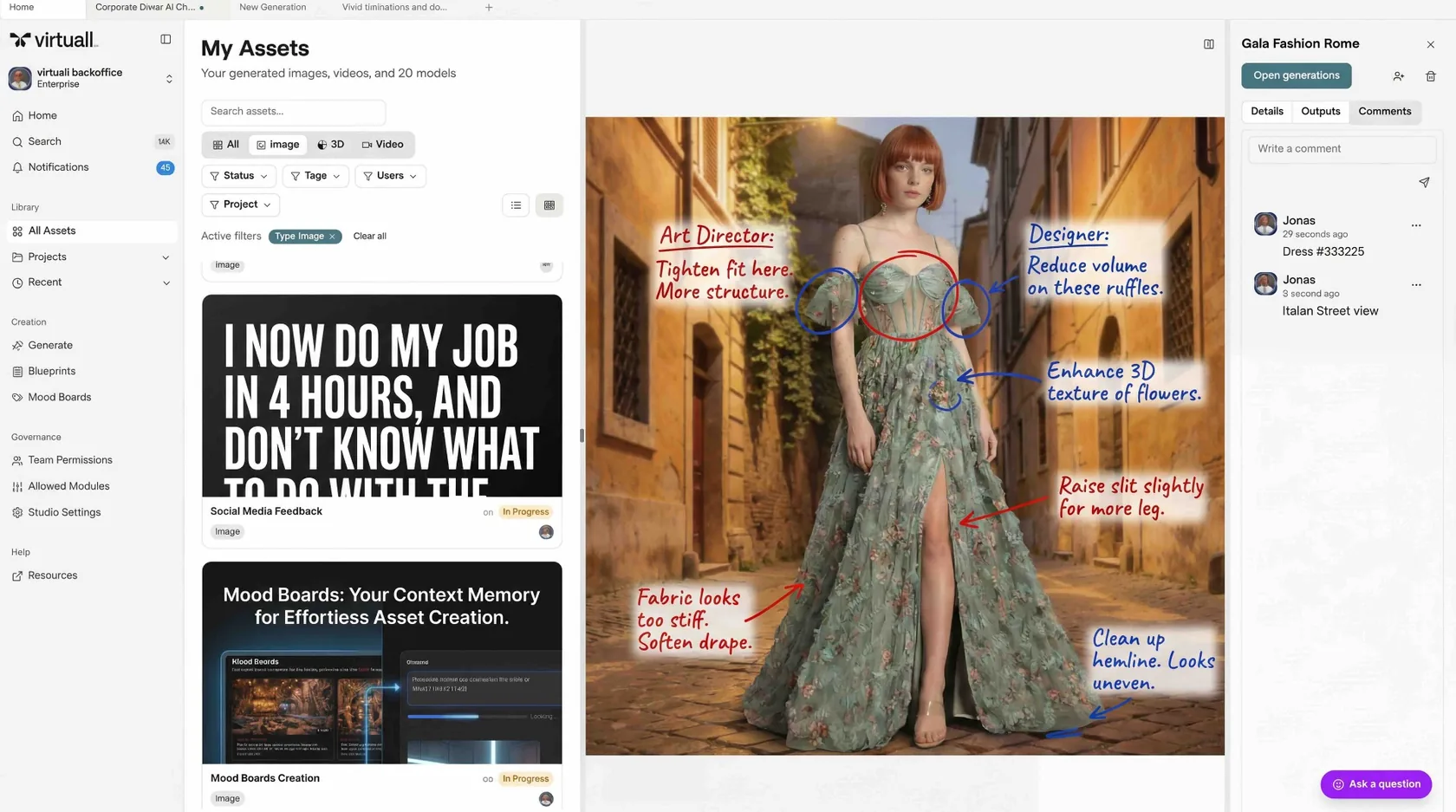
Within that shared environment, the production conversation becomes specific: which reference is approved, which version is under review, which model produced a generation, what feedback remains unresolved and who can accept the result. The internal art team and external supplier are working from the same context rather than reconciling separate email chains.
Where repeatable work is suitable for automation, the same foundation can support reusable workflows. Nyx can carry out the AI steps and return results for review; it does not replace the studio’s creative direction or final approval.
What “commercially safe” should mean in practice
A studio-approved Creative AI OS environment supports commercially safe production through reviewed model access, rights checks, production records and human approval. That is a practical control system—not a promise that any output from any model is automatically cleared for every use.
Keep three questions separate: does the model’s agreement permit this commercial use; do you have rights to the inputs; and does the finished asset meet the requirements for its intended use? Copyright protection and indemnification are additional questions, not synonyms for a commercial license.
The U.S. Copyright Office’s report on AI and copyrightability distinguishes human authorship from material generated by AI. Its analysis concerns U.S. copyright and should not be presented as a universal rule for all jurisdictions. Review applicable agreements and legal requirements with your advisers.
Platform disclosure can also matter. Steam’s Content Survey asks developers to describe relevant AI use and distinguishes pre-generated content from live-generated content. A supplier’s use of AI may therefore create information your publishing team needs, even if the supplier does not publish the game itself.
For the wider legal framework, read our game-asset copyright and commercial-use guide and production-clearance checklist. This article focuses on making those decisions work across the supplier relationship.
A partner workflow, from access to acceptance
The following is an illustrative workflow, not a customer case study.
- Set the boundary. A studio permits AI for environment concept variations, but not for the final hero character illustration.
- Onboard the partner. The supplier receives project-specific access, approved references and instructions on permitted models, confidential inputs and deliverables.
- Create in the approved environment. The partner generates allowed variations in the Workspace and keeps the relevant production records with the work.
- Review together. The art director comments on composition and style. The supplier revises the selected version instead of restarting a disconnected review thread.
- Accept for the stated purpose. The studio checks process evidence and creative requirements. Approval as a concept reference does not automatically authorize release as a final in-game asset.
- Close access deliberately. At project completion, remove or adjust partner access and retain the accepted versions and records according to the studio’s retention policy.
The result is a more useful relationship: partners know where AI is appropriate, and the studio knows where to inspect the work and its history.
Compare three approaches to partner AI use
| Approach | Visibility | Collaboration | Acceptance evidence |
|---|---|---|---|
| Project prohibits AI | Policy alone does not prove compliance | Agreed non-AI tools and milestone reviews | Working files, references and contractual declarations |
| Partner chooses AI tools freely | Depends on what the supplier records and discloses | Often split across accounts and handoffs | Studio must obtain and reconcile records across tools |
| Permitted AI in a shared approved environment | Recorded activity within the environment is reviewable | Shared assets, versions, feedback and approval process | Environment records plus source files, rights checks and studio acceptance |
A strict prohibition can be the right choice. The shared-environment approach is for projects where AI is permitted and the studio wants usable controls around it. Neither approach removes the need for a clear agreement.
Partner-onboarding checklist
- Define AI use, permitted tasks and prohibited uses in the project agreement.
- Identify the approved environment and task-specific models.
- Provide individual accounts; limit project and reference access.
- Explain what may be uploaded and how confidential inputs are handled.
- Agree required working files, model/input records and version history.
- Schedule work-in-progress reviews before final delivery.
- Assign creative, technical and rights-review responsibilities.
- Require authorization for exceptions and relevant subcontractors.
- Quarantine externally created material until its history and rights are reviewed.
- Set access expiry or an offboarding review, and agree record retention.
Example wording for a partner instruction
AI may be used only for the tasks expressly permitted in this project. Where permitted, use the studio-approved Creative AI OS environment and models authorized for that task. Do not upload studio or third-party material to other AI services without written approval. Keep the agreed production records and working files with each delivery. Disclose subcontractor contributions and any material created outside the approved environment before review. Final acceptance remains with the studio.
This is illustrative operational wording, not a complete contract or legal advice. Your procurement and legal teams should adapt it to the project, supplier relationship and applicable law.
Know what a shared environment cannot prove
A Workspace can make activity performed inside it traceable. It cannot prove that a partner never opened another tool, used an undisclosed account or imported material with an incomplete history. Do not turn an audit trail into a claim of universal surveillance.
That boundary is why the agreement, intermediate reviews, source files and acceptance process still matter. Imported assets need their own origin and rights checks. Use the controlled environment to reduce uncertainty and make the permitted path practical—not to claim uncertainty has disappeared.
Make the approved path the practical path
The strongest instruction is not simply “do not use AI secretly.” It is a production agreement your partner can actually follow: use AI where appropriate, use approved AI, and work in the same controlled environment as the studio.
The Creative AI OS connects that instruction to creation, collaboration, feedback and approval. Discuss an Enterprise partner workflow or explore the Workspace. For relevant production tasks, see Game Development workflows.
Frequently asked questions
Can you reliably detect AI-generated game art from the final image?
Not from the image alone with enough certainty to establish its full production history. Detector scores and visual clues can inform a review, but require working files, intermediate versions, input sources and agreed records before making an acceptance decision.
Can outsourcing partners use their own AI accounts?
Only if the studio’s project policy permits it and the tool, model, input handling and required records have been approved. Where the policy requires a shared Creative AI OS environment, a personal account is not a substitute.
Does commercial licensing guarantee copyright or non-infringement?
No. Permission to use a model commercially is separate from rights to inputs, copyright protection for the output and whether the finished asset infringes someone else’s rights. Indemnification also depends on the applicable agreement and its conditions.
How can internal teams and external partners work together in the Creative AI OS?
Provide individual partner accounts with appropriate project access and user rights, then use shared assets, versions, feedback and approvals. User management is available on Team, Studio and Enterprise; advanced user and group management is Enterprise. Agree the exact access and review setup for your deployment.
What if a project prohibits AI entirely?
Respect the prohibition, define its scope in the agreement, and require the agreed non-AI working files and milestone evidence. A controlled AI environment is an option for permitted AI work, not a reason to override an artist-led or contractual requirement.