AI Enterprise Solutions That Fit Real Studio Operations
Explore AI enterprise solutions built for studio operations, with governance, orchestration, context, and compliance across image, video, and 3D.
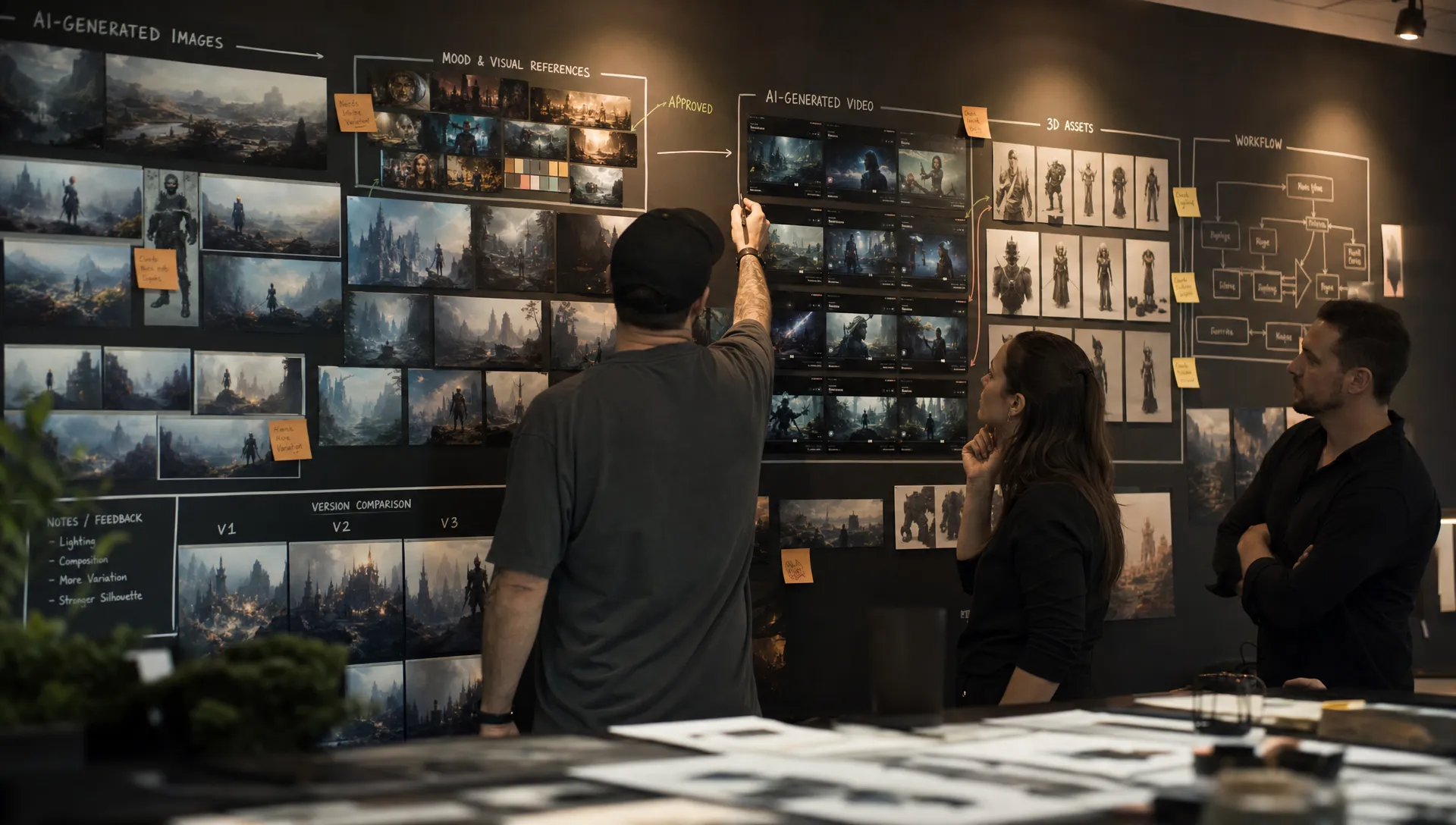
Creative AI has moved from experimentation to infrastructure. For many studios, the challenge is no longer whether AI can generate a striking image, a useful video variation, or a quick 3D concept. The harder question is whether it can operate inside real production environments without breaking brand consistency, compliance, approvals, asset traceability, or the creative standards that make the work usable.
That is where AI enterprise solutions need to evolve. A studio does not run on isolated prompts. It runs on briefs, references, review cycles, rights management, campaign calendars, game engines, digital asset management systems, product data, localization requirements, and stakeholder approvals. If an AI system cannot respect that operational reality, it becomes another disconnected tool rather than a production advantage.
For CMOs, art directors, application managers, and game development leads, the priority in 2026 is practical adoption: creative AI that fits existing studio operations while giving teams the control to scale safely.
What studio fit really means for enterprise AI
A studio-ready AI platform should not force every team to work the same way. Marketing content, product imagery, cinematic previsualization, 3D asset iteration, and concept art all have different constraints. The common requirement is not one universal workflow. It is a controlled operating layer that lets each team define how AI should behave for its own production context.
For a CMO, fit often means brand consistency, campaign velocity, localized variations, and confidence that generated assets meet policy requirements. For an art director, fit means preserving creative intent, mood, visual language, composition standards, and quality thresholds. For an application manager, fit means integration, access control, governance, auditability, and minimizing tool sprawl. For a game developer, fit may mean rapid exploration of characters, props, environments, materials, or cinematic sequences while keeping the pipeline compatible with production tools.
In other words, creative AI must become operational, not just generative.
The most useful AI enterprise solutions act as a coordination layer across people, models, workflows, and assets. They do not replace the studio. They help the studio run creative AI with rules, context, and repeatable processes.
Why generic AI pilots often stall in production
Many creative AI initiatives begin with enthusiasm. A small team tests a model, generates impressive samples, and proves that AI can accelerate ideation. Then the pilot meets the studio floor. Suddenly, the organization needs answers to questions the pilot never had to solve.
Who approved the prompt? Which reference images were used? Can this output be reused commercially? Does it match the latest campaign mood board? Was the right model used for this asset type? Can the result move into the DAM, PIM, DCC, game engine, or approval workflow? Can legal, brand, and creative leaders trace what happened?
When these questions are not addressed early, teams revert to manual workarounds. Files are downloaded locally. Prompts live in chat threads. Different departments use different models. Brand references are copied inconsistently. Governance teams cannot see what is happening. Creative leaders lose confidence in the quality of outputs.
The issue is not that AI failed. The issue is that the system was not designed for studio operations.
| Generic AI pilot | Studio-grade AI operation |
|---|---|
| Individual users prompt separate tools | Teams work through shared workflows and permissions |
| Results depend on personal prompting style | Outputs follow approved blueprints, brand context, and review rules |
| Minimal traceability | Activity, assets, inputs, approvals, and outputs are trackable |
| One model or tool per use case | Multiple models can be orchestrated based on task and format |
| Manual handoff to production systems | Outputs connect to asset, review, and pipeline environments |
| Unclear compliance posture | Governance and risk controls are designed into the workflow |
This distinction matters because creative production is full of dependencies. A campaign image may need product accuracy, regional adaptation, legal review, and performance variations. A 3D asset may need scale, topology expectations, texture consistency, and engine readiness. A video concept may need shot continuity, brand tone, and stakeholder sign-off. Without orchestration, AI output is only a starting point.
The core capabilities of AI enterprise solutions for studios
Enterprise creative AI should be evaluated less like a novelty generator and more like a production operating layer. The following capabilities are the foundation of a system that can support real studio work.
Governance that enables creation instead of blocking it
Governance is often framed as a brake on creativity, but in enterprise studios it should function more like a guardrail. Clear rules give creative teams the confidence to use AI without guessing what is allowed.
The NIST AI Risk Management Framework describes trustworthy AI through concepts such as validity, safety, security, transparency, accountability, and fairness. For creative studios, that translates into practical questions: who can use which models, what data can be referenced, where outputs are stored, how approvals are recorded, and what policies apply to specific projects.
Good governance does not mean every AI request requires a legal meeting. It means the system can encode usage policies directly into the workflow. For example, a studio might allow early concept exploration with broad freedom, require stricter controls for final campaign assets, and apply different rules for internal prototypes versus public-facing content.
Workflow orchestration across image, video, 3D, and audio
Most studios do not work in one format. A single campaign or game production can involve product renders, character concepts, social videos, motion references, audio cues, and 3D assets. If each format is managed through a separate AI tool, creative operations become fragmented.
Workflow orchestration connects the stages of production. It helps teams move from brief to generation, review, approval, refinement, asset management, and delivery. This is especially important when AI is used at scale, because the volume of outputs can grow quickly. Without structure, more content becomes more chaos.
Generation blueprints are useful here because they turn repeatable creative processes into controlled templates. Instead of asking every user to recreate the right prompt, model settings, reference logic, and output requirements from scratch, the studio can standardize common production patterns while still allowing creative direction.
Multi-model orchestration and context memory
No single AI model is best for every creative task. One model may be stronger for cinematic images, another for product precision, another for 3D exploration, another for video motion, and another for audio or text support. Enterprise studios need the ability to orchestrate multiple models without forcing users to become model selection experts.
Context is just as important. Studios develop visual systems over time: mood boards, brand worlds, character references, product details, color palettes, lighting preferences, and campaign language. If this context is not preserved, every generation starts from zero.
A studio context memory can help retain creative intent across teams and projects. This reduces the drift that often happens when different users interpret a brand or art direction independently. It also supports continuity, which is essential for campaign families, game worlds, seasonal product visuals, and recurring content streams.
Review, approvals, and asset management
Creative work is collaborative. Even when AI accelerates generation, human review remains central to quality. Art directors, brand leads, producers, legal reviewers, product teams, and client stakeholders may all need to comment, annotate, approve, or reject assets.
Enterprise AI systems should support this reality rather than bypass it. Review workflows, approvals, and content annotation help teams preserve human judgment while still gaining speed. Asset management is equally important. AI-generated work needs to be stored, versioned, organized, retrieved, and connected to the right projects.
For studios producing large volumes of content, unmanaged AI files can become a serious operational liability. Teams need to know which version is final, which assets were approved, which are still concepts, and which can be used externally.
Integrations with the tools teams already use
Studio operations depend on ecosystems. Creative teams may use DCC tools, DAM platforms, product information management systems, game engines, project management platforms, review tools, and custom pipelines. An enterprise AI platform should connect into that environment through plugins, APIs, or workflow integrations.
This is not only a convenience issue. Integration affects adoption. If AI outputs require constant manual export, renaming, reformatting, and re-uploading, the productivity gain shrinks. If AI can operate closer to the existing pipeline, teams are more likely to use it consistently and correctly.
Where enterprise creative AI creates operational value
The strongest business case for creative AI is not just faster generation. It is reducing friction across repeatable creative operations while preserving quality. Different studio teams will experience that value in different ways.
| Studio scenario | Operational problem | What a fit-for-purpose AI system supports |
|---|---|---|
| Global campaign localization | Many variants must stay on brand across regions | Controlled templates, brand context, review workflows, and approved outputs |
| Product content production | Teams need consistent visuals across SKUs and channels | Repeatable generation blueprints, product context, and asset tracking |
| Game concept development | Artists need rapid exploration without losing world consistency | Shared mood boards, multi-model generation, and reviewable iterations |
| 3D preproduction | Teams need faster ideation before committing to modeling time | 3D generation support, pipeline tracking, and handoff into production tools |
| Video and motion concepts | Stakeholders need fast previsualization and alignment | Orchestrated video workflows, annotations, and approval checkpoints |
For a CMO, the value is often speed with control. AI can increase creative output, but only if brand safety and consistency remain intact. For an art director, the value is not automation for its own sake. It is the ability to explore more directions while maintaining a coherent visual standard. For an application manager, the value is centralized control, integration, and oversight. For a game developer, the value is rapid iteration that still respects the production pipeline.
Compliance is now a production requirement
Creative AI governance is becoming more formal. The European Commission’s overview of the AI Act describes a risk-based regulatory approach for AI in the EU, with obligations applying over time. Even when a creative use case is not classified as high risk, enterprise teams still need policies for data handling, accountability, transparency, and safe deployment.
For studios, compliance is practical. It includes questions such as whether sensitive assets are uploaded to external systems, whether model inference happens in approved environments, whether access is controlled, and whether outputs can be traced. EU-based infrastructure and inference can support data residency and governance strategies, especially for organizations with European operations or clients, but infrastructure alone is not a complete compliance program. It must be paired with policies, controls, documentation, and operational discipline.
Provenance is also becoming more important. Initiatives such as C2PA aim to provide technical standards for content authenticity and provenance. Enterprise creative teams should pay attention to this broader shift because clients, platforms, regulators, and audiences increasingly want to know how content was created and modified.
A strong creative AI operating model should make compliance visible inside the workflow. The goal is not to slow teams down. The goal is to prevent creative speed from creating legal, security, or brand risk later.
How to evaluate AI enterprise solutions for your studio
The best evaluation process starts with operations, not features. A long feature checklist can be misleading if it does not reflect how work actually gets done. Before choosing a platform, map the real lifecycle of a creative asset from brief to final delivery. Identify where AI can help, where human review is required, and where systems need to connect.
Useful evaluation questions include:
- Can teams define different AI usage rules for different projects, departments, or asset types?
- Does the system support image, video, 3D, and other formats in one governed environment?
- Can creative context, such as mood boards and brand references, be preserved across workflows?
- Can the platform orchestrate multiple AI models instead of locking teams into one model?
- Are review workflows, approvals, annotations, and asset status visible to stakeholders?
- Can outputs move into existing DCC, DAM, PIM, or pipeline tools through plugins or APIs?
- Does the platform support auditability, access control, and compliance requirements?
- Can application managers monitor and control adoption without micromanaging every creative task?
These questions help separate a promising demo from a production-ready system. Demos often show the best possible output from a single user. Studio operations require consistent results across many users, many projects, and many constraints.
A practical rollout model for enterprise studios
Creative AI adoption works best when it starts focused and expands intentionally. A studio does not need to transform every workflow at once. In fact, a narrow use case with clear governance often creates more trust than a broad, unstructured rollout.
| Rollout phase | Primary goal | Practical focus |
|---|---|---|
| Discovery | Understand current production reality | Map workflows, approvals, tools, risk areas, and high-friction content types |
| Controlled pilot | Prove value safely | Select one or two use cases, define rules, measure quality and cycle time |
| Operating model | Standardize repeatable patterns | Create generation blueprints, review paths, permissions, and asset conventions |
| Integration | Reduce manual handoffs | Connect AI workflows with DCC, DAM, PIM, or pipeline systems |
| Scale | Expand with governance | Add teams, formats, models, and reporting without losing control |
The key is to involve both creative and technical stakeholders from the beginning. If the rollout is led only by innovation teams, it may miss production constraints. If it is led only by IT, it may not meet creative needs. The strongest programs usually combine creative leadership, operations, technology, legal, and security input.
Measurement should also be grounded in studio outcomes. Track cycle time, number of usable outputs, approval speed, rework reduction, brand consistency, pipeline handoff quality, and stakeholder satisfaction. Avoid measuring success only by the number of generated assets. More outputs are only valuable if they are usable.
How Virtuall fits this operating model
Virtuall’s Creative AI OS is designed for teams that need to operate creative AI at scale across studio workflows, tools, and formats. Rather than treating AI generation as a standalone activity, Virtuall focuses on control, orchestration, collaboration, and production-ready outputs across image, video, 3D, and audio workflows.
The platform includes AI governance controls, workflow orchestration, multi-model content generation, generation blueprints, studio context memory through mood boards, team collaboration tools, review workflows, approvals, content annotation, asset management, pipeline tracking, and integrations through plugins and API. Its EU-based infrastructure and inference support organizations that need a strong compliance posture for creative AI operations.
Virtuall also includes Nyx, the intelligence layer of the Creative AI OS. Nyx orchestrates multiple industry-leading AI models and helps maintain intent and context across studios and teams. For enterprise creative teams, this kind of orchestration matters because consistency is rarely achieved by a single prompt or model. It comes from aligning tools, context, rules, and review processes around the way the studio already works.
The result is a more practical approach to AI adoption: creative teams can explore and produce faster, while operational leaders keep the structure needed for governance, consistency, and scale.
Frequently Asked Questions
What are AI enterprise solutions for creative studios? AI enterprise solutions for creative studios are platforms that help teams use AI across production workflows with governance, orchestration, collaboration, integrations, and compliance controls. They go beyond individual generation tools by supporting how studios actually plan, review, approve, manage, and deliver creative assets.
Why do studios need governance for creative AI? Studios need governance because AI-generated content can involve brand, legal, security, data, and quality risks. Governance helps define who can use AI, which models and data sources are allowed, how outputs are reviewed, and how assets are tracked.
Can enterprise AI support both marketing and game development workflows? Yes, but it must be flexible. Marketing teams may prioritize brand consistency, localization, and campaign asset variation, while game teams may focus on concept art, 3D exploration, world consistency, and pipeline compatibility. A studio-grade system should allow different workflows under shared controls.
How should an enterprise studio start using creative AI? Start with a focused use case that has clear value and manageable risk. Map the workflow, define governance rules, involve creative and technical stakeholders, measure output quality, then expand into adjacent workflows once the operating model is proven.
What makes a creative AI platform production-ready? A production-ready platform supports repeatable workflows, approvals, asset management, context retention, model orchestration, integrations, access controls, and compliance requirements. It should help teams move from experimentation to reliable studio operations.
Build AI around your studio, not the other way around
Enterprise creative AI succeeds when it respects the reality of production. The right system should help your teams move faster, keep creative intent consistent, and give operational leaders the control they need to scale responsibly.
If your studio is ready to move from isolated AI experiments to governed, production-ready creative workflows, explore how Virtuall can help you operate creative AI at scale across images, video, 3D, and the tools your teams already use.