AI for Architecture: Visualisation, Interiors and Design at Practice Scale
How architecture practices use AI for visualisation, interior design and concept exploration — and what it takes to run it consistently, with review and provenance built in.
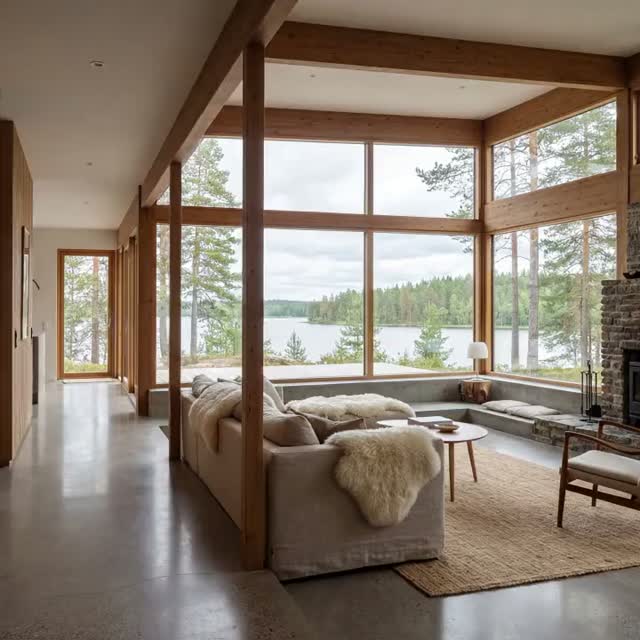
AI for architecture has moved past the novelty stage. Practices now use generative models to explore massing options in the first week of a project, to turn a grey-box model into a photoreal night shot before a client call, and to produce the twenty image variants a competition board needs without booking a visualisation studio. The technology is no longer the hard part. The hard part is running it as a repeatable part of practice: consistent with your design language, reviewable by a project architect, and traceable when a client asks where an image came from.
This guide covers where AI genuinely fits in architectural work today, which stages it changes most, and what has to be in place before a practice can rely on it.
Where AI fits in the architecture workflow
AI in architecture design is most useful where the work is visual, iterative and volume-heavy. Five stages account for most of the value:
- Concept and massing exploration. Generating dozens of formal directions from a sketch, a site photo or a simple volume, before anyone commits modelling hours.
- Architectural visualisation. Turning models, elevations and clay renders into presentation imagery — exteriors, interiors, seasonal and time-of-day variants.
- Interior and material studies. Testing finishes, lighting and furniture schemes across the same space without re-rendering each option.
- Competition and pitch material. Boards, atmospheres, diagrams and short animated fly-throughs produced on a competition timeline rather than a construction one.
- Client and stakeholder communication. Virtual staging, before-and-after comparisons, and planning-consultation imagery that non-specialists can read.
What AI does not do is replace design judgement, structural reasoning, code compliance or the coordination work that makes a building buildable. It compresses the distance between an idea and a picture of that idea.
AI architectural visualisation: renders in minutes, not days
Traditional architectural visualisation has a fixed cost curve. Every additional view, season or material option means more set-up, more render time and, usually, an external supplier. That cost is why practices show clients three options instead of thirty, and why late-stage changes are painful.
AI rendering for architects changes the arithmetic. A model view, a line drawing or even a massing screenshot becomes the structural input; the model supplies materiality, light and atmosphere. A single view can be produced in a dusk, overcast and summer-afternoon version in the time it previously took to set up one camera. Because the geometry comes from your model rather than from a text prompt, the output stays faithful to what was actually designed.
The practical rule: use your own geometry as the anchor. Image-to-image and depth-guided workflows keep proportion, opening positions and sightlines intact. Text-only generation is for mood, not for representation of a real scheme.
AI interior design and virtual staging
Interiors are the highest-volume use case in most practices, and the one where AI interior design tools have advanced fastest. From one base render you can produce a scheme in three material families, stage an empty unit for a sales brochure, or show a heritage interior with and without a proposed intervention.
For residential developers and estate agencies, virtual staging alone often justifies the workflow: photographing an empty apartment once and generating furnished variants for different buyer profiles is dramatically cheaper than physical staging, and each variant can be produced on the same day the photography arrives.
Concept exploration and design variations
Early-stage work is where generative AI for architects is least risky and most creatively useful. Nothing is committed, so a wide field of options has real value. Teams use it to test façade rhythms, roof strategies, urban grain and landscape treatments in parallel rather than sequentially.
The discipline that separates a useful exploration from a wall of noise is constraint. Feed the model your site boundary, your programme, your reference set and your practice's visual language, and the output stays inside a space you can actually build in. Feed it nothing and you get architecture-shaped images that belong to no project.
What breaks when a practice scales it
Most practices start the same way: one enthusiastic architect, a personal subscription, impressive images. Problems appear when it spreads.
- Visual inconsistency. Two teams produce imagery for the same client in two visual languages, because the reference material lives in individual prompt histories.
- No provenance. A client asks whether an image shows the approved scheme. Nobody can say which model, which inputs or which version produced it.
- Lost assets. Outputs sit in personal drives and chat threads instead of the project record, so the next phase starts from scratch.
- Unclear rights. Competition and planning submissions have real consequences; practices need to know what was generated, from which inputs, under which terms.
- Uncontrolled cost. Per-seat tools multiplied across studios, with no view of spend per project.
None of these are model problems. They are operating problems, and they are the reason AI often stalls after the first successful pitch.
Operating AI as practice infrastructure
Running AI as part of a practice rather than as a personal tool means putting four things in place.
One workspace, many models. Image, video and 3D models each lead at different tasks, and the leaders change every few months. Access them through a single governed workspace instead of a growing pile of subscriptions, and switching models becomes a decision rather than a migration.
Shared studio memory. Your material palettes, camera conventions, reference imagery and per-client visual rules should be a persistent part of the workspace, available to every project team, not re-typed into a prompt each time.
Review before release. Imagery that reaches a client, a planning authority or a competition jury should pass the same approval step as any other deliverable.
An audit trail. Every output linked to its inputs, model, prompt, project and approver — so provenance questions have an answer.
This is the model the Creative AI OS is built around: a Creative AI OS where architectural teams generate image, video and 3D in one place, with governance, shared memory and asset ownership built in rather than bolted on. See how it maps to practice work on the AI for architecture and interior solution page, or read how the same structure applies across disciplines in Operating Creative AI at Scale.
Frequently asked questions
Can AI replace architectural visualisation studios?
For high-volume iteration, options studies and early-stage imagery, AI now covers most of what practices previously outsourced. For hero imagery on flagship projects, specialist studios still deliver a level of art direction and detail control that is worth paying for. Most practices end up using both, with AI absorbing the iterative work.
Will AI renders match my actual model?
They will if you drive them with your geometry. Depth-guided and image-to-image workflows preserve proportions, openings and sightlines from your own model. Text-only prompts produce plausible architecture, not your architecture — use them for mood boards, not for representing a real scheme.
Is AI-generated imagery acceptable in planning submissions?
Requirements vary by jurisdiction, and the burden is on the practice to show that imagery accurately represents the proposal. That is a strong argument for keeping a documented link between each image, the model version it came from and the person who approved it.
How do we keep AI output consistent with our practice style?
Consistency comes from shared, persistent references rather than from prompt skill. Keep your visual rules, palettes and reference sets in a workspace every project team draws from, so the same inputs produce the same visual language across studios.
Where should a practice start?
Start with one high-volume, low-risk use case — usually interior variants or competition atmospheres. Run it through a shared workspace from day one rather than a personal account, so the habits that make it scalable form early.