Game Art AI Workflows That Protect Visual Identity
Build game art AI workflows that protect visual identity with style rules, approvals, provenance checks, and scalable governance for studios.
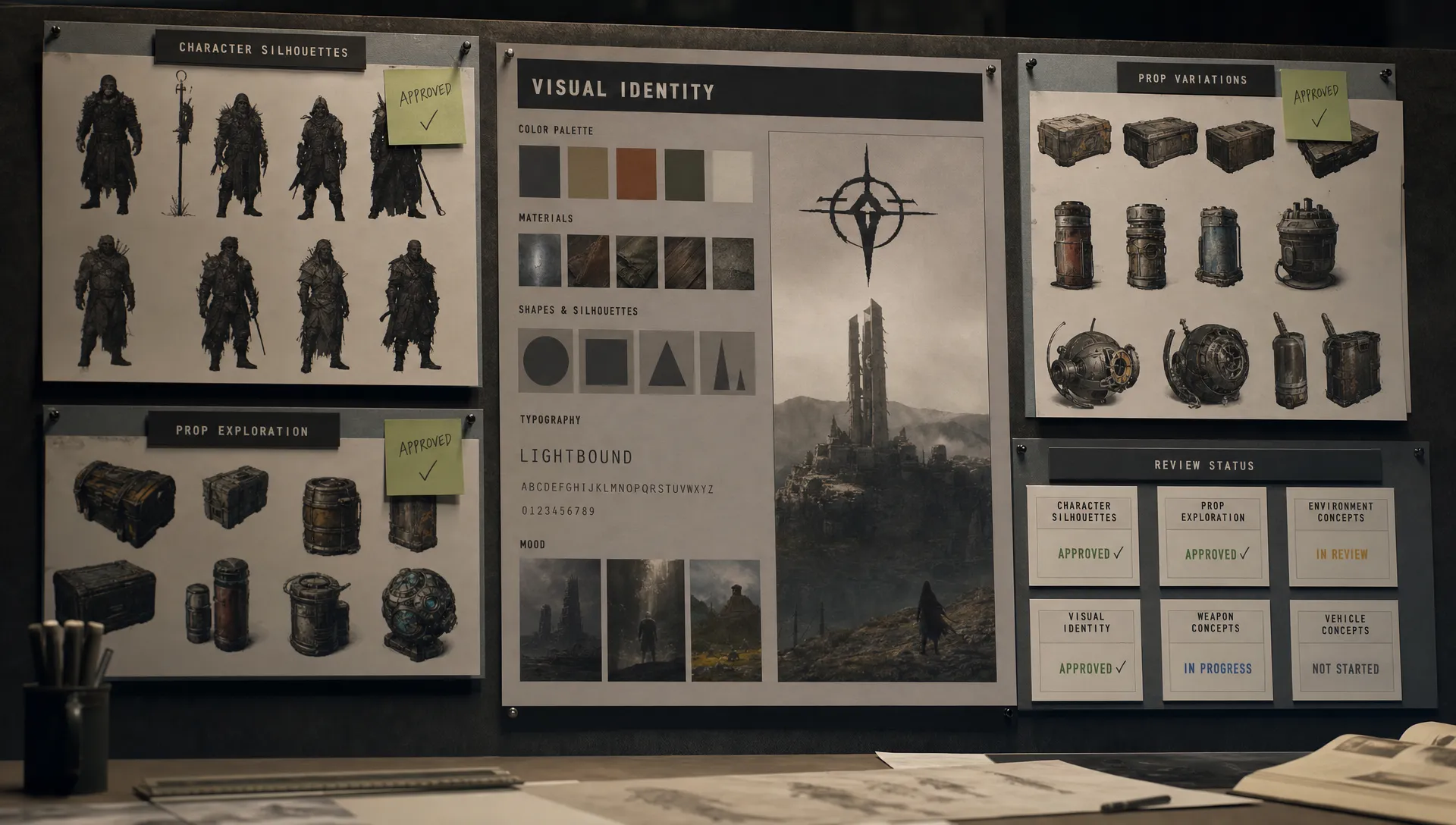
AI can help a game team explore more concepts, build more variations and respond faster to production needs. It can also create a quiet visual identity problem. A few unmanaged generations become a few inconsistent icons, then a slightly off character variant, then a marketing image that looks like it belongs to a different franchise.
For enterprise studios, the core question is no longer whether game art AI can accelerate production. The question is how to use it without diluting the visual system that players recognize, trust and remember.
A strong workflow protects that system. It gives artists speed without turning every prompt into a one-off experiment. It gives art directors control without forcing them to review every pixel manually. It gives legal, brand and production teams enough traceability to understand what was generated, from which inputs and under which rules.
Why visual identity is the first AI production risk
Game art is not just a collection of attractive images. It is a language made of silhouettes, proportions, materials, palettes, camera rules, UI density, animation timing, lighting logic and emotional tone. Players learn that language quickly. If an asset breaks it, even subtly, the world feels less coherent.
This is why visual identity should be treated as a production constraint, not a subjective review note at the end of the process. AI can generate many plausible outputs, but plausibility is not the same as fit. A castle can be beautifully rendered and still be wrong for your faction system. A creature can look polished and still break the anatomy rules of your universe. A prop can look marketable and still introduce a material language your art bible never approved.
The risk gets larger when multiple teams use different models, prompts and reference folders. Concept art, 3D, marketing, live operations and outsourcing partners may all experiment with AI in parallel. Without shared controls, the studio does not gain one faster pipeline. It gains several disconnected micro-pipelines, each with its own interpretation of the game.
That is where a governed workflow matters. It moves the question from “Can this tool make something good?” to “Can this process repeatedly produce work that belongs to our game?”
Start with a visual identity contract
Before choosing models or writing prompts, define the creative boundaries AI must respect. This should be more operational than a classic inspirational mood board. It needs to translate art direction into repeatable constraints that can be used by artists, producers, reviewers and technical teams.
A practical visual identity contract includes:
- Core pillars: The small number of principles that define the look, such as grounded military realism, toy-like exaggeration, painterly fantasy or high-contrast graphic horror.
- Style constants: Recurring rules for shape language, proportions, edge treatment, palette, surface detail, lighting, camera angle and composition.
- Forbidden traits: Visual moves that should not appear, such as glossy sci-fi materials in a medieval world, realistic facial proportions in a stylized cast or cluttered silhouettes in a readability-first combat game.
- Reference policy: Which internal references are approved for use, which external references are allowed for inspiration and which sources are excluded.
- Production constraints: Requirements tied to engine, platform, rating, localization, performance, accessibility and asset type.
If your team is still formalizing the art-side foundation, Virtuall’s guide on creating AI game assets that match your art style is a useful companion. The workflow in this article builds on that idea by focusing on how to preserve the style once AI moves into daily production.
The contract should be short enough to use and specific enough to enforce. A 90-page style bible may be valuable for onboarding, but AI workflows need compact, structured instructions that can become templates, review criteria and metadata.
Turn art direction into workflow controls
A workflow protects visual identity when it makes the right behavior easier than the wrong behavior. Artists should not have to remember every compliance rule or rebuild every prompt from scratch. The system should place guardrails around the work while still leaving room for creative judgment.
The most effective game art AI workflows usually include five control layers.
| Workflow layer | What it protects | Typical owner |
|---|---|---|
| Approved inputs | Prevents unclear references, unlicensed materials and off-style source images | Art director, legal, production |
| Generation templates | Keeps prompts, parameters and output formats consistent across teams | Art lead, technical artist, tools team |
| Model routing | Sends each task to the right AI model or model combination for the asset type | Application manager, AI lead |
| Human review gates | Catches style drift, technical issues and brand concerns before handoff | Art director, lead artist, producer |
| Audit trail | Records what was generated, reviewed, approved and reused | Production, compliance, IT |
This structure matters because visual identity failures rarely come from one bad prompt. They usually come from missing handoffs. A concept is approved without its source context. A vendor receives a reference pack with mixed styles. A marketing asset is generated using outdated key art. A character variant bypasses a lead review because the output “looked fine.”
Workflow controls reduce these gaps. They do not replace art direction, they make art direction executable.
Build generation blueprints instead of prompt folklore
One of the biggest mistakes studios make is letting AI knowledge live inside private prompt habits. A senior artist discovers a strong wording pattern. A designer keeps a personal prompt library. A vendor uses a model setting that works for one asset type. These tactics may help individuals, but they do not scale safely.
Generation blueprints are a better pattern. A blueprint is a reusable production template that defines the purpose, required inputs, style constraints, model settings, output expectations and review criteria for a specific creative task.
For example, a creature concept blueprint might include the faction, biome, silhouette family, anatomy rules, material limits, approved reference set, view angles and acceptable variation range. A live event icon blueprint might include UI size, contrast requirements, rarity color rules, background treatment, transparency settings and forbidden seasonal clichés.
The goal is not to freeze creativity. The goal is to separate stable rules from creative variables. Artists can still explore gesture, mood, costume details and composition, but the blueprint prevents the output from drifting away from the game’s identity.
A simple blueprint can look like this:
| Blueprint field | Example purpose |
|---|---|
| Asset category | Defines whether the output is a prop, character, environment, icon or marketing visual |
| Style constraints | Carries the approved shape, palette, lighting and material rules |
| Reference set | Limits generation context to approved images, mood boards or internal assets |
| Variation range | Clarifies whether the task allows minor iteration or broad exploration |
| Review criteria | Gives leads a consistent checklist for approval, rejection or revision |
| Handoff format | Specifies resolution, file type, layers, views or downstream technical needs |
Blueprints are especially useful when AI work spans image, video and 3D. Without them, every format tends to develop its own local interpretation of the art direction. With them, the same visual identity can travel from concept exploration to asset production and campaign content.
Protect identity across concept, 3D, video and marketing art
Game art AI workflows need to account for the fact that visual identity changes shape across formats. A rule that works for 2D concept art may not be enough for 3D production. A marketing render may need more drama than an in-game asset, but it still has to feel like the same world.
For concept art, the workflow should focus on silhouette readability, faction clarity, mood, palette and reference discipline. AI is valuable for exploration, but the review gate must identify which discoveries belong in the canon and which are only interesting sketches.
For 3D assets, identity protection includes topology expectations, scale relationships, material consistency, UV logic, modularity and engine constraints. An AI-assisted mesh or texture can look impressive in isolation and still fail production if it breaks naming conventions, performance budgets or material rules. Teams connecting AI work to downstream production can go deeper with Virtuall’s guide to AI for game assets from concepts to engine handoff.
For video and motion work, identity includes pacing, camera behavior, character performance, lighting continuity and brand tone. A generated trailer shot that exaggerates facial animation or uses a camera style foreign to the game can create a mismatch between expectation and gameplay reality.
For marketing, the stakes are different again. Campaign art often amplifies the game’s identity, but it should not invent a new one. CMOs and brand teams need workflows that connect key art, store assets, social creatives and regional variants to the same approved visual system.
Add provenance checks before outputs enter production
AI governance is not only a legal concern. It is also a creative quality concern. If nobody knows which references shaped an output, it becomes harder to defend, revise or reuse. Provenance gives the studio a memory of the creative process.
At minimum, teams should track the prompt or blueprint used, the approved references attached, the model or model family involved, the person who initiated the generation, the review decision and the final usage rights status. This information does not need to slow artists down if it is captured inside the workflow instead of in a separate spreadsheet after the fact.
The legal environment also rewards disciplined process. The U.S. Copyright Office has stated that copyright protection depends on human authorship, and AI-assisted works need clear human creative contribution to support protectable expression. Studios should involve counsel for jurisdiction-specific advice, but the production takeaway is straightforward: keep humans in control, document meaningful creative decisions and avoid opaque source material.
For enterprise teams, provenance is also useful when working with external partners. If vendors generate concepts or variations, the studio should be able to confirm that they used approved references, followed the right blueprint and submitted outputs through the same review path as internal teams.
Use tiered review instead of reviewing everything the same way
Not every AI-generated asset carries the same risk. A throwaway internal mood exploration does not need the same approval chain as a hero character, key art image or live store asset. If the process treats everything as high risk, teams will work around it. If it treats everything as low risk, the studio will eventually publish something off-brand or non-compliant.
A tiered review model is a practical compromise.
| Risk tier | Examples | Recommended control level |
|---|---|---|
| Low | Internal ideation, rough thumbnails, early mood exploration | Lightweight source rules and team-level review |
| Medium | Secondary props, environment variations, UI drafts, vendor explorations | Approved blueprints, lead review and metadata capture |
| High | Main characters, key art, store assets, monetized items, public campaign content | Strict references, art director approval, legal or brand review when needed and full audit trail |
The tiers should be visible inside the workflow. Artists should know when they are free to explore broadly and when they are working inside a narrower approval path. Application managers and production teams should be able to configure access, templates and approval requirements around those tiers.
This is where a general AI tool often becomes insufficient for studios. The issue is not whether the model can generate impressive images. The issue is whether the organization can control how the model is used across people, projects and asset types.
Measure visual identity consistency
Visual identity can feel subjective, but workflow health can still be measured. The point is not to reduce art direction to a score. The point is to spot drift early, identify bottlenecks and understand whether AI is improving production or creating hidden rework.
Useful metrics include approval rate by blueprint, number of revision cycles, frequency of style-related rejection reasons, percentage of outputs using approved references, time from generation to approval and number of assets rejected during engine or brand review. Over time, these signals show which templates are reliable and which ones need tighter constraints.
Qualitative review also matters. Art directors can run regular calibration sessions where leads compare approved and rejected AI outputs against the visual identity contract. These sessions help teams align taste, update rules and turn repeated feedback into better blueprints.
For broader workflow architecture, including governance and human review, Virtuall’s article on designing an AI workflow for creative teams provides a helpful foundation.
What enterprise teams need from a game art AI operating layer
Once AI moves beyond experimentation, studios need more than model access. They need an operating layer that connects creative intent, governance, collaboration and production systems.
For a CMO, that means brand consistency across campaign variants, regional adaptations and platform-specific assets. For an art director, it means reusable visual rules and review workflows that keep creative authority intact. For an application manager, it means controlled access, integrations and compliance. For game developers, it means outputs that can move toward production instead of staying trapped in concept folders.
The Creative AI OS is built around this operating layer. As a Creative AI OS, Virtuall helps teams orchestrate AI-powered content creation across image, video, 3D and audio while applying governance controls, generation blueprints, studio context memory, review workflows, asset management, pipeline tracking and integrations with creative tools through plugins and API. Nyx, Virtuall’s intelligence layer, orchestrates multiple industry-leading AI models and keeps intent and context across studios and teams.
For organizations with strict compliance requirements, Virtuall also supports EU-based infrastructure and inference. That matters when AI adoption has to satisfy not only artists, but also legal, security, procurement and executive stakeholders.
A practical rollout plan
A safe rollout does not need to start with every team and every asset type. In fact, it should not. The best first use case is usually a visible but bounded workflow where style matters, output volume is high and the approval path is already understood.
Start with one asset family, such as environment props, cosmetic item concepts, social campaign variants or UI icon exploration. Build a visual identity contract for that asset family, create two or three generation blueprints and define clear review tiers. Run a pilot with a small group of artists and leads, then measure approval rates, rework, time saved and style-related rejection reasons.
After that, scale carefully. Add more asset categories only when the first workflow is stable. Standardize reference policies before inviting vendors. Connect asset management and pipeline tracking before public-facing outputs become frequent. Expand model access only when governance, review and audit trails can keep up.
This staged approach protects the team from two common failures: over-restricting AI until nobody wants to use it, or opening access so broadly that the studio loses control of its visual identity.
Frequently Asked Questions
What is a game art AI workflow? A game art AI workflow is a structured process for using AI in game art production, including approved references, generation templates, model choices, human review, asset management and handoff rules. A strong workflow helps teams move faster while keeping the game’s style consistent.
How can AI protect visual identity instead of weakening it? AI protects visual identity when it operates inside clear creative constraints. Teams need approved style rules, reusable blueprints, controlled reference sets, review gates and provenance tracking. Without those controls, AI tends to produce attractive but inconsistent results.
Should art directors approve every AI-generated asset? No. A tiered review model is more practical. Low-risk internal exploration can use lightweight review, medium-risk assets can go through lead approval and high-risk assets such as hero characters or public campaign art should receive art director, brand or legal review as needed.
Can game studios use multiple AI models and still stay consistent? Yes, but consistency requires orchestration. Different models may be useful for concept art, 3D, video or variation tasks. The studio needs shared blueprints, context memory, model routing and review criteria so outputs follow the same visual identity regardless of the model used.
Scale game art AI without losing your studio’s signature look
The studios that benefit most from AI will not be the ones that generate the most images. They will be the ones that turn creative direction into a repeatable operating system, with enough control to protect identity and enough flexibility to let artists explore.
If your team is ready to move from scattered AI experiments to governed creative production, Virtuall can help you orchestrate game art AI workflows across teams, tools and formats while keeping visual identity, compliance and production quality at the center.