AI Model Examples That Solve Real Creative Production Problems
Explore AI model examples for creative production, from image and video to 3D, QA and governance, with practical enterprise use cases.
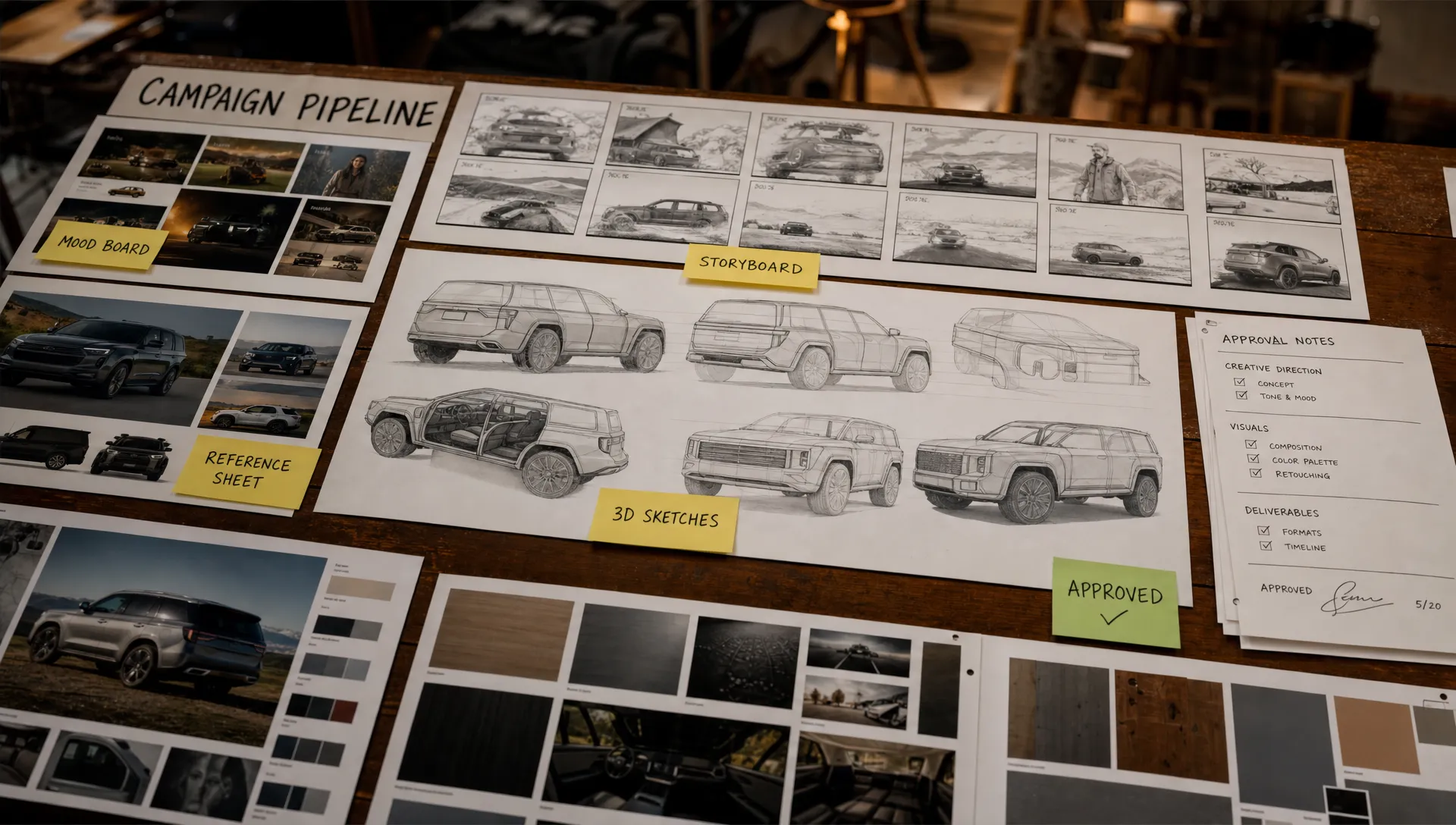
AI models do not create business value because they are impressive in a demo. They create value when they remove friction from a real production process: a campaign that needs 300 compliant variants, a product page that needs fresh visuals before the physical sample exists, a game team that needs believable props for blockout or an art director who needs to keep visual intent consistent across contributors.
That is why the most useful AI model examples are not isolated prompts. They are model choices tied to production problems, creative roles, approval steps and output requirements.
For enterprise creative teams, the question is no longer whether AI can generate an image, a clip or a paragraph. The better question is: which model type should handle which part of the workflow, under which rules and with which human review?
What makes an AI model useful in creative production?
A model becomes production-relevant when it can be placed inside a repeatable workflow. A text-to-image model may be excellent for mood exploration, but weak for SKU-accurate product imagery. A video model may help sell a concept internally, but still require traditional finishing before it reaches a paid media campaign. A large language model may draft creative routes quickly, but it needs approved brand context, legal constraints and review gates before it touches customer-facing copy.
In other words, the model is only one layer. Creative production also needs:
- Clear input context, such as briefs, brand rules, product data and references
- Repeatable blueprints for recurring tasks
- Human review for taste, factual accuracy, legal risk and brand fit
- Asset tracking, so outputs can be traced back to the prompt, model and approval path
- Governance controls for data, rights, privacy and regional compliance
This is where many pilots fail. A team tries a powerful model, gets a few promising outputs, then struggles to reproduce the same quality across markets, channels and teams. If you are still defining your operating approach, Virtuall's guide to designing an AI workflow for creative teams is a useful companion to this article.
AI model examples mapped to production problems
The table below gives a practical view of where different model types fit. The names are examples, not a fixed vendor shortlist. Model performance, licensing and availability change quickly, so enterprise teams should evaluate current options against their own workflow, risk profile and output standards.
| Creative production problem | Model type | Example models or model families | Typical output |
|---|---|---|---|
| Turning briefs into structured creative routes | Large language models | GPT-5, Claude Opus 4.x, Gemini 3 Pro | Creative territories, scripts, shot lists and variant copy |
| Exploring campaign visuals fast | Text-to-image models | Nano Banana Pro, Midjourney V8, GPT Image 2, FLUX 2, Firefly Image 5 | Mood boards, concept frames and art direction options |
| Adapting visuals across layouts | Inpainting and outpainting models | Firefly Image 5 Generative Fill, FLUX 2 and Stable Diffusion 3.5 inpainting | Crops, extensions, background changes and composition fixes |
| Keeping poses, depth or composition consistent | Control and segmentation models | ControlNet, Segment Anything, depth and pose models | Guided image variations and isolated object masks |
| Creating motion concepts | Text-to-video and image-to-video models | Veo 3.1, Sora 2, Runway Gen-4.5, Kling 3.0, Luma Ray3 | Animatics, motion studies and pitch clips |
| Reviewing creative assets at scale | Vision-language models | GPT-5 vision, Gemini 3 Pro vision, CLIP-like models | Metadata, QA flags and searchable visual descriptions |
| Prototyping 3D assets | Text-to-3D, image-to-3D and reconstruction models | Meshy 6, Tripo P1, Rodin Gen-2, Hunyuan3D, Gaussian splatting workflows | Rough meshes, turntables and spatial references |
| Producing scratch audio and localization drafts | Speech and audio models | Whisper, ElevenLabs voice, ElevenLabs Music v2, Stable Audio 3.0, Lyria 3 | Transcripts, scratch VO, temp music and audio ideas |
| Reusing studio knowledge | Embedding and retrieval models | Text embeddings, CLIP embeddings, multimodal retrieval | Brand memory, reference search and context-aware generation |
Large language models for briefs, scripts and creative variation
Large language models, or LLMs, are often the most accessible entry point because they work with the material creative teams already produce: briefs, scripts, campaign concepts, messaging frameworks, emails, shot lists and feedback.
A CMO might use an LLM to turn a campaign platform into channel-specific messaging for retail, paid social and CRM. An art director might ask it to convert a creative territory into a shot list with scene intent, lens notes and prop direction. A game developer might use it to generate item descriptions, quest dialogue variations or naming systems that follow a world bible.
The production problem it solves is not final copywriting alone. It is the blank-page bottleneck and the loss of structure between strategy and execution. LLMs are particularly useful when they convert messy input into a format other teams can act on.
For enterprise work, the risk is uncontrolled interpretation. A model that has no access to approved brand guidelines may invent claims, change tone or overlook regulated language. The safer pattern is to connect the model to verified context, then route outputs through review. This is also where retrieval and studio memory become important, since they let the model work from the same approved materials as the team.
Text-to-image models for faster concept development
Text-to-image models are best known for visual ideation. For many creative teams, their highest-value use is not replacing artists, but multiplying the number of visual routes that can be explored before production money is committed.
An art director can explore lighting, composition, materiality and mood across dozens of directions in the time it would take to manually comp a few options. A marketing team can test whether a seasonal concept feels premium, playful or technical before commissioning photography. A game team can use generated frames to align on biome design, prop language or environmental atmosphere.
Common examples include Midjourney V8 for stylized exploration, Firefly Image 5 for workflows that need a commercially oriented creative toolset, Nano Banana Pro and GPT Image 2 for prompt-following and text rendering strength, and FLUX 2 or Stable Diffusion 3.5 for teams that need more controllable or self-managed pipelines.
The practical constraint is consistency. A beautiful concept frame is useful, but production teams need repeatable characters, recognizable products, approved brand codes and known output settings. This is why text-to-image generation often works best as part of a larger pipeline that includes references, control models, review workflows and asset traceability. For a deeper evaluation framework, see Virtuall's guide to the best AI models for production-ready creative work.
Inpainting and outpainting models for adaptation work
Creative production is full of small but expensive changes. A hero visual needs more space for copy. A product must move slightly left. A background needs to match a local market. A social crop loses the key part of the composition. Traditional editing can solve these problems, but at scale the cost adds up.
Inpainting models change selected parts of an image. Outpainting models extend an image beyond its original frame. Together, they can help teams create format adaptations, remove distractions, fill missing background areas and test alternate settings without rebuilding the asset from scratch.
The key is to treat this as controlled editing rather than open-ended generation. The source asset, mask, prompt, model version and approval status should be recorded. That matters for brand governance and for simple operational sanity, especially when a campaign has dozens of markets and hundreds of derivative files.
For enterprise teams, inpainting is often one of the quickest paths to measurable value because it fits naturally into existing post-production workflows. The creative decision remains human, but routine variation becomes faster.
Control models for brand and composition consistency
One of the hardest problems in generative AI is control. A creative team may like a generated result, but then struggle to preserve pose, camera angle, silhouette or layout across variations. Control models help solve that problem by adding structural guidance to the generation process.
ControlNet-style workflows can use pose, edge, depth or sketch inputs to guide image generation. Segmentation models such as Meta's Segment Anything can isolate objects or regions, making it easier to change a background, adjust a product zone or separate elements for compositing.
This matters for brand systems. If a fashion brand has a recognizable pose language, a furniture company needs a consistent room perspective or a game studio wants props to follow a specific silhouette family, uncontrolled prompting is rarely enough. Control inputs help preserve structure while still allowing creative variation.
They also make collaboration easier. An art director can approve the composition once, then allow teams to explore colorways, materials or environments inside that approved frame. That reduces subjective rework because the model is not inventing the whole image from zero each time.
Text-to-video and image-to-video models for previsualization
Video models can generate short clips from text prompts, image references or both. In production settings, their strongest use case is often previsualization rather than final delivery.
A brand team can turn a campaign frame into a motion study before investing in a full shoot. A creative director can pitch pacing, camera movement and atmosphere to stakeholders. A game developer can explore creature movement, environmental ambience or cinematic timing before animation resources are assigned.
Models and platforms in this category include Veo 3.1, Sora 2, Runway Gen-4.5, Kling 3.0 and Luma Ray3. Their outputs can be useful for animatics, pitch decks, social concepting and internal alignment. For final broadcast or high-budget commercial work, teams should expect finishing, editing, legal review and often traditional production to remain part of the process.
The production value is still real. A 6-second clip that clarifies intent can prevent weeks of misalignment. It helps stakeholders react to motion, not just static boards, which is especially useful when the final asset depends on timing, camera energy or emotional tone.
Vision-language models for asset review and creative QA
Vision-language models can interpret images and video frames in relation to text. That makes them useful for reviewing creative assets, generating descriptions, finding inconsistencies and improving search.
For example, a model can describe what is visible in a product image, flag that a required object is missing or help identify whether a scene matches a specified brief. It can create metadata for a large DAM, summarize visual differences between versions or support accessibility workflows with draft alt text.
This does not remove human QA. It gives reviewers a first pass across a volume of assets that would be slow to inspect manually. A model might detect that a logo is absent, but a brand manager still decides whether the asset is acceptable. A model might describe that an image contains a glass bottle on a blue background, but a legal reviewer still validates claims, disclaimers and usage rights.
Application managers should pay special attention to auditability here. If AI is used to flag compliance issues, the workflow should record what was checked, which model performed the check and who approved the final decision. The NIST AI Risk Management Framework is a helpful reference for organizations building structured AI risk practices.
3D generation and reconstruction models for faster prototyping
3D production has a different bar from 2D concepting. A generated mesh may look good in a preview but still need cleanup for topology, UVs, scale, rigging, materials or engine performance. Even so, AI models can accelerate early 3D work significantly.
Image-to-3D and text-to-3D models can help create rough assets for ideation, previs, blocking and pitch work. Reconstruction methods, including Gaussian splatting workflows, can turn captured images or video into spatial references. Commercial systems such as Meshy 6, Tripo P1, Rodin Gen-2 and Hunyuan3D are examples of the broader movement toward faster 3D asset generation from limited inputs.
For game developers, the immediate value is often blockout and exploration. Instead of waiting for a polished prop, a level designer can test scale, silhouette and placement. For product visualization teams, AI-generated 3D can help explore forms and scenes before CAD-grade or production-grade assets are ready.
Standards matter once outputs move downstream. Formats such as glTF from the Khronos Group and OpenUSD-based pipelines are part of the broader 3D ecosystem, but teams still need clear conversion, QA and handoff rules. AI-generated 3D should enter the same asset management and technical review process as any other production asset.
Audio and speech models for scratch tracks and localization drafts
Audio models can support creative production before the final voice talent, sound designer or composer enters the workflow. Speech-to-text models such as Whisper can transcribe interviews, dailies, user research and production notes. Voice models can create scratch narration for timing. Music generation models such as ElevenLabs Music v2, Stable Audio 3.0 and Lyria 3 can help explore mood before licensed music or original composition is selected, subject to the export and licensing rules of each provider.
The most practical use is alignment. A rough voiceover makes a storyboard feel closer to the final edit. A temp music direction helps stakeholders understand energy and pacing. A transcript turns hours of footage or discussion into searchable production material.
Rights and consent are central. Voice cloning, music generation and synthetic audio require clear policies around likeness, licensing, disclosure and approved use. For enterprise teams, audio AI should not be a loose side tool. It should be governed like visual AI, with approved vendors, usage rules and documented approvals.
Embedding and retrieval models for studio memory
A recurring complaint about AI is that it forgets. A team gets a strong result one day, then cannot reproduce it the next. Another team creates a similar asset without knowing the first one exists. A new contributor misses the brand codes that experienced team members understand instinctively.
Embedding and retrieval models help solve that problem by making creative context searchable and reusable. They can connect prompts, mood boards, campaign assets, product information, previous approvals and brand guidelines. Instead of asking a model to generate from a blank prompt, the workflow can retrieve relevant context first.
This is particularly important for large studios, global marketing organizations and game teams with persistent worlds. The goal is not just to store files. The goal is to preserve intent: why an asset looked a certain way, which references were approved, what the art direction meant and which constraints applied.
Virtuall's Nyx intelligence layer is built around this kind of orchestration, keeping intent and context across studios and teams while coordinating multiple industry-leading AI models. That matters because a production environment rarely depends on one model. It depends on many models working inside one governed creative system.
How to choose the right model for the job
A common mistake is choosing the most impressive model first, then looking for a use case. Production teams get better results when they start with the workflow problem.
Ask what the output must do. Is it an internal concept, a client-facing pitch, a product-accurate asset, a game-ready mesh or a final paid media file? Each requirement changes the acceptable level of control, traceability and review.
Then assess the model against practical criteria:
- Output quality for the specific asset type, not generic benchmark performance
- Controllability through references, masks, structure, prompts or APIs
- Rights, licensing and data handling fit for your organization
- Integration with DAM, PIM, DCC, review and approval workflows
- Repeatability across teams, brands, markets and campaigns
- Auditability, including prompt history, model version and approval status
This is also where enterprise governance becomes a competitive advantage. The EU AI Act has pushed many organizations to think more carefully about risk management, transparency and responsible deployment. Even when a creative use case is not classified as high risk, customers, legal teams and brand leaders increasingly expect evidence that AI workflows are controlled.
Over 300 models, one governed environment
Virtuall gives studios access to more than 300 image, video, 3D and audio models, orchestrated by Nyx. Teams opt in to the models they want, and a pre-approved professional set is available for organizations that need compliance from day one. Reach out if you want more models opened in your Creative AI OS.
Talk to our team →From model examples to a production operating system
The examples above show a pattern. No single model solves creative production. LLMs help structure thinking. Image models accelerate ideation. Control models add consistency. Video models support previsualization. Vision-language models improve review. 3D models speed prototyping. Retrieval models preserve context.
The challenge is orchestration. If every team uses separate tools, separate prompts and separate storage, the organization gets speed in pockets but loses control at scale. Assets become difficult to trace. Brand consistency becomes harder to enforce. Legal and IT teams struggle to understand which models touched which files.
A Creative AI OS addresses that operating problem. The Creative AI OS is designed to help teams control, orchestrate and scale AI-powered content creation across image, video, audio and 3D workflows. It brings together governance controls, generation blueprints, studio context memory, review workflows, asset management, pipeline tracking and integrations through plugins and API.
For a broader view of that operating layer, Virtuall's article on how to master AI production with a Creative AI OS explains why teams need more than isolated generation tools when moving from tests to repeatable production.
Frequently Asked Questions
What are the most useful AI model examples for creative teams? The most useful examples include large language models for briefs and scripts, text-to-image models for concept exploration, inpainting models for adaptation, video models for previsualization, vision-language models for QA, 3D models for prototyping and embedding models for studio memory.
Can AI models create final production assets? Sometimes, but it depends on the asset type, brand requirements, rights, quality standards and review process. Many models are strongest in concepting, adaptation, previsualization and first-pass QA, while final outputs often need human finishing and approval.
How should enterprise teams evaluate AI models? Start with the workflow problem, then evaluate output quality, controllability, licensing, data handling, integration options, repeatability and auditability. A model that performs well in a demo may still be unsuitable if it cannot fit your governance and production pipeline.
Why use multiple AI models instead of one general model? Creative production includes many tasks, from language and image generation to video, 3D, review and retrieval. Specialized models often perform better for specific tasks, while an orchestration layer keeps context, governance and approvals consistent.
Do AI models replace creative teams? In professional production, AI models usually work best as accelerators. They help teams explore more routes, automate repetitive adaptations, structure information and review larger asset volumes, but human judgment remains central to taste, strategy, ethics and final approval.
Make AI models operational, not experimental
AI model examples are useful only when they lead to better production decisions. The goal is not to chase every new model release. The goal is to build a controlled system where the right model is used for the right task, with the right context, review path and compliance rules.
Virtuall helps creative organizations operate AI at scale across studios, workflows and tools. If your team is moving from isolated AI experiments to governed production, explore Virtuall and see how a Creative AI OS can help you turn model capability into consistent, production-ready creative work.