Designing an AI Workflow for Creative Teams
Design an AI workflow for creative teams with governance, context, approvals, and scalable production across image, video, and 3D.
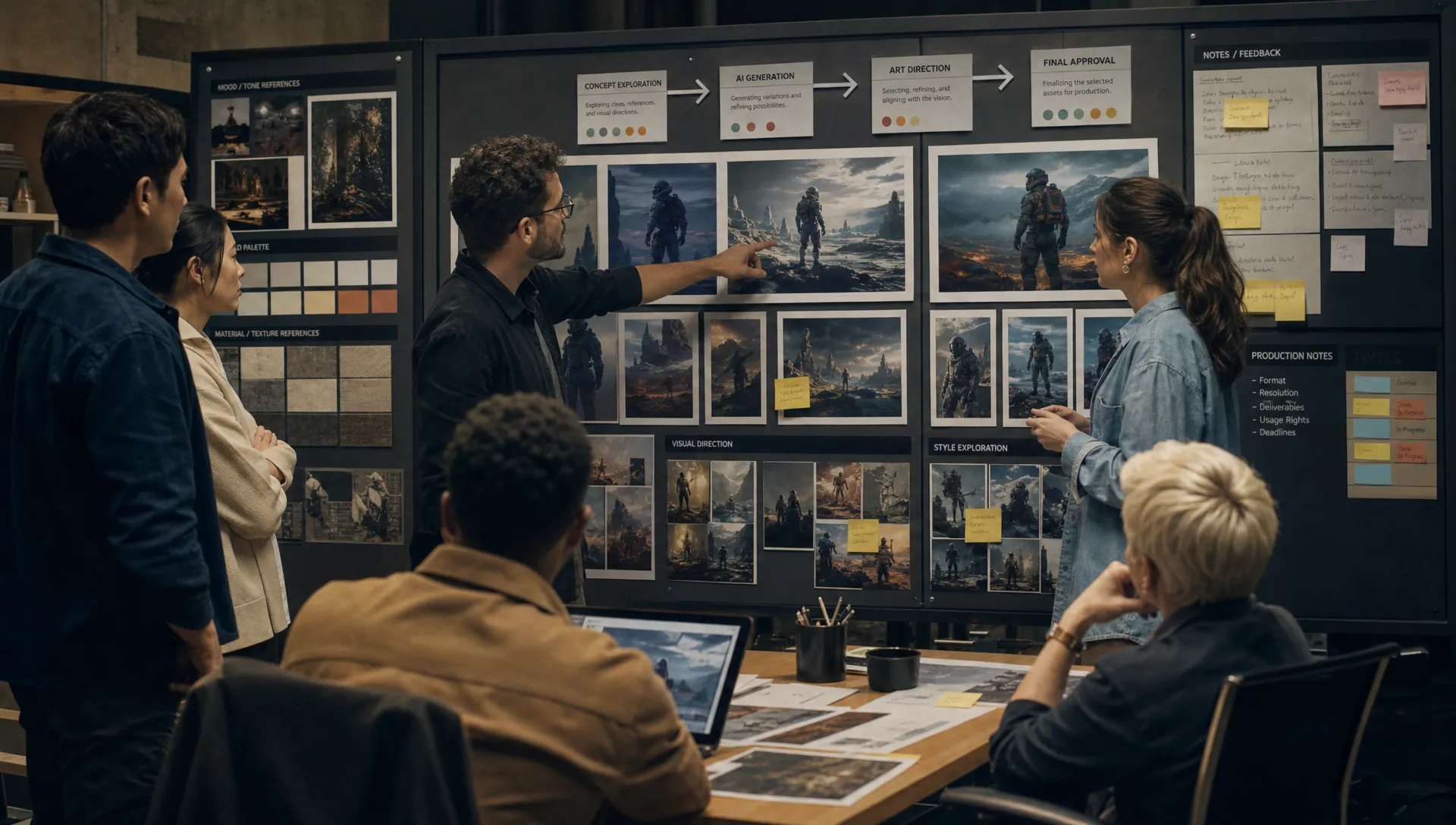
AI is already inside the creative stack. Teams use it to explore concepts, generate variations, localize visuals, accelerate storyboards, support 3D production, and test campaign directions. The harder question is no longer whether creative teams should use AI. It is how to design an AI workflow for creative teams that is fast, repeatable, brand-safe, and accountable.
A useful workflow does more than connect a prompt to an output. It defines how creative intent is captured, how models are selected, how context is preserved, how human judgment enters the process, and how approved assets move into production systems. For enterprise teams, that means designing a workflow that creative leaders can trust, application managers can support, and production teams can actually use.
This guide focuses on the operating model behind the workflow: the decisions, roles, controls, and infrastructure that make AI usable at scale.
Start with the creative problem, not the AI tool
Many AI rollouts begin with tool access. A team gets a subscription, experiments with prompts, shares impressive outputs, then struggles to repeat the same quality across campaigns, studios, or regions. The issue is rarely lack of creativity. It is usually lack of workflow design.
Before choosing models or platforms, define the creative work you want to improve. A marketing team may need faster campaign adaptation across channels. An art department may need consistent concept exploration around a specific visual direction. A game studio may need to accelerate props, environments, textures, or mood exploration without losing art direction.
A strong AI workflow begins by answering four practical questions:
- What creative output are we trying to produce?
- Which parts of the process are slow, repetitive, inconsistent, or hard to scale?
- Where must human review, brand control, or legal approval happen?
- What systems must the final asset connect to, such as DAM, PIM, DCC tools, review software, or production trackers?
This keeps AI aligned with business value rather than novelty. It also helps teams avoid a common mistake: automating a broken process instead of redesigning it.
Map the current workflow before redesigning it
Creative workflows often contain informal knowledge that is invisible until something goes wrong. A brand director knows which product angles are acceptable. A 3D lead knows which topology issues will create downstream problems. A campaign producer knows which local market always needs extra review time.
Documenting the current workflow exposes those dependencies. You do not need a complex process map at first. Start with the path from request to approved asset and identify the handoffs, delays, decisions, and rework loops.
A practical map should include:
- Brief intake and required context
- Creative direction, references, mood boards, and constraints
- Generation or production steps
- Review stages and decision owners
- Approval rules by asset type, channel, market, or risk level
- Storage, tagging, versioning, and reuse
- Export requirements and downstream system handoffs
Once the current workflow is visible, it becomes easier to decide where AI belongs. In some cases, AI should support ideation. In others, it should generate controlled production variants, prepare visual references, assist with localization, or automate asset preparation.
If your team needs a more granular view of the production journey itself, Virtuall’s guide to an AI creative workflow from brief to approved assets breaks down the stages from intake to final delivery.
Define the workflow architecture
An enterprise-ready AI workflow has several layers. The visible layer is content generation. The more important layer is the structure around it: context, orchestration, approvals, asset management, and governance.
| Workflow layer | Design question | Practical output |
|---|---|---|
| Creative context | What should the AI know before generating? | Brand rules, references, product data, mood boards, campaign goals |
| Generation logic | How should work be produced consistently? | Reusable prompts, generation blueprints, model settings, format rules |
| Model orchestration | Which model should handle which task? | Routing between image, video, 3D, audio, or specialist models |
| Human review | Who decides whether the output is usable? | Review steps, annotations, approvals, escalation paths |
| Governance | What must be controlled or documented? | Usage rules, audit trails, permissions, compliance checks |
| Asset operations | Where do outputs go after approval? | Versioned assets, metadata, DAM or PIM handoff, production tracking |
This architecture matters because creative AI is not one model doing one task. A single asset may require text interpretation, image generation, upscaling, background replacement, video adaptation, 3D reference creation, legal review, and asset packaging. Without orchestration, teams end up moving files manually between tools, losing context at every step.
The goal is not to remove creative judgment. The goal is to remove avoidable friction so creative judgment can happen earlier and more often.
Turn creative direction into reusable context
The quality of AI output depends heavily on context. A short prompt may be enough for personal experimentation, but it is not enough for enterprise production. Creative teams need shared context that can travel across projects, tools, and collaborators.
This context can include brand guidelines, campaign strategy, approved references, product attributes, visual territories, negative examples, legal constraints, and regional requirements. For art directors, it may include mood boards, composition principles, lighting references, material treatments, color palettes, or character rules. For game developers, it may include style guides, world-building constraints, engine requirements, or asset category rules.
When context is stored and reused, teams avoid reinventing the brief for every generation. They also reduce the risk of inconsistent results when different users prompt the same model in different ways.
This is where generation blueprints become valuable. A blueprint is a repeatable structure for a specific creative task. It can define the input fields, creative constraints, model configuration, review requirements, and output format. Instead of asking every user to become a prompt expert, the workflow gives them a controlled creative starting point.
For example, a product campaign blueprint might require product category, target market, aspect ratio, lighting style, background rules, compliance notes, and channel destination. A game prop blueprint might require art style, scale, material type, polycount expectation, reference world, and review owner.
Design the human checkpoints
AI workflows fail when review is treated as an afterthought. Creative approval is not a single yes or no decision. It often includes multiple dimensions: strategic fit, brand consistency, craft quality, technical usability, legal safety, and production readiness.
A better approach is to design human checkpoints around risk and responsibility. Low-risk internal concept explorations may need lightweight art direction review. High-visibility campaign assets may require brand, legal, and market approval. 3D assets intended for production may need technical review before they are considered usable.
The key is to avoid both extremes. Too little review creates risk. Too much review eliminates the speed advantage of AI. A tiered model works well for many organizations.
| Risk level | Example asset | Review approach |
|---|---|---|
| Low | Internal mood exploration, early visual territories | Art director or creative lead review |
| Medium | Social variants, ecommerce visuals, pitch materials | Brand and channel owner approval |
| High | Paid campaign hero visuals, regulated product claims, external-facing video | Brand, legal, compliance, and executive approval as needed |
| Technical | 3D models, game assets, animation-ready materials | Art, technical, and pipeline review |
Human checkpoints should be visible inside the workflow, not managed through scattered messages. Annotations, approval status, version history, and decision records help teams understand why an asset was accepted or rejected. They also create a learning loop for future generations.
Build governance into the workflow from day one
Governance is often introduced after experimentation has already spread across the organization. By then, teams may be using different tools, storing outputs in unmanaged folders, and applying inconsistent rules around data, intellectual property, or disclosure.
For enterprise creative teams, governance should be part of the workflow design from the beginning. This does not mean slowing everyone down. It means defining the rules that allow AI usage to scale safely.
Important governance questions include:
- Which models and tools are approved for which use cases?
- What types of data can users upload or reference?
- How are outputs reviewed for brand, legal, and policy requirements?
- How are versions, prompts, inputs, and approvals documented?
- Who can publish, export, or reuse AI-generated assets?
- Which regions or clients require specific compliance controls?
Regulatory expectations are also becoming more concrete. The EU AI Act has increased attention on AI risk management, transparency, and accountability. The NIST AI Risk Management Framework also provides a useful structure for thinking about AI governance, including mapping, measuring, managing, and governing risk.
Creative teams do not need to turn every project into a legal process. But they do need workflows that can show what happened, who approved it, and whether the right rules were applied.
Choose tools that support orchestration, not just generation
The AI tool market is crowded, and output quality can change quickly. A model that leads today may be matched or surpassed tomorrow. For that reason, enterprise teams should avoid designing workflows around a single model interface.
Instead, design around orchestration. The workflow should be able to route tasks to the right model, preserve context between steps, and keep outputs connected to review and asset systems. This is especially important for teams working across image, video, 3D, and audio because each format has different requirements.
When evaluating tools for an AI workflow for creative teams, look beyond the quality of a single demo. Consider whether the system can support:
- Multi-model generation across the formats your team uses
- Reusable templates or blueprints for repeated tasks
- Shared creative context, such as mood boards and brand references
- Permissions, review workflows, approvals, and annotations
- Asset management, version control, and pipeline tracking
- Integrations with DCC, DAM, PIM, and other production tools
- Compliance controls that match your organization’s requirements
This is the difference between an AI sandbox and an operating layer. A sandbox is useful for exploration. An operating layer is what makes AI usable across departments, markets, and production pipelines.
Virtuall approaches this challenge as a Creative AI OS for enterprise production, helping teams control how AI runs across studios, workflows, and tools rather than relying on disconnected experiments.
Assign roles across the workflow
Successful AI workflow design is cross-functional. Creative leaders, technical teams, marketing stakeholders, and governance owners all need a clear role. Without role clarity, AI initiatives can become either too centralized to move quickly or too fragmented to govern.
A simple role model helps.
| Role | Main responsibility in the AI workflow |
|---|---|
| CMO or marketing leader | Defines business goals, brand risk tolerance, and scaling priorities |
| Art director or creative director | Owns creative intent, taste, visual quality, and approval standards |
| Application manager | Ensures tools, integrations, permissions, and data flows are reliable |
| Game developer or technical artist | Validates technical usability for engines, pipelines, assets, and formats |
| Legal or compliance owner | Defines rules for data use, rights, disclosure, and regulated content |
| Producer or project manager | Coordinates timelines, review stages, delivery requirements, and reuse |
These roles do not need to be heavy or bureaucratic. In smaller teams, one person may cover several responsibilities. In large enterprises, the responsibilities may be distributed across departments. What matters is that the workflow makes ownership explicit.
Measure what actually improves
AI adoption can create impressive activity metrics, such as number of generations or prompts submitted. Those numbers are useful, but they do not prove that the workflow is better. Creative leaders should measure whether AI improves production outcomes.
Useful metrics include:
- Time from brief to first reviewable concept
- Time from approved direction to production-ready asset
- Number of revision cycles per asset type
- Approval pass rate by blueprint or workflow
- Percentage of assets reused across campaigns or markets
- Cost per approved variant
- Number of compliance escalations or blocked outputs
- User adoption across teams and regions
Measure at the workflow level, not only at the tool level. If a model generates quickly but assets still wait days for feedback, the bottleneck is review. If outputs look good but cannot be used in the production pipeline, the bottleneck is technical readiness. If teams constantly regenerate because context is missing, the bottleneck is briefing.
AI workflow design is an ongoing improvement process. Each approval, rejection, annotation, and export can teach the system and the team how to work better next time.
Avoid the most common design mistakes
The most common mistake is treating AI as a shortcut around creative direction. AI can expand options, but it cannot replace the need for intent. Without a strong brief and clear standards, teams get more output but not necessarily better work.
Another mistake is letting every team create its own prompting habits. This may feel empowering at first, but it becomes difficult to scale. The same campaign can drift in style, quality, and compliance across regions or departments.
A third mistake is separating AI generation from asset operations. If approved outputs are not properly named, versioned, tagged, stored, and connected to downstream systems, the team simply moves the bottleneck from creation to management.
Finally, many organizations underestimate change management. Designers, producers, and developers need to understand where AI helps, where human judgment remains essential, and how the workflow protects quality. Clear communication matters as much as technical capability.
For teams trying to improve consistency across multiple tools and users, the guide on how to improve AI output across teams and tools expands on the importance of shared context, blueprints, and orchestration.
Where Virtuall fits in the workflow
Virtuall is designed for teams that need to operate creative AI at scale, not just generate isolated assets. It gives studios and enterprise teams a way to control, orchestrate, and govern AI-powered content creation across images, video, 3D, and audio.
In a designed AI workflow, Virtuall can support the operating layer around production: governance controls, workflow orchestration, generation blueprints, studio context memory through mood boards, team collaboration, review workflows, approvals, content annotation, asset management, and pipeline tracking. It also supports integration with creative tools through plugins and API, helping AI outputs connect to existing DCC, PIM, DAM, and production environments.
Nyx, Virtuall’s intelligence layer, orchestrates multiple industry-leading AI models while keeping intent and context across studios and teams. That matters because enterprise creativity rarely happens in one prompt, one tool, or one format. It happens through connected decisions.
The result is a workflow where creative teams can move faster while maintaining control over brand, quality, compliance, and production readiness.
Frequently Asked Questions
What is an AI workflow for creative teams? An AI workflow for creative teams is a structured process that defines how AI is used from creative brief to approved asset. It includes context setup, generation rules, model orchestration, human review, governance, asset management, and integration with production tools.
How is an AI workflow different from using an AI generator? An AI generator creates outputs. An AI workflow defines how those outputs are requested, guided, reviewed, approved, stored, and reused. The workflow is what makes AI repeatable and safe for teams, especially in enterprise environments.
Who should own AI workflow design in a creative organization? Ownership should be shared. Creative leaders should own quality and intent, application managers should own systems and integrations, and governance teams should define risk controls. Producers or operations leads often coordinate the workflow day to day.
How do you keep AI-generated creative work consistent? Consistency comes from shared context, reusable generation blueprints, approved references, defined review criteria, and model orchestration. Teams should avoid relying on individual prompting habits as the main source of quality control.
Can AI workflows support 3D and game production? Yes, but they must include technical review and pipeline requirements. For game assets or 3D workflows, teams should define style, scale, format, topology expectations, engine constraints, and approval checkpoints before outputs are considered production-ready.
Design AI into the way your team already creates
The best AI workflow does not force creative teams to abandon their craft. It gives them a stronger operating model: clearer briefs, reusable context, faster exploration, controlled generation, structured review, and production-ready handoff.
If your team is ready to move beyond disconnected AI experiments, Virtuall can help you orchestrate creative AI across studios, tools, models, and formats with the governance enterprise production requires.