What an AI OS Means for Modern Creative Studios
What an AI OS means for modern creative studios: governance, orchestration, and compliance to scale consistent image, video, and 3D production.
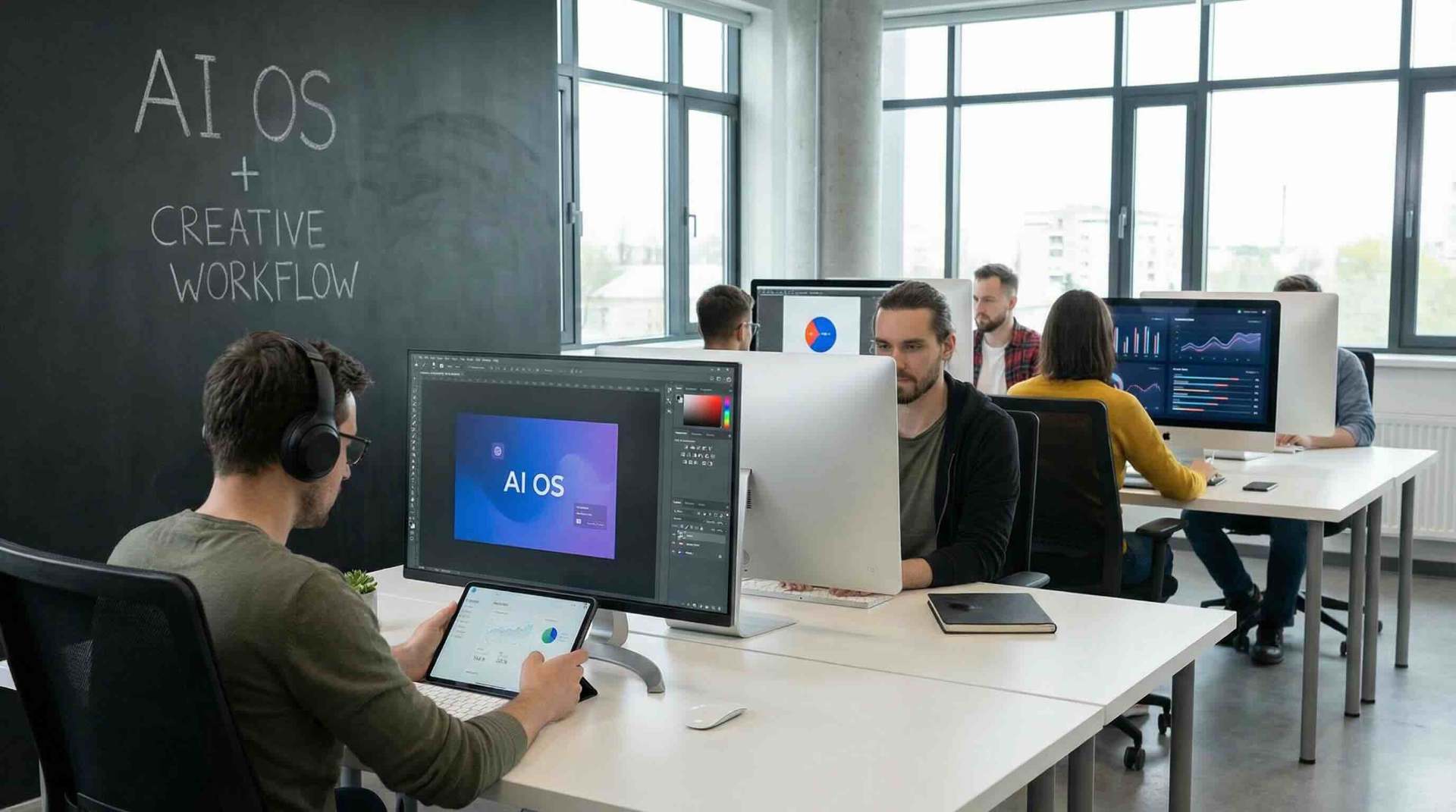
Most creative studios did not “choose” to become AI-first. It happened in layers: a few artists experimenting with prompts, a team buying credits for a new video model, a producer creating an internal prompt library, and suddenly AI is in the middle of production.
That shift creates a new problem that classic creative stacks were not built to solve: operating AI reliably at studio scale. Not testing it. Not “trying a tool.” Operating it.
An AI OS is the emerging answer. Think of it as the control plane that makes AI use governable, repeatable, and production-ready across people, workflows, and models.
What is an AI OS (and what it is not)?
An AI OS (AI operating system) for a creative studio is a layer that standardizes how AI work gets done across the organization. It coordinates:
- Rules (governance, permissions, brand constraints, policy)
- Workflows (steps, approvals, routing, versioning)
- Models (image, video, and 3D generation across multiple providers)
- Assets and lineage (what went in, what came out, what changed, who approved)
- Compliance (usage policies, rights metadata, audit trails)
Not the same as “an AI tool”
A single AI tool helps an individual create faster. An AI OS helps a studio produce consistently.
Not the same as MLOps
MLOps is about training, deploying, and monitoring ML models. A creative AI OS is about operating content generation and transformation in production: from brief to deliverable, across teams and formats.
Why modern studios need an AI OS now
1) Multi-model production is the new normal
Most studios will use multiple models and vendors because needs differ:
- Fast ideation vs final frames
- Photoreal product shots vs stylized campaign visuals
- Short-form social edits vs longer cinematic sequences
- 2D outputs vs 3D-friendly generation and render pipelines
Without an AI OS, this becomes “model sprawl”: inconsistent outputs, inconsistent settings, and no shared operational standard.
2) Governance moved from legal to production
Studios are being asked questions that production teams now have to answer in real time:
- Which models are approved for client work?
- What data is allowed in prompts (client names, unreleased products, personal data)?
- What rights metadata must be captured for generated assets?
- How do we prove what happened if a client requests an audit?
Frameworks like the NIST AI Risk Management Framework and standards like ISO/IEC 42001 signal the direction of travel: organizations need repeatable controls, documentation, and oversight for AI use.
3) “Prompt craft” does not scale, operations do
A studio cannot rely on a few power users who know “the right prompt.” At scale, you need:
- Reusable recipes and templates
- Guardrails for brand and safety
- Review gates for client-sensitive work
- Tracking for cost, throughput, and rework
An AI OS turns scattered best practices into a managed system.
The core capabilities that define an AI OS for creative studios
Different vendors will package these differently, but a real AI OS typically includes the following pillars.
AI governance controls (rules, permissions, and policy)
Governance is the difference between “AI is everywhere” and “AI is operational.” For creative work, governance commonly includes:
- Role-based access (who can use which models and workflows)
- Approved model lists per client or project
- Prompt and input restrictions (for example, blocking sensitive terms)
- Output constraints (brand tone, style guidance, content safety)
This is also where studios enforce internal policies aligned with external requirements, including evolving regulatory expectations (for example, the EU AI Act’s transparency and risk obligations for certain AI uses).
Workflow orchestration (from brief to deliverable)
Creative teams already understand pipelines. An AI OS brings pipeline discipline to AI steps:
- Structured handoffs between ideation, refinement, review, and delivery
- Approval gates for high-risk or client-facing work
- Versioning of prompts, settings, and outputs
- Automatic routing to the right specialist (artist, producer, compliance reviewer)
The goal is not to slow teams down. It is to reduce rework by making quality predictable.
Multi-model content generation across image, video, and 3D
A studio AI stack should not collapse if one model changes pricing, terms, or quality. An AI OS supports multi-model operation by:
- Letting teams choose the right model for the task
- Standardizing inputs, settings, and output handling
- Enabling consistent workflows even as underlying models evolve
This matters even more as studios push into hybrid pipelines where 2D, video, and 3D assets must stay coherent.
Operational blueprints (repeatable “recipes”)
The highest-leverage concept in a creative AI OS is the operational blueprint: a documented, repeatable workflow that encodes what “good” looks like.
Examples (high level) include:
- Product render pipeline: reference pack in, variant set out, review gate, delivery package
- Campaign visual pipeline: concept exploration, selected direction lock, final polish, compliance check
- Social cutdowns pipeline: master edit, auto-variants, brand overlay rules, export specs
Blueprints allow a studio to scale quality across teams, not just across GPUs.
Asset management, lineage, and auditability
Studios need to know what happened, not just what was delivered. Asset lineage supports:
- Traceability from source assets to final output
- Capturing prompts, settings, model versions, and approvals
- Reproducibility when a client wants “the same, but with changes”
This is both a production advantage and an enterprise requirement.
Automated compliance
Compliance is often treated as a checklist after the work is done. In an AI OS, compliance becomes a built-in step:
- Policies enforced during generation, not after
- Required metadata captured automatically
- Logs produced for audits without manual effort
AI OS vs a patchwork of AI tools
Studios can absolutely get started with standalone tools. The question is what happens when you have to scale.
| Studio need | Patchwork of AI tools | AI OS approach |
|---|---|---|
| Consistent quality | Depends on individual skill and tribal knowledge | Standardized workflows and reusable blueprints |
| Governance | Hard to enforce across many tools | Central rules, permissions, and policy enforcement |
| Multi-model strategy | Each tool locks you into choices | Orchestrate multiple models under one operating layer |
| Collaboration | Files and prompts scattered | Shared workflows, traceability, and team coordination |
| Compliance and audit | Manual screenshots, missing context | Automatic logging, metadata capture, audit trails |
| Scale | More tools creates more chaos | More usage increases operational leverage |
What changes in day-to-day studio work with an AI OS
Producers get a “creative ops” control plane
Instead of chasing updates across chats, docs, and different AI apps, producers can monitor pipeline state, throughput, and bottlenecks in one place (depending on the platform).
Artists spend less time on brittle steps
When workflows, naming, exports, and review gates are standardized, artists spend less time rebuilding process and more time making decisions that matter.
Leadership gets cost and risk visibility
An AI OS makes it possible to answer executive questions with evidence:
- Where is AI used in production?
- Which workflows create the most rework?
- Which models drive cost without improving outcomes?
- Are we compliant with client and internal policies?
Common pitfalls when studios try to scale AI without an AI OS
“We will standardize later”
Later becomes never, and the studio accumulates incompatible prompts, inconsistent settings, and unclear rights metadata.
Over-indexing on model choice
Models change quickly. The durable advantage is operational discipline: templates, governance, and repeatable workflows.
Treating compliance as a final review
If compliance is only a last gate, teams will redo work. It is cheaper to enforce rules at the moment of generation.
No ownership
AI operations needs a clear owner (often a creative ops lead, pipeline TD, or a cross-functional group spanning production, IT, and legal).
How to evaluate an AI OS for your studio
When comparing platforms, focus less on “wow demos” and more on operational fit.
Governance depth
- Can you define who can use which models, and under what conditions?
- Can you enforce client-specific rules?
- Can you restrict inputs and require metadata?
Workflow realism
- Does it match how your studio actually ships work?
- Can it support approvals, versioning, and handoffs?
- Can you templatize best practices into reusable blueprints?
Multi-modal support
- Can you operate across image, video, and 3D workflows?
- Can you avoid locking into a single model provider?
Compliance and auditability
- Are logs and lineage captured automatically?
- Can you produce audit trails without manual work?
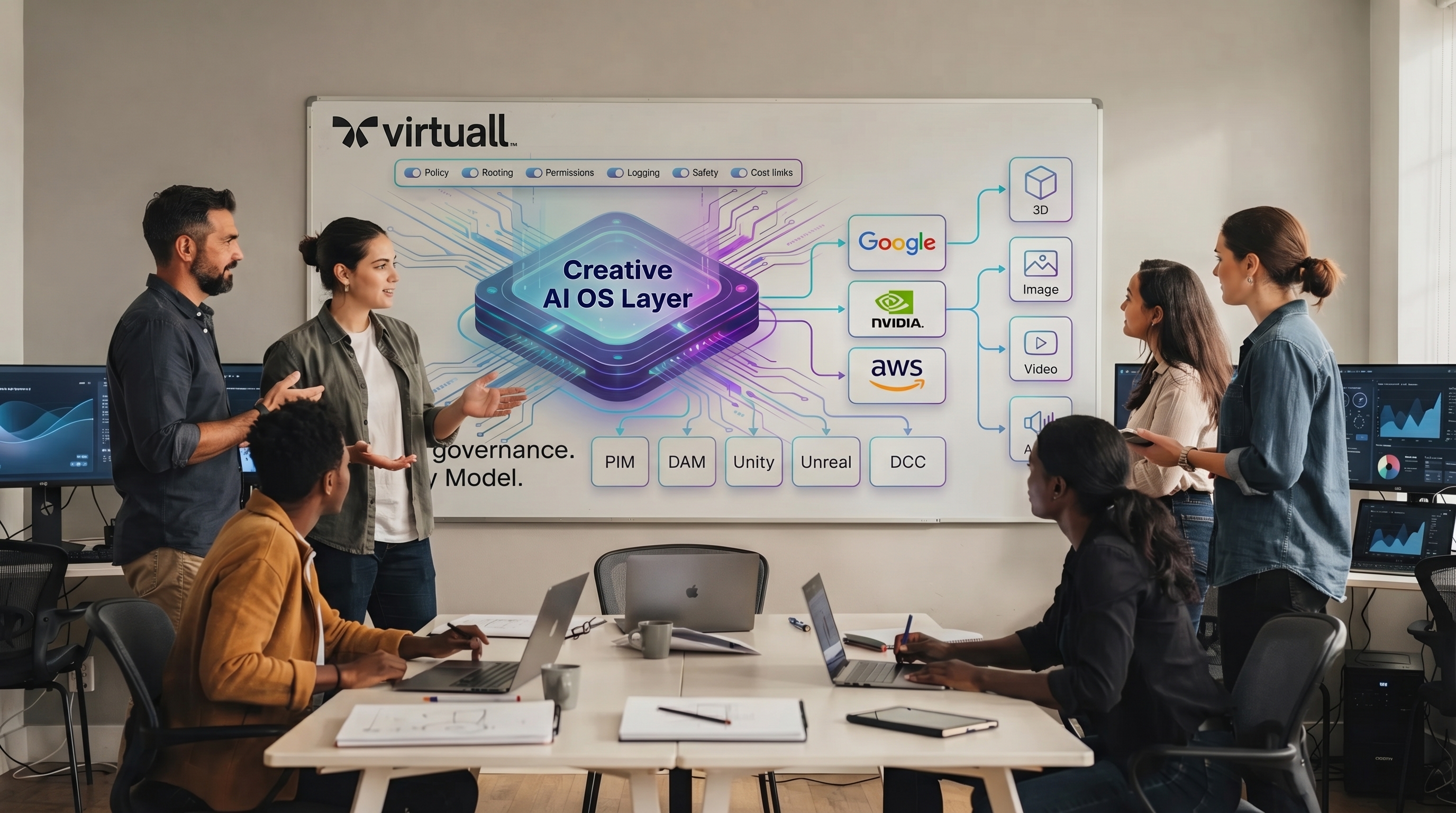
Integration with existing creative platforms
Studios rarely replace everything. The right AI OS fits into what you already use, while adding a layer of control and consistency.
A practical adoption path (that avoids disruption)
You do not need to “flip a switch” across the whole studio.
Start with one high-volume workflow
Pick a workflow that is frequent, measurable, and painful. Examples: product variants, social cutdowns, background extensions, concept exploration.
Define the blueprint
Document:
- Inputs (allowed sources, required references)
- Model(s) and settings
- Review gates
- Output specs
- Metadata requirements
Add governance early
Even basic guardrails (approved models per client, restricted prompt inputs, required tags) prevent chaos later.
Measure what matters
Track metrics that map to production reality:
- Cycle time from brief to delivery
- Revision count and rework rate
- Consistency across artists and teams
- Compliance issues caught early vs late
Scale by cloning blueprints
When one blueprint works, replicate it to adjacent workflows. That is how studios scale AI while keeping quality consistent.
Where Virtuall fits
Virtuall positions itself as a Creative AI OS for studios and teams that need to operate creative AI at scale across image, video, and 3D, with enterprise-grade governance and compliance.
In practice, that means focusing on the operational problems that show up after experimentation succeeds: controlling how AI runs across workflows and tools, enabling collaboration, tracking pipeline progress, managing assets, and supporting automated compliance so outputs stay production-ready and consistent.
If your studio is moving from AI pilots to AI production, an AI OS is the difference between fragmented usage and a system you can trust.
Frequently Asked Questions
What does AI OS mean in a creative studio context? An AI OS is the operating layer that governs, orchestrates, and standardizes AI-powered content workflows across teams, tools, and models, with traceability and compliance.
Do we need an AI OS if we already use several AI tools? If AI use is occasional, maybe not. If AI is becoming part of repeatable production, an AI OS helps enforce governance, reduce rework, and keep outputs consistent across teams.
Is an AI OS only for enterprise studios? Not only, but the value increases with scale: more teams, more client constraints, more models, and more need for auditability.
How does an AI OS help with compliance? It can enforce policies during generation, require metadata, and automatically capture logs and lineage so audits do not depend on manual screenshots or scattered documentation.
Will an AI OS lock us into one model provider? A studio-focused AI OS typically supports multi-model operation so you can choose the right model per workflow and adapt as providers change.
Operate creative AI like production, not experimentation
If AI is already touching client work, your next bottleneck is not creativity, it is operations: governance, repeatable workflows, collaboration, and compliance.
Explore how Virtuall helps studios operate creative AI at scale with control, consistency, and production-ready outputs across image, video, and 3D.