Which AI Tools Belong in a Modern Creative Stack?
Which AI tools belong in a modern creative stack? Learn how to choose generation, governance, workflow, and production-ready AI tools.
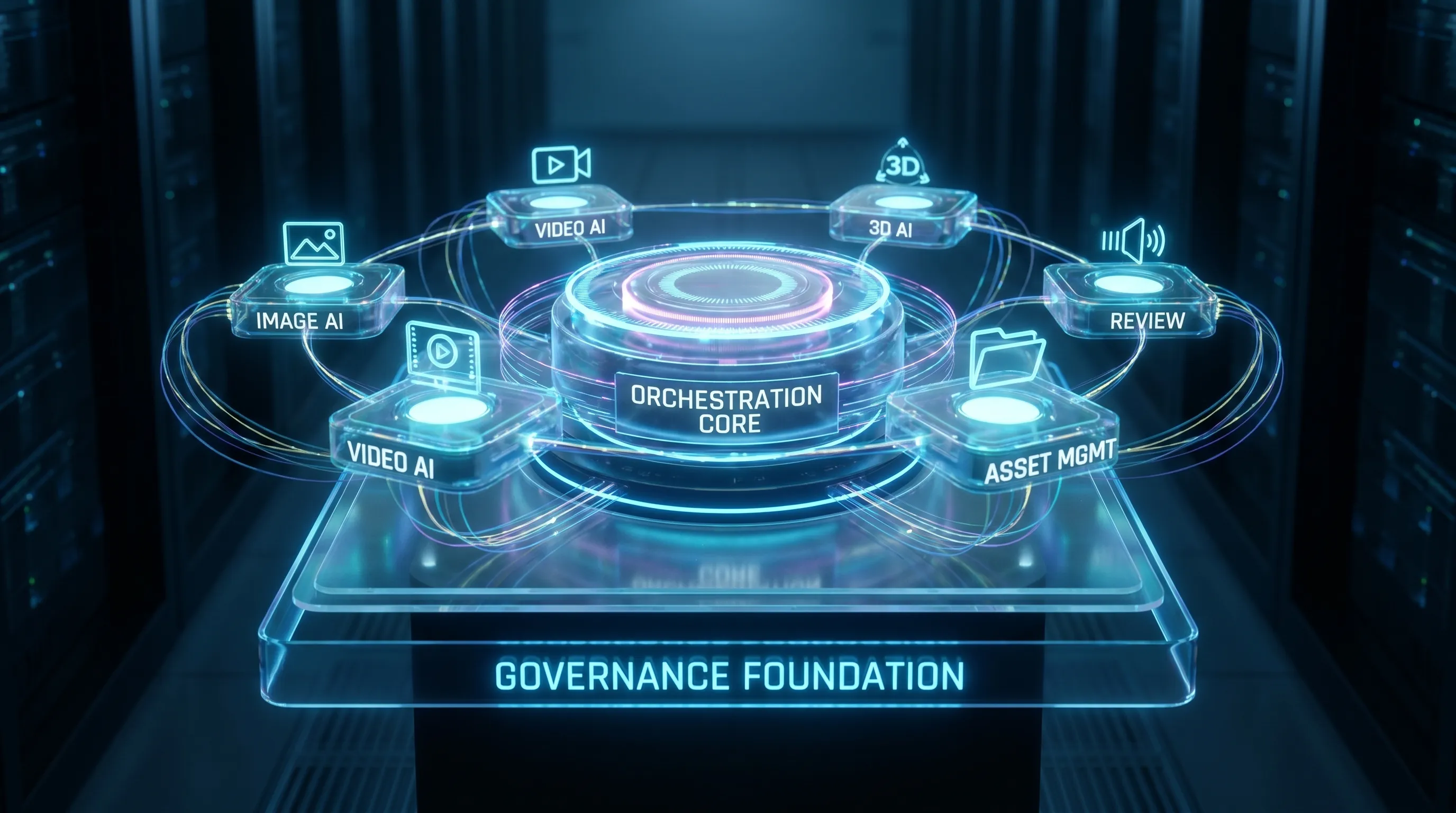
Modern creative teams are no longer asking whether AI belongs in the workflow. The harder question is which AI tools deserve a permanent place in the stack, and which ones should remain experiments.
That distinction matters. A single image generator can help an art director explore concepts faster. But an enterprise creative stack has to do much more: protect brand consistency, manage usage rights, preserve context across teams, connect to existing tools, support approvals, and produce assets that can actually move into campaigns, games, product pages, videos, and 3D pipelines.
The best modern creative stack is not a collection of disconnected AI apps. It is an operating model for creative production, where AI supports the full journey from brief to approved asset.
A modern creative AI stack starts with control, not novelty
Many teams begin with AI through individual experimentation. Designers test image generation. Marketers use copy assistants. 3D artists explore mesh or texture generation. Game developers prototype characters, props, or environments. That phase is useful, but it does not scale by itself.
At scale, creative leaders need to answer more operational questions:
- Who is allowed to generate what?
- Which models can be used for which asset types?
- How is brand context preserved across campaigns and regions?
- Where are prompts, references, outputs, and revisions stored?
- How do teams review, approve, and reuse AI-generated work?
- What happens when legal, compliance, or procurement asks for an audit trail?
This is why a modern stack needs more than creative generation. It needs orchestration, governance, collaboration, integration, and asset management around generation.
For enterprises, this is also increasingly connected to AI risk management. Frameworks such as the NIST AI Risk Management Framework and regulatory developments like the EU AI Act have made governance a board-level topic, not just an IT concern.
What different stakeholders need from the stack
A strong creative AI stack serves multiple roles without forcing everyone into the same interface or workflow. The CMO needs speed, consistency, and measurable output. The art director needs creative control. The application manager needs security, integrations, and manageability. The game developer needs tools that fit production pipelines, not just isolated generators.
| Stakeholder | What they need from AI tools | What can go wrong without the right stack |
|---|---|---|
| CMO | Faster campaign production, brand consistency, scalable localization, controlled experimentation | Fragmented output, inconsistent brand use, unclear ROI, compliance risk |
| Art Director | Better ideation, visual exploration, style consistency, review control | Generic outputs, loss of creative direction, hard-to-reuse concepts |
| Application Manager | Governance, permissions, integrations, auditability, vendor control | Shadow AI usage, security gaps, disconnected systems |
| Game Developer | 3D, texture, concept, animation, and pipeline-friendly outputs | Assets that look good in previews but fail in production workflows |
The key is to choose AI tools by production role, not by hype. A tool belongs in the stack only if it supports a repeatable workflow, integrates with the surrounding environment, and can be governed appropriately.
The AI tool categories that belong in a modern creative stack
A complete creative stack usually includes several categories of tools. Some organizations buy individual best-of-breed applications. Others centralize these capabilities through a creative AI operating system. Either approach can work, but the layers should be intentional.
| Stack layer | Role in the creative workflow | Enterprise requirements |
|---|---|---|
| Creative intelligence | Interprets briefs, audiences, trends, and campaign requirements | Data boundaries, repeatable inputs, traceable decisions |
| Context and reference management | Stores brand, style, mood board, and project context | Shared memory, permissions, version control |
| Generative creation | Produces images, video, 3D, audio, concepts, variations, and prototypes | Approved models, quality controls, rights awareness |
| Editing and refinement | Improves, resizes, retouches, adapts, and finalizes assets | Production formats, non-destructive workflows, consistency |
| Workflow orchestration | Connects tasks, tools, models, and approvals | Automation rules, role-based access, pipeline visibility |
| Collaboration and review | Enables feedback, annotation, approvals, and stakeholder signoff | Audit trails, approval states, team visibility |
| Asset management | Stores outputs, metadata, versions, and reusable assets | DAM or PIM integration, searchability, lifecycle control |
| Governance and compliance | Defines what AI can do, where data goes, and how outputs are approved | Policy enforcement, data residency, logging, compliance reporting |
| Integration layer | Connects AI with DCC, DAM, PIM, CMS, and internal systems | APIs, plugins, authentication, scalability |
The exact mix will vary by organization, but these layers are increasingly becoming the foundation of AI-enabled creative operations.
1. Creative intelligence tools for strategy and briefs
Creative work begins before the first asset is generated. Teams need to interpret briefs, understand audiences, explore territories, and translate strategy into creative direction.
AI tools in this layer can help summarize research, extract campaign requirements, cluster ideas, compare positioning, or turn marketing objectives into creative territories. For CMOs and brand teams, this can reduce the gap between strategy and execution. For art directors, it can create a stronger starting point for visual exploration.
The important requirement is traceability. If AI contributes to brief interpretation, stakeholders should understand what inputs were used and how the resulting direction was created. This is especially important in regulated industries or global brands where claims, tone, and market differences matter.
2. Context memory for brand, style, and project continuity
One of the biggest weaknesses of isolated AI tools is that they forget context. A designer may spend hours refining prompts for a campaign style, only for that knowledge to remain inside one chat, one file, or one person’s workflow.
Modern creative teams need shared context memory. This can include:
- Brand guidelines and visual rules
- Mood boards and approved references
- Product imagery and pack shots
- Campaign concepts and seasonal direction
- Character, environment, or worldbuilding references for games
- Previous outputs, feedback, and approved variations
For enterprise teams, context memory is not only about convenience. It is a way to preserve institutional creative knowledge. It helps teams avoid restarting from zero every time they brief a new asset, market, format, or supplier.
This is particularly valuable when working across studios, regions, agencies, and production partners. The goal is not to replace creative judgment. It is to make the right context available wherever creative decisions are made.
3. Generative AI tools for image, video, 3D, and audio
Generation is the most visible part of the AI stack. These tools help teams create concepts, variations, prototypes, and production assets across different formats.
For a modern stack, generative AI should not be limited to one media type. Creative production increasingly spans image, video, 3D, and audio. A campaign may need social cutdowns, ecommerce visuals, motion assets, localized variants, and immersive product experiences. A game studio may need concept art, props, textures, environments, voice explorations, and cinematic references.
The best stack does not assume one model is best for everything. Different models may be stronger for photorealistic product images, stylized illustrations, video motion, 3D geometry, texture generation, or audio. A multi-model approach gives teams more flexibility, but it also requires governance. Without orchestration, multi-model workflows can become chaotic.
When evaluating generative AI tools, look beyond output quality in a demo. Ask whether the tool supports repeatability, prompt and reference reuse, consistent style direction, export formats, rights controls, and review workflows.
4. Editing, refinement, and production-readiness tools
A generated asset is rarely finished. It usually needs refinement before it can be used in a campaign, product page, pitch deck, cinematic, or game environment.
This is where editing tools remain essential. AI-assisted retouching, upscaling, background replacement, inpainting, object removal, color correction, style adaptation, texture cleanup, and format resizing can all reduce manual production time. For video, teams may need AI-supported editing, shot extension, stabilization, captioning, localization, and versioning. For 3D, they may need mesh cleanup, topology adjustments, texture optimization, or compatibility with DCC tools.
The key phrase is production-ready. A tool that creates impressive previews but does not support export quality, version control, or downstream editing may be useful for ideation, but not for the core stack.
For enterprise teams, production-readiness also includes consistency. If every output requires heavy manual repair, the efficiency gain may disappear. The stack should help teams move from draft to approved asset with fewer handoffs and fewer quality surprises.
5. Workflow orchestration tools that connect the process
AI becomes much more valuable when it is orchestrated across workflows. Instead of asking users to jump between apps, orchestration connects briefs, models, templates, approvals, and delivery steps into repeatable processes.
For example, a campaign workflow might start with a creative brief, apply a brand-approved generation blueprint, create several image and video variants, route them to an art director for review, send approved assets to asset management, and notify downstream teams. A game workflow might connect concept generation, 3D exploration, review, asset tagging, and integration into a production pipeline.
This is where many AI pilots fail. The model works, but the workflow does not. Teams still rely on screenshots, manual downloads, untracked prompt documents, and informal approvals.
Workflow orchestration helps solve this by making creative AI operational. It defines how work moves, who approves it, which tools are used, and where outputs go next.
6. Collaboration and review tools for creative decision-making
Creative production is collaborative. AI does not remove the need for critique, taste, direction, or stakeholder alignment. In fact, faster generation can create more review complexity because teams suddenly have more options to evaluate.
A modern stack should support structured collaboration: comments, annotations, approval states, comparison views, version history, and clear ownership. This matters for brand teams reviewing campaign assets, art directors refining visual territories, legal teams checking claims, and producers managing deadlines.
The review layer also protects quality. It ensures that AI-generated output does not move directly from prompt to publication without human oversight. For many enterprises, human review is not optional. It is part of responsible AI use.
7. Asset management tools for reuse and lifecycle control
Creative AI can generate a large volume of assets very quickly. Without asset management, that volume turns into clutter.
A modern creative stack needs a clear system for storing, tagging, searching, versioning, approving, and retiring assets. This may happen in an existing DAM, PIM, CMS, or game asset repository. The AI layer should connect to those systems rather than create another isolated library.
Good asset management also supports reuse. Approved prompts, references, outputs, templates, and variants can become building blocks for future work. This is where AI starts to compound value. The team does not just produce faster once. It builds a reusable creative memory over time.
Metadata is especially important. Teams should know which asset was generated, which inputs were used, what version was approved, where it can be used, and whether any restrictions apply.
8. Governance and compliance tools as the foundation
Governance is not a blocker to creativity. Done well, it gives teams the confidence to use AI more widely.
At minimum, governance tools should help define user permissions, approved models, data handling rules, review requirements, and output policies. For enterprise organizations, this may include audit logs, data residency requirements, vendor management, and compliance documentation.
Content provenance is also becoming more important. Standards such as C2PA are helping the industry create ways to attach content credentials and provenance information to digital media. While adoption varies by platform and workflow, the direction is clear: teams will increasingly need to know where creative assets came from and how they were made.
For global organizations, governance must also account for regional rules. An EU-based infrastructure and inference strategy, for example, may be important for teams operating under European data and compliance expectations.
9. Integration tools for DCC, DAM, PIM, and internal systems
No serious creative team wants another isolated portal that does not connect to daily work. AI tools belong in the stack when they can integrate with the systems teams already use.
For creative studios and game teams, that may mean DCC tools and production software. For brand and ecommerce teams, it may mean DAM, PIM, CMS, campaign management, or product content systems. For enterprise IT, it may mean SSO, permissions, APIs, logging, and procurement-approved vendor controls.
Integration is what turns AI from a side experiment into infrastructure. It allows AI-generated work to move through the same operating environment as other creative assets.
Which AI tools do not belong in the core stack?
Not every useful AI app deserves enterprise adoption. Some tools are great for experimentation but risky as core infrastructure.
Be careful with tools that lack admin controls, unclear data policies, limited export options, no audit trail, weak collaboration features, or no integration path. Also be cautious with tools that lock critical creative knowledge inside personal accounts. If the organization cannot manage access, preserve context, or retrieve work when a person leaves, the tool may create operational risk.
A simple test helps: if a tool disappeared tomorrow, would the team lose only a convenience, or would it lose critical project memory, brand direction, and production history? The latter should not live in an unmanaged tool.
A practical selection framework for enterprise creative teams
When evaluating AI tools for your creative stack, start with the workflow and work backward to the technology. A polished demo is useful, but it is not enough.
Use these criteria to decide whether a tool belongs in the stack:
- Creative fit: Does it improve the quality, speed, or range of creative work your team actually produces?
- Workflow fit: Does it support repeatable processes, approvals, and handoffs?
- Governance fit: Can you control users, models, data, and output policies?
- Context fit: Can it preserve brand, style, mood board, and project context across teams?
- Integration fit: Can it connect to your DCC, DAM, PIM, CMS, or internal systems?
- Production fit: Can outputs move into real campaigns, products, games, or media pipelines?
- Scalability fit: Can it support multiple teams, regions, brands, or studios without creating chaos?
This framework also helps separate personal productivity tools from enterprise creative infrastructure. Both can be valuable, but they should not be managed the same way.
Where a Creative AI OS fits
As creative AI matures, many organizations are moving from tool-by-tool experimentation toward a central operating layer. This is the role of a Creative AI OS: to control, orchestrate, and scale AI-powered content creation across teams, tools, models, and asset types.
The Creative AI OS is built for this operating layer. It enables studios and teams to manage AI-powered creation across image, video, 3D, and audio with governance controls, workflow orchestration, generation blueprints, studio context memory through mood boards, collaboration tools, asset management, pipeline tracking, and integrations through plugins and API.
Nyx, Virtuall’s intelligence layer, orchestrates multiple industry-leading AI models while preserving intent and context across studios and teams. For organizations that need more than a single generator, this kind of architecture helps bring consistency and control to a multi-model creative environment.
The value is not only faster generation. It is the ability to define how AI runs across the studio, which rules it follows, how teams collaborate, and how outputs become production-ready assets.
The future stack is multi-model, governed, and deeply integrated
The creative stack of the future will not be one AI tool. It will be a connected system of specialized capabilities, with governance and orchestration at the center.
For CMOs, this means faster content production without sacrificing brand control. For art directors, it means more room for exploration while keeping creative intent intact. For application managers, it means AI can be managed as infrastructure rather than shadow software. For game developers, it means AI can support concepting and production without breaking the pipeline.
The teams that win with AI will not simply adopt the most tools. They will design the clearest operating model: the right tools, in the right workflows, under the right controls.
Frequently Asked Questions
What AI tools are essential in a modern creative stack? Essential categories include generative tools for image, video, 3D, and audio, plus tools for context management, workflow orchestration, review and approvals, asset management, governance, and integrations with existing creative systems.
Should creative teams standardize on one AI model? Usually not. Different models perform better for different tasks, such as photorealistic imagery, stylized concepts, video, 3D, or audio. A multi-model approach is often stronger, but it needs orchestration and governance to stay manageable.
Why is governance important for creative AI tools? Governance helps teams control who can use AI, which models are approved, how data is handled, and how outputs are reviewed. It reduces compliance risk while making AI easier to scale across teams.
How should AI tools connect with DAM and PIM systems? AI-generated assets should flow into existing DAM or PIM systems with metadata, version history, approval status, and usage information. This prevents asset sprawl and makes approved content easier to find and reuse.
Can game studios use the same creative AI stack as marketing teams? They can use the same operating principles, but the workflow requirements differ. Game studios typically need stronger support for 3D, textures, DCC integrations, asset pipelines, and production tracking.
Build your creative AI stack with control from the start
If your team is ready to move beyond scattered AI experiments, Virtuall can help you operate creative AI at scale. Explore how a Creative AI OS can bring governance, orchestration, multi-model generation, collaboration, and production-ready workflows into one controlled environment.
Learn more about Virtuall and see how your studio can define the rules for creative AI while giving teams more room to create.