AI and Human Creativity: A Playbook for Art Directors
AI and human creativity can scale without losing taste. A practical playbook for art directors to set rules, workflows, and review gates that ship.
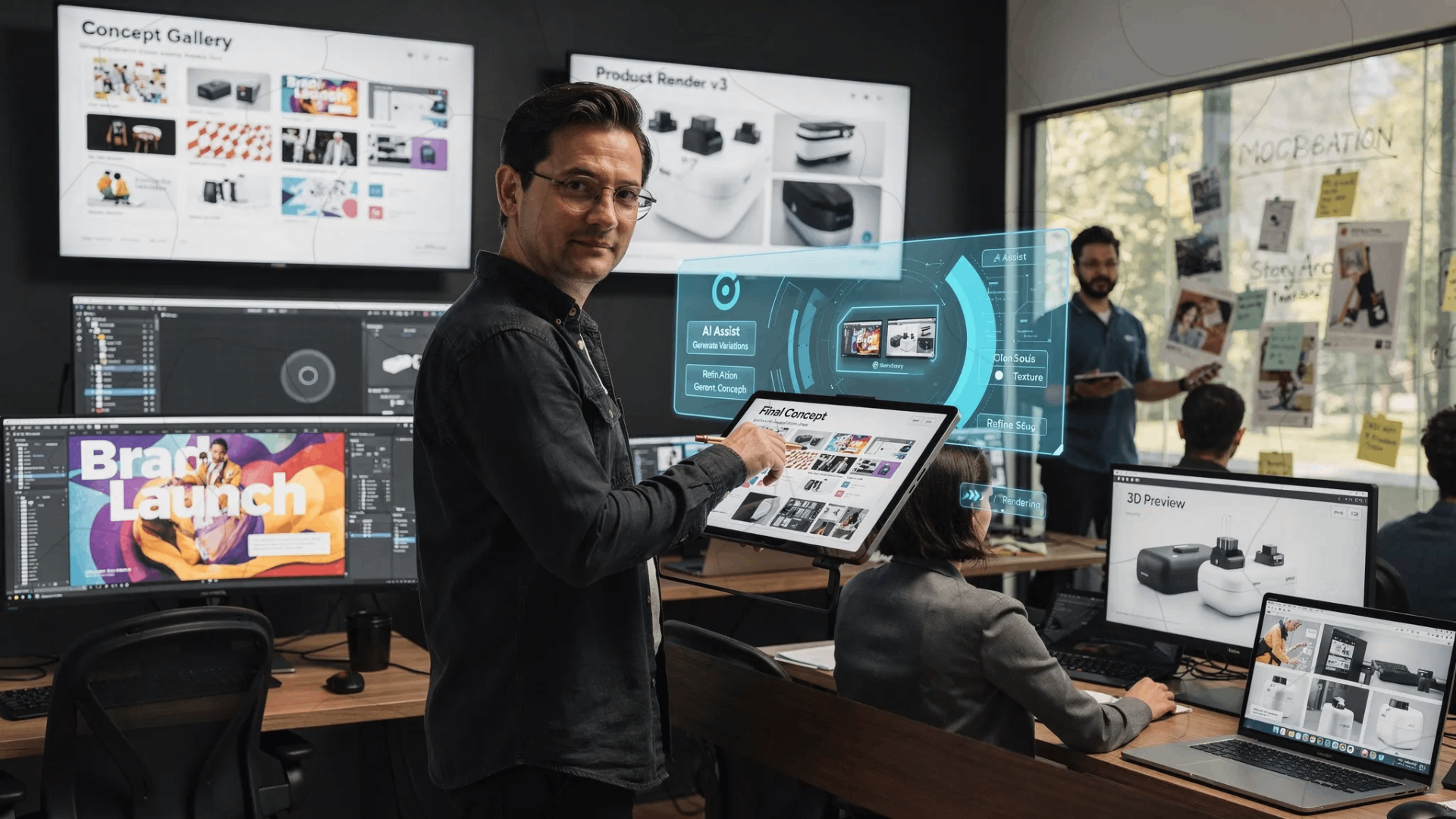
Art directors are being asked to do two things at once: raise creative ambition and ship more content across more channels, formats, and markets. AI can help, but only if you treat it as part of the studio operating model, not a collection of prompts and isolated tools.
This is where the conversation about ai and human creativity gets practical. Human creativity remains the source of taste, intent, and meaning. AI becomes a multiplier for exploration and production, as long as you put guardrails and repeatable workflows around it.
The real job of the art director in an AI era
AI did not eliminate creative direction, it increased the need for it.
When output becomes cheap, quality becomes the differentiator. That shifts the art director’s job toward:
- Defining a clear creative thesis and visual language (so AI has something to amplify)
- Building constraints that protect brand and IP
- Creating a repeatable system for generating on-brief variations
- Running fast review loops that preserve taste while increasing throughput
In other words, you are moving from “directing a few hero pieces” to operating a creative system that reliably produces production-ready assets.
A simple mental model: intent, constraints, system, taste
Most AI failures in creative teams are not “bad prompts.” They are missing one of these four elements:
- Intent: what you are actually trying to say (message, emotion, audience impact)
- Constraints: what must stay true (brand rules, legal requirements, technical specs)
- System: how the work moves (templates, approvals, asset handling, versioning)
- Taste: the human judgment that selects, refines, and says “no”
If you can operationalize these, you can scale output without drifting into generic results.
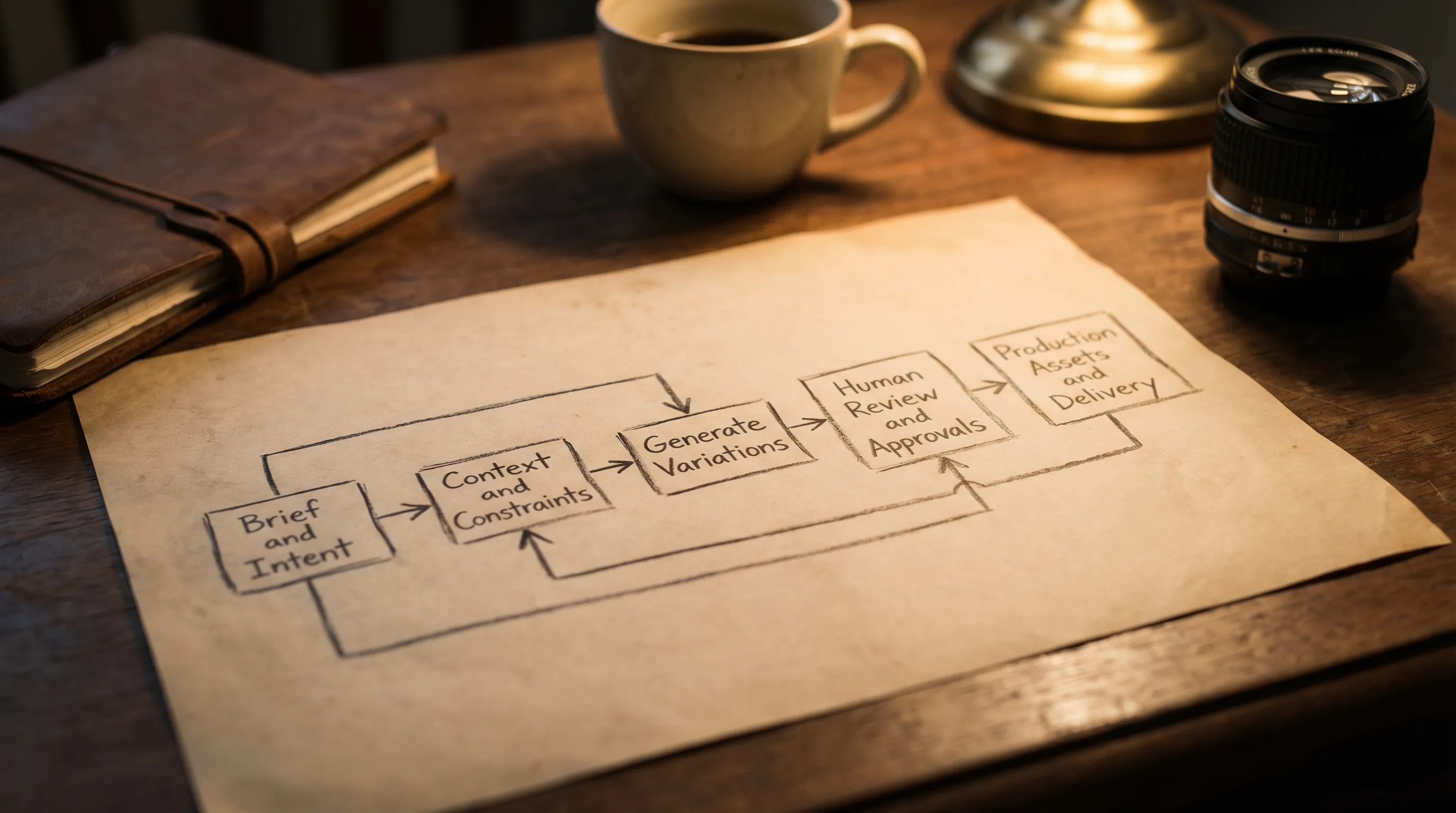
The playbook: AI and human creativity for art directors
1) Start with a “creative contract,” not a tool rollout
Before choosing models or workflows, write a one-page creative contract for the project, campaign, or brand system:
- Creative north star (one sentence)
- Visual language pillars (3 to 5 attributes, for example “graphic, high-contrast, editorial”)
- Non-negotiables (logos, typography, product accuracy, prohibited elements)
- Output definitions (what counts as concept, what counts as production-ready)
- Review authority (who signs off, what is the escalation path)
This is how you protect taste at scale. It also prevents “shadow AI” usage where teams generate assets that look plausible but break brand rules.
2) Map where AI helps, and where humans must lead
AI is strongest where breadth matters. Humans are essential where meaning, accountability, and brand differentiation matter.
| Studio activity | AI accelerates | Human must own |
|---|---|---|
| Ideation and exploration | Mood exploration, style variation, thumbnails | Concept selection, narrative intent |
| Design development | Comps, alternates, layout experiments | Composition hierarchy, brand design judgment |
| Production | Batch variations, resizing, scene variants, background options | Final art direction, retouch standards |
| 3D and product visualization | Rapid look-dev, environment variants, texture exploration | Physical accuracy, material realism, lighting intent |
| Video | Storyboard variations, style frames, versioning | Pacing, story clarity, editorial taste |
A useful rule: AI generates options, humans define meaning and decide what ships.
3) Treat prompts as artifacts, then turn them into templates
In enterprise teams, prompts should not live in personal notes. They should become shared, versioned assets.
What works:
- A standard brief input (objective, audience, mandatory elements)
- A reusable prompt structure (intent + constraints + references + negatives)
- Named “recipes” for common tasks (hero key visual, product cutout, style frame, environment concept)
In Virtuall terms, this is the role of generation blueprints (templates) that teams can reuse, improve, and govern over time.
4) Build context once, reuse it everywhere
Consistency is the hardest part of scaling creative AI. The fix is not longer prompts, it is persistent context.
Create a shared context package that can travel across image, video, and 3D workflows:
- Brand mood boards and “do/don’t” references
- Canonical product references or approved 3D models
- Lighting and color scripts
- Typography and layout rules
- Market-specific constraints (claims, legal lines, cultural sensitivities)
The Creative AI OS supports this idea with studio context memory (mood boards), so intent and references are not re-entered from scratch each time.
5) Orchestrate the workflow with explicit review gates
Scaling without review gates is how teams accidentally publish off-brand or non-compliant assets.
A practical enterprise workflow often looks like:
- Gate A: Concept approval (direction, message, composition)
- Gate B: Brand approval (style alignment, mandatory elements)
- Gate C: Legal and compliance (rights, claims, regulated content)
- Gate D: Production approval (specs, formats, technical QA)
This is where orchestration matters. When the workflow is explicit, you can move faster because you are not re-litigating quality expectations on every asset.
The Creative AI OS is designed for this kind of operating model with workflow orchestration, team collaboration tools (review workflows, approvals, content annotation), and pipeline tracking.
6) Establish governance that creatives can live with
Governance is not a slowdown if it is designed like creative tooling: clear defaults, minimal friction, strong auditability.
Focus governance on decisions that actually matter:
| Risk area | What can go wrong | Practical control |
|---|---|---|
| Brand drift | Outputs become generic or inconsistent | Approved context, templates, review gates |
| IP and rights | Unauthorized styles, unclear licensing | Approved asset sources, policy on references |
| Data leakage | Sensitive concepts end up in external tools | Approved infrastructure, access control |
| Provenance and trust | Unclear what is AI-generated | Documentation, internal labeling, audit trails |
| Model sprawl | Teams use random models with unknown behavior | Curated model portfolio, centralized orchestration |
Virtuall’s positioning as a Creative AI OS is relevant here because it emphasizes AI governance controls and enterprise-grade compliance, including EU-based infrastructure and inference.
7) Decide how you will handle “detection” and authenticity
Some organizations must disclose AI involvement, or they run internal checks to avoid reputational risk. Others need to detect AI-generated submissions in UGC or partner content. Either way, it helps to understand what detection tools claim to do and where they fail.
If you are assessing this landscape, resources like this overview of the AI-detection landscape can be useful for orienting yourself. The goal for enterprise creative teams should not be “bypassing detection,” it should be building transparent workflows, documented provenance, and consistent quality that stands on its own.
8) Measure what matters: speed, consistency, and creative quality
If you only track “assets produced,” you will scale the wrong thing.
A better scorecard for art direction in AI-enabled production:
| Metric | What it tells you | How to track it |
|---|---|---|
| Time from brief to approved concept | Whether ideation is accelerating | Cycle time per asset type |
| Rework rate | Whether constraints are clear | Number of revision loops |
| Brand consistency score | Whether outputs match the system | QA checklist pass rate |
| Production readiness | Whether outputs need heavy manual fixes | % shipped without major retouch |
| Variation utility | Whether “more options” are meaningful | Stakeholder selection rate |
This makes the AI conversation concrete and keeps stakeholders aligned on outcomes, not hype.
Practical use cases that benefit most from this playbook
Campaign key visuals with controlled variation
Art directors often need a hero look plus dozens of channel-specific variants. AI is excellent at generating controlled alternates when the brief, context, and layout constraints are locked.
Product and retail content at scale
For brands with many SKUs, the bottleneck is not ideas, it is throughput and consistency. This is where orchestration, approvals, and asset management become just as important as generation.
Game studios: concept exploration without losing art bible cohesion
Game teams can use AI for environment mood exploration and prop ideation, but the art bible must remain authoritative. Context memory plus review workflows help keep exploration productive instead of chaotic.
3D look-dev and scene variants
Teams can explore lighting setups, material directions, and environment variants faster, then commit to physically accurate 3D outputs for production.
Common failure modes (and how to prevent them)
“It looks good, but it’s not us.”
Cause: missing context and constraints.
Fix: mood boards, clear style pillars, and templates that encode brand rules.
“We have a thousand images and none are usable.”
Cause: no definition of production-ready.
Fix: define specs early, add production QA gates, and track production readiness.
“Different teams are producing different truths.”
Cause: tool sprawl and inconsistent model usage.
Fix: orchestrate generation through a governed system, standardize model access, and log decisions.
“Legal is blocking everything.”
Cause: compliance is being introduced late.
Fix: bring legal constraints into the creative contract, then bake them into templates and approvals.
Where Virtuall fits (without changing how your best creatives think)
If your challenge is not “Can AI generate an image?” but “Can we operate creative AI across teams, tools, and workflows?”, you are describing an OS problem.
Virtuall is positioned as a Creative AI operating system for studios and enterprise teams to control and scale AI-powered content creation across image, video, and 3D with governance and compliance. It supports:
- Orchestration across multiple models and formats
- Generation blueprints so your best patterns become reusable workflows
- Studio context memory to keep intent consistent
- Collaboration features like review workflows, approvals, and annotation
- Asset management and pipeline tracking to connect generation with production
- Integrations via plugins and API with creative tools and systems
- Nyx, the intelligence layer that orchestrates models and keeps intent and context across teams
The strategic point: you want AI to feel like a studio capability, not a set of individual hacks.
Frequently Asked Questions
Will AI replace art directors? No. AI increases output volume, which makes taste, judgment, and accountability more valuable. Art direction becomes more operational and systems-driven, not less important.
How do I keep AI outputs consistent with our brand? Define a creative contract, build reusable templates, and maintain shared context (mood boards, approved references). Add clear review gates so consistency is enforced, not hoped for.
What is the fastest way to reduce rework? Clarify non-negotiables upfront (layout rules, mandatory elements, prohibited content), and convert successful prompt patterns into versioned templates that everyone uses.
How should enterprise teams think about compliance with creative AI? Treat compliance as part of the workflow: governed access, documented provenance, and approvals. Avoid ad hoc tool usage that creates unknown risk.
What should I measure to prove creative AI is working? Track cycle time, rework rate, production readiness, and brand consistency, not just number of assets generated.
Turn the playbook into an operating system
If you want ai and human creativity to scale without sacrificing brand coherence or compliance, the goal is a repeatable studio workflow with governance built in.
The Creative AI OS is built to help teams operate creative AI at scale, across image, video, and 3D, with orchestration, templates, context memory, reviews, and enterprise controls. Explore Virtuall at virtuall.pro.