AI Creative Workflow: From Brief to Approved Assets
AI creative workflow guide: turn briefs into approved image, video, and 3D assets with governance, reviews, and scalable enterprise best practices.
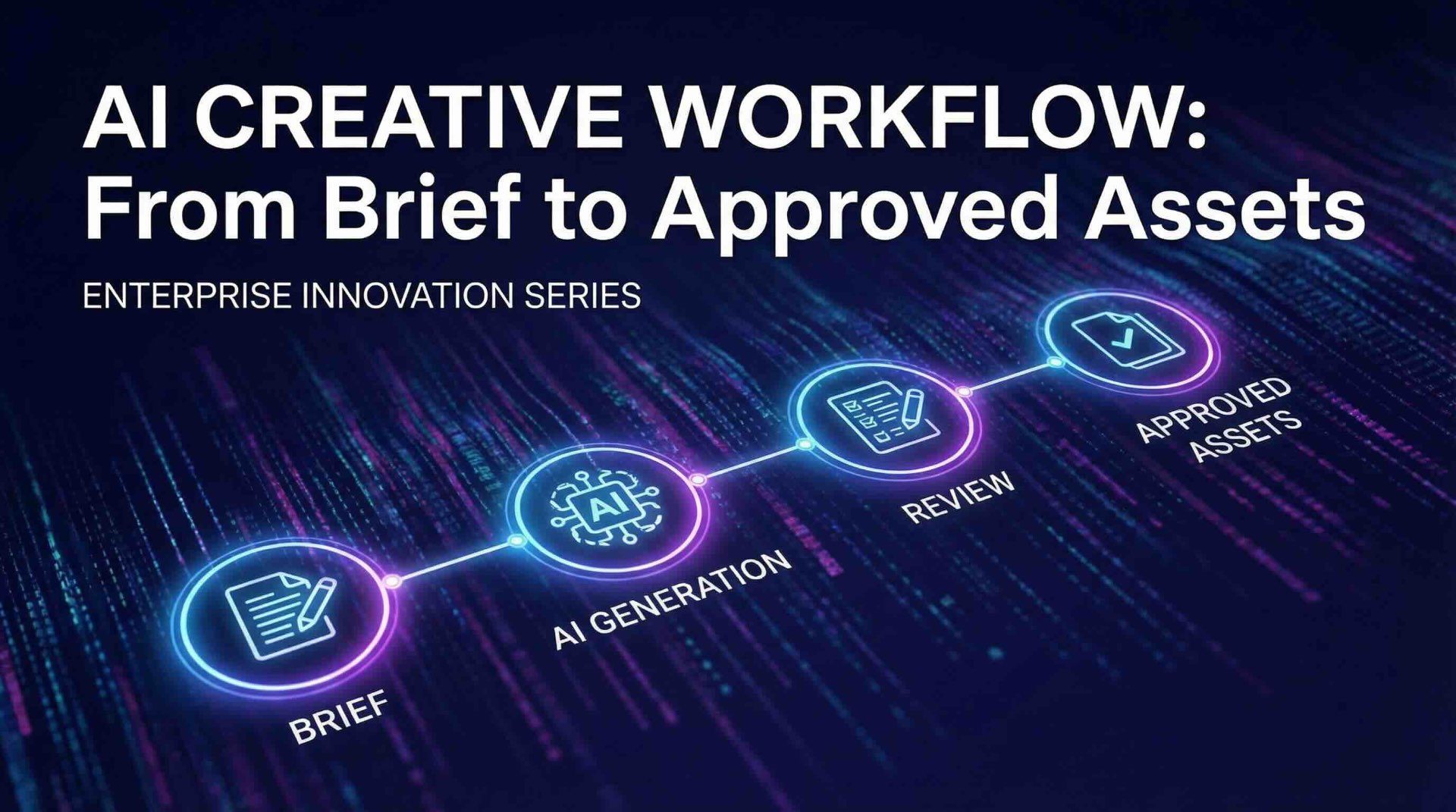
AI can produce a dozen concepts in the time it used to take to sketch one, but most teams hit the same wall: speed creates noise. Prompts live in chat threads, brand rules drift, approvals pile up, and nobody can answer basic questions like “Which model made this?” or “Are we allowed to use this training source for a regulated market?”
An AI creative workflow solves that by turning experimentation into a repeatable, governed pipeline that reliably ships approved assets. Below is a practical, enterprise-ready way to go from brief to approved deliverables across image, video, and 3D.
What “AI creative workflow” really means (and what it is not)
An AI creative workflow is the end-to-end process that connects:
- Creative intent (brief, brand, campaign goals)
- Generation (models, prompts, templates, iterations)
- Governance (policy, compliance, auditability)
- Collaboration (reviews, annotations, approvals)
- Delivery (final formats, metadata, rights, handoff to DAM/PIM/DCC)
It is not “a prompt library.” Prompting matters, but the hard part is operationalizing creative AI so outputs are consistent, reviewable, and compliant.
The brief-to-approved-assets pipeline (7 stages)
A strong pipeline makes work predictable without killing creativity. Think “guardrails and lanes,” not “handcuffs.”
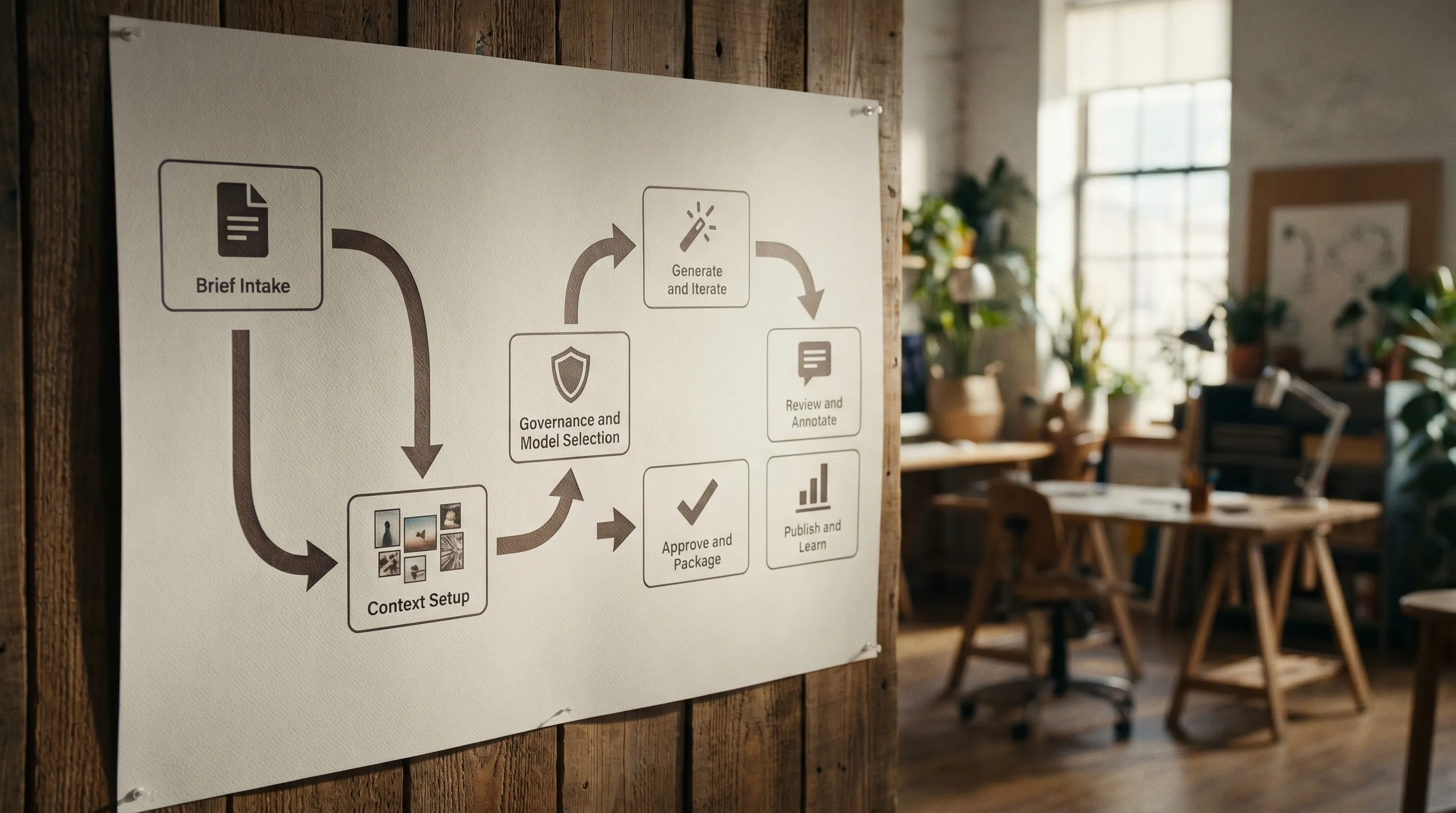
1) Brief intake and normalization
AI outputs only become production-ready when the inputs are structured. Start by turning a creative brief into a “generation-ready brief” with fields that can drive templates and checks.
Capture:
- Objective (awareness, conversion, retention)
- Target audiences and regions
- Mandatory brand constraints (logos, colors, typography, tone)
- Channel specs (aspect ratios, durations, safe areas)
- Legal constraints (claims, disclosures, regulated categories)
- Source assets you are allowed to use
Enterprise tip: tie this step to a ticketing or intake system so every job has an ID, owner, and deadline.
2) Context setup (brand memory, mood boards, references)
Most creative inconsistency comes from missing context, not “bad models.” Give the workflow a shared memory layer:
- Approved references (style frames, mood boards)
- Do and don’t examples
- Product truths (what can be shown or claimed)
- Campaign-specific narrative and visual motifs
This is also where you decide which context is global (always true for the brand) versus local (only for this campaign, market, or game season).
3) Governance and model selection (before anyone generates)
This is the step most teams skip, then regret. Model choice is not just about quality. It is about risk, rights, data handling, and auditability.
Define governance controls such as:
- Which models are approved for which use cases
- What data can be uploaded (and what is forbidden)
- Where inference runs (important for data residency)
- Whether outputs require provenance metadata
- Who can publish without additional approval
Helpful references for building an enterprise governance baseline:
- NIST AI Risk Management Framework (AI RMF)
- ISO/IEC 42001 (AI management system)
- EU regulatory direction (especially if you operate in Europe): EU AI Act overview
4) Generate and iterate (structured experimentation)
Treat generation like a sprint with clear hypotheses and checkpoints, not an open-ended prompt jam.
Best practices that scale:
- Use generation blueprints (templates) that bundle prompt structure, negative constraints, camera or render conventions, and output specs.
- Keep iterations traceable: inputs, model/version, seed, and settings.
- Separate exploration (many options) from production (few options, strict constraints).
For game and 3D pipelines, define early whether you need:
- Concept images only
- 3D blockouts
- Production meshes and UV expectations
- PBR texture sets and naming conventions
5) Review and annotate (make feedback machine-readable)
Approvals slow down when feedback is subjective, scattered, or not linked to the asset version.
A scalable review step includes:
- Versioned assets with clear comparison
- Commenting and annotations (what to change, where, why)
- Approval states (needs changes, approved for channel X, approved for all)
- Role-based routing (creative director, brand, legal, regional marketing)
Enterprise tip: capture rejection reasons as structured tags (brand, compliance, spec, subjective). That becomes training data for better templates and fewer cycles.
6) Approve and package (turn outputs into shippable assets)
“Approved” is not the same as “ready.” Packaging is where you protect downstream teams.
Include:
- Correct file formats and resolutions
- Naming conventions and IDs
- Channel-specific crops and safe-area checks
- Required metadata (campaign, market, rights, expiry, claims)
- Hand-off to DAM/PIM/DCC systems when relevant
If you work across image, video, and 3D, define what “done” means per format (for example, final frame + editable source + license notes).
7) Publish and learn (close the loop)
Without measurement, every project restarts from scratch.
Track:
- Time to first acceptable draft
- Number of review cycles
- Approval lead time per role
- Reuse rate of templates and context packs
- Compliance exceptions and their root causes
- Cost per approved asset (including human review)
Over time, you will identify which blueprints and models consistently produce fewer review cycles for specific asset types.
A practical control map: who owns what, and what can go wrong
The following table is a simple way to clarify ownership and controls without turning the process into bureaucracy.
| Stage | Output artifact | Primary owner | Common risk | Recommended control |
|---|---|---|---|---|
| Brief intake | Generation-ready brief | Marketing lead or PMM | Ambiguous requirements | Standardized brief fields and required specs |
| Context setup | Mood board + brand constraints | Art Director / Brand | Style drift across teams | Approved reference library and locked brand rules |
| Governance + model selection | Approved model list + policy | App Manager / AI governance | Data leakage, unapproved tools | Access controls, audit logs, allowed/blocked tools |
| Generate + iterate | Versioned drafts | Creative team | Non-reproducible outputs | Templates, versioning, capture settings |
| Review + annotate | Structured feedback + decisions | Creative Director + stakeholders | Endless subjective loops | Review routing, annotation, rejection tags |
| Approve + package | Final files + metadata | Production / Ops | Wrong specs, missing rights info | Automated spec checks, metadata requirements |
| Publish + learn | KPI report + blueprint updates | Creative Ops | Repeating the same mistakes | Post-mortems, blueprint governance |
Common failure modes (and how to fix them)
“We generate fast, but approvals are slower than ever”
Cause: more options create more comparison work.
Fix: tighten exploration windows and enforce a short list. Use templates that pre-bake brand rules so reviewers focus on creative quality, not basic compliance.
“Different teams get different results with the same prompt”
Cause: missing context, inconsistent settings, different model versions.
Fix: treat prompts as only one part of a blueprint. Standardize context packs, model choices, and settings, and keep them versioned.
“Legal and compliance are a late-stage blocker”
Cause: governance is bolted on after generation.
Fix: move constraints upstream. Define allowed models and input sources per region and industry. Require metadata and audit trails by default.
“We cannot prove where an asset came from”
Cause: assets move through chat, drives, and email without traceability.
Fix: centralize asset generation and lifecycle tracking so each deliverable has lineage (brief, model, version, reviewers, approval).
Operating at enterprise scale: three rollout patterns
The right rollout depends on your org and risk profile.
Centralized Creative AI Center of Excellence (CoE)
Best when you need strict governance (regulated industries, multi-region compliance). The CoE defines standards, templates, and approved models. Teams consume them.
Hub-and-spoke
A central team maintains blueprints and policies, while brand, regional, and game teams execute and contribute improvements. This is often the fastest path to scale without losing control.
Embedded enablement
AI capability lives inside each studio or squad, with lightweight shared governance. Works well for fast-moving game teams, but requires strong guardrails to avoid tool sprawl.
Where Virtuall fits in this workflow
If you are trying to run creative AI across multiple teams, tools, and formats, you typically need more than a single model or a single chat interface. Virtuall positions itself as a Creative AI operating system to help studios and enterprises:
- Apply AI governance controls so teams generate within approved rules
- Orchestrate workflows from brief through review and approvals
- Use multi-model generation across image, video, audio, and 3D
- Standardize output quality with generation blueprints (templates)
- Maintain shared creative intent with studio context memory (mood boards)
- Manage handoffs with asset management and pipeline tracking
- Support enterprise requirements with EU-based infrastructure and inference for compliance-sensitive workflows
- Connect to existing ecosystems via plugins and API (DCC, PIM, DAM, and related tools)
Virtuall also includes Nyx, an intelligence layer designed to orchestrate multiple models and preserve intent and context across teams.
Frequently Asked Questions
What is an AI creative workflow? An AI creative workflow is the structured process that connects briefs, context, model governance, generation, review, approvals, and delivery so AI outputs become consistent, production-ready assets.
How do you keep AI-generated creative on brand? Use shared context (approved references, do and don’t examples), standardized generation blueprints, and locked brand rules that apply before and during generation.
Who should own AI governance for creative teams? Typically Creative Ops partners with an Application Manager, Security, and Legal. Creative leads own brand standards, while governance owners define approved models, data rules, and audit requirements.
What KPIs matter most for AI content production? Time to first acceptable draft, number of review cycles, approval lead time, template reuse rate, and compliance exceptions are the most actionable metrics for improving throughput and reducing risk.
How do you integrate AI assets into existing DAM or production pipelines? Define packaging requirements (formats, naming, metadata) and use integrations or APIs so final approved assets move directly into DAM/PIM/DCC systems with traceable IDs and rights information.
Turn AI output into approved, repeatable production
If your team is generating plenty of drafts but struggling to ship consistent, compliant deliverables, the gap is usually workflow and governance. The Creative AI OS is built to help enterprises and studios operate creative AI at scale, from controlled generation to collaboration, approvals, and production-ready outputs.
Explore Virtuall at virtuall.pro to see how a Creative AI OS can bring order, speed, and consistency to your AI creative workflow.