Image to 3D Model: The Complete Workflow Guide for Game Studios (2026)
Image to 3D model workflow guide for game studios: single vs multi-view, reference prep, topology, engine-ready export to Unity/Unreal, and one API for all 3D AI engines.
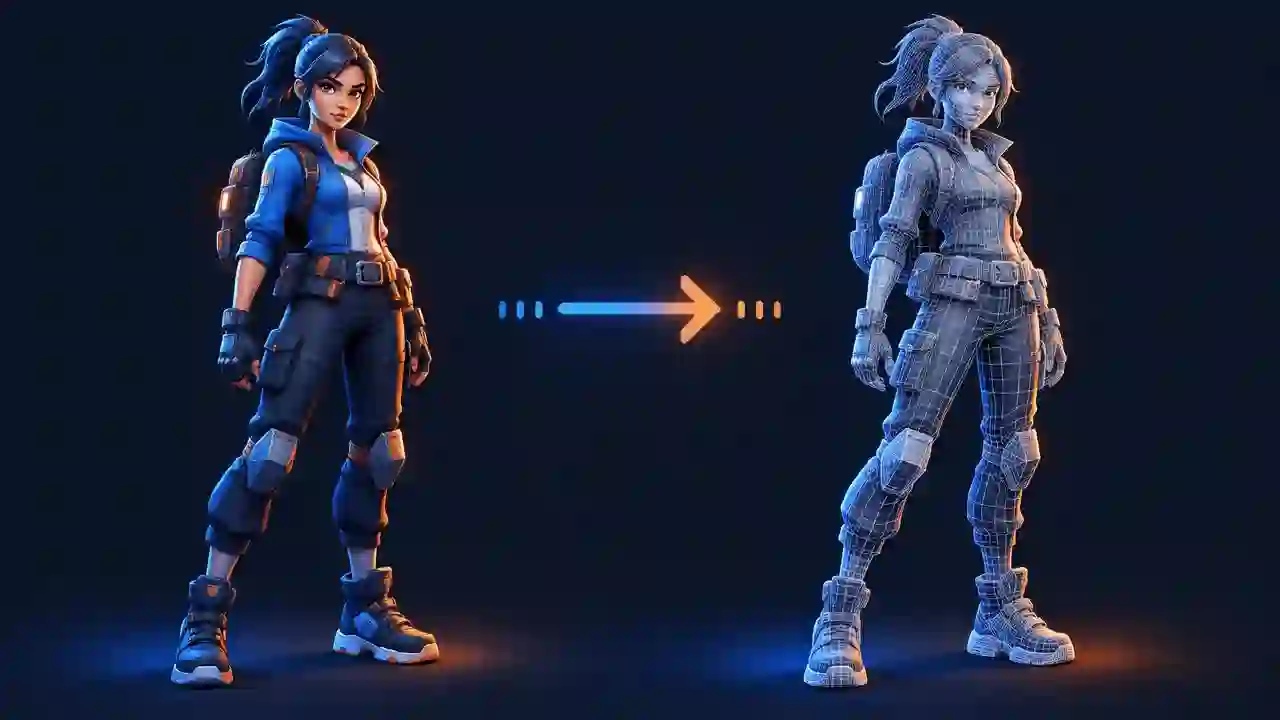
Ask a room of game artists how they start a 3D asset and most will give the same answer: with an image. A concept sketch, a mood-board frame, a photo of a real object, a render from last year's title. Text prompts are fine for exploration, but when the art director has already approved a look, you do not want the model to invent a new one. You want that design, as a mesh.
That is what image-to-3D generation does, and it is why it has become the default entry point for AI-assisted 3D in game production. This guide covers how the workflow actually works, what the current engines produce, where a human artist is still required, and how to run it at studio scale without losing control of quality or rights.
Why image-to-3D beats text-to-3D for production work
Text-to-3D is a slot machine with good odds: you describe "a weathered sci-fi crate" and get something plausible. For ideation that is useful. For production it has two problems:
- Control. A paragraph cannot carry the detail of an approved concept. Proportions, panel lines, silhouette — the things an art director actually signed off on — get reinterpreted every generation.
- Consistency. A game is not one asset, it is hundreds that must look like they belong to the same world. Starting from approved concept art keeps every generated mesh anchored to the same visual language.
Image-to-3D inverts the relationship: the image is the specification, and the model's job is reconstruction, not invention. That maps directly onto how studios already work — concept first, model second — which is why adoption has been fastest in teams with an established concept pipeline.
Single image vs multi-view: when each works
Modern 3D AI engines accept one image or several. The trade-off is straightforward:
- Single image is fastest and works well for props with simple backsides: weapons, crates, furniture, foliage cards, architectural pieces that sit against a wall. The model hallucinates the unseen sides, which is fine when nobody will ever inspect them closely.
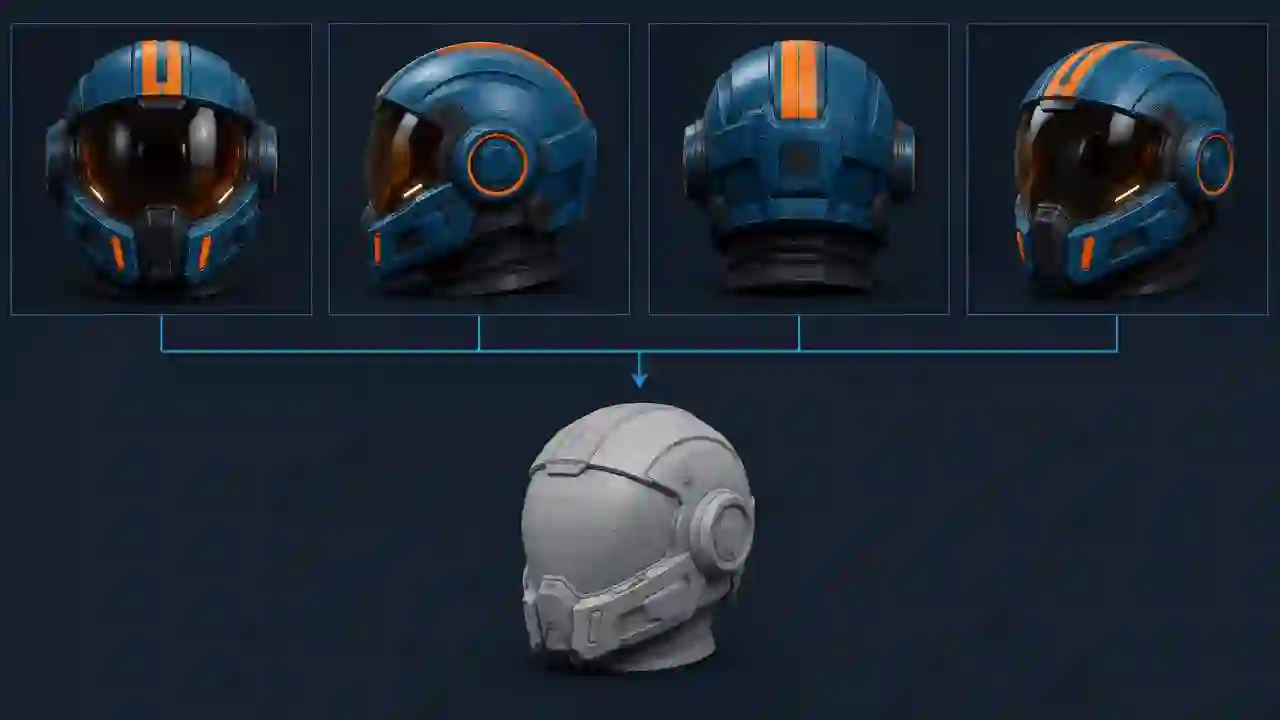
- Multi-view (front, side, back, three-quarter) dramatically improves accuracy for characters, vehicles, and hero props — anything the camera will orbit. Feeding consistent views removes most of the guesswork, and the mesh comes out symmetric where it should be and asymmetric where the design demands it.
The catch with multi-view is consistency between the views themselves. Four photographs of the same physical object are ideal. Four AI-generated angles of a fictional object can drift — the side view quietly redesigns the shoulder pad — and the reconstruction inherits that confusion. Many teams now generate the extra views with an image model first, correct them, and only then run the 3D generation. It adds a step and still saves days.
Preparing references that produce good meshes
The single biggest quality lever is not the engine, it is the input. Across the current generation of models, the same rules keep showing up:
- Clean silhouette. The object should be fully visible, unoccluded, and separated from the background. Cropped edges and overlapping objects produce melted geometry.
- Neutral, even lighting. Heavy shadows and dramatic rim light get baked into the texture and confuse the shape estimation. Flat, soft lighting reconstructs best.
- Plain background. Most engines segment the subject automatically, but a busy background still degrades edges. White or transparent is safest.
- Resolution and sharpness. Feed the highest-resolution version you have. Compression artifacts become surface noise.
- One object per generation. A scene with twelve props yields one fused blob. Split the concept into individual assets first.
None of this is difficult, but it is a real production step. Studios that treat reference preparation as part of the pipeline — with a checklist and an owner — get usable output on the first or second generation. Studios that paste in whatever is on the mood board burn credits and conclude the technology is not ready.
What the AI actually gives you — and what advanced workflows add
Setting expectations correctly is the difference between a workflow that sticks and a pilot that gets abandoned. It is also important not to judge today’s production workflow by the raw output limitations of earlier image-to-3D models.
A raw generation varies by engine and input, but typically starts with a textured mesh that captures the object’s overall shape and silhouette. An advanced workflow can take that result substantially further. In Virtuall, the production pipeline can deliver:
- HD textures up to 8K, including PBR texture generation for workflows that need separate material maps
- Quad-based mesh output, rather than leaving teams with dense, uniformly triangulated geometry
- UV optimization that improves the UV layout for downstream texturing and production
- Mesh optimization and repair that identifies and fixes holes where they occur and improves the generated geometry
- 3D segmentation that separates the mesh into individual parts and assembles those parts again as a structured asset
That changes the practical starting point. Background props, set dressing, product assets, and many static game assets can move much closer to production-ready output before an artist opens a DCC tool.
There are still asset-specific limits. Animation-ready deformation topology, hand-authored LOD decisions, precise hard-surface edge control, rigging, and hero-asset finishing may require an artist. The right mental model is therefore not “AI only makes a rough triangular draft.” Current image-to-3D generation, combined with automated post-production, can complete much of the mesh, texture, UV, repair, and segmentation work; artists apply judgment where the target asset still demands it.
Engine readiness: optimization, LODs, and export formats
Getting a mesh is step one. Getting a controlled asset into Unity or Unreal without friction is where pipelines succeed or fail. The checklist that matters:
- Export format. GLB, FBX, OBJ, and USDZ cover the main handoffs into DCC tools, real-time engines, and spatial workflows. Choose the format required by the destination pipeline.
- Scale and orientation. Verify units and up-axis on import; a surprising amount of "the AI broke it" is a centimeters-vs-meters mismatch.
- Mesh and topology optimization. Use quad-based output and automated mesh repair to resolve holes and improve geometry before handoff. Deforming or close-up assets may still need asset-specific topology work.
- UV and texture optimization. Optimize the UV layout and produce the required HD or PBR textures before the asset enters the shared library.
- Segmentation. Separate complex objects into useful individual parts, then reassemble them as a structured asset for editing, materials, or downstream automation.
- LODs. Build and validate LOD chains from the optimized mesh according to the target platform and performance budget.
The leading 3D AI engines compared
The engine landscape changes monthly, but the current production-relevant options cluster into a few families:
| Engine family | Strengths | Watch out for |
|---|---|---|
| Meshy | Fast single-image generation, solid texturing, API access, AI retopology options | Multi-view consistency depends heavily on input quality |
| Tripo | Strong geometry from multi-view inputs, good hard-surface results, API-first | Texture detail can lag geometry quality on organic subjects |
| TRELLIS-class open models | Self-hostable, research-grade quality, no per-generation cost at scale | You own the infrastructure, the GPU bill, and the ops burden |
There is no permanent winner. Benchmarks reorder every quarter, and the right choice depends on the asset class: the engine that produces the best helmet is not necessarily the one that produces the best tree. This is the practical argument for not betting your pipeline on a single vendor — which leads to the infrastructure question.
One API for all 3D engines
Most studios end up wanting several engines at once: one for props, one for characters, one for quick blockouts. Wiring each vendor's API into your tools separately means three integrations, three billing relationships, and three sets of terms to review — and every time the benchmarks shift, you do it again.
This is the problem the Virtuall Model Library solves: one governed API across 325+ image, video, and 3D models, including the leading image-to-3D engines. Your team — or your own internal tools and agents — calls one endpoint, chooses the model per asset, and every generation is logged with its inputs, model version, and reviewer. When a better engine ships, you switch a parameter instead of rebuilding an integration. See how teams integrate the Model Library — one API, 325+ models.
Ready to try it? Start Creating with the Creative AI OS.
Frequently Asked Questions
Can AI generate 3D models? Yes. Current image-to-3D and text-to-3D systems produce textured meshes, and advanced workflows can add quad-based topology, textures up to 8K, UV and mesh optimization, hole repair, PBR maps, and segmentation. Static and background assets can move close to production-ready output; characters and hero assets may still need artist-led topology, rigging, LOD, or finishing work.
Is there a free AI 3D model generator? Several engines offer free tiers with limited generations per month, and open models such as TRELLIS can be self-hosted at the cost of your own GPU infrastructure. Free tiers are a good way to benchmark engines on your own assets before committing.
What is the best AI 3D model generator? It depends on the asset class and your pipeline. Meshy and Tripo lead the hosted options for game assets, while open models suit teams with infrastructure capacity. Because rankings shift every quarter, studios increasingly access multiple engines through a single API rather than committing to one.
How to tell if a 3D model is AI generated? Raw generations can show uneven geometry, texture artifacts, or inconsistent hidden details, but dense triangulation is no longer a reliable tell: current workflows can provide quad-based meshes, optimize UVs, repair holes, and segment the object into parts. After automated post-production and an artist review, the origin may not be visually apparent.
Is image-to-3D output good enough for Unity or Unreal? Yes. A production workflow can provide quad-based geometry, textures up to 8K, optimized UVs, repaired meshes, PBR maps, and segmented parts before export to formats such as GLB or FBX. Teams should still validate scale, materials, collision, LODs, and deformation topology against the target project, especially for characters and hero assets.
The bottom line
Image-to-3D has crossed the line from demo to pipeline. The studios getting value from it share three habits: they start from approved concept art rather than text, they treat reference preparation as a real production step, and they keep access to multiple engines so the workflow survives the next benchmark shuffle. Do those three things and the technology stops being an experiment and starts being capacity.
Virtuall gives game studios one governed platform for image, video, and 3D generation — 325+ models behind one API, with the approvals and traceability production requires. Explore the game development workflows or start creating.