AI Governance Examples Creative Leaders Can Use Today
Practical AI governance examples for creative leaders, from model whitelists to approval gates, asset lineage and brand-safe workflows.
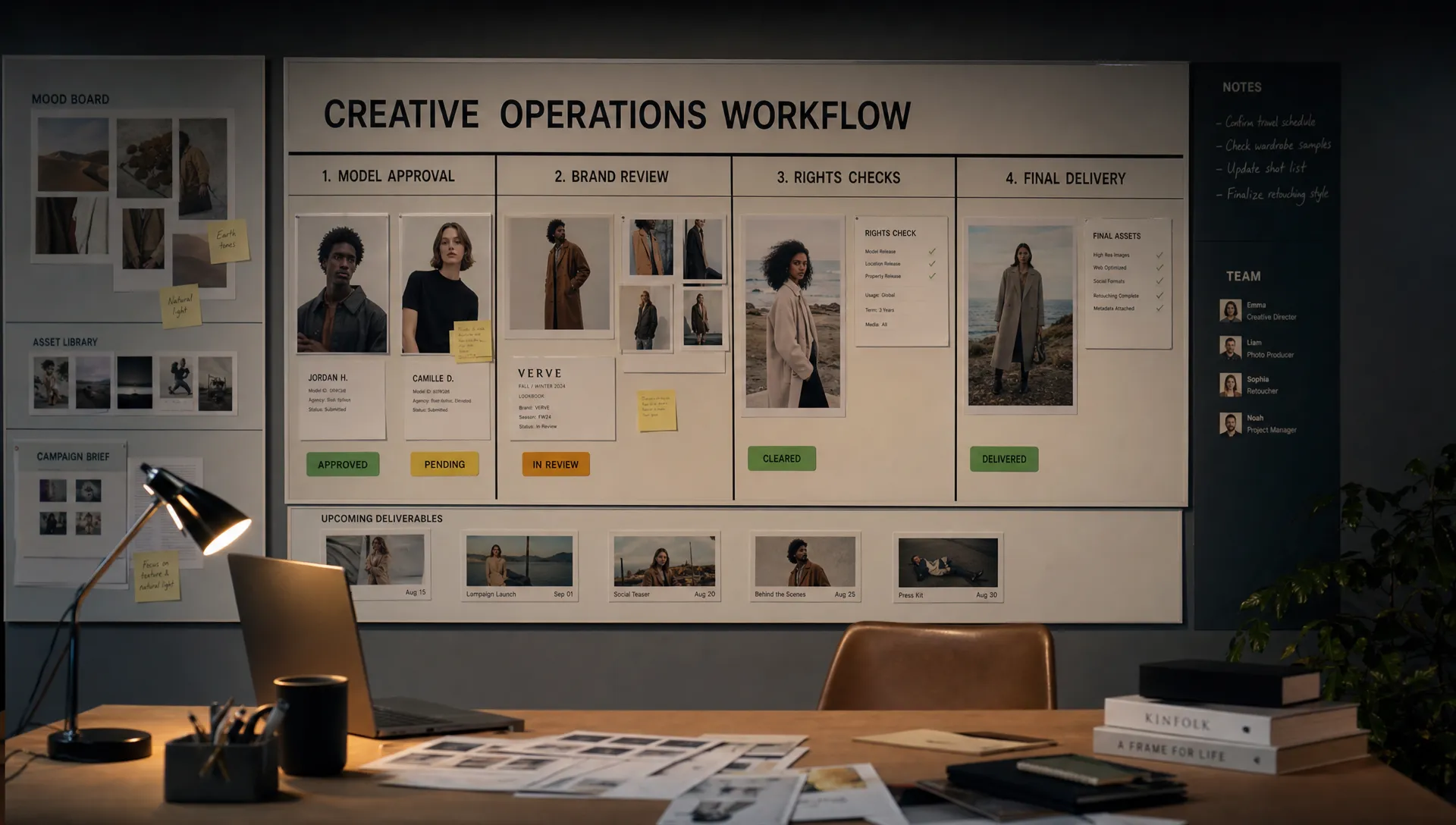
Creative teams do not need more abstract AI principles. They need controls that fit the way campaigns, game assets, product visuals, social content, videos and 3D work actually move through production.
That is why practical AI governance examples are so useful. They translate policy into everyday decisions: which tools are allowed, what data can be uploaded, who approves final outputs, how rights are checked and what happens when something goes wrong.
For creative leaders, the goal is not to slow teams down. Good governance gives teams a safer operating system for speed. It protects brand equity, reduces legal exposure, supports compliance and makes AI outputs more consistent across studios, regions and agencies.
Below are examples you can use today, whether you are a CMO defining marketing standards, an art director protecting visual quality, an application manager controlling the tool stack or a game developer bringing AI into asset pipelines.
Why creative AI governance needs examples, not just principles
Most enterprise AI governance programs start with broad ideas: transparency, accountability, fairness, privacy and security. These matter, but creative production adds specific risks that generic policy often misses.
A product render generated from the wrong reference can misrepresent a SKU. A concept image can accidentally resemble a protected character or celebrity. A public AI tool can store confidential campaign inputs. A video model can produce a brand asset that looks polished but violates internal claims rules. In a game studio, AI-generated textures, props or NPC concepts may create uncertainty around licensing, reuse and production readiness.
Frameworks such as the NIST AI Risk Management Framework help organizations structure governance around mapping, measuring and managing AI risk. The EU AI Act has also made AI governance a board-level topic for companies operating in or serving the European market. Creative leaders need to turn these requirements into workflow-level controls people can follow without becoming policy specialists.
If your organization already has AI rules but teams are still using side tools, skipping review or asking for one-off exceptions, the problem may not be the policy itself. It may be that governance has not been embedded into production. Virtuall has written more on why enterprise teams need governance embedded into real production workflows, especially when creative AI moves from experimentation to scale.
AI governance examples by creative risk
Use this table as a quick starting point. Each example maps a common creative AI risk to a practical control, owner and production moment.
| Creative AI risk | Governance example | Primary owner | Where it applies |
|---|---|---|---|
| Unapproved AI tools | Model and tool whitelist | Application manager, IT, legal | Before teams generate content |
| Confidential data exposure | Prompt and input data rules | Legal, security, creative ops | During briefing and prompting |
| Brand inconsistency | Approved generation blueprints | Art director, brand team | During concepting and production |
| Rights uncertainty | Asset lineage and provenance records | Legal, DAM owner, producer | From generation to final storage |
| Low quality or misleading output | Human review gates | Creative director, QA, marketing owner | Before publication or delivery |
| Shadow AI use | Role-based access controls | IT, studio operations | Across teams, tools and vendors |
| Compliance failures | Audit-ready workflow logs | Governance lead, compliance | During audits and postmortems |
| Harmful or sensitive outputs | Incident response process | Legal, comms, creative leadership | When content creates brand or legal risk |
These examples are not meant to replace an enterprise framework. They make the framework usable. For the policy layer behind these controls, a structured enterprise AI governance framework for creative teams can help align legal, brand, IT and production owners.
Example 1: Create an approved use case register
An approved use case register is a simple list of AI use cases your organization permits, restricts or prohibits. It gives creative teams a clear answer before they begin generating.
For example, a marketing organization might approve AI for mood boards, background variations, storyboard drafts and internal concept exploration. It might restrict AI for final hero campaign imagery, product claims visuals, talent likenesses or regulated category advertising. It might prohibit uploading confidential product roadmaps, unreleased campaign plans or customer data into open public tools.
The register should use language that creative teams understand. Instead of saying “high-risk synthetic media applications,” say “AI-generated human likenesses for paid media require legal and brand approval.” Instead of “sensitive data handling,” say “do not paste unreleased product specifications into non-approved AI tools.”
A practical register usually includes the use case, approved tools, allowed inputs, required reviewers, output restrictions and the person responsible for updates. Review it monthly while AI adoption is increasing, then quarterly once the organization has stable workflows.
Example 2: Maintain a model and tool whitelist
A model whitelist defines which AI systems teams are allowed to use for image, video, 3D, audio or text-related creative work. It can include foundation models, vendor tools, internal models, plugins, APIs and approved enterprise workspaces.
For creative operations, the whitelist should not be a static spreadsheet buried in a drive. It should be connected to access, procurement, workflow orchestration and review. If a tool has not passed security, legal, privacy and rights review, it should not be available in production workflows.
A useful whitelist includes:
- The approved model or tool name
- The approved content types, such as image, video, 3D or audio
- Permitted use cases
- Prohibited inputs
- Data retention and privacy notes
- License or usage constraints
- Approval date and review owner
For application managers, this is one of the highest-impact AI governance examples because it reduces shadow AI. For art directors, it also protects output quality by keeping teams on models that have been tested against brand, style and production standards.
Example 3: Set prompt and input data rules
Prompt governance is where many creative AI risks begin. The prompt may contain confidential launch details, unreleased product information, licensed references, talent names, internal strategy or customer data.
Creative leaders can set three input categories that are easy to remember. Public inputs are safe to use in approved tools. Internal inputs can only be used in enterprise-approved environments. Restricted inputs require explicit approval or must not be used at all.
A fashion brand might allow public seasonal references, approved campaign mood boards and brand guidelines in a governed AI workspace. It might restrict unreleased collection photography, celebrity talent contracts and customer segmentation data. A game studio might allow internal art direction notes inside approved systems but prohibit uploading proprietary engine screenshots or partner IP into public tools.
The key is to make prompt rules visible at the point of work. A PDF policy may be ignored during a deadline. A prompt field that reminds users which input classes are allowed is far more practical.
Example 4: Use generation blueprints for brand-safe output
Generation blueprints are reusable templates for common creative tasks. They help teams generate within brand, legal and production boundaries without rewriting governance instructions every time.
A blueprint for e-commerce product imagery might include approved camera angles, background rules, product accuracy requirements, forbidden claims, lighting preferences and mandatory human review. A blueprint for game concept art might include worldbuilding context, style references, asset category, forbidden IP references and technical handoff notes.
This approach gives art directors more control. Instead of reviewing every prompt from scratch, they define the creative contract once and let teams work from approved patterns. It also helps CMOs scale campaign variations across markets without losing brand coherence.
Blueprints are especially useful when paired with context memory, mood boards or approved reference libraries. The organization can preserve creative intent across teams while reducing the risk of off-brand outputs.
Example 5: Add human review gates by risk level
Not every AI output needs the same level of review. An internal brainstorm image and a global campaign hero asset should not pass through the same approval path.
A risk-based review model helps teams move quickly while protecting high-impact work. Low-risk outputs, such as internal ideation or rough visual exploration, may only need creator review. Medium-risk outputs, such as social drafts or regional campaign variants, may need brand or creative director review. High-risk outputs, such as final paid media, product visuals, talent likenesses, regulated claims or partner IP, should require formal approval from the right combination of brand, legal, compliance and production leads.
The review should evaluate more than aesthetics. Reviewers should check whether the output matches the brief, respects brand guidelines, avoids misleading product representation, uses approved references and has the right usage rights attached.
This is where governance becomes a creative quality system, not a blocker.
Example 6: Track provenance and asset lineage
Creative AI governance depends on knowing where an asset came from and how it changed. Without lineage, teams struggle to answer basic questions: Which model generated this image? Which references were used? Who edited it? Was it approved for paid media? Can it be reused in another market?
Asset lineage does not need to expose every raw prompt to every stakeholder, especially if prompts contain sensitive business context. It should capture enough information for audit, reuse and risk management.
A practical AI asset record can include:
- Project name and campaign or game build association
- Approved tool or model used
- Generation date and creator
- Source references or approved mood board
- Rights notes and usage limits
- Reviewers and approval status
- Final output version and storage location
For enterprise teams, this record should connect to the DAM, PIM, creative project system or game asset pipeline where possible. The goal is to prevent AI-generated assets from becoming orphan files with unclear rights, unclear status and unclear production value.
Industry initiatives such as the Coalition for Content Provenance and Authenticity are also making provenance more important for digital media. Creative teams do not need to wait for every standard to mature before improving their own records.
Example 7: Build rights-safe reference libraries
Many creative teams use references to guide style, composition, texture, mood and narrative tone. Without governance, those references can create legal and brand risk.
A rights-safe reference library gives teams approved material to use in AI workflows. It may include owned brand assets, licensed stock, approved product photography, internal 3D models, style boards, packaging files, material scans and art direction examples cleared for specific uses.
This example matters for both marketing and game production. A campaign team needs to avoid using unlicensed third-party imagery as a direct style reference for final work. A game developer needs clarity on which concept references can influence production assets and which are only acceptable for internal exploration.
Each reference library should include usage notes. For instance, an image might be approved for internal mood boarding but not for final generation. A 3D material scan might be approved for one product line but not another. These distinctions prevent accidental overuse.
Example 8: Apply role-based access to AI workflows
AI governance improves when access matches responsibility. A junior designer, external agency, creative director, legal reviewer and application manager should not all have the same permissions.
Role-based access can control who may generate, edit, approve, export, publish or connect external models. It can also limit access to sensitive brand assets, unreleased product data or restricted markets.
For example, an external production partner might be allowed to generate variations from approved blueprints but not upload new reference material or export final files without review. A game art lead might approve internal concept outputs but need legal sign-off before adding AI-assisted assets to a commercial build. A CMO might not generate assets directly but should have visibility into adoption, risk trends and brand-level approvals.
This protects teams from mistakes and gives leadership confidence that AI use is controlled across departments.
Example 9: Define an AI content incident response process
Creative AI incidents are not always technical failures. They can be brand, legal, ethical or reputational issues.
A response process should define what happens if an AI-generated asset includes a protected likeness, incorrect product detail, offensive visual element, unapproved logo, confidential data leak or suspected rights violation. Teams should know who to notify, how to pause distribution, where to document the issue and how to decide whether content must be removed or revised.
A simple incident process can cover detection, escalation, containment, investigation, correction and prevention. The prevention step is often the most valuable because it turns one mistake into a better workflow rule, blueprint, review gate or access control.
For marketing leaders, this protects campaigns in fast-moving channels. For game studios, it helps prevent questionable AI-assisted assets from moving quietly from concept into production.
Example 10: Measure governance with production metrics
AI governance should be measurable. If leaders cannot see how AI is being used, they cannot improve quality, adoption or risk controls.
Useful metrics include approved model usage, number of generated assets by workflow, review rejection reasons, policy exceptions, time from generation to approval, incident frequency and reuse of approved blueprints. These metrics help creative leaders answer practical questions. Are teams using approved tools? Which workflows create the most rework? Which review gates are too slow? Which models produce the most production-ready outputs?
The point is not to monitor individual creativity. The point is to manage the system around creative AI so teams can scale without losing control.
When metrics reveal friction, revise the workflow. If too many assets fail brand review, improve the blueprint or reference library. If teams keep requesting unapproved tools, evaluate whether the whitelist is too narrow or whether training is missing. If legal review creates bottlenecks, clarify which use cases truly require legal approval.
How to put these AI governance examples into practice this week
You do not need to implement every control at once. Start with the highest-risk workflow where AI is already being used or where adoption is about to scale.
For many enterprises, that workflow is campaign asset generation, product imagery variation, social content localization, game concept art or 3D asset exploration. Choose one workflow, map the current process and add governance where the risk appears.
A practical first week might look like this:
- Pick one production workflow: Choose a real workflow with active AI usage, such as campaign concepting or game environment ideation.
- Classify the use cases: Mark which tasks are approved, restricted or prohibited.
- Confirm approved tools: Identify which models, plugins or enterprise workspaces can be used.
- Add review gates: Decide when art direction, brand, legal or compliance approval is required.
- Create a basic asset record: Track model, creator, references, rights notes, approval status and final storage location.
Once the first workflow works, repeat the pattern. Governance becomes easier when creative teams see it as part of the production system rather than a separate compliance exercise. For more on making policy usable, see Virtuall’s guidance on generative AI governance policies that creatives will actually use.
Where a Creative AI OS fits
As AI adoption grows, spreadsheets, chat messages and policy PDFs become hard to manage. Enterprise teams need governance controls that live inside the creative workflow itself.
A Creative AI OS helps by connecting governance, orchestration, model access, studio context, review, asset management and integrations across production. In practical terms, it gives teams a controlled environment for working with multiple AI models while preserving the rules, approvals and context that creative production requires.
The Creative AI OS is built for teams that need to operate creative AI at scale across image, video, 3D and audio workflows. Its Creative AI OS brings together governance controls, workflow orchestration, multi-model generation, generation blueprints, studio context memory, collaboration tools, asset management, pipeline tracking, EU-based infrastructure and integrations with creative tools through plugins and API.
That matters because creative AI governance is not just about saying what is allowed. It is about making the allowed path the easiest path.
Frequently Asked Questions
What are AI governance examples for creative teams? AI governance examples for creative teams include approved use case registers, model whitelists, prompt data rules, generation blueprints, human review gates, asset lineage records, rights-safe reference libraries, role-based access and incident response processes.
Who should own AI governance in a creative organization? Ownership is usually shared. Creative leaders define quality and brand standards, legal manages rights and risk, IT or application managers control tool access, security reviews data handling and producers ensure governance fits the workflow.
How strict should AI governance be for ideation? Ideation can usually have lighter controls than final production, but it still needs boundaries. Teams should use approved tools, avoid restricted inputs and label outputs clearly so exploratory work is not mistaken for approved final content.
Do AI-generated assets need human review? Yes, any AI-generated asset intended for publication, client delivery, product representation, paid media or commercial game production should receive human review. The reviewer and approval depth should depend on the risk level.
How can creative teams avoid slowing down production with governance? Use reusable blueprints, approved reference libraries, role-based permissions and risk-based review gates. These controls reduce repeated decision-making and help teams move faster within clear boundaries.
Build governance into the way your creative team works
Creative AI will keep expanding across image, video, 3D and audio production. The teams that scale it successfully will not be the ones with the longest policy document. They will be the ones that translate governance into usable workflows, clear approvals and consistent creative context.
If your organization is ready to move from experimentation to controlled creative AI production, Virtuall provides a Creative AI OS for operating AI across teams, tools and pipelines with enterprise-grade governance and compliance.