AI for Game Assets From Concepts to Engine Handoff
Learn how to use AI for game assets from concept generation to governed, engine-ready handoff with better consistency and compliance.
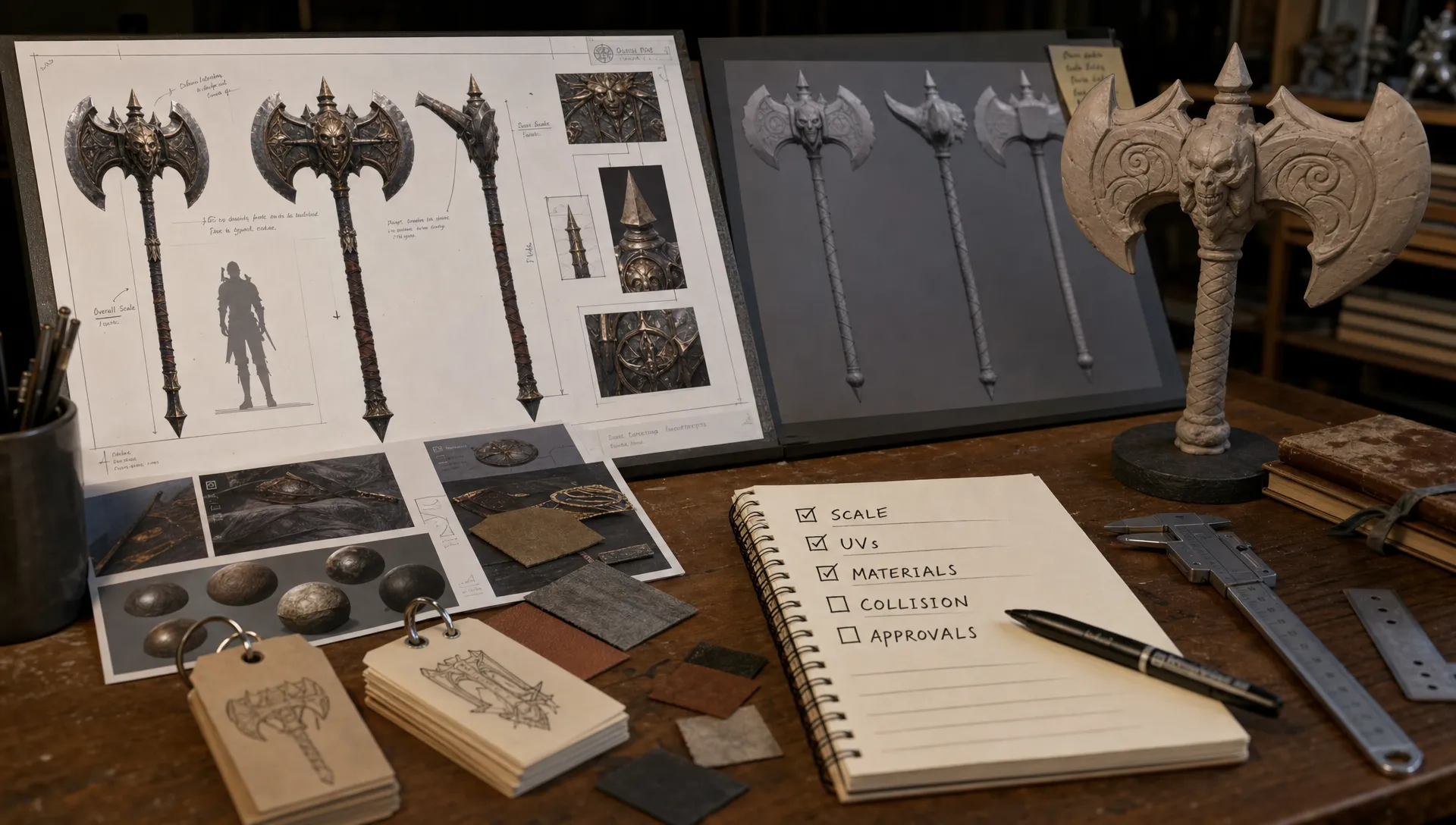
AI for game assets is most valuable when it improves the path from idea to playable content, not just when it produces an impressive image. For enterprise teams, that path has many owners: art direction, technical art, production, legal, IT and engine teams. If the workflow does not account for those handoffs, the asset may look good in a generation window but still fail in a build.
The practical goal is simple: use AI to create more usable options earlier, then preserve the decisions, constraints and approvals needed to move the best options into the engine with less rework. That requires treating AI as part of the asset pipeline, not as a side experiment.
Start with the engine handoff, not the prompt
A strong AI asset workflow begins by defining what the engine team must receive. The prompt matters, but the handoff specification matters more. It determines whether concept variation becomes production speed or production debt.
A handoff-ready asset should answer these questions before anyone imports it into Unity, Unreal or a proprietary engine:
- What is the intended use, such as hero prop, background prop, modular kit, character accessory or marketing render?
- What engine, platform and camera distance is it built for?
- What are the scale, pivot, orientation and naming requirements?
- Which maps, shaders and material conventions should be used?
- What metadata proves where the asset came from, who approved it and which generation settings were used?
This is where AI for game assets becomes an operational topic. Creative teams need freedom to explore. Application managers and technical artists need repeatability. CMOs and franchise owners need brand consistency. Legal and procurement teams need traceability. The workflow has to support all of them without slowing the studio to a crawl.
Translate the creative brief into production constraints
The best AI outputs come from clear creative context, but game assets also need technical context. A creature concept, weapon skin or environment prop is shaped by art direction and by the realities of animation, collision, memory, lighting and platform performance.
Before generating assets, define the constraints that should travel with the brief. These constraints do not need to be heavy, but they should be specific enough to guide both AI generation and human cleanup.
| Constraint | What to define before generation | Why it matters later |
|---|---|---|
| Art direction | Style references, palette, silhouette language and prohibited visual traits | Keeps variants aligned with the game world |
| Asset role | Hero asset, prop, modular set, background object or UI render | Sets quality level, polygon budget and review depth |
| Engine target | Unity, Unreal, proprietary engine or multiple targets | Affects import format, material setup and validation |
| Platform target | PC, console, mobile, VR or cloud streaming | Shapes texture size, LOD planning and optimization |
| Compliance rules | Approved references, rights status, region requirements and model usage policy | Reduces IP, privacy and vendor risk |
| Ownership | Art owner, technical owner, reviewer and final approver | Prevents orphaned files and unclear status |
For teams still refining their visual system, it helps to turn the art bible into reusable AI instructions. Virtuall has a deeper guide to building a practical AI-ready style bible that covers consistency across prompts, references and reusable generation rules.
Build a controlled concept generation lane
Concept generation is often the first place studios see value from AI. Art directors can explore shapes, moods, factions, biomes, skins and prop families much faster than through manual sketching alone. The risk is that an uncontrolled generation folder quickly becomes a graveyard of attractive but unusable material.
A controlled concept lane should include reusable prompt structures, approved reference sets, model choices, negative prompts, aspect ratios and output categories. The aim is not to eliminate improvisation. The aim is to make improvisation legible so the best ideas can be understood, reproduced and approved.
For example, a weapon skin exploration might capture the faction, rarity tier, silhouette constraints, material language, glow intensity, forbidden motifs and target camera distance. A modular environment kit might capture architectural period, grid size, wear level, biome influence, weathering rules and tileability expectations.
At enterprise scale, this context should not live only in one artist's local notes. It should be stored with the output, because downstream teams will need to know why a variant exists, what it was derived from and whether it can be used commercially. This is especially important when different teams generate content across regions, brands or product lines.
Move from image concepts to candidate assets
AI-generated concepts are usually not final assets. They are candidates. The next stage is deciding which candidates deserve production time and what kind of production path they need.
A 2D concept can inform manual modeling, image-to-3D generation, sculpting, kitbashing or procedural construction. A generated 3D mesh can become a blockout, a topology reference or a base for retopology. A material concept can become a PBR texture set, shader direction or colorway exploration.
| AI output | Best production use | Common handoff risk |
|---|---|---|
| 2D concept image | Art direction, modeling reference or variant selection | Beautiful details may not work from all gameplay angles |
| Generated 3D mesh | Blockout, sculpt base or proportion reference | Topology, UVs and scale may need rebuilding |
| Texture or material study | Colorway, surface language or PBR direction | Maps may not match shader or color space rules |
| Animation or motion study | Timing reference, pose exploration or cinematic direction | Rigging and gameplay constraints still need technical validation |
| Audio mood or UI sound sketch | Tone exploration for sound design | Licensing, mix standards and implementation rules must be checked |
This stage benefits from clear triage. Not every generated output should go to the DCC team. Some outputs should be archived as inspiration, some should be rejected for compliance or style reasons and some should become tracked production assets. Without that triage, AI increases the volume of work instead of the velocity of production.
Validate game-readiness before DCC polish
Technical validation should happen before artists spend hours polishing. The earlier a team checks scale, topology expectations, material conventions and import assumptions, the less painful the final handoff becomes.
Unity's documentation on importing model files and Unreal Engine's FBX Static Mesh Pipeline both reflect the same production reality: clean structure matters. Engines can import many formats, but they cannot guess your studio's naming conventions, pivot logic, collision strategy or material rules.
For static assets, technical art should check proportions, world scale, pivot placement, transforms, mesh density, UV layout, normal direction, smoothing, material slots, texture resolution, collision needs and LOD strategy. For characters or animated props, the checklist expands to rig hierarchy, deformation quality, animation retargeting, sockets, blend shapes and engine-specific constraints.
A useful rule is to validate the asset at the lowest acceptable fidelity before the final polish pass. If the asset fails as a greybox mesh or rough generated model, it will not become easier to fix after textures, decals and shader details are layered on top.
Package metadata with the asset
Engine handoff is not only a file transfer. It is the transfer of geometry, textures, decisions and accountability. With AI-assisted assets, metadata is part of the asset because it explains the generation context and review trail.
A practical handoff package should include the production file, the engine-ready export, the texture set, preview renders, approval status and provenance records. The exact schema will vary by studio, but the principle is consistent: another team member should be able to understand the asset without asking the original generator what happened.
| Package item | What to include | Why it matters |
|---|---|---|
| Source file | DCC scene, layered working file or editable material graph | Supports fixes, localization and future variants |
| Engine export | FBX, glTF, USD or engine-native package based on pipeline rules | Reduces import friction |
| Texture set | Named maps, resolution, color space notes and shader target | Prevents material mismatch |
| Optimization data | LODs, collision mesh, triangle count notes and texture budgets | Helps technical art validate performance |
| Generation record | Prompt, model, seed where available, references and creator | Supports repeatability and review |
| Rights and approval | License notes, policy status, reviewer and approval date | Supports compliance and production confidence |
| Preview assets | Turntable, screenshots or in-engine validation capture | Speeds creative and stakeholder review |
Formats should be chosen for the studio's pipeline rather than because they are trendy. FBX remains common for many game workflows, the Khronos Group describes glTF as an efficient, royalty-free format for 3D scenes and models, and USD is increasingly used in complex content pipelines. The right answer depends on engine support, DCC tooling, versioning needs and runtime requirements.
Add governance before assets spread
AI changes the asset lifecycle because many more people can produce many more candidates. That is useful, but it also means rejected or unapproved assets can spread into presentations, prototypes, marketing mockups and source control if governance is too late.
Governance should start at intake and continue through generation, review, storage and export. At a minimum, studios should separate experimental outputs from production candidates and approved assets. They should also capture provenance early, because trying to reconstruct it months later is slow and often incomplete.
A simple governance model can use four asset states:
- Experimental: generated for exploration, not approved for production use.
- Candidate: selected for review, with generation metadata attached.
- Production: assigned to a team member for cleanup, optimization and engine preparation.
- Approved: validated for style, technical requirements, rights and intended use.
The important part is that status is visible where work happens. If a file is in a DAM, source control system, DCC tool or review queue, the user should know whether it is approved and what it can be used for. For a deeper operational view, Virtuall's guide on how to govern AI-generated assets before they spread covers classification, provenance and approval controls in more detail.
Make engine handoff boring
A good engine handoff is uneventful. The asset imports cleanly, appears at the expected scale, uses the right materials, lands in the correct folder, exposes the expected sockets or collision and can be validated in a test scene without interpretation.
That level of predictability usually comes from a repeatable handoff checklist. The checklist should be short enough that teams actually use it, but strict enough to prevent recurring problems.
- The asset imports without critical warnings.
- Scale, rotation, pivot and origin match studio conventions.
- Materials connect to the expected shader or material instance.
- Textures follow naming, resolution and color space rules.
- Collision, LODs and sockets are present where required.
- Metadata and approval status are attached or linked.
- The asset has been tested in a representative engine scene.
This is also where automation can help. Application managers and technical teams can add validation scripts for naming conventions, file structure, texture size, missing maps or polygon thresholds. AI can accelerate creation, but deterministic validation remains essential for build quality.
Common failure modes in AI game asset pipelines
Most failures are not caused by the AI model alone. They come from mismatches between creative exploration and production requirements. The same issue appears in small teams and enterprise studios, but the cost is higher when multiple departments depend on the asset.
| Failure mode | What it looks like | How to reduce it |
|---|---|---|
| Concept does not match gameplay camera | Details look great in a render but disappear in play | Include camera distance and gameplay use in the brief |
| Generated mesh is too dense | Import works, but performance or editing is poor | Treat generated meshes as candidates for retopology |
| Materials are inconsistent | Similar assets use different shader logic or map names | Use material templates and texture naming rules |
| Provenance is missing | No one knows which prompt, model or reference produced the asset | Store generation records with every candidate |
| Approvals are unclear | Files circulate before art, legal or technical review | Use visible asset states and review gates |
| Handoff depends on tribal knowledge | Only one artist knows how the asset should import | Package notes, previews and validation results with the file |
A mature workflow does not remove every creative surprise. It prevents predictable surprises from reaching the build.
How Virtuall fits into the asset pipeline
Many teams start with standalone AI tools, shared drives and manual review threads. That can work for experiments, but enterprise game production needs a controlled operating layer when content moves across studios, brands, tools and approval chains.
Virtuall is built as a Creative AI OS for teams that need to operate AI-powered content creation at scale. For game asset workflows, that means governance controls, workflow orchestration, multi-model generation across image, video, 3D and audio, generation blueprints, studio context memory through mood boards, collaboration tools, asset management and pipeline tracking. Virtuall also supports integration with creative tools through plugins and APIs, which matters when AI output has to move into existing DCC, PIM, DAM and production systems.
For compliance-conscious teams, the Creative AI OS includes EU-based infrastructure and inference as part of its operating model. Nyx, Virtuall's intelligence layer, orchestrates multiple industry-leading AI models and keeps intent and context across studios and teams. In practice, that helps teams move from isolated generations toward repeatable workflows where prompts, references, approvals and handoff requirements stay connected.
The result is not AI replacing the pipeline. It is AI being operated inside the pipeline, with the controls needed for production work.
Frequently Asked Questions
Can AI-generated game assets go straight into Unity or Unreal? Sometimes, but most production assets still need technical validation, cleanup, retopology, UV review, material setup or optimization before they are reliable in a build.
What metadata should be stored with AI game assets? Store the prompt, model used, seed if available, input references, creator, creation date, rights status, review status, approval owner and intended use.
How do teams keep AI game assets consistent with an existing art style? Use approved references, reusable generation blueprints, negative prompts, mood boards, material rules and art director review gates. Consistency improves when the same context follows every generation.
Who should own the final engine handoff? Ownership usually sits between technical art and production, with input from art direction, engineering and compliance. The key is to assign one accountable owner for each asset or asset family.
Bring AI asset production under studio control
AI for game assets works best when creative exploration and production control are designed together. Concepts, meshes, textures, metadata, approvals and engine validation should move through one coherent workflow rather than scattered tools and folders.
If your studio is ready to scale AI-assisted content creation without losing governance or creative consistency, Virtuall can help you orchestrate the process from early concepts to production-ready handoff.