Do You Need an AI Operating System for PC? Real Use Cases
Wondering if you need an AI operating system for PC? Explore real creative, gaming, and enterprise use cases, plus when a full AI OS pays off.
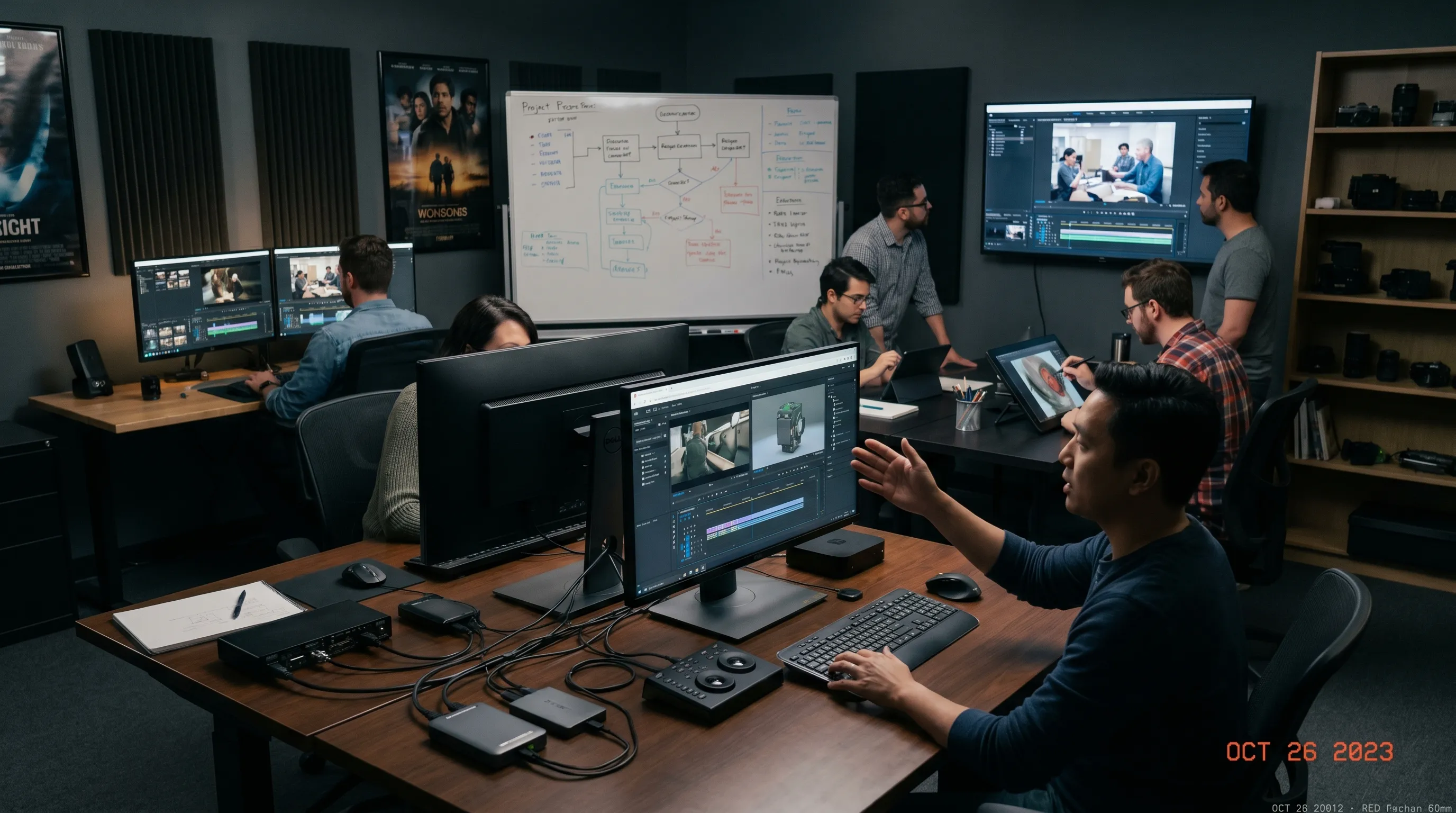
Searching for an AI operating system for PC usually means one of two things. You may be looking for a smarter personal computer that can run AI assistants locally. Or you may be trying to understand whether your creative team needs an operating layer to manage AI work across tools, models, assets, approvals, and compliance.
Those are very different needs.
For an individual creator, a capable PC plus a few AI tools may be enough. For a studio, marketing department, game team, or enterprise creative operation, the challenge is rarely the PC itself. The real challenge is controlling how AI is used, keeping outputs consistent, connecting workflows, and making sure generated assets can safely move into production.
This article breaks down what an AI operating system really means in 2026, when a PC-based setup is enough, and where a dedicated Creative AI OS becomes valuable.
What does “AI operating system for PC” actually mean?
The phrase can be confusing because it is used for several categories of software and hardware.
At the consumer level, an AI operating system for PC often refers to AI features built into desktop computing, such as local assistants, AI search, automated summaries, or on-device generation. These capabilities can be useful, especially as more laptops and workstations include neural processing units and GPUs optimized for AI workloads.
At the team or enterprise level, however, an AI operating system is not a replacement for Windows, macOS, or Linux. It is an orchestration and governance layer that sits above existing tools. Its role is to help teams decide which AI models to use, how prompts and templates are standardized, how brand or art direction is preserved, how approvals happen, and how assets flow into downstream systems.
For creative production, that distinction matters.
| Type of AI system | What it does | Best fit | Main limitation |
|---|---|---|---|
| AI-enabled PC features | Adds AI assistance to everyday desktop tasks | Individual productivity, light creative work | Limited team governance and workflow control |
| Local AI apps on a workstation | Runs generation, editing, or automation on one machine | Freelancers, prototyping, technical users | Hard to standardize across teams |
| Creative AI operating system | Orchestrates models, workflows, approvals, assets, and rules | Studios, brands, game teams, enterprise creative operations | Requires process design and team adoption |
So, do you need an AI operating system for PC? If your goal is personal productivity, probably not. If your goal is to operate creative AI at scale, very possibly.
When a PC-based AI setup is enough
A single PC can be a strong AI production environment. Many creators already use local or cloud-connected tools for image generation, video editing, 3D ideation, music, copywriting, and asset enhancement.
A PC-based setup is usually enough when the work is exploratory, low-risk, and handled by one person or a very small team. For example, a designer creating mood references, a game developer prototyping an environment concept, or a marketer drafting social post variations may not need enterprise-level orchestration from day one.
In these cases, the main priorities are speed, creative freedom, and tool flexibility. You can test prompts, compare outputs, and manually organize files. If something looks wrong, you fix it yourself. If the output does not match the brief, you regenerate it.
A PC-only approach is typically sufficient when:
- You are not producing high volumes of approved brand or client assets.
- You do not need formal review workflows or audit trails.
- You use one or two AI tools rather than a multi-model pipeline.
- You are not managing sensitive product, customer, or unreleased IP data.
- You can manually keep track of versions, prompts, and final assets.
The moment those conditions change, the PC stops being the center of the problem. The workflow becomes the problem.
Real use cases where an AI operating system starts to matter
The strongest use cases for a Creative AI OS appear when AI moves from experimentation to repeatable production. That is where teams need structure without blocking creativity.
1. Marketing teams generating campaign content at scale
A CMO or creative operations lead may want to use AI to generate campaign visuals, product lifestyle images, localized variants, short-form video concepts, and social assets. On a single PC, this can work for a few tests. At enterprise scale, it quickly becomes difficult to answer basic questions.
Which prompt produced this image? Was the right product data used? Did the output follow brand guidelines? Has legal approved this variation? Which version was sent to the DAM or PIM?
An AI operating layer helps turn creative generation into a controlled workflow. Instead of every team member using different tools and prompt habits, teams can work from approved generation blueprints, shared context, and review processes. This improves consistency while still allowing creative exploration.
For marketing teams, the value is not just faster generation. It is the ability to scale content without losing brand control.
2. Art directors preserving visual intent across teams
Art directors often face a different problem. AI can generate many options quickly, but too many options can dilute the creative direction. If every designer interprets the brief differently, outputs may drift away from the campaign mood, style, product truth, or audience.
A Creative AI OS can help preserve intent by maintaining studio context, mood boards, and reusable templates across workflows. This is especially useful when multiple artists, agencies, or regional teams contribute to the same project.
The goal is not to make every output identical. It is to keep the work aligned. A strong system should help teams repeat what matters, such as lighting language, material feel, framing, color direction, or product presentation, while still leaving room for creative judgment.
For art directors, the main benefit is a tighter bridge between creative strategy and AI execution.
3. Game developers prototyping worlds, characters, and assets
Game teams often work across concept art, 3D modeling, textures, animation references, audio, and marketing assets. AI can help accelerate several stages of that pipeline, especially during early exploration and asset variation.
A game developer might use AI to explore environment concepts, generate prop variations, create texture references, or support 3D asset workflows. But as soon as a team grows, the pipeline becomes complex. Assets need naming, review, approval, versioning, technical constraints, and compatibility with tools already used by artists and developers.
An AI operating system becomes useful when AI-generated content must connect to production workflows rather than sit in a folder on one workstation. For game studios, this can mean orchestrating image, video, audio, and 3D generation while keeping track of project context and asset status.
This is particularly relevant for studios that want faster iteration without creating chaos in the asset pipeline.
4. Application managers connecting AI to existing systems
Application managers and IT leaders often care less about individual prompts and more about integration, access, governance, and lifecycle management. They need to understand where AI tools fit in the existing software landscape.
A creative team may already depend on digital asset management systems, product information management, content platforms, 3D tools, review systems, and internal approval processes. If AI sits outside those systems, teams may create duplicate assets, unmanaged files, and compliance gaps.
An AI operating system can provide a more manageable layer by connecting AI workflows to existing tools through integrations, plugins, or APIs. This helps IT and application teams support AI adoption without turning every department into a separate experiment.
For enterprise environments, this is often the difference between “people are using AI” and “the organization can operate AI responsibly.”
5. Compliance and governance for AI-assisted production
AI governance is no longer optional for many organizations. The NIST AI Risk Management Framework emphasizes the need to map, measure, manage, and govern AI risks. In Europe, the EU AI Act has also increased executive attention on AI accountability, transparency, and risk management.
Creative teams may not always be building high-risk AI systems, but they still handle sensitive brand assets, product data, customer-facing content, licensed material, and unreleased campaigns. Governance matters because mistakes can become public quickly.
A basic AI app on a PC may not provide enough control over who can generate what, which models are allowed, what data is used, or how outputs are approved. A Creative AI OS can help define rules for model usage, workflow permissions, review steps, and compliant production practices.
The goal is not to slow teams down. It is to make AI adoption safer, more repeatable, and easier to manage.
Practical decision framework: do you really need one?
The best way to decide is to look at your workflow rather than the technology label. An AI operating system for PC sounds like a device-level decision, but for most organizations it is an operating model decision.
| Question | If the answer is “yes” | What it suggests |
|---|---|---|
| Are multiple people generating creative outputs with AI? | You need shared standards | Consider templates, permissions, and review workflows |
| Are outputs used in public campaigns, games, or product content? | Quality and approval matter | Add governance before scaling volume |
| Are you using multiple AI models or tools? | Orchestration becomes difficult | Use a system that can coordinate models and workflows |
| Do assets need to move into DAM, PIM, DCC, or production tools? | Integration matters | Avoid isolated PC-based workflows |
| Do you need to preserve brand, mood, or art direction? | Context needs to travel | Use shared memory, mood boards, or generation blueprints |
| Do legal, compliance, or IT teams need visibility? | Auditability matters | Implement controlled workflows and usage rules |
If most answers are “no,” a PC plus specialized AI tools may be enough. If several answers are “yes,” the organization likely needs a more structured AI operating layer.
What to look for in a Creative AI OS
Not every system calling itself an AI OS will solve creative production problems. For creative teams, the most important capabilities are the ones that connect intent, generation, governance, and delivery.
Strong evaluation criteria include governance controls, workflow orchestration, multi-model generation, reusable templates, shared creative context, collaboration tools, asset management, pipeline tracking, and integrations with the systems your team already uses.
For enterprise teams, infrastructure and compliance also matter. If your organization has data residency, security, or regulatory requirements, it is important to understand where inference happens, how assets are handled, and how usage policies are enforced.
A good Creative AI OS should help teams answer practical production questions:
- What was generated, by whom, and for which project?
- Which model, blueprint, or context was used?
- Has the asset been reviewed and approved?
- Is the output aligned with brand, product, and legal requirements?
- Can the asset move into the next production system without manual chaos?
These questions are not glamorous, but they determine whether AI can move beyond experimentation.
Where Virtuall fits
Virtuall is not a replacement for your PC operating system. It is a Creative AI operating system designed to help studios and teams control, orchestrate, and scale AI-powered content creation across image, video, audio, and 3D workflows.
For teams that have moved beyond ad hoc AI experiments, the Creative AI OS provides an operating layer for governance, workflow orchestration, generation blueprints, studio context memory, collaboration, asset management, pipeline tracking, and integrations with creative tools such as DCC, PIM, and DAM systems through plugins and API.
Virtuall also includes Nyx, the intelligence layer of the Creative AI OS. Nyx orchestrates multiple industry-leading AI models and keeps intent and context across studios and teams. That matters because production quality is rarely about one prompt. It is about maintaining context through the entire creative process.
For a CMO, this can mean more consistent campaign production. For an art director, it can mean stronger control over visual direction. For an application manager, it can mean a more governable AI layer. For a game developer, it can mean AI workflows that connect more naturally to asset production.
Common mistakes when evaluating an AI operating system for PC
One common mistake is focusing only on whether AI runs locally. Local AI can be useful for speed, privacy, and experimentation, but it does not automatically solve governance, collaboration, or production consistency.
Another mistake is assuming that more models equal better results. In practice, teams need the right model for the right task, controlled by the right workflow. Without orchestration, multi-model access can create fragmentation.
A third mistake is treating AI as only a creative tool rather than an operational system. Once AI outputs influence brand campaigns, game assets, product visuals, or customer-facing media, the process around generation becomes as important as the generation itself.
The right question is not simply, “Can my PC run AI?” The better question is, “Can my team operate AI reliably, safely, and at production scale?”
Frequently Asked Questions
Is an AI operating system for PC the same as a normal operating system? No. In most creative and enterprise contexts, an AI operating system is not replacing Windows, macOS, or Linux. It is a layer that helps manage AI models, workflows, rules, context, approvals, and assets.
Do individual creators need a Creative AI OS? Not always. If you work alone, use a small number of tools, and do not need formal approvals or governance, a PC-based AI workflow may be enough. A Creative AI OS becomes more useful when work involves teams, production assets, compliance, or repeatable creative standards.
Can an AI operating system help game developers? Yes, especially when AI is used across concept art, 3D, texture references, video, audio, or asset variation. The value comes from connecting generation to review, context, versioning, and production workflows.
What is the biggest enterprise benefit of a Creative AI OS? The biggest benefit is control. Enterprises need to scale AI without losing brand consistency, approval discipline, asset traceability, or compliance oversight.
Is local AI on a PC enough for compliance? Not by itself. Local processing may help with some data concerns, but compliance also depends on policies, permissions, auditability, approved models, review workflows, and how assets are stored or shared.
Moving from AI experiments to AI operations
If you are only testing AI on one PC, you may not need a full operating system yet. But if your team is producing creative assets across campaigns, products, games, or 3D pipelines, the bigger opportunity is to make AI operational.
That means repeatable workflows, clear governance, consistent creative context, and production-ready outputs.
Explore Virtuall to see how a Creative AI OS can help your team control, orchestrate, and scale AI-powered content creation across image, video, audio, and 3D workflows.