Generative AI Tools That Fit Real Studio Workflows
Explore generative AI tools that fit real studio workflows, from governance and approvals to image, video, 3D, and asset pipelines.
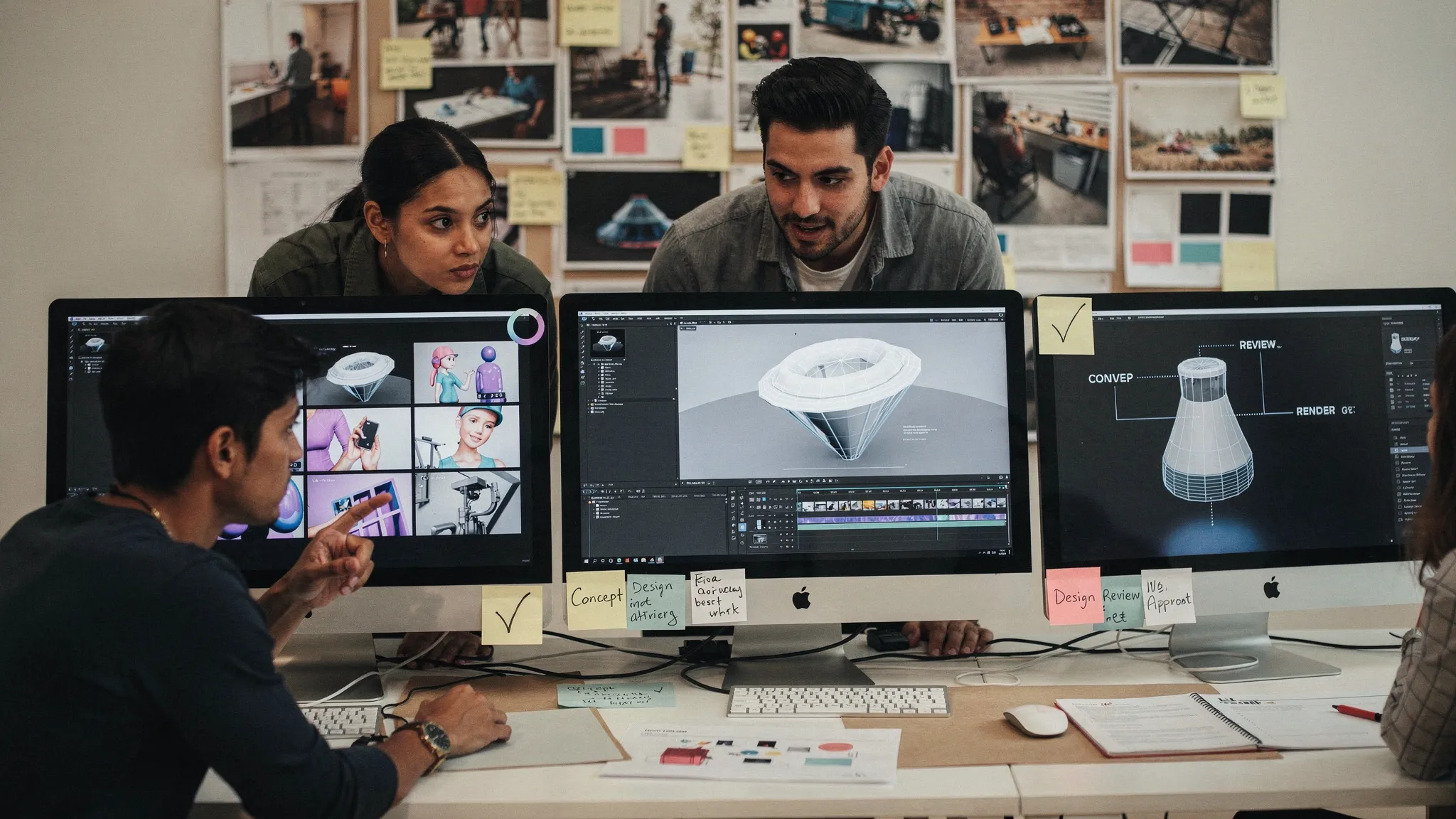
Generative AI has moved from “interesting experiment” to a serious production question for creative teams. The challenge is no longer whether an image, video, audio, or 3D model can be generated. The harder question is whether generative AI tools can fit the way real studios actually work.
For enterprise marketing teams, game studios, art departments, and creative operations leaders, the gap is obvious. A standalone prompt box may create impressive outputs, but production requires briefs, brand rules, approvals, file management, version history, legal review, localization, pipeline handoffs, and repeatable quality.
The right generative AI tools do not replace the studio workflow. They plug into it, improve it, and make it easier to scale creative output without losing control.
Why most generative AI tools struggle in real production
Many AI tools are built for individual experimentation. That is useful for concepting, but it creates friction when a team needs predictable, compliant, production-ready content.
A studio workflow is rarely linear. A campaign image may start with a creative brief, move through mood boards, brand review, product accuracy checks, legal approval, resizing, localization, and final delivery into a DAM or PIM. A game asset may pass from concept art to 3D modeling, texturing, optimization, engine integration, and QA. A video asset may require storyboards, shot variations, motion references, music, voice, editing, approvals, and platform-specific exports.
This is where many AI tools break down. They generate content, but they do not preserve the surrounding context.
Common problems include inconsistent outputs, unclear rights or data handling, lack of review controls, weak collaboration, and manual copying between tools. For a single creator, these may be annoyances. For an enterprise studio, they become operational risks.
In 2026, the most valuable generative AI tools are not just the most powerful models. They are the systems that help teams run creative AI responsibly across the full production pipeline.
What “fit” really means for studio workflows
A tool fits a real studio workflow when it respects the structure, standards, and handoffs that already exist. It should help creative teams move faster without forcing them to abandon the practices that protect quality.
For a CMO, fit may mean brand consistency, campaign scalability, and measurable throughput. For an art director, it means creative control, visual continuity, and outputs that match the brief. For an application manager, it means integrations, permissions, governance, and data security. For a game developer, it means usable assets, pipeline compatibility, and iteration speed.
That is why the evaluation criteria should go beyond generation quality.
| Workflow requirement | Why it matters | What to look for in generative AI tools |
|---|---|---|
| Creative consistency | Teams need repeatable style, not one-off lucky outputs | Mood boards, templates, style references, saved instructions, reusable blueprints |
| Governance | Enterprise teams need control over who can generate what, where, and how | Permissions, usage rules, approval flows, auditability, compliance settings |
| Collaboration | Creative work depends on feedback and iteration | Review workflows, annotations, approvals, shared workspaces |
| Pipeline compatibility | Assets must move into existing systems | API access, plugins, exports, DCC, DAM, PIM, and production tool integrations |
| Multi-format support | Campaigns and games rarely rely on one asset type | Image, video, 3D, and audio generation or orchestration |
| Context retention | Teams should not re-explain the same brief at every step | Shared project memory, brand context, campaign context, model orchestration |
| Production readiness | Outputs need to be usable, not just visually impressive | Versioning, asset management, quality control, delivery formats |
The more complex the studio, the more important these requirements become.
The main types of generative AI tools studios use
Studios usually adopt AI through several categories of tools. Each has value, but each solves a different part of the workflow.
Model playgrounds
Model playgrounds are useful for testing new image, video, text, 3D, or audio models. They are often where teams discover what is technically possible. They work well for exploration, early-stage ideation, and R&D.
The limitation is that playgrounds are rarely built around enterprise production. They may not include approval flows, asset tracking, team permissions, or deep integration with creative systems. If every artist develops a different prompting method in a different tool, consistency becomes hard to manage.
Specialist creative tools
Some tools focus on a specific creative task, such as image generation, upscaling, video generation, voice production, texture creation, or 3D asset generation. These can be powerful when they solve a clear bottleneck.
For example, a game team may use a specialized tool to accelerate texture variations. A marketing team may use one to generate lifestyle image concepts. A video team may use another for rough storyboarding.
The issue is fragmentation. A studio can quickly end up with many disconnected tools, each with its own interface, policies, output formats, and data practices.
Creative suite AI features
Many established creative platforms now include AI features inside tools that designers, editors, and artists already use. This is valuable because it keeps AI close to familiar workflows.
These features are often strong for task-level acceleration, such as fill, editing, cleanup, resizing, or quick variations. However, they may not provide a studio-wide operating layer for governance, orchestration, and cross-team consistency.
Creative AI operating systems
A Creative AI operating system sits above individual models and tools. Instead of treating AI generation as isolated actions, it manages how AI runs across teams, workflows, and production systems.
This category is especially relevant for enterprises and studios that need scale. The goal is not just to generate more content. The goal is to define the rules, preserve context, orchestrate the right models, manage collaboration, and deliver assets into production pipelines.
Virtuall fits into this category. It is designed as a Creative AI OS for operating AI-powered content creation across image, video, 3D, and audio workflows, with governance, orchestration, team collaboration, asset management, and EU-based infrastructure and inference.
The workflow stages where AI must integrate
To choose the right generative AI tools, map them against the actual stages of your studio workflow. This prevents tool selection from being driven only by demo quality.
Briefing and creative direction
AI output is only as good as the direction it receives. In a studio, that direction often includes brand guidelines, product rules, art direction, audience context, campaign objectives, references, and constraints.
A workflow-ready AI tool should make this context reusable. Teams should not have to paste the same brand notes or visual references into every generation. For art directors, this is where mood boards, creative memory, and reusable generation templates become important.
Virtuall’s studio context memory, including mood boards, is designed for this need. It helps teams keep intent and context available across workflows rather than losing it between isolated prompts.
Ideation and exploration
Generative AI is especially strong during early creative exploration. Teams can test more directions, compare visual routes, explore campaign territories, or generate reference material faster.
But ideation still needs boundaries. Without guardrails, teams may generate concepts that are off-brand, legally risky, technically unusable, or disconnected from the brief.
This is why generation blueprints matter. A blueprint can turn a repeatable creative pattern into a controlled template. Instead of asking every team member to reinvent the prompt, a studio can standardize recurring use cases while still leaving room for creative variation.
Production and iteration
Real production is where generic tools often fail. Once a direction is approved, teams need reliable iteration. They need to adjust details, preserve composition, adapt formats, localize assets, or create variations without restarting from scratch.
For game teams, this may involve generating concept variations, supporting 3D workflows, or producing assets that can move toward engine-ready pipelines. For marketing teams, it may involve scaling campaign assets across channels while maintaining brand consistency.
The best generative AI tools support controlled iteration, not random regeneration. They help teams keep what is working and change what needs refinement.
Review, approval, and compliance
Creative work often passes through several reviewers. Brand, legal, product, regional teams, and creative leadership may all need input. If AI assets live outside the review process, teams lose visibility.
This is a major enterprise concern. AI governance is no longer optional. The NIST AI Risk Management Framework highlights the importance of managing AI risks through governance, mapping, measurement, and management. In Europe, the EU AI Act has also made AI compliance a board-level topic for many organizations.
Studios should look for tools that support permissions, approvals, review workflows, content annotation, and clear operational controls. This is not bureaucracy for its own sake. It is how teams scale AI without creating brand, legal, or data risks.
Asset management and delivery
An asset is only useful if the studio can find it, approve it, version it, and deliver it. This is why AI workflows should connect to asset management and pipeline tracking.
If generated outputs sit in personal downloads folders, creative operations cannot scale. Teams need structure around metadata, versions, campaign associations, and final delivery to existing systems.
For enterprise teams, integration with DAM, PIM, DCC, and other creative tools is a key requirement. APIs and plugins matter because they reduce manual handoffs and keep AI-generated assets inside governed production environments.
Why multi-model orchestration matters
No single AI model is best for every creative task. One model may be stronger for product imagery. Another may perform better for video motion. Another may be more useful for 3D generation, audio, or a specific visual style.
A real studio workflow needs access to multiple models without forcing artists and managers to become model operators. The system should help route the task to the right capability while preserving the creative intent.
That is the role of orchestration.
In Virtuall, Nyx acts as the intelligence layer of the Creative AI OS. It orchestrates multiple industry-leading AI models and keeps intent and context across studios and teams. For production teams, this matters because the prompt is only one part of the job. The bigger challenge is maintaining continuity across models, assets, people, and stages.
Multi-model orchestration is especially valuable when a project spans several formats. A campaign might need still images, short videos, audio variants, and 3D product views. A game project might need concept art, environment references, textures, props, and marketing assets. Managing each output through separate tools adds friction. Orchestration reduces that fragmentation.
Governance is a creative accelerator, not a blocker
Creative teams sometimes worry that governance will slow them down. Poorly designed governance can do that. But good governance makes AI easier to use at scale because it removes uncertainty.
When teams know which tools are approved, which models can be used, which data can be uploaded, and which outputs require review, they can move faster with confidence.
Strong AI governance controls can help answer practical questions such as:
- Who is allowed to generate assets for specific brands, products, or campaigns?
- Which models are approved for different use cases?
- What review steps are required before an asset enters production?
- How are prompts, versions, outputs, and approvals tracked?
- Where does inference happen, and how is data handled?
These are operational questions, not abstract policy questions. For application managers and enterprise IT teams, they are central to adoption.
Virtuall’s EU-based infrastructure and inference are especially relevant for organizations that need tighter control over data residency, compliance expectations, and enterprise governance. Combined with workflow orchestration and approval tooling, governance becomes part of the production system rather than a separate afterthought.
A practical evaluation framework for generative AI tools
Before adding another AI tool to your stack, evaluate it through the lens of workflow fit. A simple scorecard can help creative, marketing, IT, and production stakeholders align.
| Evaluation area | Key question | Strong signal |
|---|---|---|
| Creative control | Can teams preserve art direction and brand context? | Reusable blueprints, mood boards, shared context, controlled variation |
| Scale | Can the tool support multiple teams and projects? | Team workspaces, permissions, pipeline tracking, shared asset libraries |
| Governance | Can the organization define and enforce AI usage rules? | Role-based controls, approvals, compliance settings, audit-friendly workflows |
| Integration | Can outputs move into existing production systems? | Plugins, API, DAM, PIM, DCC, and pipeline compatibility |
| Format coverage | Can it support the content types the studio actually produces? | Image, video, 3D, and audio capabilities or orchestration |
| Review process | Can stakeholders collaborate without leaving the workflow? | Annotation, comments, approvals, version management |
| Output readiness | Can assets be used in production with minimal cleanup? | Consistent quality, export control, asset management, repeatable workflows |
This framework also helps avoid a common trap: selecting tools based only on impressive samples. A beautiful demo does not guarantee operational value.
The better question is, “Can this tool help our team produce approved, compliant, on-brand assets every week?”
How different studio roles should think about AI tools
Generative AI adoption becomes easier when each stakeholder sees how the tools support their responsibilities.
For CMOs
The priority is scale without brand dilution. AI can help produce more campaign variations, channel-specific assets, regional adaptations, and creative tests. But the CMO needs confidence that outputs reflect brand standards and comply with internal policies.
Look for tools that combine creative acceleration with governance, approval workflows, and asset traceability.
For art directors
The priority is creative intent. AI should support exploration and iteration while respecting visual direction. Art directors need ways to preserve mood, composition, style, and references across a project.
Look for mood boards, reusable blueprints, controlled variation, and context memory that helps the team stay aligned.
For application managers
The priority is operational control. AI tools need to integrate with existing systems, support permissions, meet compliance requirements, and avoid creating unmanaged shadow IT.
Look for APIs, plugins, governance controls, EU-based or compliant infrastructure where relevant, and clear workflow administration.
For game developers
The priority is pipeline usefulness. AI-generated assets should support the realities of game production, including iteration, 3D workflows, asset tracking, and handoff to creative and technical teams.
Look for tools that support multi-format generation, 3D workflows, collaboration, and integration with production pipelines.
Signs your studio has outgrown standalone AI tools
Standalone tools can be a good starting point. But at a certain stage, they create more complexity than they remove.
Your studio may need a more integrated approach if teams are recreating prompts manually, outputs are hard to trace, approvals happen outside the AI workflow, brand consistency depends on individual memory, or assets are scattered across personal accounts and local folders.
Another warning sign is tool sprawl. If every team has adopted different AI tools for similar tasks, governance becomes difficult and creative consistency suffers. This is especially risky for enterprise studios producing content across multiple brands, markets, or product lines.
A Creative AI OS addresses this by creating a shared operating layer. The goal is not to eliminate specialist tools or models. It is to control, orchestrate, and connect them so teams can work at production scale.
Building an AI-ready studio workflow
A successful AI workflow does not begin with a tool rollout. It begins with operational design.
Start by identifying repeatable use cases. Examples might include campaign concept exploration, product image variation, social video adaptation, 3D concept generation, localization support, or review acceleration. Then define the required inputs, approval steps, output formats, and compliance requirements for each use case.
Next, convert repeatable work into templates or blueprints. This helps teams avoid inconsistent prompting and makes successful creative patterns easier to reuse.
Finally, connect AI workflows to your existing production environment. The more AI remains separate from asset management, approvals, and delivery systems, the harder it becomes to scale.
The Creative AI OS is built around this operating model. It helps studios define rules, orchestrate workflows, manage assets, collaborate across teams, and generate production-ready outputs across image, video, 3D, and audio. For teams that already use DCC, PIM, DAM, or other creative systems, plugins and API connectivity help AI become part of the pipeline rather than a disconnected side process.
Frequently Asked Questions
What are generative AI tools for studios? Generative AI tools for studios are software systems that help creative teams produce or modify content such as images, video, 3D assets, audio, and text. In professional workflows, the best tools also support governance, collaboration, review, asset management, and integration with production systems.
Why do enterprise studios need more than a prompt-based AI tool? Enterprise studios need repeatability, approvals, compliance, permissions, version control, and integration with existing tools. A prompt-based tool can help with ideation, but production teams need systems that manage the full workflow around the generated asset.
How can generative AI tools improve brand consistency? They can improve consistency when they preserve shared context, use approved mood boards, follow reusable generation blueprints, and route work through review and approval flows. Without these controls, AI can create more variation than a brand team can safely manage.
What should application managers check before approving an AI creative tool? Application managers should review data handling, infrastructure, permissions, compliance controls, integrations, API availability, user management, and how outputs are tracked. They should also check whether the tool can fit existing DAM, PIM, DCC, and creative operations workflows.
Can generative AI tools support 3D and game production workflows? Yes, some tools support 3D generation or assist with concepting, textures, props, and related creative assets. For game studios, the key is whether the tool can fit into the production pipeline, support iteration, and help teams manage assets across creative and technical stages.
Operate creative AI at studio scale
Generative AI becomes far more valuable when it is connected to the way your studio already works. The right system should help you define the rules, preserve creative context, orchestrate models, manage approvals, and deliver production-ready assets across formats.
Virtuall is a Creative AI OS built for teams that need to operate AI-powered content creation at scale. With governance controls, workflow orchestration, multi-model generation, studio context memory, collaboration tools, asset management, pipeline tracking, and integrations through plugins and API, Virtuall helps creative teams move from AI experiments to controlled production workflows.
If your studio is ready to scale creative AI without losing control, explore how Virtuall can help you build workflows that are consistent, compliant, and production-ready.