Creative AI Pro Tips for Game Studios: Prompting, Image Editing & 3D Workflows
Practical Creative AI tips for game studios: improve image edits, build stronger multi-view 3D inputs, choose the right models and preserve creative intent.
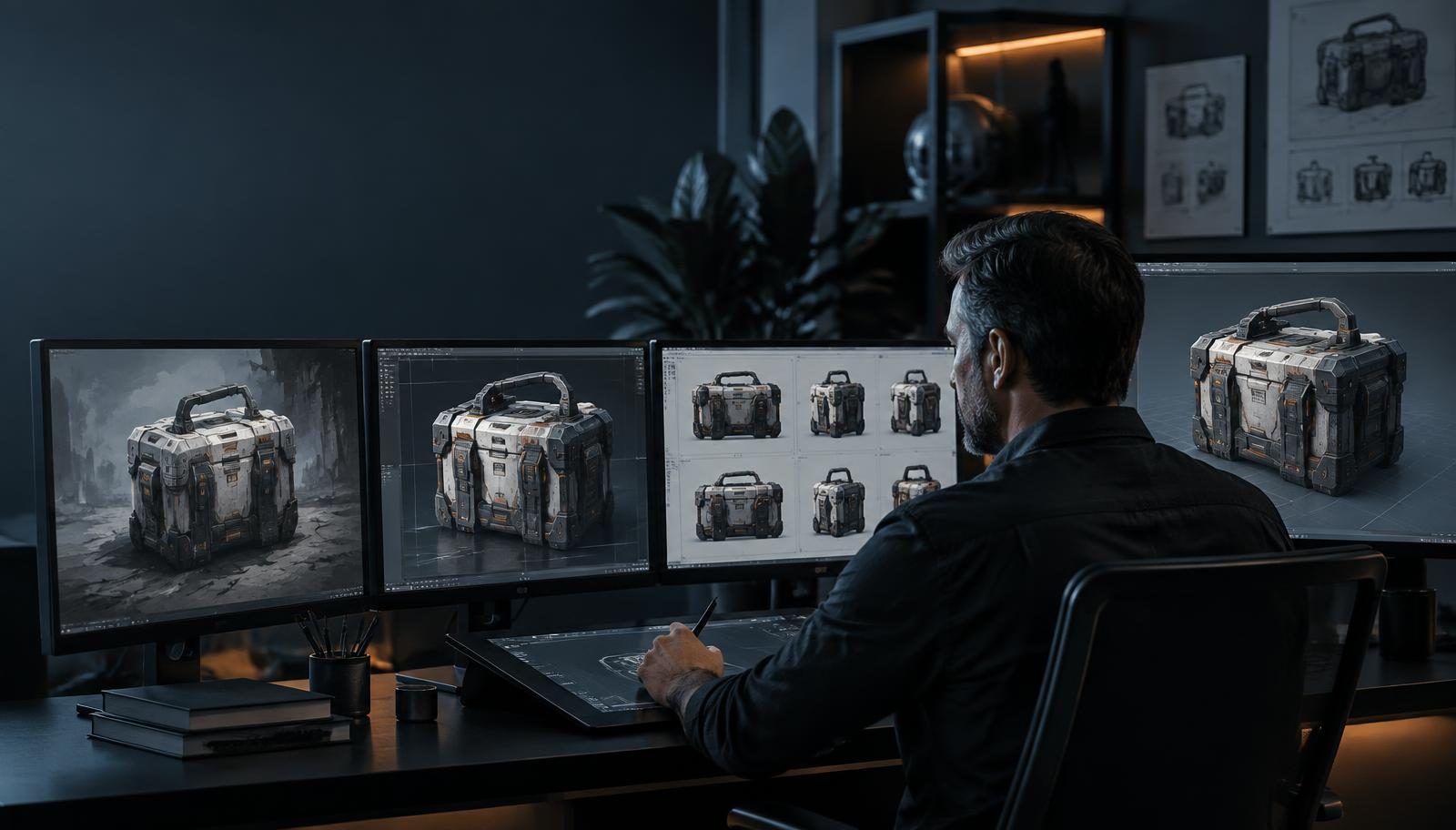
Creative AI gets much more useful when you stop treating it like a magic prompt box.
The strongest results rarely come from discovering one perfect sentence. They come from understanding how different tools interpret information, what each model needs, and when to move from one workflow to another.
After working with game studios using AI across art, marketing, video and 3D production, a few patterns keep returning. These are practical habits for artists, Art Directors and technical artists who want more predictable results without turning creative work into prompt engineering.
Direct the edit
1. Describe the change, not just the desired result
When editing an existing image, be explicit about what should change. “Make this better” asks the model to invent the brief. “Remove the background,” “Change the jacket from blue to red,” or “Keep the character unchanged but make the lighting more cinematic” defines the operation and the boundary.
Most direct image-editing fields behave more like instruction-based tools than an AI Art Director. They see the image in front of them and the words attached to that edit. They do not automatically understand every earlier decision in the project.
Use this when: the composition is already working and one controlled element needs to change.
2. Do not over-edit the same image
Successive edits can compound softness, artifacts or visual drift. The effect varies by model and workflow, but a useful rule is to retain a clean approved master and branch from it.
If an image starts losing texture or coherence after several changes, return to an earlier version. Use the corrected image as a reference and regenerate from stronger source material rather than continuing to modify a weakened result. Treat it like a master file in a traditional production pipeline.
Use this when: a result was previously sharp and consistent but deteriorates after several small revisions.
3. Sometimes the best opening prompt is “Look at these”
Art direction can be difficult to translate into words before a shared visual language exists. If two or three references communicate the intent, give them to the AI first and ask it to examine them.
How would you describe the visual direction these references have in common?
Then ask how it would approach the task. Once the system can explain the direction back to you—composition, material language, lighting, mood and what should not change—ask it to execute. This establishes shared context before generation begins.
Use this when: the direction is visually obvious to the team but difficult to express as a conventional prompt.
Communicate creative intent
4. Treat prompting as creative direction, not programming
Generative AI is probabilistic. Small differences in language can change what the model considers important. The sentence “I never said she stole my money” changes meaning depending on which word receives the emphasis. Visual instructions work the same way.
Instead of searching for a magic combination of keywords, decide what deserves emphasis: subject, composition, mood, lighting, materials, camera, movement or style. Then establish priorities. “Keep the silhouette unchanged” is a stronger direction than adding five more adjectives about atmosphere.
AI cannot see the vision that still exists only in your head. Good prompting is less about syntax and more about communicating creative intent.
Use this when: technically detailed prompts produce attractive images that still miss the intended idea.
5. Use AI to repair, not only regenerate
When something is almost right, do not automatically start from zero. Give the system the original, the improved version and the remaining problem. Ask it to compare the two and propose the smallest repair.
This changes the interaction from a slot machine into a reasoned iteration. It also preserves decisions that have already been approved: silhouette, framing, character identity or material treatment.
Use this when: most of an asset is approved and one localized defect prevents sign-off.
6. When AI gets it wrong, add information before adding frustration
An unexpected result can be a model failure. Often, however, an instruction was ambiguous or important context remained unstated. Before generating again, ask: What information exists in my head that the AI does not have?
The missing input might be a reference image, intended camera angle, an element that must remain unchanged, the artistic intention, a previous approved asset or the production context. Add the smallest piece of information that resolves the ambiguity, rather than rewriting everything.
Use this when: repeated attempts fail in different ways and no single defect explains the misses.
Build better inputs for AI image-to-3D workflows
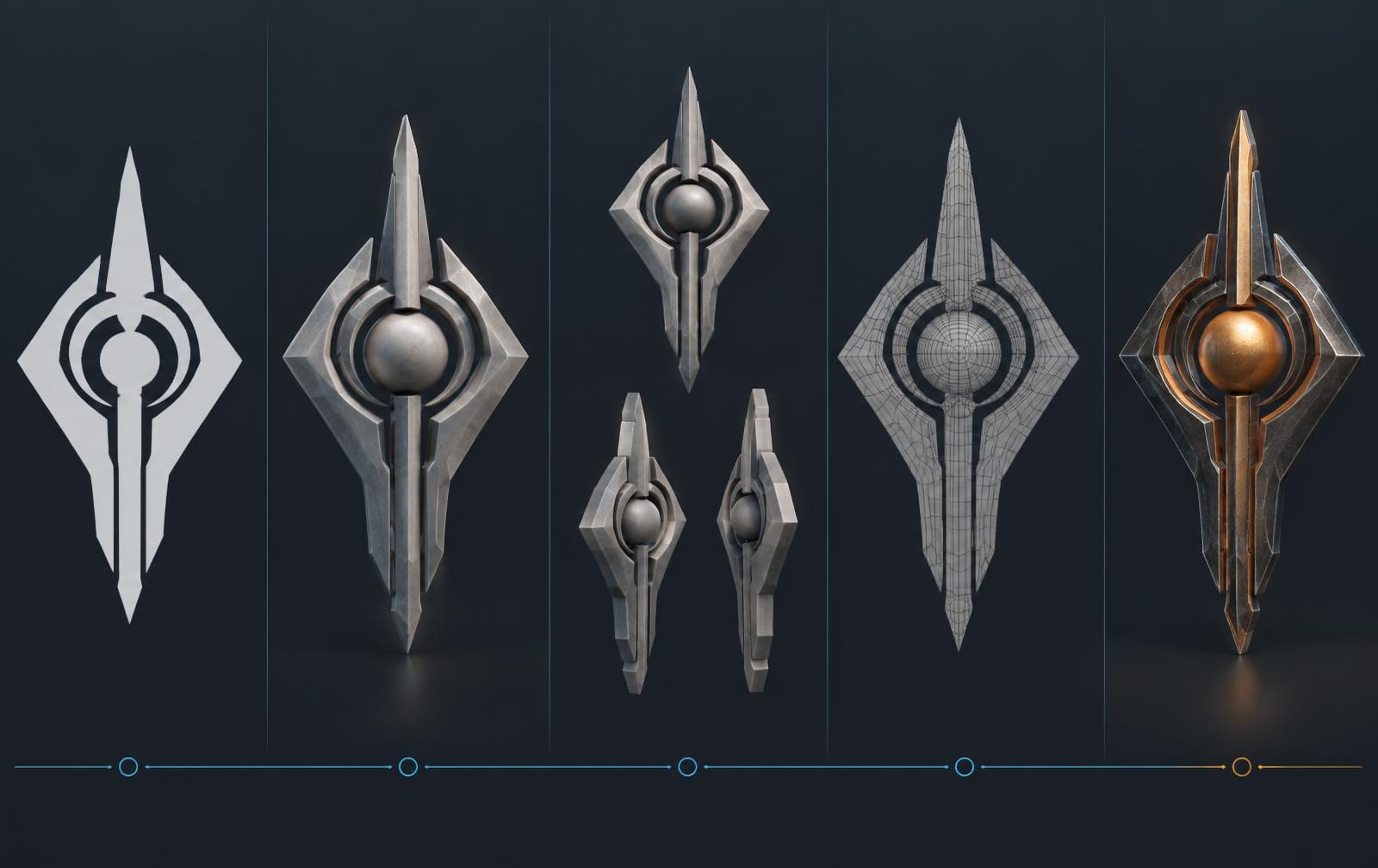
7. Give flat assets volume before converting them to 3D
A flat logo, icon or graphic contains little information about depth. Sending it directly into an image-to-3D model asks the system to invent thickness, materials and unseen surfaces simultaneously.
A stronger sequence is:
Flat image → volumetric concept → multiple views → geometry → texture
First use image generation to reinterpret the graphic as a physical object while preserving its silhouette. Define thickness, material and lighting. Then generate additional views and pass that better visual evidence into the 3D stage.
Before asking AI for 3D, give it enough visual information to understand the object.
Use this when: a logo, icon, emblem or graphic mark needs to become a prop, badge, collectible or branded 3D asset.
8. Multi-view usually beats single-view for important 3D assets
A single image forces a model to guess every surface it cannot see. That may be acceptable for background experimentation, but those guesses become visible on important props, products, weapons, vehicles, characters and branded objects.
Front, side and three-quarter views reduce ambiguity. They make proportions, depth and silhouette easier to reconcile, and give the model more consistent evidence for hidden geometry.
Use this when: silhouette accuracy, symmetry or recognizable details must survive rotation.
9. Geometry and texturing are different problems
The model that produces the strongest geometry may not produce the best surface detail. Treat these as separate stages rather than expecting one model to be best at both.
Generate geometry → evaluate the mesh → texture with the best-suited model → refine
This is a practical advantage of a multi-model workflow. The studio can select a geometry specialist for shape and topology, then route the approved mesh into a model that performs better on materials and texturing.
Use this when: a convincing textured preview hides weak geometry, or a good mesh arrives with generic surface treatment.
10. Start important assets with enough geometry
For simple background objects, a low-poly output may be perfectly adequate. For detailed assets, starting with too little geometry limits what can happen later. Important models can benefit from enough source detail to preserve their silhouette and forms before simplification.
That does not make a dense generated mesh production-ready. It still needs evaluation, retopology, UV work, level-of-detail variants and engine validation. The principle is to avoid throwing away needed form too early, then reduce the approved asset deliberately for its target platform.
For the downstream checklist, see Create Game Assets With AI That Meet Technical Specs.
Use this when: a hero prop or complex asset loses essential shape during an overly aggressive low-detail generation.
Use the system, not only the tool
11. Ask the AI which model it would use
Artists should not have to memorize a growing catalog of image, video, 3D and audio models. Instead of beginning with a model dropdown, ask: “How would you create this?” or “Which model is best suited to this job?”
A capable orchestration layer can interpret the intended outcome, recommend a route and select the appropriate capability for each stage. The creator describes what should be made; the infrastructure increasingly handles model choice.
This works best inside a governed multi-model environment where the system knows which models the studio has approved. For a current overview by format and production role, see the practical model guide.
Use this when: the task crosses formats or no single model is clearly best for every stage.
12. Separate creative conversation from manual tools
There is an important distinction between talking to an AI Art Director and using a direct generation or editing field.
In an agentic workflow, the system can reason with the project, previous decisions, approved references, creative direction and studio context. A manual editing tool usually does not carry that complete understanding. If you use a direct field, describe the change again. If you want the system to reason about the broader goal, return to the agentic workflow.
Knowing which mode you are in avoids a surprising amount of frustration. It also explains why the same short instruction may work in one context and fail in another.
Use this when: a manual tool appears to ignore context that the wider project conversation already established.
The bigger shift: from prompting AI to building creative systems
The important change inside game studios is not that artists are becoming better prompt writers. It is that AI is becoming part of the production infrastructure.
Models will continue to change. The strongest option this month may not be the strongest six months from now. What persists is the layer around them: context, memory, workflows, governance, collaboration and automation.
The future workflow should not require artists to choose models constantly and rewrite project knowledge into every prompt. They should communicate intent. The system should understand the studio, the project and the approved work, route the task to the right capabilities and improve with every project.
That is when creative AI stops being a collection of tools and starts becoming infrastructure. The broader AI for game development guide explains how those foundations connect across a studio, while the game-development solution shows the Creative AI OS in practice.
Frequently asked questions
How do you write better prompts for AI image editing?
Describe the exact change and the elements that must remain unchanged. Treat the prompt as a bounded editing instruction rather than a general wish for a better image.
Why can AI image quality decline after several edits?
Depending on the model, successive edits can compound softness, artifacts or drift. Keep a clean approved master and create new branches from it when an edit chain begins to degrade.
Should game studios use one image or multiple views for AI 3D generation?
Use multiple views for important assets. Front, side and three-quarter references reduce the amount of hidden geometry the model must guess.
How do you turn a flat logo or icon into a 3D asset with AI?
First reinterpret the flat graphic as a physical object with volume, thickness and material. Generate several consistent views, then create geometry and texture as separate controlled stages.
Should the same AI model generate both geometry and textures?
Not necessarily. Geometry and texturing have different requirements, and a multi-model workflow can route each stage to the model best suited to it.
How should a studio choose the right AI model for a creative task?
Start from the desired outcome and production constraints, not a favorite model. A governed orchestration layer can recommend or select an approved model for each step while keeping the project context intact.