Prompt Versioning for Teams: Keep Results Repeatable
Learn how prompt versioning helps teams keep AI results repeatable, auditable, and production-ready across creative workflows.
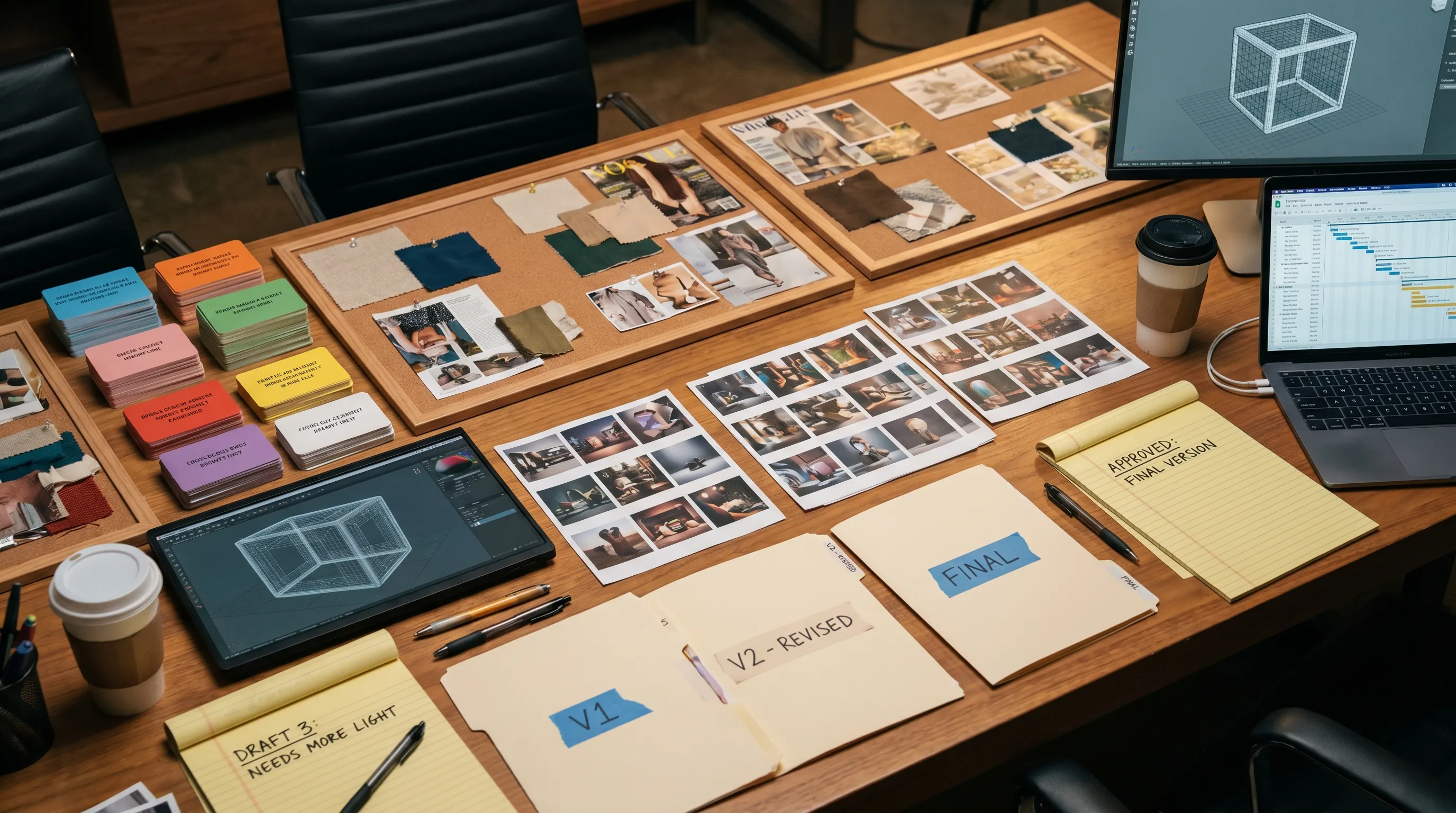
As creative AI moves from experimentation into daily production, teams are discovering a simple truth: a good prompt is not enough. If one art director gets a beautiful result on Monday, a campaign team needs to reproduce it on Wednesday, adapt it for another market on Friday, and explain the decisions behind it later.
That is where prompt versioning becomes essential.
For individual creators, prompt versioning may look like saving favorite prompts in a document. For enterprise creative teams, game studios, retail content operations, and agencies, it needs to be much more structured. It must connect prompts to models, parameters, source assets, approvals, brand rules, compliance requirements, and final outputs.
In other words, teams need a repeatable system, not a folder full of copied prompts.
What is prompt versioning?
Prompt versioning is the practice of tracking changes to AI prompts over time so teams can understand what changed, why it changed, who approved it, and which results it produced.
In creative AI workflows, a prompt version is not just the text typed into a generation tool. It is the full generation recipe behind an output. That recipe can include the prompt, negative prompt, model, model version, parameters, seed, reference images, mood boards, input assets, output format, compliance notes, and review status.
This distinction matters because AI outputs are influenced by more than language. A prompt that worked with one image model, one aspect ratio, and one reference board may behave differently when any of those variables changes.
A practical prompt version should answer four questions:
- What instruction did we give the AI?
- What context and settings were used?
- What output did that version produce?
- Why did the team accept, reject, or update it?
When those answers are captured consistently, creative teams can move faster without losing control.
Why repeatability is hard in AI-generated content
Traditional production workflows have predictable dependencies. If a designer opens a versioned file, uses the same font, and exports with the same settings, the result should be largely consistent. AI generation is different because models are probabilistic and tool environments can change.
Repeatable AI results depend on many variables, including:
- The exact wording of the prompt
- The model and model version
- Generation settings such as seed, guidance, temperature, resolution, and aspect ratio
- Reference assets and style inputs
- Brand guidelines or creative constraints
- Post-processing steps
- Human review and approval decisions
Even then, repeatability does not always mean pixel-identical output. In many creative workflows, the goal is controlled consistency: outputs should match the approved visual direction, brand constraints, product requirements, and production standards.
This is why prompt versioning should be treated as part of creative operations, not as a personal productivity habit.
The business case for prompt versioning for teams
Prompt versioning solves several problems that appear once AI content creation scales beyond a few experiments.
First, it prevents creative drift. Without version control, small prompt edits can gradually move outputs away from the original art direction. A campaign that started as premium and minimal can become overly stylized after a few undocumented iterations.
Second, it reduces rework. If a team cannot identify which prompt and settings created an approved output, they often have to rediscover the process from scratch. This slows down localization, seasonal updates, A/B variants, and production extensions.
Third, it supports governance. Enterprise teams need to know which AI workflows are approved, who can modify them, and whether outputs passed review. This aligns with broader AI risk management practices, such as the governance and documentation principles described in the NIST AI Risk Management Framework.
Finally, it improves collaboration. Art directors, marketers, application managers, game developers, legal teams, and production teams can all work from the same source of truth instead of relying on screenshots, chat messages, or undocumented prompt tweaks.
What should be included in a prompt version?
A strong prompt version captures every variable needed to understand and reproduce the result. The exact structure depends on your tools and workflow, but the following elements are a good baseline.
| Versioned element | Why it matters | Example |
|---|---|---|
| Prompt text | Defines the core creative instruction | Product image with soft studio lighting and premium packaging |
| Negative prompt or exclusions | Prevents unwanted artifacts or off-brand elements | No distorted logo, no extra text, no unrealistic reflections |
| Model and model version | Model behavior can change across versions | Image model name and version used for approval |
| Parameters | Controls variation, style strength, scale, and output dimensions | Seed, guidance, aspect ratio, resolution |
| Reference assets | Provides visual context and brand continuity | Mood board, product photo, character sheet, environment reference |
| Workflow step | Shows where the prompt is used in production | Concept exploration, final render, variant generation |
| Owner and reviewer | Clarifies accountability | Prompt owner, art director, brand reviewer |
| Approval status | Prevents unapproved prompts from entering production | Draft, in review, approved, deprecated |
| Output assets | Connects the version to what it produced | Generated image, video clip, 3D asset, campaign variant |
| Change notes | Explains why the prompt changed | Adjusted lighting to match approved brand direction |
The goal is not to create bureaucracy. The goal is to make successful AI work reusable.
A practical prompt versioning workflow
Prompt versioning works best when it follows the way creative teams already operate. It should support experimentation during early stages, then add structure as prompts move closer to production.
1. Start with prompt blueprints
A prompt blueprint is a reusable template for a specific type of output. For example, a retail team might create a blueprint for product packshots, while a game studio might create one for stylized environment concepts.
A good blueprint separates fixed rules from variable inputs. Fixed rules might include brand tone, composition requirements, safety constraints, camera style, or file format. Variable inputs might include product name, environment, color palette, character role, market, or platform.
This makes the workflow easier to scale because teams are not rewriting prompts from scratch each time. They are filling in approved structures.
2. Capture the full generation recipe
The prompt text alone is not enough. Teams should capture the model, parameters, context, references, and source assets attached to each run. If a model is updated or a reference board changes, that should create a new version or at least a documented revision.
This is especially important in multi-model AI workflows where an image model, video model, audio model, and 3D generation model may all contribute to one production pipeline. Without versioning, teams can lose track of which combination produced the approved result.
3. Use clear naming and version rules
Teams do not need overly complex naming systems, but they do need consistency. One useful approach is semantic-style versioning adapted for creative work.
- Version 1.0 can represent the first approved production version.
- Version 1.1 can represent a minor adjustment, such as lighting or aspect ratio.
- Version 2.0 can represent a major creative change, such as a new art direction or different model family.
The key is to define what counts as a major, minor, or patch-level change. A typo fix may not require a new approval cycle. A change to product claims, brand style, character likeness, or model provider probably should.
4. Add review and approval checkpoints
Prompt versioning becomes much more valuable when connected to review workflows. Draft prompts can remain flexible, but approved prompts should have clear ownership and change controls.
For enterprise teams, approval may involve art direction, brand, legal, product, compliance, or localization stakeholders. Game teams may require review from narrative, technical art, environment, or character leads.
The approval process should make it clear which prompt versions are safe for production and which are still experimental.
5. Test outputs against acceptance criteria
A prompt version is only useful if the outputs meet the expected quality standard. Teams should define acceptance criteria for each prompt blueprint, such as brand consistency, product accuracy, anatomy quality, lighting style, asset resolution, or platform constraints.
For high-volume workflows, teams can maintain a small set of reference outputs, sometimes called golden outputs, that represent the expected result range. When a prompt or model changes, the team can compare new outputs against these references before approving the update.
6. Archive deprecated versions
Do not delete old prompt versions too quickly. Deprecated versions can explain why certain creative paths were abandoned and may still be useful for audits, retrospectives, or future campaigns.
A deprecated version should be clearly marked so production teams do not use it by mistake. It should also link to the version that replaced it.
Prompt versioning and AI governance
Prompt versioning is not only a creative quality practice. It is also an AI governance practice.
As AI becomes embedded in production pipelines, organizations need controls over how AI is used, what data is involved, how outputs are reviewed, and which systems are approved. The ISO/IEC 42001 standard reflects this broader movement toward structured AI management systems, and enterprise AI teams are increasingly expected to document responsibilities, risks, and controls.
For creative teams, governance does not have to slow down production. Done well, it gives teams the confidence to scale.
A simple governance model for prompt versioning might look like this:
| Role | Responsibility in prompt versioning |
|---|---|
| Creative lead or art director | Defines creative standards and approves major prompt changes |
| Prompt owner | Maintains the prompt blueprint and documents revisions |
| Application manager | Ensures tools, integrations, and access rights are controlled |
| Legal or compliance reviewer | Reviews sensitive use cases, rights, claims, or regulated content |
| Production team | Uses approved versions and reports issues during execution |
This structure helps prevent common problems such as unauthorized model use, off-brand content, missing approvals, or untraceable outputs.
Common mistakes teams make with prompt versioning
Many teams start versioning too late. They wait until a prompt is already being used across campaigns, products, or departments, then discover that no one knows which version is approved.
Another common mistake is treating prompt versioning as a document management problem. A shared spreadsheet can help at the beginning, but it usually breaks down when teams need to connect prompts to assets, models, approvals, and outputs.
Teams also underestimate context. If the same prompt is used with a different mood board, product reference, character sheet, or model version, the output can change significantly. Context should be versioned alongside the prompt.
Finally, some teams version every tiny experiment with too much detail. That creates noise. A better approach is to allow exploration in a sandbox, then formalize versions when a prompt becomes reusable, collaborative, or production-relevant.
Example: versioning a product image prompt
Imagine a consumer brand wants to generate studio-quality product images for seasonal campaigns. The team starts with a prompt that creates a clean product shot on a neutral background.
The first results look promising, but the lighting is inconsistent and some outputs add unwanted text to the packaging. The art director revises the prompt, adds a negative prompt, attaches an approved mood board, and fixes the aspect ratio for ecommerce placements.
At that point, the team creates version 1.0 and marks it as approved for ecommerce hero images. Later, the campaign team needs social media variants with warmer lighting and more lifestyle context. That becomes version 1.1 if the core product presentation stays the same, or version 2.0 if the art direction changes significantly.
With versioning in place, the team can see which prompt produced which assets, which versions are approved for which channels, and why each change was made.
Without versioning, they only have a collection of outputs and a vague memory of how they were created.
How The Creative AI OS supports repeatable creative AI workflows
The Creative AI OS is built for teams that need to operationalize creative AI at scale, not just generate one-off assets. As a Creative AI OS, it helps studios and enterprises control how AI runs across workflows, tools, and teams.
For prompt versioning, this matters because repeatability depends on more than prompt text. Teams need orchestration, context, governance, and asset traceability.
The Creative AI OS supports this through capabilities such as generation blueprints, studio context memory with mood boards, team collaboration workflows, review and approval processes, asset management, and pipeline tracking. Its intelligence layer, Nyx, orchestrates multiple industry-leading AI models and helps keep intent and context consistent across studios and teams.
For organizations working across image, video, 3D, and audio, this kind of operating layer is especially important. A prompt may begin as a concept instruction, but the production pipeline may involve multiple models, multiple tools, and multiple stakeholders before the final asset is ready.
Virtuall also supports enterprise needs such as AI governance controls, EU-based infrastructure and inference, and integrations with creative tools such as DCC, PIM, and DAM systems through plugins and API access.
The result is a more controlled way to turn prompt experiments into repeatable, production-ready workflows.
Best practices for keeping AI results repeatable
The most successful teams treat prompt versioning as part of a larger creative operating model. They do not ask every creator to become a systems administrator, but they do make repeatability easy to follow.
A strong operating model usually includes:
- Approved prompt blueprints for common production tasks
- Version history that captures prompts, models, parameters, and references
- Clear ownership for each reusable prompt or workflow
- Review steps before prompts move into production
- A searchable connection between prompt versions and generated assets
- Governance rules for sensitive content, brand assets, and model usage
Teams should also revisit approved prompt versions on a regular schedule. AI models, brand guidelines, platform requirements, and compliance expectations evolve. A version that worked six months ago may still be valid, but it should not remain approved by accident.
Frequently Asked Questions
What is the difference between prompt management and prompt versioning? Prompt management is the broader practice of organizing, storing, and using prompts across a team. Prompt versioning specifically tracks changes over time, including what changed, who changed it, and which outputs each version produced.
Does prompt versioning make AI outputs identical every time? Not always. Some AI systems can produce more deterministic results when the same model, seed, parameters, and inputs are used, but model updates and platform behavior can still affect outputs. In creative production, the goal is often controlled consistency rather than exact duplication.
When should a team create a new prompt version? A new version should be created when a change affects the expected output, production use, approval status, model selection, source assets, compliance requirements, or brand direction. Minor typo fixes may only need a small revision note.
Who should own prompt versions in a creative team? Ownership depends on the workflow. An art director may own creative quality, an application manager may own tool controls, and a prompt owner may maintain the blueprint. For enterprise use, ownership should be explicit rather than informal.
Can prompt versioning work across image, video, and 3D generation? Yes, but it needs to capture more than text. Multi-format workflows should version model choices, parameters, references, source assets, output requirements, and handoffs between stages.
Turn prompt experiments into repeatable creative systems
Prompt versioning is one of the foundations of scalable creative AI. It helps teams preserve what works, improve what does not, and move from isolated experiments to reliable production workflows.
If your team is ready to control AI-powered content creation across image, video, 3D, and audio, Virtuall provides the Creative AI OS to orchestrate models, govern workflows, manage assets, and keep results production-ready across teams.