12 Best AI Tools for Designers in 2026 (Tested & Ranked)
The 12 best AI tools for designers in 2026 — image, vector, 3D, and UI. Hands-on picks with pricing, licensing, and enterprise-readiness for creative teams.
The rise of generative AI has fundamentally reshaped the creative landscape. For design teams in enterprise environments, adopting these new technologies isn't just about innovation; it's about finding powerful, secure, and compliant solutions that integrate seamlessly into existing workflows. The challenge lies in sifting through a rapidly growing market to identify tools that offer genuine productivity gains without introducing security risks or licensing complexities. This guide provides a detailed overview of the leading AI tools for designers, focusing on the practical considerations that matter most to professional teams.
We move beyond the hype to offer a grounded assessment of each platform's capabilities, limitations, and ideal use cases. Each entry includes direct links and screenshots to give you a clear view of its interface and functionality. When exploring new tools for your design workflow, consider platforms like Amino, where you can discover various functionalities that could enhance your creative process through Amino's Features. Our goal is to empower creative directors, 3D designers, and project managers to make informed decisions that align with organizational goals for safety, compliance, and creative excellence. This resource will help you confidently navigate the new creative frontier and select the right AI-powered assets for your projects.
1. Virtuall
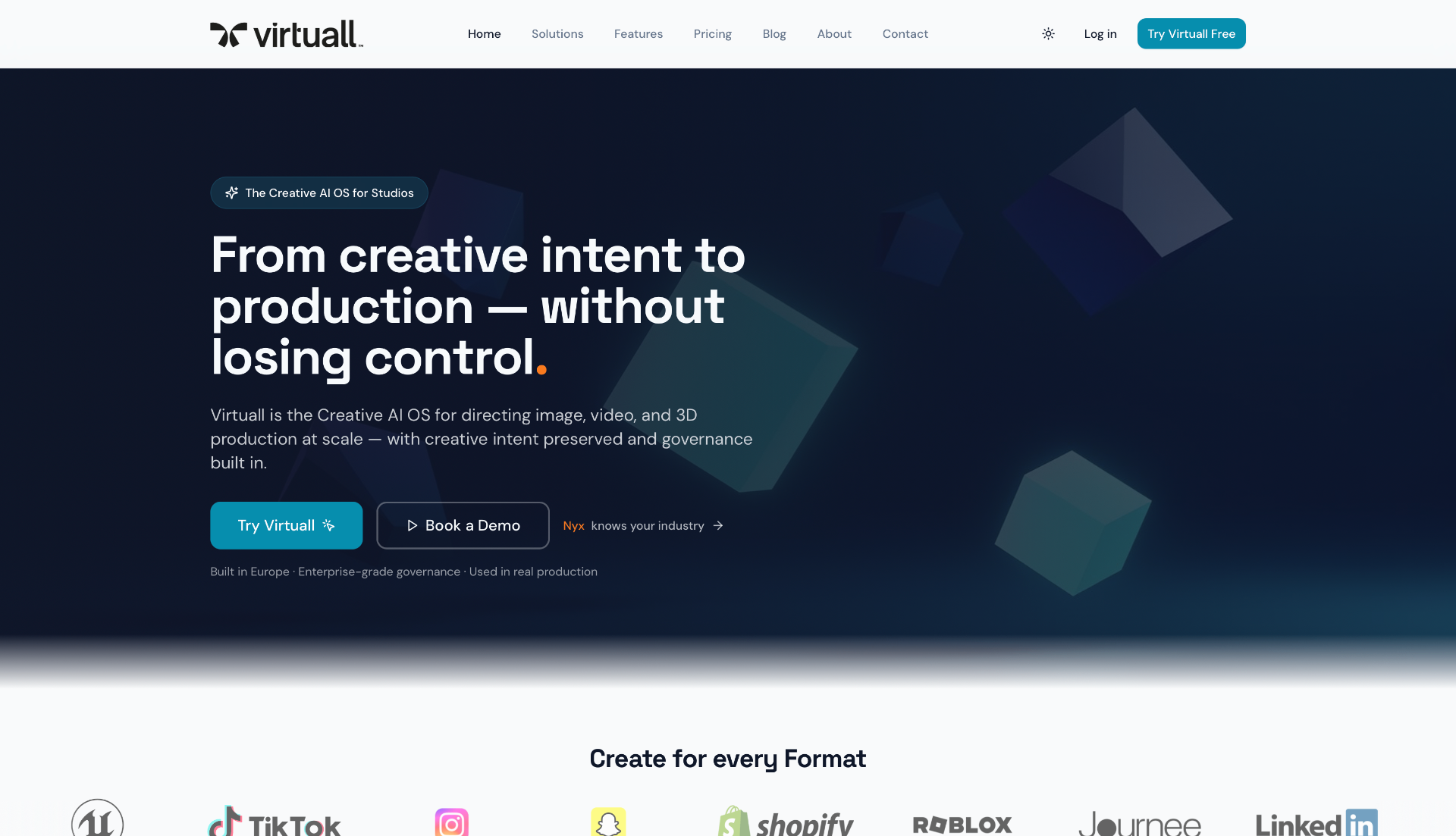
Virtuall's Creative AI OS is a creative AI operating system that brings image, video, and 3D generation into a single governed platform. At its core is Nyx, an AI art director that turns a brief, references, or a mood board into production-ready assets across formats — without prompt engineering. For enterprise design teams evaluating AI tools for designers, this combination of creative intelligence and operational control is hard to match.
Where most generators handle one format at a time, the Creative AI OS orchestrates full campaigns. Nyx plans and produces consistent imagery, video, and 3D across scenes, model packs, or multi-asset deliverables. Blueprints — reusable workflow templates — lock in style, format, and quality rules so every output stays on-brand, whether it is a single hero render or a 200-asset product catalogue.
Why Virtuall Stands Out
Virtuall replaces fragmented toolchains with a unified workspace that covers generation, review, and delivery. Its multi-engine approach lets teams compare and blend outputs from industry-leading AI models — selecting the best match for style, fidelity, and technical requirements across 3D, image, and video.
For teams operating under compliance requirements, the platform provides full audit trails, granular access control, and centralised model management. Every generated asset is traceable, and governance policies can be enforced at the workspace level — making it a responsible choice for regulated industries and large-scale production.
Best For: Studios, agencies, game developers, and enterprise creative teams managing multi-format production at scale.
Key Features:
- Nyx AI Art Director — orchestrates briefs into consistent multi-format output.
- Blueprints — reusable templates that enforce style, format, and quality.
- AI-powered Image, Video, and 3D generation from one platform.
- Advanced 3D tools: segmentation, UV and mesh optimisation.
- Multi-engine comparison across leading AI models.
- Integrated visual boards, version control, and real-time annotation.
- Enterprise governance: audit trails, access control, model management.
Pros:
- Single platform for image, video, and 3D — no tool-switching.
- Nyx removes the need for prompt engineering, accelerating creative output.
- Blueprints ensure brand consistency across large asset volumes.
- Multi-engine comparison delivers superior creative control.
- Enterprise-grade governance and compliance built in.
- Free tier available to evaluate before committing.
Cons:
- Enterprise tier requires a sales conversation, which may slow adoption for smaller teams.
- The breadth of capabilities means a learning curve for teams new to AI-integrated workflows.
Pricing: Free, Creator (€29/mo), Team (€299/mo), Studio (€799/mo), Enterprise (custom). Annual billing saves 20%.
2. Adobe Creative Cloud + Firefly
For creative teams already embedded in Adobe’s ecosystem, the integration of Firefly into Creative Cloud represents a significant workflow enhancement. Rather than a standalone tool, Firefly acts as an AI-driven co-pilot within flagship applications like Photoshop and Illustrator. This deep integration allows designers to generate, edit, and refine visual assets without leaving their primary design environment, making it one of the most cohesive ai tools for designers available.
The platform stands out by training its generative models on Adobe Stock’s licensed library, which ensures that all outputs are commercially safe and free from copyright infringement concerns. This focus on compliance and enterprise-grade controls makes it a reliable choice for corporate and agency work.
Key Considerations & Use Cases
- Best For: Professional designers, art directors, and creative agencies seeking integrated AI capabilities within established workflows.
- Pricing: Included with Creative Cloud subscriptions (starting from $59.99/month for all apps), with generative credit limits. Be aware of planned price increases in North America for 2025.
- Pros: Seamless integration with Adobe apps, commercially safe outputs, and robust asset management.
- Cons: The generative credit system can be confusing for new users, and it represents a significant investment.
3. Figma
For product design teams, Figma has evolved from a collaborative design tool into a powerful platform with integrated AI. Its AI features are designed to accelerate the UI/UX workflow, allowing designers to generate functional app prototypes from text prompts, create AI images, and upscale assets directly within their design canvas. This integration solidifies Figma's position as one of the most essential ai tools for designers by keeping advanced capabilities within a familiar, real-time collaborative environment.
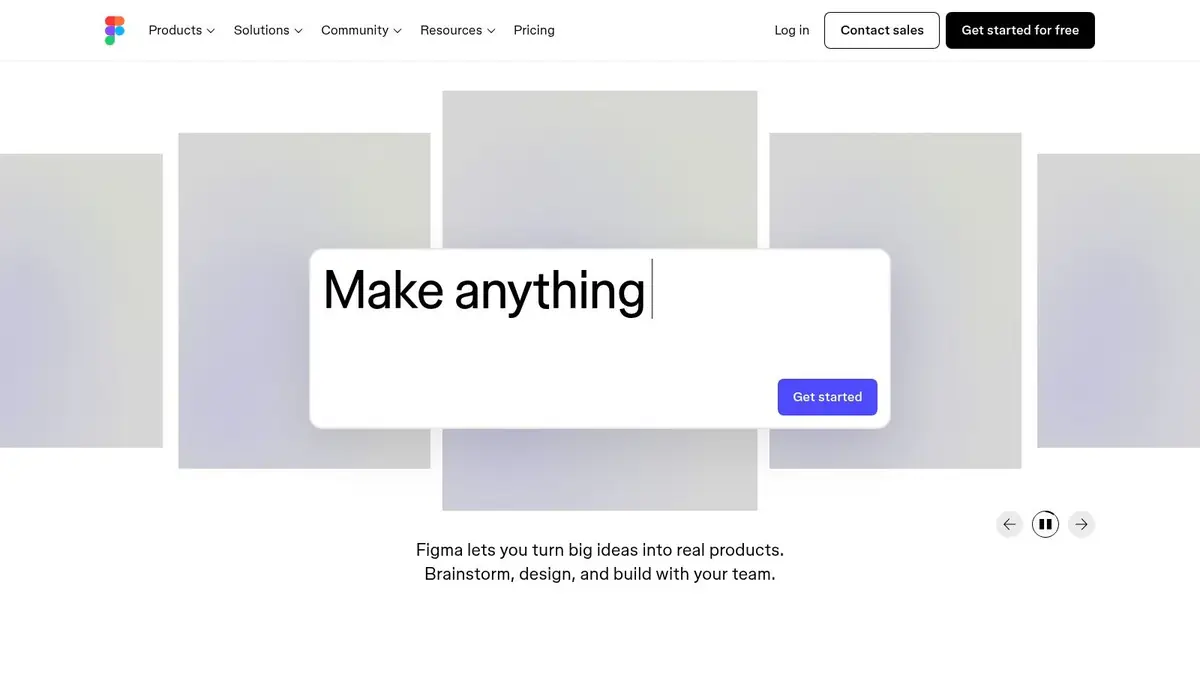
The platform’s strength lies in its best-in-class real-time collaboration and robust design system support, now enhanced with AI. Enterprise-grade controls, including SSO and advanced admin features, ensure it remains a secure and compliant choice for large organizations. The seat-based pricing model offers flexibility for various team roles, a key consideration for effective project management for designers.
Key Considerations & Use Cases
- Best For: UI/UX designers, product teams, and enterprises seeking to integrate AI into established design system workflows.
- Pricing: AI features are integrated into paid plans (starting from 2 per editor/month) with specific credit limits per seat.
- Pros: Unmatched real-time collaboration, AI features built directly into the core design workflow, and strong enterprise-level security.
- Cons: AI usage is tied to a credit system, and upcoming price changes in 2025 could affect budget planning.
4. Canva Magic Studio
Canva’s Magic Studio democratizes AI-powered design by embedding a comprehensive suite of generative tools into its famously user-friendly, template-driven platform. This makes it an exceptional asset for teams where designers and non-design stakeholders, like marketers, need to collaborate on creating visual content quickly. Magic Studio goes beyond simple image generation, offering features like Magic Switch for instant content repurposing, positioning it as one of the most versatile ai tools for designers focused on speed and accessibility.
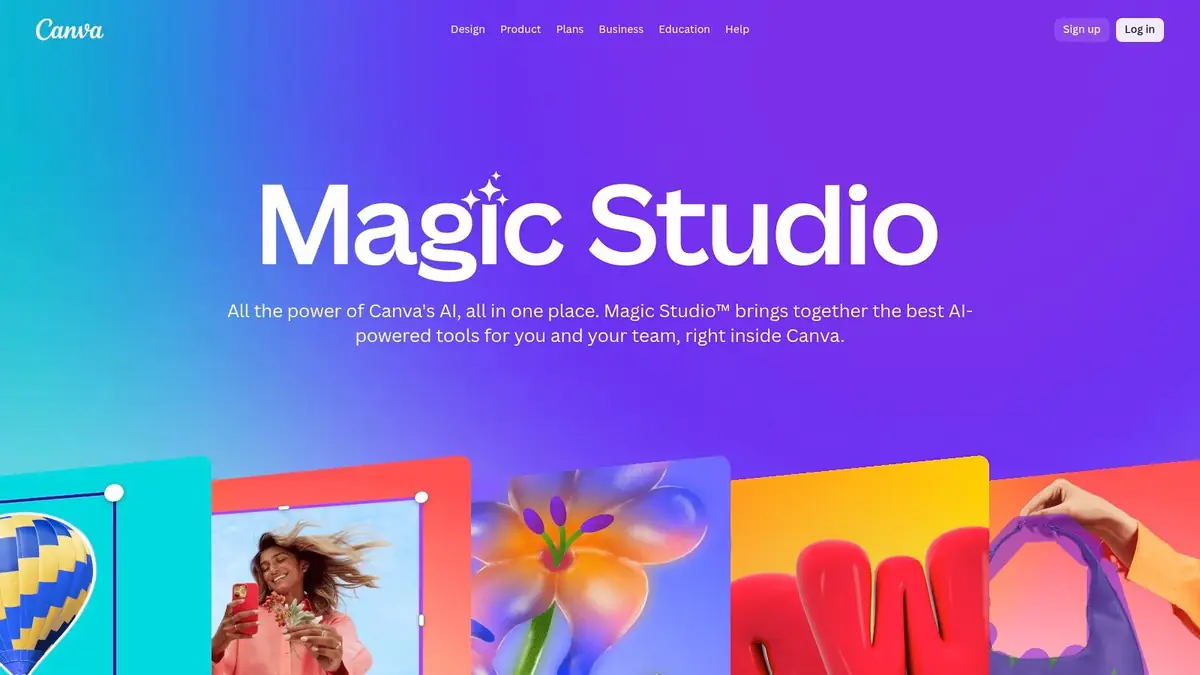
The platform is designed for rapid iteration, allowing users to generate graphics, presentations, social media posts, and even short videos from a single prompt. Its core strength lies in combining AI capabilities with a massive library of existing templates and assets, enabling teams to maintain brand consistency while accelerating content production. This all-in-one approach simplifies workflows that might otherwise require multiple specialized applications.
Key Considerations & Use Cases
- Best For: Marketing teams, social media managers, and designers needing to produce a high volume of branded content quickly and collaboratively.
- Pricing: A generous free tier is available. Magic Studio features are primarily included in Canva Pro (from 4.99/month) and Canva for Teams plans.
- Pros: Extremely low learning curve, all-in-one tool for diverse content formats, and generous AI credits on paid tiers.
- Cons: Less granular control over AI outputs compared to professional desktop suites, with advanced features locked behind subscriptions.
5. OpenAI ChatGPT
While often seen as a text-first platform, OpenAI’s ChatGPT has evolved into a versatile assistant for the modern designer, adept at handling tasks that support the visual creative process. Designers leverage its advanced reasoning for brainstorming, creating detailed mood boards, and refining creative briefs. Its proficiency in prompt engineering also makes it an excellent tool for crafting precise text prompts for image generation platforms, ensuring more predictable and high-quality visual outputs.
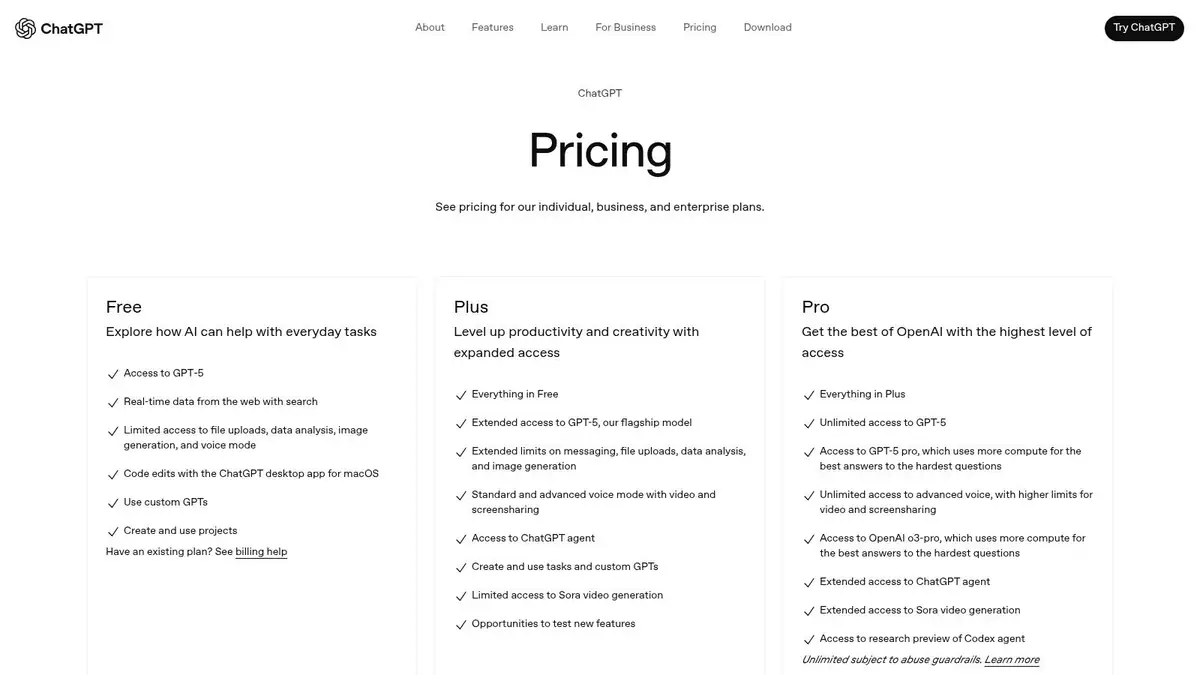
For enterprise and team environments, ChatGPT provides robust security and compliance controls, making it a safe choice for handling sensitive project information. Paid plans unlock powerful capabilities like advanced data analysis, image and file handling, and custom GPTs that can be trained for specific design operations. This functionality makes it one of the most adaptable ai tools for designers looking to streamline their ideation process. While its native image generation is still evolving, the ongoing discussion about the debate on whether professional designers beat ChatGPT highlights its growing influence in the creative field.
Key Considerations & Use Cases
- Best For: Design teams, creative directors, and marketers needing help with ideation, copy alignment, and automating administrative tasks.
- Pricing: A free version is available. Paid plans (Plus, Team, Enterprise) start from $20/month, unlocking advanced models and features.
- Pros: Excellent for drafting creative briefs and aligning copy with design, supports rapid iteration, and offers strong security controls for teams.
- Cons: Image generation quality can be inconsistent, and the most powerful features are locked behind higher-tier subscriptions.
6. Midjourney
For designers focused on creating high-quality, stylized concept art and unique branding visuals, Midjourney has established itself as a leading generative AI. Operating primarily through a Discord-based interface, it allows users to produce artistic imagery from text prompts. Its distinctive, often painterly aesthetic makes it one of the most popular ai tools for designers when the goal is inspiration, mood boarding, or generating final art with a specific creative flair.
The platform is renowned for the artistic quality and consistency of its outputs, supported by a highly active community that shares prompts and techniques. Midjourney offers different GPU processing speeds ("Fast" and "Relaxed"), with higher-tier plans providing unlimited "Relaxed" mode generations. Pro and Mega plan subscribers can also access private "Stealth" mode, making it a versatile tool for various creative projects.
Key Considerations & Use Cases
- Best For: Concept artists, illustrators, and marketing teams looking to generate high-quality, artistic visuals and mood boards.
- Pricing: Subscription-based, starting from 0/month. Higher-tier plans (Pro & Mega) offer private generation and more generous GPU time.
- Pros: Consistently high-quality and stylized visual outputs, a strong and engaged user community for prompt inspiration, and straightforward subscription plans.
- Cons: The Discord-based workflow can be unintuitive for new users, and commercial use for larger companies requires a more expensive Pro or Mega plan.
7. Runway
Runway has established itself as the go-to video-first generative AI platform, empowering motion designers, filmmakers, and creative agencies to produce high-quality video content from simple text prompts. Its suite of advanced models, including Gen-3 Alpha, allows for the rapid creation of concept videos, social media content, and storyboards. By focusing on motion, Runway provides a specialized toolset that moves beyond static images, making it one of the most innovative ai tools for designers in the video production space.
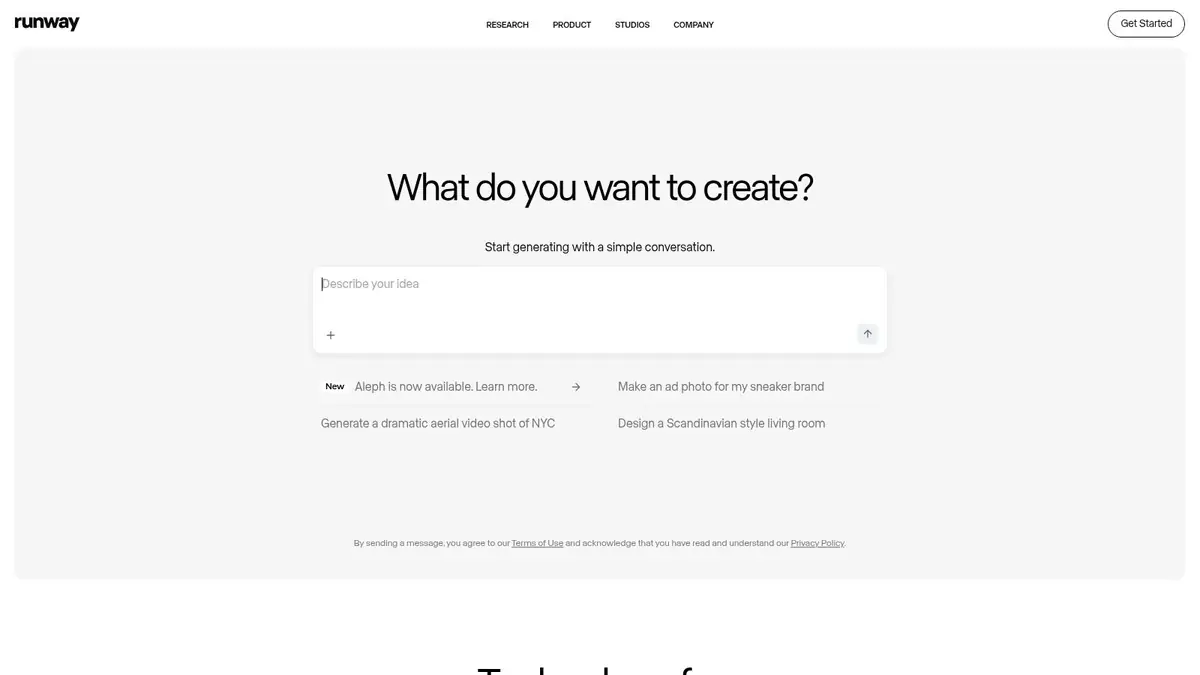
The platform operates on a transparent credit-based system, with clear per-second pricing for video generation, which is highly beneficial for project budgeting. For larger teams, Runway offers enterprise-level solutions that include centralized credit pools and detailed analytics, ensuring efficient resource management and scalable deployment across projects. Its robust API and educational resources further support professional integration and skill development.
Key Considerations & Use Cases
- Best For: Motion designers, video producers, and marketing teams needing to rapidly prototype and generate video content.
- Pricing: Offers a free tier with limitations. Paid plans start from 2 per user/month (billed annually) and scale based on credit needs.
- Pros: Leader in text-to-video generation, transparent credit pricing for video, and strong enterprise-ready solutions.
- Cons: The free tier includes a watermark and has significant limits; purchased credits do not roll over monthly.
8. Leonardo.Ai
Leonardo.Ai has carved out a niche as a production-focused platform for generating high-quality visual assets, from concept art to game textures. It balances powerful, granular controls with an accessible interface, making it a versatile choice for both solo creators and large creative teams. The ability to train custom models on your own datasets allows for unparalleled brand consistency and stylistic control, setting it apart from more generalized image generators. This makes it one of the most adaptable ai tools for designers focused on scalable content production.
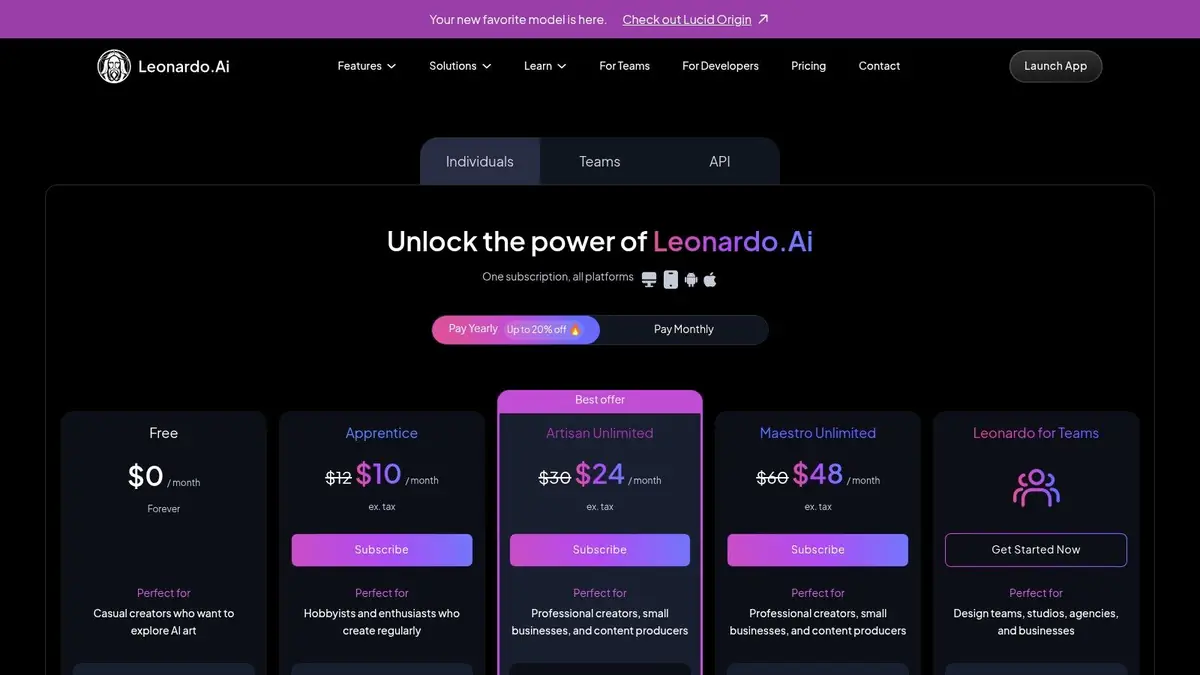
The platform’s strength lies in its enterprise-ready features, such as team plans with shared tokens and collaborative collections. Its flexible token system, which includes "Relaxed" mode for unlimited slow-generation on certain plans, provides a scalable solution for high-volume asset creation. For teams exploring new frontiers, you can learn more about how generative AI is changing 3D design workflows and how platforms like Leonardo are leading the charge.
Key Considerations & Use Cases
- Best For: Game developers, creative agencies, and marketing teams needing consistent, high-volume visual assets and custom model training.
- Pricing: Offers a free tier with daily tokens. Paid plans start from 0/month, scaling up with more features and higher token allowances.
- Pros: Excellent balance of advanced control and usability, custom model training, and strong team collaboration features.
- Cons: The token system can be complex for beginners, and some premium AI models are excluded from unlimited generation plans.
9. Stability AI
For designers and teams who require deep control over their generative AI pipeline, Stability AI offers a powerful alternative to closed, platform-based solutions. Rather than a single application, it provides a suite of open-source models like Stable Diffusion for images, Stable Audio Open for sound, and even emerging 3D and video models. This approach allows developers and technically proficient designers to self-host the models, ensuring maximum privacy and IP control over their creative assets.
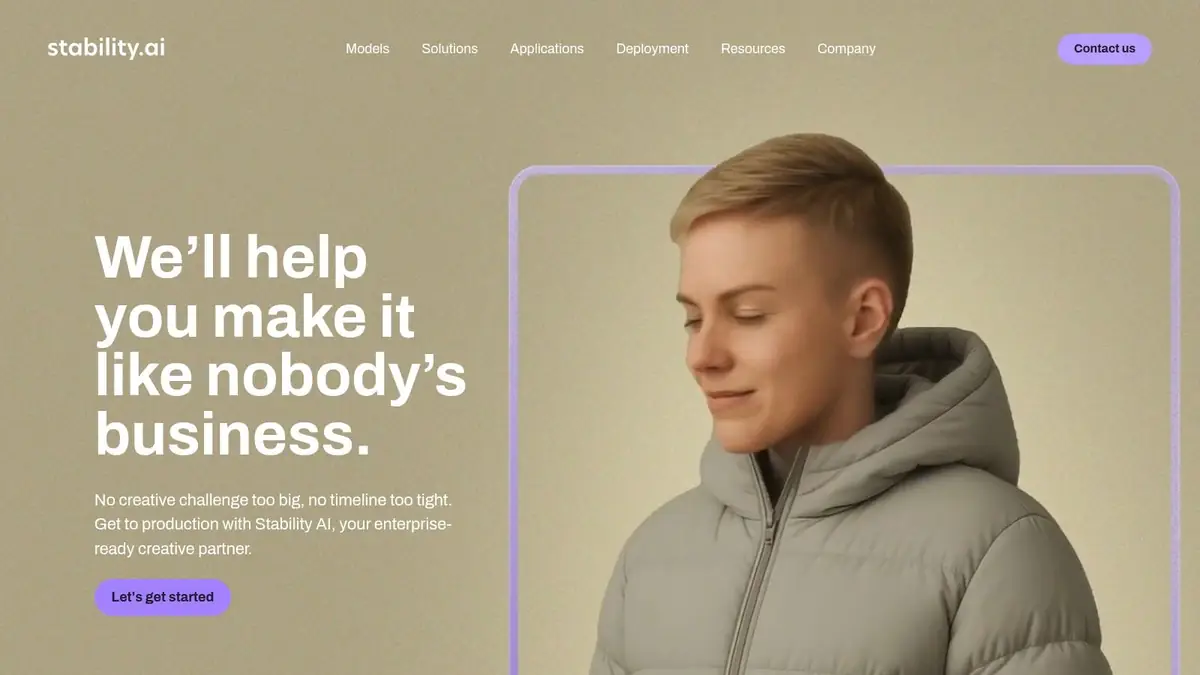
The platform’s key differentiator is its flexible licensing and accessibility. With options ranging from free community use to paid memberships for commercial rights, it provides a cost-effective path for small organizations to leverage cutting-edge ai tools for designers. This makes it an ideal choice for teams wanting to build custom workflows or integrate generative AI directly into their proprietary software without being locked into a larger ecosystem.
Key Considerations & Use Cases
- Best For: Technically skilled designers, small studios, and developers needing to self-host models for privacy, control, or custom application integration.
- Pricing: Offers a free Community License and paid Professional memberships (starting at $20/month) for commercial use. API access is based on a credit system.
- Pros: Low-cost commercial use path, ability to self-host for complete IP control, and a diverse ecosystem of multimodal models.
- Cons: Requires technical knowledge for optimal setup and self-hosting; API pricing and model access can evolve over time.
10. Freepik AI Suite
Freepik has evolved from a massive stock asset library into a comprehensive creative platform by integrating a powerful suite of AI tools. This combination allows designers to source traditional assets and generate new ones within a single ecosystem, streamlining the content creation process. For agencies and high-volume creators, Freepik’s AI suite offers a compelling value proposition, bundling image and video generation and editing tools with generous credit allowances.
The platform's main appeal lies in its pricing model, which provides significantly larger credit pools than many competitors. By pairing this with its established stock library, which includes clear licensing and enterprise indemnification, Freepik presents a versatile and one of the more budget-friendly ai tools for designers looking to scale their visual output without sacrificing commercial safety.
Key Considerations & Use Cases
- Best For: Marketing agencies, social media managers, and content creators who require a high volume of both stock and AI-generated visuals.
- Pricing: Premium plans start at around 2/month (billed annually), offering large annual credit allowances and access to unlimited generation on specific tiers.
- Pros: Extremely generous AI credit quotas relative to price, combines a vast stock library with AI content creation, and prioritizes model updates for paid users.
- Cons: Unlimited plans can have caveats, such as resolution limits on video or caps on certain AI models.
11. Shutterstock GenAI
Shutterstock GenAI bridges the gap between AI-generated content and commercial viability by integrating its generative tool directly into its vast stock library ecosystem. Leveraging multiple leading AI models, it allows marketing teams and designers to create unique, high-quality images that come with Shutterstock's Standard License. This built-in indemnification provides a layer of legal protection rarely found in standalone generative tools, making it a responsible choice for corporate use.
The platform is engineered for professionals who need commercially-ready assets without navigating complex licensing. By offering a straightforward path from concept to licensed image, it streamlines creative workflows and minimizes risk. Enterprise options further enhance this by providing added privacy controls and exclusive generation rights, positioning Shutterstock as a safe and compliant AI tool for designers in a corporate setting.
Key Considerations & Use Cases
- Best For: Marketers, corporate creative teams, and agencies needing commercially-licensed, AI-generated images with legal indemnification.
- Pricing: Starts with an AI Image subscription at $29/month for 100 images. Enterprise plans are available for advanced features.
- Pros: Clear commercial licensing and indemnification for all AI images, seamless integration with Shutterstock’s editor and stock library, and affordable entry point for licensed assets.
- Cons: Lacks a robust free generation tier for experimentation, and more advanced features like private generation are locked behind enterprise plans.
12. Framer
For designers tasked with taking a concept from initial layout to a fully published website, Framer offers a powerful end-to-end solution. It integrates AI directly into the web design process, allowing users to generate entire page layouts, complete with responsive design, from simple text prompts. This AI-first approach accelerates the initial wireframing and design phases, making it an indispensable tool for teams that need to build and launch sophisticated, marketing-ready websites quickly.
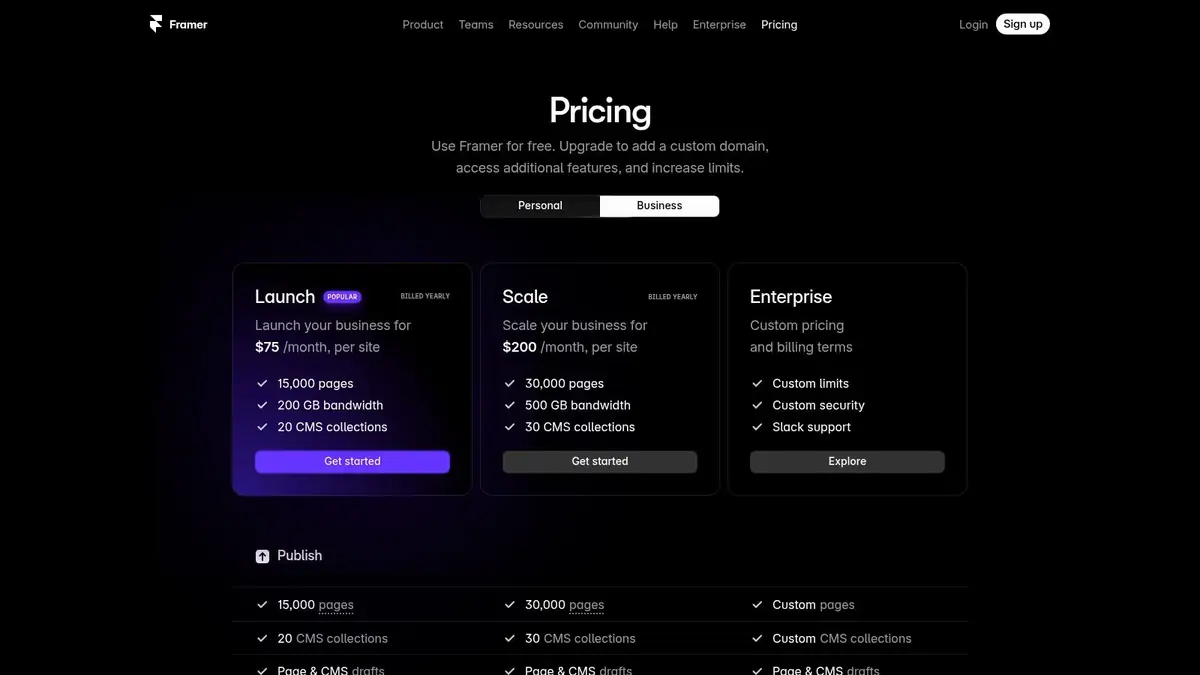
Unlike other ai tools for designers that focus solely on asset generation, Framer provides a complete ecosystem including a built-in CMS, AI-powered localization, analytics, and enterprise-grade hosting. This unified platform removes the friction between design, development, and publishing, enabling a seamless workflow. Its collaborative features and robust performance controls make it a reliable choice for corporate marketing and product teams.
Key Considerations & Use Cases
- Best For: Web designers, marketing teams, and startups needing to rapidly design, build, and launch professional websites without custom code.
- Pricing: Offers a free plan for hobby projects. Paid plans are priced per site, starting from 0/month (billed annually) for a Mini site, with business-focused plans costing more.
- Pros: Complete flow from AI prompt to a live published site, strong analytics and publishing tools, and scalable plans for growing website demands.
- Cons: Pricing is per site and can become expensive for multiple projects; best results are achieved by staying within Framer’s ecosystem.
AI Design Tools Feature Comparison
PlatformCore Features / CapabilitiesUser Experience / Quality ★Value Proposition & Price 💰Target Audience 👥Unique Selling Points ✨Virtuall 🏆AI-driven 3D model generation, multi-AI output compare, Kanban boards, version control, real-time feedback★★★★☆ High-quality 3D assets fast, seamless collaborationCustom pricing; demo required 💰Creative studios, game devs, AR/VR creators 👥Multi-AI style compare, secure centralized workspace, direct 3D annotations 🏆Adobe Creative Cloud + FireflyAI-enhanced flagship apps, text-to-image/video, credit pools★★★★☆ Mature tools, broad ecosystemSubscription (varies, rising prices) 💰Professional designers in Adobe ecosystem 👥Deep integration, commercial-safe AI outputs ✨FigmaAI prototyping, image generation, seat-based pricing, collaboration★★★★☆ Real-time collaborationSeat-based plans; pricing varies 💰Product/UI designers, teams 👥Embedded AI in existing design workflow, enterprise-ready features ✨Canva Magic StudioText-to-image/video, content repurposing, team collaboration★★★☆☆ Easy, wide template libraryFreemium + Pro tiers with AI credits 💰Designers & non-designers, marketing teams 👥Accessible AI suite, massive template ecosystem ✨OpenAI ChatGPTText/image/video AI, reasoning, prompt crafting★★★★☆ Powerful generative AI assistanceTiered subscriptions with premium features 💰Creative teams, designers, workflow automators 👥Advanced AI reasoning, project connectors ✨MidjourneyAI image/video generation via Discord, subscription tiers★★★★☆ High-quality stylized visualsMultiple subscription plans 💰Visual designers, concept artists 👥Stealth mode for privacy, engaged community ✨RunwayVideo-first AI gen, credit-based billing, API★★★★☆ Fast iteration, transparent pricingCredit-based use; enterprise plans 💰Motion & brand designers 👥Gen-4/3 Turbo models, video-centric AI, strong support ✨Leonardo.AiToken-based image/video gen, model training, team plans★★★☆☆ Pro controls with ease-of-useToken plans with some unlimited options 💰Branding & production-scale creatives 👥Personal AI model training, shared token management ✨Stability AISelf-hostable models for image/audio/3D/video, API★★★☆☆ Flexible, development-focusedFree & paid licenses, API credits 💰Small orgs, professionals needing privacy 👥Self-hosting for IP control, broad model ecosystem ✨Freepik AI SuiteAI image/video gen, editing, large credit pools★★★☆☆ Broad asset library + AI generationGenerous credit bundles, unlimited tiers 💰Agencies, high-volume creators 👥Stock + AI content creation integration ✨Shutterstock GenAIAI image gen with licensed stock assets★★★☆☆ Commercial-ready imagesMonthly paid plans 💰Commercial image users, enterprises 👥Clear licensing, enterprise privacy options ✨FramerAI site wireframing, CMS, analytics, hosting★★★☆☆ End-to-end design with publishingPricing per site, premium tiers 💰Website designers & marketers 👥AI-driven layouts to live site flow, strong analytics ✨
Integrating AI Responsibly for a More Creative Future
The era of AI-augmented creativity has arrived, and as we've explored, the landscape of AI tools for designers is more powerful and diverse than ever. From comprehensive 3D creation and operational management platforms like Virtuall to embedded generative features in established ecosystems like Adobe Creative Cloud, the right tool is rarely a one-size-fits-all solution. Your ideal choice depends entirely on your team's specific creative workflows, project scale, and enterprise requirements.
The key takeaway is that successful adoption hinges on a strategic and responsible approach. It's not just about what a tool can create; it's about how it integrates into your existing processes, safeguards your intellectual property, and empowers your team. Moving forward, prioritizing tools that offer transparent data policies, robust security protocols, and clear asset licensing is paramount for any safety-conscious enterprise.
Your Actionable Path to AI Integration
Choosing the right tool from this extensive list requires careful consideration. Before committing, evaluate your team's needs against the strengths of each platform.
- For 3D and Game Development Teams: If your focus is on creating 3D models and immersive content, platforms like Virtuall and Leonardo.Ai offer specialized workflows that streamline asset creation. These are built for the unique demands of 3D pipelines.
- For 2D Design and Marketing: Teams already embedded in ecosystems like Adobe Creative Cloud or Figma should first explore their native AI features. They are designed for seamless integration, enhancing existing workflows without steep learning curves.
- For Rapid Ideation and Concepting: Tools like Midjourney and ChatGPT are unparalleled for brainstorming and rapid visualization. They can help your team break through creative blocks and quickly prototype ideas. For instance, you can use these tools to discover fantasy character design prompts and generate initial concepts in minutes.
Final Thoughts on a Collaborative Future
The most critical step is to reframe AI's role. It is not a replacement for human talent but a powerful collaborator. The true value of these tools lies in their ability to automate repetitive tasks, accelerate iteration, and unlock new creative possibilities, freeing your designers to focus on high-level strategy and innovation.
Start small with pilot projects to measure impact, gather team feedback, and build an internal knowledge base. By embracing this human-machine partnership, your organization can foster a culture of innovation, achieve unprecedented efficiency, and empower your creative teams to produce their most impactful work yet. The future of design is a collaboration, and with the right strategy, your enterprise can lead the way.
Ready to unify your 3D creative pipeline with a single, secure, and AI-powered platform? Virtuall provides an end-to-end solution for asset creation, project management, and team collaboration, designed for the modern enterprise. Explore how Virtuall can transform your creative operations and accelerate your workflow from concept to completion.
Related reading
Related reading