Artificial Intelligence and Machine Learning in Studio Ops
Learn how artificial intelligence and machine learning improve studio ops with governance, workflow orchestration, and production-ready AI pipelines.
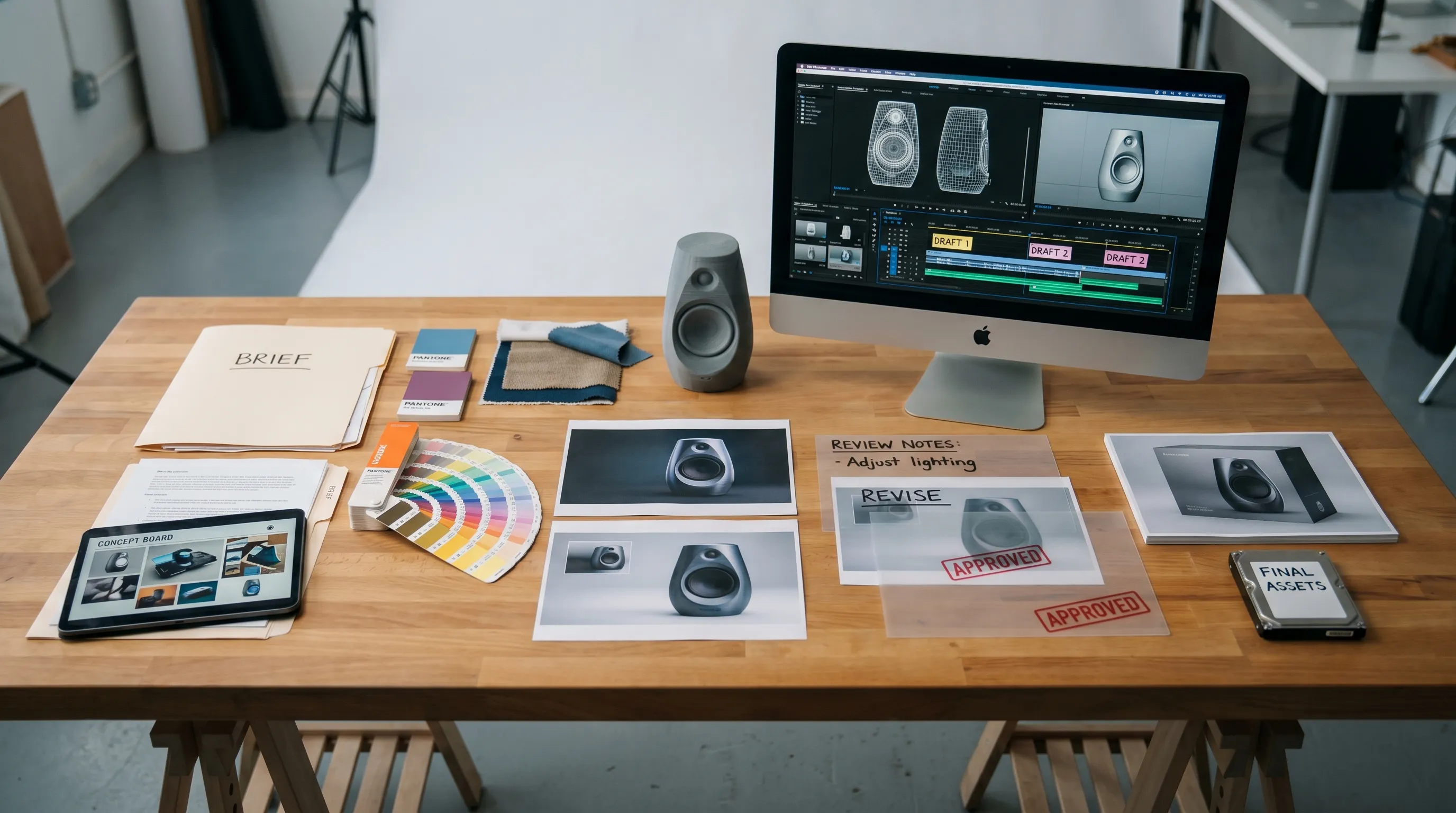
Studio operations have become one of the most important places to apply artificial intelligence and machine learning. Creative teams are expected to produce more campaign assets, more product visuals, more localization, more social formats, more 3D content, and more video variants, often with the same headcount and tighter timelines.
AI can help, but only if it is treated as an operational capability, not just a collection of prompt tools. In studio ops, the goal is not simply to generate an impressive image. The goal is to make creative production faster, more consistent, easier to review, safer to govern, and ready to scale across teams, brands, markets, and formats.
That is why enterprise creative leaders are moving from AI experimentation to AI operating models. McKinsey has estimated that generative AI could add trillions of dollars in annual economic value across industries. For studios, the opportunity is practical and immediate: reduce repetitive production work, improve asset reuse, shorten review loops, and create more content without losing control.
Why AI in studio ops is different from AI in creative tools
Most conversations about creative AI start with tools: image generators, video models, 3D generation, voice tools, copy assistants, and editing copilots. These tools matter, but studio ops has a broader responsibility.
Studio operations must answer questions such as:
- Who is allowed to use which model for which type of asset?
- Which brand rules, product constraints, and legal requirements apply?
- Where does the generated asset go after creation?
- How is it reviewed, approved, stored, reused, or retired?
- How does the team know which output is production-ready?
This is where artificial intelligence and machine learning become more than creative acceleration. They become part of the production system.
| Term | What it means in studio ops | Example use case |
|---|---|---|
| Artificial intelligence | Systems that perform tasks normally requiring human judgment, reasoning, or generation | Generating campaign image variants based on a creative brief |
| Machine learning | Systems that learn from data patterns to classify, predict, recommend, or optimize | Predicting review bottlenecks or tagging assets automatically |
| Generative AI | AI that creates new content such as images, video, audio, text, or 3D assets | Producing lifestyle visuals from a product reference and mood board |
| AI orchestration | Coordinating models, prompts, approvals, assets, and workflow steps | Routing a product visual through generation, review, compliance, and DAM export |
A standalone AI tool can create an output. A studio operating model ensures that output is traceable, brand-safe, compliant, approved, and usable in production.
The highest-value AI use cases in studio operations
AI in studio ops is most valuable when it removes friction from repeated, high-volume creative processes. It should not force teams to abandon craft. It should protect creative intent while reducing manual coordination.
Creative intake and briefing
Many delays begin before production starts. Briefs may be incomplete, inconsistent, or scattered across decks, emails, spreadsheets, and project management tools.
AI can help structure intake by extracting key information from briefs, identifying missing inputs, matching work to existing templates, and recommending the right workflow path. Machine learning can also learn from past projects to flag common risks, such as missing product references, unclear market requirements, or assets that usually need legal review.
For CMOs and brand teams, this improves campaign consistency. For art directors, it reduces ambiguity. For application managers, it creates cleaner data at the start of the pipeline.
Model selection and creative generation
Different AI models have different strengths. One model may be better for photorealistic product scenes, another for stylized concept art, another for video motion, and another for 3D asset generation.
Studio ops should not require every creative user to become a model expert. Instead, an orchestration layer can route work to the right model based on the asset type, brand rules, production constraints, and desired output. This is especially important in enterprise environments where creative teams need repeatability, not random experimentation.
Multi-model generation becomes powerful when it is governed. A team can use image, video, 3D, and audio AI in the same production system while maintaining consistent context, permissions, and approval logic.
Production planning and pipeline tracking
Machine learning can support studio managers by identifying where work slows down. Over time, production data can reveal patterns: certain asset types require more review cycles, certain approval paths create delays, certain markets need more localization, or certain formats create more rework.
This does not replace production leadership. It gives teams better visibility. Instead of reacting to problems after deadlines slip, studio ops can anticipate bottlenecks and adjust capacity, routing, or review steps earlier.
Asset tagging, reuse, and retrieval
Creative teams often spend too much time searching for assets that already exist. AI can help by automatically tagging assets based on visual content, product metadata, style, campaign, format, usage rights, or approval status.
This improves asset management in three ways. First, teams find approved content faster. Second, they avoid recreating work unnecessarily. Third, they reduce the risk of using outdated or non-compliant assets.
For game developers and 3D teams, this is especially useful when managing concept art, environment references, character variations, material studies, and generated 3D elements across projects.
Quality control and compliance checks
Enterprise creative production requires governance. Brand guidelines, IP policies, regional regulations, accessibility standards, talent rights, product claims, and data security rules all affect whether an asset can be used.
AI can assist by checking outputs against predefined criteria, flagging risky content, identifying missing metadata, and routing assets to the right reviewers. The final decision should remain with accountable humans, but AI can make compliance workflows more consistent and less manual.
This matters even more as regulation evolves. The EU AI Act has pushed many organizations to think more carefully about AI governance, transparency, and risk. The NIST AI Risk Management Framework also provides a useful structure for identifying and managing AI risks.
What an AI-ready studio operating model requires
AI adoption fails when it is treated as a tool rollout only. Studio teams need a system of rules, workflows, context, and accountability. The following capabilities are essential.
| Capability | Why it matters | Studio ops outcome |
|---|---|---|
| Governance controls | Define who can use AI, which models are approved, and what rules apply | Lower compliance risk and clearer accountability |
| Workflow orchestration | Connect briefs, generation, review, approval, and delivery | Fewer handoff issues and faster production cycles |
| Generation blueprints | Turn repeatable creative patterns into templates | More consistent outputs across teams and markets |
| Studio context memory | Preserve brand, mood board, style, and project context | Less prompt drift and stronger creative consistency |
| Collaboration workflows | Support annotation, feedback, review, and approvals | Clearer decisions and fewer revision loops |
| Asset management | Store, tag, version, and retrieve AI-generated and approved assets | Better reuse and cleaner production archives |
| Integration layer | Connect with DCC, PIM, DAM, and other production systems | AI fits into the existing studio stack instead of creating silos |
The key idea is simple: AI should adapt to the studio’s operating model, not the other way around.
How different studio stakeholders benefit
Artificial intelligence and machine learning affect each studio role differently. A strong operating model should support both creative quality and enterprise control.
| Stakeholder | Primary concern | How AI supports them |
|---|---|---|
| CMO | Brand consistency, speed to market, campaign scale | Faster production of compliant, localized, on-brand creative variants |
| Art Director | Creative control, visual quality, concept exploration | More rapid exploration while preserving mood boards, references, and style direction |
| Application Manager | Security, integrations, user governance, system reliability | Controlled AI access, approved workflows, and integration with existing tools |
| Game Developer | Asset iteration, worldbuilding, 3D workflows, prototyping | Faster concepting, variation, and pipeline support across image, video, and 3D |
The strongest AI strategy is not one that optimizes for a single role. It creates a shared production language between creative leadership, operations, IT, legal, and business stakeholders.
Common mistakes when applying AI to studio ops
The biggest risks are rarely caused by AI capability alone. They usually come from unclear ownership, weak governance, or disconnected workflows.
| Mistake | What happens | Better approach |
|---|---|---|
| Letting every team choose tools independently | Outputs become inconsistent and difficult to govern | Define approved models, workflows, and usage policies |
| Treating prompts as personal knowledge | Quality depends on individual users and is hard to repeat | Convert proven prompt patterns into shared generation blueprints |
| Ignoring review and approval workflows | AI outputs pile up without clear production status | Build human review into the operating process |
| Separating AI from asset management | Generated content becomes difficult to find, verify, or reuse | Connect AI generation to metadata, versioning, and storage |
| Measuring only volume | Teams generate more assets but not necessarily better assets | Track quality, approval rates, reuse, time savings, and compliance exceptions |
AI can produce more content quickly. Studio ops must make sure that content is useful, approved, and aligned with business goals.
A practical roadmap for implementing AI in studio operations
Studios do not need to transform everything at once. In fact, the best AI programs often start with one repeatable workflow that has clear pain points and measurable business value.
Start with a high-volume production workflow
Choose a workflow where the team already produces many similar assets. Examples include ecommerce product visuals, campaign adaptations, localization variants, social cutdowns, concept explorations, or background environments.
A good pilot has enough repetition to benefit from templates, enough creative value to matter, and enough constraints to test governance properly.
Define rules before scaling access
Before giving broad AI access, define what users can generate, which inputs are allowed, which models are approved, which review steps are required, and how generated assets should be stored.
This is not about slowing teams down. It is about giving them the confidence to use AI without creating legal, brand, or operational uncertainty.
Turn successful patterns into blueprints
When a team discovers a strong workflow, do not leave it as an undocumented prompt. Convert it into a reusable blueprint that includes the brief structure, model routing, brand context, generation parameters, review steps, and output requirements.
Blueprints make AI production more repeatable. They also help new users adopt best practices faster.
Connect AI to the existing creative stack
AI should not become another isolated tool that creates files outside the official production process. Connect it to the systems teams already use, such as digital asset management, product information management, project management, design tools, 3D tools, and approval workflows.
This is where application managers and studio operations leaders are critical. They ensure AI fits into the enterprise stack with the right permissions, data flows, and auditability.
Measure operational impact
The purpose of AI in studio ops is not to generate novelty. It is to improve production outcomes. Track metrics that show whether AI is actually helping.
| Metric | What it reveals |
|---|---|
| Time from brief to first review | Whether AI is accelerating early production |
| Number of revision rounds | Whether outputs are closer to creative intent |
| First-pass approval rate | Whether quality and compliance are improving |
| Asset reuse rate | Whether teams are finding and repurposing existing work |
| Cost per approved asset | Whether AI is improving production efficiency |
| Compliance exceptions | Whether governance rules are working |
| Model usage by workflow | Which models and blueprints create the most value |
These metrics help leadership move the conversation from “AI is interesting” to “AI is improving studio performance.”
Where Virtuall fits in the AI studio stack
The Creative AI OS is built for the operating layer of creative AI. It helps studios and enterprise teams control, orchestrate, and scale AI-powered content creation across image, video, audio, and 3D workflows.
Instead of leaving AI use scattered across disconnected tools, The Creative AI OS provides governance controls, workflow orchestration, generation blueprints, studio context memory through mood boards, collaboration workflows, asset management, pipeline tracking, and integrations with creative systems such as DCC, PIM, and DAM environments through plugins and API.
Nyx, the intelligence layer of the Creative AI OS, orchestrates multiple industry-leading AI models and keeps intent and context across studios and teams. This matters because creative production depends on continuity. The brief, the mood board, the brand rules, the approval context, and the production requirements all need to travel with the work.
For enterprise teams, this approach supports a more controlled path to AI adoption. You define the rules. AI runs inside the workflow. Teams can scale creative production while staying aligned with governance, compliance, and production standards.
Frequently Asked Questions
Is studio ops AI the same as using a generative AI tool? No. A generative AI tool creates content, while studio ops AI manages the full production process around that content. This includes governance, workflow routing, approvals, asset management, compliance, and integration with existing creative systems.
Where should a studio start with artificial intelligence and machine learning? Start with a repeatable, high-volume workflow where delays are easy to measure. Product visuals, campaign adaptations, localization, concept exploration, and social content variants are often strong candidates.
How can AI improve brand consistency? AI improves consistency when it uses approved context, such as mood boards, brand guidelines, product references, templates, and generation blueprints. Without shared context and governance, AI can easily create inconsistent outputs.
Does AI remove the need for human review? No. In enterprise studio operations, human review remains essential for creative judgment, legal approval, brand safety, and final production decisions. AI should reduce repetitive work and surface risks, not remove accountability.
Can AI support 3D and game development workflows? Yes, especially for concepting, asset variation, reference generation, prototyping, and pipeline support. The value increases when image, video, and 3D generation are connected to the same operating model and approval process.
What is the biggest risk of AI in studio ops? The biggest risk is uncontrolled adoption. If teams use different tools, prompts, models, and storage practices without governance, the studio can face inconsistent outputs, compliance issues, duplicated work, and poor asset traceability.
Build a studio AI operating model that scales
Artificial intelligence and machine learning can transform studio operations, but only when they are connected to governance, context, workflows, and production systems. The next stage of creative AI is not just faster generation. It is controlled, repeatable, production-ready creative operations.
If your team is ready to move from AI experiments to AI at scale, explore Virtuall. Virtuall helps creative teams orchestrate AI across studio workflows, define the rules, preserve context, and deliver consistent outputs across image, video, audio, and 3D production.