How AI Improves Digital Asset Management
Learn how AI improves digital asset management with smarter search, metadata, workflow automation, governance, and scalable creative reuse.
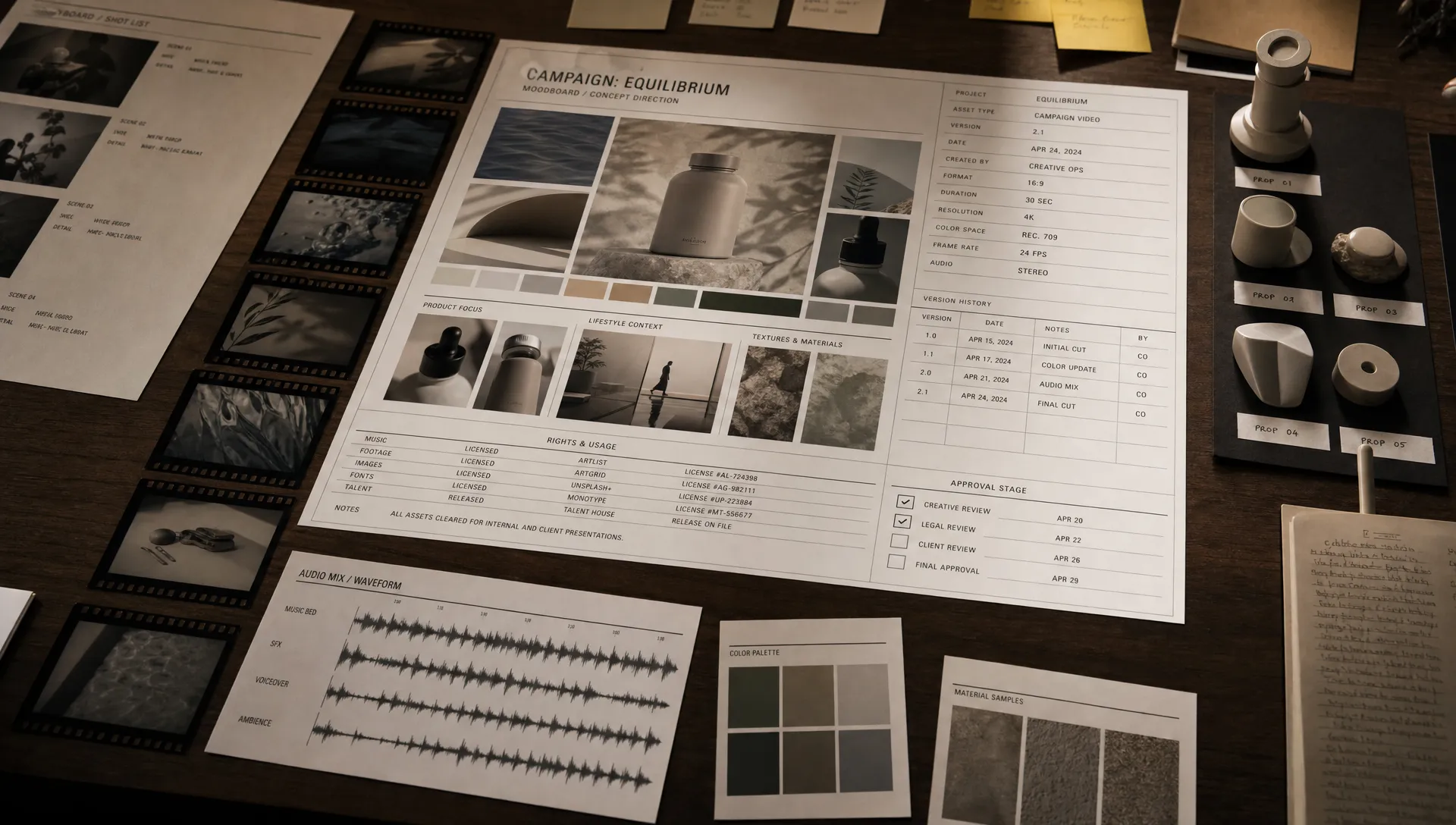
AI is changing digital asset management from a storage problem into an operational advantage. For years, DAM systems helped teams centralize files, protect brand assets, and avoid the chaos of scattered folders. That foundation still matters, but enterprise creative teams now need more: faster discovery, richer context, controlled AI generation, rights visibility, and workflows that can move at campaign speed.
The biggest improvement is not simply that AI can tag images. It is that AI can help a DAM understand what an asset is, how it was made, who can use it, where it belongs, and what should happen next. For CMOs, art directors, application managers, and game developers, that turns the asset library into a living production layer rather than a static archive.
What AI actually adds to digital asset management
Traditional DAM depends heavily on human discipline. Someone must name files correctly, add metadata, choose folders, update versions, manage rights, and notify the right stakeholders. In reality, creative work is too fast and too cross-functional for every asset to be perfectly documented by hand.
AI improves digital asset management by adding machine assistance across three layers:
- Understanding: AI can analyze images, video, audio, text, and 3D-related data to identify what an asset contains.
- Context: AI can connect assets to campaigns, briefs, mood boards, approvals, versions, prompts, rights, and usage history.
- Action: AI can trigger workflows, recommend assets, flag risks, route reviews, and help generate production-ready variations.
This does not remove the need for governance or creative judgment. It makes both easier to apply consistently at scale.
1. Asset discovery becomes intent-based, not filename-based
One of the most immediate benefits of AI in DAM is better search. In a traditional system, discovery often depends on exact filenames, folder structures, and manually entered tags. If an asset was uploaded quickly or tagged inconsistently, it may become invisible.
AI-powered search can understand visual content, semantic meaning, and production context. A marketer might search for “summer product image with warm lighting,” an art director might look for “cinematic sci-fi vehicle references,” and a game developer might need “metallic crate texture variations.” The system can return relevant assets even when those exact words are not in the filename.
This is especially useful for large creative libraries where multiple teams, agencies, and markets contribute assets over time. Instead of asking people to remember where something was stored, AI helps them describe what they need.
| Discovery challenge | Traditional DAM experience | AI-enhanced DAM experience |
|---|---|---|
| Inconsistent filenames | Assets are missed unless users know the exact naming convention | Users can search by concept, scene, object, mood, color, or intent |
| Large video libraries | Teams scrub through files manually to find useful moments | AI can help identify scenes, transcripts, topics, and moments |
| Multilingual teams | Metadata may exist in only one language | Semantic search can help bridge terminology differences |
| Visual references | Users browse folders manually | Visual similarity and style-based search can surface related assets |
For a deeper look at this shift, Virtuall’s article on AI-powered enterprise search for asset discovery explains why intent-based search is becoming essential for modern creative teams.
2. Metadata becomes richer and less dependent on manual work
Metadata is the backbone of a useful DAM, but manual metadata entry is one of the first things to break under pressure. When teams are producing hundreds or thousands of variations across channels, markets, and formats, expecting perfect human tagging is unrealistic.
AI can help enrich assets at upload or during library audits. Depending on the media type and system configuration, AI can identify objects, people, scenes, colors, styles, logos, spoken words, written text, and other attributes that make files easier to find and manage.
For video, AI can support transcription, scene segmentation, thumbnail suggestions, and content summaries. For images, it can classify subject matter, composition, product type, background, and visual style. For audio, it can help detect speakers, language, duration, and transcript content. For 3D-related workflows, AI can support better organization of references, previews, variants, and associated production context.
The key is not to let AI create uncontrolled metadata noise. Enterprise teams should define metadata standards first, then use AI to fill, suggest, normalize, or validate fields. Human review remains important for sensitive categories, legal tags, brand claims, regulated industries, and final approval states.
3. AI helps preserve lineage, provenance, and rights context
Generative AI has made asset lineage much more important. A finished creative asset may now include source images, prompts, model outputs, human edits, licensed stock, internal brand assets, and multiple generated variations. Without proper tracking, teams can lose visibility into what influenced the final work.
AI-enhanced DAM can help by connecting assets to their production history. That history might include who created or approved an asset, which model or workflow generated it, which prompt or blueprint was used, what source materials were involved, and which rights or usage restrictions apply.
This is critical for enterprise risk management. CMOs need confidence that campaign assets can be used in the intended regions and channels. Art directors need visibility into approved source material and creative direction. Application managers need auditability and system controls. Game developers need clarity around reused textures, generated references, and production variants.
Rights management becomes even more important when AI-generated or AI-assisted assets enter the pipeline. Virtuall’s guide to AI asset rights management covers licensing, attribution, provenance, and risk in more detail.
4. Reviews, approvals, and handoffs become easier to orchestrate
A DAM is only as useful as the workflows around it. If assets sit in the library without clear status, teams still rely on chat threads, spreadsheets, and meetings to understand what is approved, what needs revision, and what can go live.
AI can improve workflow orchestration by helping teams classify asset status, detect missing information, recommend next steps, and route work to the right reviewers. For example, a system might flag that a product image lacks usage rights, a video has no transcript, or a localized campaign asset has not been approved by the regional brand team.
AI can also help reduce repetitive production work. Once a master asset is approved, workflows can support resizing, reformatting, localization preparation, channel-specific variants, and quality checks. The value is not just speed. It is consistency. When teams define the rules and AI follows them, creative output becomes easier to scale without losing control.
5. Governance turns from a blocker into a workflow
Enterprise AI adoption often slows down because governance is treated as a separate process. Legal, brand, security, and compliance teams review policies, while creative teams continue working in separate tools. The gap creates friction.
AI improves digital asset management when governance becomes embedded in the workflow itself. Instead of checking compliance at the end, teams can apply rules during asset creation, upload, review, transformation, and distribution.
Governance controls can include role-based permissions, approved model access, audit logs, prompt and output records, usage restrictions, regional rules, brand guidelines, and approval workflows. For regulated or security-conscious organizations, infrastructure and data processing location may also matter. The European Union’s AI Act and frameworks such as the NIST AI Risk Management Framework are useful references for organizations building responsible AI practices.
The practical goal is simple: make the safe path the easiest path. If a designer, producer, or game artist can work inside governed workflows without extra administrative burden, compliance becomes a production advantage rather than a late-stage obstacle.
This is the broader direction explored in Virtuall’s perspective on the new DAM in the age of creative AI, where asset management evolves from a repository into an operational layer for context, lineage, approvals, and generation.
6. Creative reuse improves across image, video, audio, and 3D
Most companies already own more usable creative material than they realize. The problem is that assets are often hard to rediscover, hard to adapt, or disconnected from the brief that made them valuable in the first place.
AI helps teams reuse assets more intelligently. It can surface related work, identify similar visuals, recommend approved brand elements, and connect past campaign material to new production needs. This is useful for marketing organizations trying to improve campaign velocity, but it is equally relevant for game studios managing concept art, environment references, props, UI elements, trailers, and promotional content.
Creative reuse does not mean recycling the same output endlessly. It means understanding what already exists, what can be adapted safely, and what should be generated or produced from scratch. When AI has access to approved context, teams can maintain continuity across campaigns, franchises, markets, and formats.
For art directors, this means better control over visual consistency. For CMOs, it means stronger brand coherence across channels. For application managers, it means fewer disconnected tools and less duplicated storage. For game developers, it means easier access to references, variants, and production-ready assets across disciplines.
7. Asset libraries become a source of performance insight
A traditional DAM tells you what files exist. An AI-enhanced DAM can help reveal how assets are used, where duplication exists, which versions are approved, and which content is underutilized. When connected to campaign, commerce, or production systems, asset intelligence becomes even more valuable.
For example, teams can identify which asset families are repeatedly adapted, which markets create the most variations, which file types create workflow bottlenecks, and where manual review consumes the most time. This helps leaders make better decisions about templates, automation, localization, outsourcing, and production planning.
AI can also support library hygiene. It can help identify duplicates, near-duplicates, outdated variants, missing metadata, incomplete rights information, and orphaned assets. These are not glamorous tasks, but they have a major impact on productivity and risk.
What enterprise teams should look for in AI-enabled DAM
Not every AI feature creates strategic value. Some tools simply add auto-tagging to an existing DAM and call it transformation. For enterprise creative operations, the better question is whether AI helps the organization control and scale the full content lifecycle.
Look for capabilities that support both creativity and governance:
- Multimodal understanding across images, video, audio, and 3D-related content.
- Configurable metadata standards that match your business, brand, and production taxonomy.
- Search that understands visual similarity, semantic intent, and workflow context.
- Lineage tracking for source assets, prompts, models, versions, approvals, and usage rights.
- Workflow orchestration for reviews, localization, adaptation, and publishing handoffs.
- Permissioning, auditability, and policy controls for enterprise governance.
- Integrations with creative tools, DAM, PIM, DCC, and downstream systems through plugins or APIs.
- Support for production-ready outputs rather than isolated AI experiments.
The strongest systems do not treat AI as a separate creative toy. They make AI part of the operating model for how teams brief, generate, review, manage, and distribute content.
A practical roadmap for adding AI to DAM
AI adoption works best when it starts with operational pain, not novelty. Before deploying new tools, map where your asset lifecycle slows down and where risk accumulates.
- Audit your current asset library: Identify duplicate assets, weak metadata, inconsistent naming, unclear rights, and high-value collections that are hard to find.
- Define metadata and governance standards: Decide which fields, approval states, rights data, and lineage records are mandatory for different asset types.
- Start with search and metadata enrichment: These use cases usually create fast value because they reduce time wasted browsing, re-tagging, and asking colleagues for files.
- Add workflow automation where rules are clear: Automate routing, status updates, format preparation, and missing-information checks before attempting complex creative decisions.
- Connect AI generation to approved context: Use briefs, mood boards, brand rules, templates, and approved assets to guide generation instead of letting every user improvise.
- Measure adoption and refine controls: Track search success, review speed, asset reuse, metadata completeness, rights issues, and production cycle time.
This roadmap helps teams avoid two common mistakes: over-automating before governance is ready, or over-governing so heavily that creative teams bypass the system.
Risks to manage when adding AI to digital asset management
AI can make DAM significantly more powerful, but it also introduces new operational and legal questions. The solution is not to avoid AI. It is to design controls that match the organization’s risk profile.
| Risk | Why it matters | Control to consider |
|---|---|---|
| Incorrect metadata | Assets may be misclassified or hard to find | Use human review for critical fields and confidence thresholds for automation |
| Rights ambiguity | Teams may reuse assets in channels or regions where they are not approved | Track licenses, provenance, restrictions, and approval status at asset level |
| Brand inconsistency | AI-generated variations may drift from approved style or messaging | Use approved templates, mood boards, brand rules, and review workflows |
| Data exposure | Sensitive assets may be processed in unsuitable environments | Define model access, infrastructure requirements, and permission controls |
| Workflow fragmentation | AI tools may create new silos instead of solving old ones | Integrate AI into existing creative, DAM, PIM, DCC, and review systems |
The best AI-enabled DAM strategy balances speed, quality, and control. Teams should be able to move faster, but not at the cost of brand trust, legal clarity, or operational visibility.
Where Virtuall fits
Virtuall approaches this challenge as a Creative AI operating system. Instead of treating DAM, generation, review, and governance as disconnected activities, Virtuall helps studios and teams control how AI runs across creative workflows, tools, and formats.
Its Creative AI OS is designed for enterprise-grade orchestration across image, video, audio, and 3D, with governance controls, generation blueprints, studio context memory, collaboration workflows, asset management, pipeline tracking, and integrations through plugins and API. Nyx, Virtuall’s intelligence layer, orchestrates multiple AI models while helping keep intent and context across studios and teams.
For organizations moving from experimentation to scaled AI production, this operating-layer approach is where digital asset management becomes much more than storage.
Frequently Asked Questions
What is AI in digital asset management? AI in digital asset management uses machine learning and generative AI capabilities to analyze, tag, search, organize, govern, and route creative assets. It helps teams understand asset content, preserve context, and automate repetitive parts of the content lifecycle.
Does AI replace a traditional DAM? Not always. AI can enhance an existing DAM by improving search, metadata, workflows, and governance. However, teams producing large volumes of AI-assisted creative may need a broader operating layer that connects asset management with generation, review, rights, and production workflows.
How does AI improve asset search? AI improves search by understanding concepts, visuals, context, and intent rather than relying only on filenames and manual tags. Users can search by mood, object, scene, style, campaign context, or similarity, which makes large asset libraries easier to navigate.
Is AI safe for enterprise creative assets? AI can be safe for enterprise use when implemented with the right controls. Important safeguards include permissions, audit logs, approved models, clear data processing rules, provenance tracking, rights management, and human review for sensitive decisions.
What is the best first AI use case for DAM teams? Search and metadata enrichment are often the best starting points because they solve visible productivity problems quickly. Once teams improve findability and metadata quality, they can expand into workflow automation, rights checks, and governed AI generation.
Turn your asset library into a creative operating layer
AI improves digital asset management most when it connects discovery, context, governance, and production. If your team is moving beyond simple file storage and needs to operate creative AI at scale, Virtuall provides a governed Creative AI OS for orchestrating content creation across studios, workflows, and tools.