What an AI Tools Website Should Include for Teams
Learn what an AI tools website should include for teams: governance, workflows, integrations, context, and approval paths for scalable AI creation.
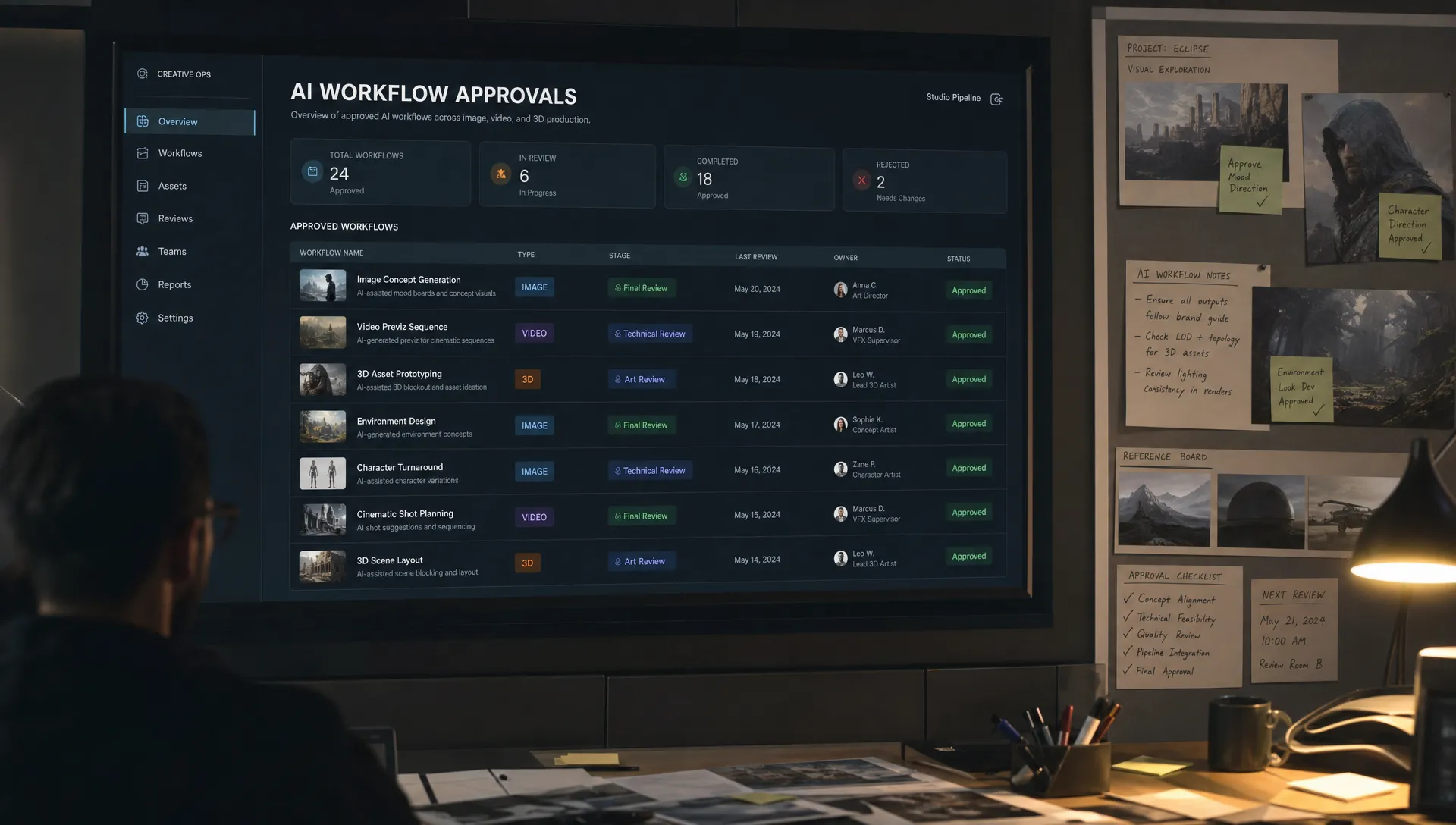
An AI tools website can be a simple public directory, but for teams it needs to be much more than a page of links. In a studio, marketing department, game production team, or enterprise creative operation, AI tools quickly affect brand consistency, asset rights, approval paths, security, and delivery timelines.
That changes the job of the website. A useful AI tools website for teams should not only answer which tool can do this? It should answer who is allowed to use it, for which workflow, with what inputs, under which rules, and how the output moves into production.
For CMOs, art directors, application managers, and game developers, the goal is not to collect every AI tool on the market. The goal is to make AI usable at scale without creating tool sprawl, compliance gaps, or inconsistent creative outputs.
Start with the purpose: discovery, governance, and execution
Most AI tool websites are built for discovery. They help users browse categories like image generation, copywriting, video editing, 3D, coding, or automation. That is useful for individuals, but teams need a broader operating layer.
A team-focused AI tools website should support three purposes:
- Discovery: Help people find approved tools for a specific creative or operational task.
- Governance: Make policies, usage rights, compliance status, and approval requirements visible before work begins.
- Execution: Connect the right tools to workflows, assets, brand context, review steps, and production systems.
If one of these layers is missing, teams tend to compensate manually. A designer asks a colleague which model to use. A marketer copies prompts from a chat thread. A developer builds a one-off integration. Legal reviews outputs too late. The result is avoidable friction and inconsistent quality.
The strongest AI tools website feels less like a marketplace and more like a controlled front door for AI-powered work.
Organize around team workflows, not tool names
Tool-first navigation works when someone already knows what they want. Teams usually start with a job to be done: create product visuals, adapt campaign assets, generate mood boards, prototype environments, localize video, or explore character variations.
That is why the information architecture should be workflow-first. A CMO should be able to find tools for brand-safe campaign scaling. An art director should see which systems support visual exploration and approvals. An application manager should understand integrations, access controls, and compliance posture. A game developer should be able to identify tools for concept art, 3D asset creation, animation support, or pipeline acceleration.
A practical structure might include sections such as:
- Brand and campaign production
- Image generation and editing
- Video generation and adaptation
- 3D asset creation and optimization
- Audio and voice workflows
- Review, approval, and annotation
- Automation and integrations
- Experimental tools under evaluation
This approach reduces the risk of teams choosing tools because they are popular rather than because they fit the workflow. If you are still defining what belongs in your organization’s approved catalog, Virtuall’s guide on how to build a list of AI tools without creating chaos is a useful companion to this process.
Include an approved tool profile for every AI system
Every listed tool should have a clear profile. A logo, short description, and external link are not enough for enterprise use. Teams need decision-ready information that explains where the tool fits, what it can access, and what risks it introduces.
At minimum, each AI tool profile should include:
| Field | Why it matters for teams |
|---|---|
| Approved use cases | Prevents people from using a tool outside its intended scope |
| Owner or admin | Gives teams a clear contact for questions, access, and issues |
| Approval status | Distinguishes approved, restricted, pilot, and prohibited tools |
| Data policy | Clarifies what information can and cannot be uploaded |
| Output rights guidance | Helps teams understand commercial usage and review needs |
| Supported formats | Shows whether the tool fits image, video, 3D, audio, text, or code workflows |
| Integration options | Identifies whether the tool connects to DCC, DAM, PIM, project, or asset systems |
| Review requirements | Makes human approval steps visible before production use |
| Last reviewed date | Keeps the catalog current as vendor terms and model capabilities change |
This profile format is especially important because AI tools evolve quickly. A model that was unsuitable for production six months ago may now support higher quality outputs. A tool that was previously acceptable may introduce new data processing terms. A website for teams should make those changes visible.
Make governance visible at the point of use
Governance should not live in a PDF that nobody opens. It should be embedded into the AI tools website experience itself.
For example, if a user opens a tool profile for image generation, they should immediately see whether the tool is approved for confidential product images, whether it can be used for client work, and whether outputs require brand or legal review. If a tool is restricted to experimentation, that should be obvious before someone uploads sensitive assets.
This matters more in 2026 because AI regulation and enterprise risk management are becoming more concrete. The EU AI Act, which entered into force in 2024 with phased obligations, has pushed many organizations to formalize AI governance, risk classification, and documentation. Even when a creative tool is not classified as high risk, enterprises still need controls around data protection, copyright, brand safety, and accountability.
A team-ready AI tools website should make governance practical through clear indicators such as:
- Approved, restricted, pilot, or blocked status
- Internal data allowed or not allowed
- Client data allowed or not allowed
- Human review required before publishing
- Commercial use guidance
- Model or vendor risk notes
- Audit and traceability requirements
The goal is not to slow creative teams down. The goal is to remove uncertainty so teams can move faster with confidence.
Provide workflow blueprints, not just tool descriptions
A common weakness of AI tool websites is that they describe capabilities in isolation. But creative teams rarely use AI in isolation. A campaign image may start with a mood board, move through prompt exploration, require brand alignment, receive art director feedback, pass through retouching, and then be exported into a DAM or campaign management system.
This is where workflow blueprints become valuable. A blueprint is a reusable pattern that explains how a team should complete a specific AI-assisted task from start to finish. It can include the recommended tool, required inputs, prompt structure, brand references, review steps, and export destination.
For example, a blueprint for ecommerce product imagery might define how to use approved product data, background references, brand lighting rules, image generation settings, human review, and final asset tagging. A blueprint for game environment ideation might define concept references, style constraints, 3D handoff requirements, and what can be used only for pre-production exploration.
This is the difference between giving people access to AI and giving them a repeatable production workflow.
Add shared context so outputs stay consistent
One of the biggest challenges in AI-assisted creative work is context loss. A prompt that works for one designer may not produce the same result for another. A campaign style may drift over time. A game art direction may be interpreted differently by each team. Brand guidelines may be read but not reflected in the final output.
A strong AI tools website should give teams access to shared context, such as mood boards, reference assets, tone guidelines, art direction notes, product constraints, and campaign rules. For creative teams, this context is often more important than the tool itself.
This is also why a website that simply lists AI vendors is not enough for enterprise production. Teams need a place where intent, references, and rules can travel with the workflow. In Virtuall, for example, the Creative AI OS is designed to help teams orchestrate AI-powered content creation across image, video, and 3D while keeping governance, workflow structure, and studio context connected.
If your team is comparing systems beyond basic output quality, this AI comparison guide for creative teams outlines useful criteria such as workflow fit, governance, context retention, and production readiness.
Support collaboration, review, and approval paths
AI generation can create a large volume of options quickly. Without a review system, that volume becomes noise. Teams need a way to select, comment, reject, approve, and document decisions.
For art directors, this means being able to annotate outputs and guide revisions. For marketing leaders, it means making sure final assets reflect campaign strategy and brand standards. For application managers, it means ensuring approvals are traceable. For game developers, it means knowing which assets are exploratory, which are approved for internal prototypes, and which can continue into production.
A team-focused AI tools website should include or connect to collaboration features such as content annotation, review stages, version history, approval status, and asset lineage. Even if the website itself is not the final review tool, it should make the approval path clear.
The more AI output your team creates, the more important this becomes. Speed without review creates risk. Review without structure creates bottlenecks. The right AI tools website helps balance both.
Connect to existing creative and enterprise systems
Enterprise teams already have systems for assets, product information, projects, identity, and production pipelines. An AI tools website should not create another silo.
For creative and marketing organizations, integrations may include DAM systems, PIM systems, brand portals, project management tools, content management systems, and creative suites. For studios and game teams, integrations may include DCC tools, version control, 3D asset systems, build pipelines, and internal production trackers.
Application managers should look closely at whether the website or platform supports APIs, plugins, single sign-on, role-based permissions, and secure asset transfer. Without those foundations, AI adoption tends to become fragmented across personal accounts, disconnected exports, and informal file sharing.
This is where the difference between a directory and an operating layer becomes clear. A directory tells people where tools are. An operating layer helps AI run inside existing workflows.
Include metrics that show adoption and risk
A useful AI tools website should help leaders understand what is happening across teams. This does not mean monitoring every creative decision. It means giving operational visibility into adoption, bottlenecks, and governance health.
Important metrics may include which approved tools are used most, which workflows generate the most review requests, how many assets are approved or rejected, where teams are requesting new capabilities, and which tools have not been reviewed recently.
These signals help leaders make better decisions. A CMO can see whether AI is improving campaign throughput. An art director can spot where outputs are drifting from the creative brief. An application manager can identify unmanaged tools or integration gaps. A game production lead can understand where AI is accelerating prototyping versus where it still needs human craft.
Keep the website current with lifecycle management
AI tools change fast. New models launch, vendors update terms, capabilities improve, and internal policies evolve. A team website that is not maintained will quickly lose trust.
To avoid that, each tool and workflow should have a lifecycle status. For example, new tools can move from requested to under review, pilot, approved, restricted, deprecated, or blocked. Each status should have a clear meaning and owner.
Lifecycle management also helps avoid tool sprawl. If two tools serve the same use case, the website can indicate the preferred option. If a pilot fails security review, the status can prevent further adoption. If a tool becomes redundant, teams can migrate to the approved alternative.
For enterprise teams, maintenance is not an administrative detail. It is part of making AI safe and scalable.
A practical checklist for a team-ready AI tools website
Before launching or choosing an AI tools website, evaluate whether it includes the following elements:
| Requirement | What good looks like |
|---|---|
| Workflow-based navigation | Users find tools by task, team, format, and production stage |
| Approved tool profiles | Every tool has ownership, status, policies, and usage guidance |
| Governance controls | Data rules, review needs, and risk indicators are visible in context |
| Shared creative context | Brand rules, mood boards, references, and intent support consistent outputs |
| Workflow blueprints | Repeatable processes guide teams from input to production-ready asset |
| Collaboration features | Comments, annotations, approvals, and versioning support team decisions |
| Integration readiness | APIs, plugins, identity, DAM, PIM, DCC, or pipeline connections are supported |
| Lifecycle management | Tools and workflows are reviewed, updated, retired, or restricted over time |
| Reporting | Leaders can see adoption, bottlenecks, and governance gaps |
If the website only covers discovery, it may help individuals. If it covers discovery, governance, and execution, it can support teams.
Frequently Asked Questions
What is an AI tools website for teams? An AI tools website for teams is a governed portal or platform that helps people find, access, and use AI tools within approved workflows. It should include policies, ownership, integrations, review paths, and context, not just a list of vendor links.
How is a team AI tools website different from a public AI directory? A public directory focuses on tool discovery. A team-focused website also includes governance, compliance guidance, workflow instructions, access controls, approvals, and integration details that matter inside an organization.
Who should own an AI tools website in an enterprise? Ownership is usually shared. Creative operations, IT, legal, security, and business stakeholders should define the rules together, while a clear operational owner keeps the catalog, workflows, and approvals current.
What should creative teams prioritize first? Start with high-value workflows where AI can save time without introducing unmanaged risk. Then define approved tools, data rules, review steps, and production handoffs before scaling to more teams.
Does every AI tool need the same governance level? No. A low-risk brainstorming tool may need lighter controls than a system that processes client assets, confidential product data, or production visuals. The website should make those distinctions clear.
Turning an AI tools website into an operating layer
The best AI tools website for teams is not just a searchable catalog. It is a practical interface for operating creative AI with clarity, consistency, and control.
For enterprise creative teams, that means connecting approved tools to workflows, brand context, compliance rules, collaboration, and production systems. For studios and game teams, it means helping AI support creative output without breaking pipeline discipline.
The Creative AI OS is built for that next step: a Creative AI OS that helps teams orchestrate AI-powered content creation across image, video, 3D, and other formats with governance, workflow orchestration, context, collaboration, and production-ready outputs. If your team is moving from experimentation to scaled AI production, the website you build or choose should be ready for that reality.