How AI Solutions for Studios Improve Creative Workflows
See how AI solutions for studios improve creative workflows with governance, orchestration, approvals, and production-ready output.
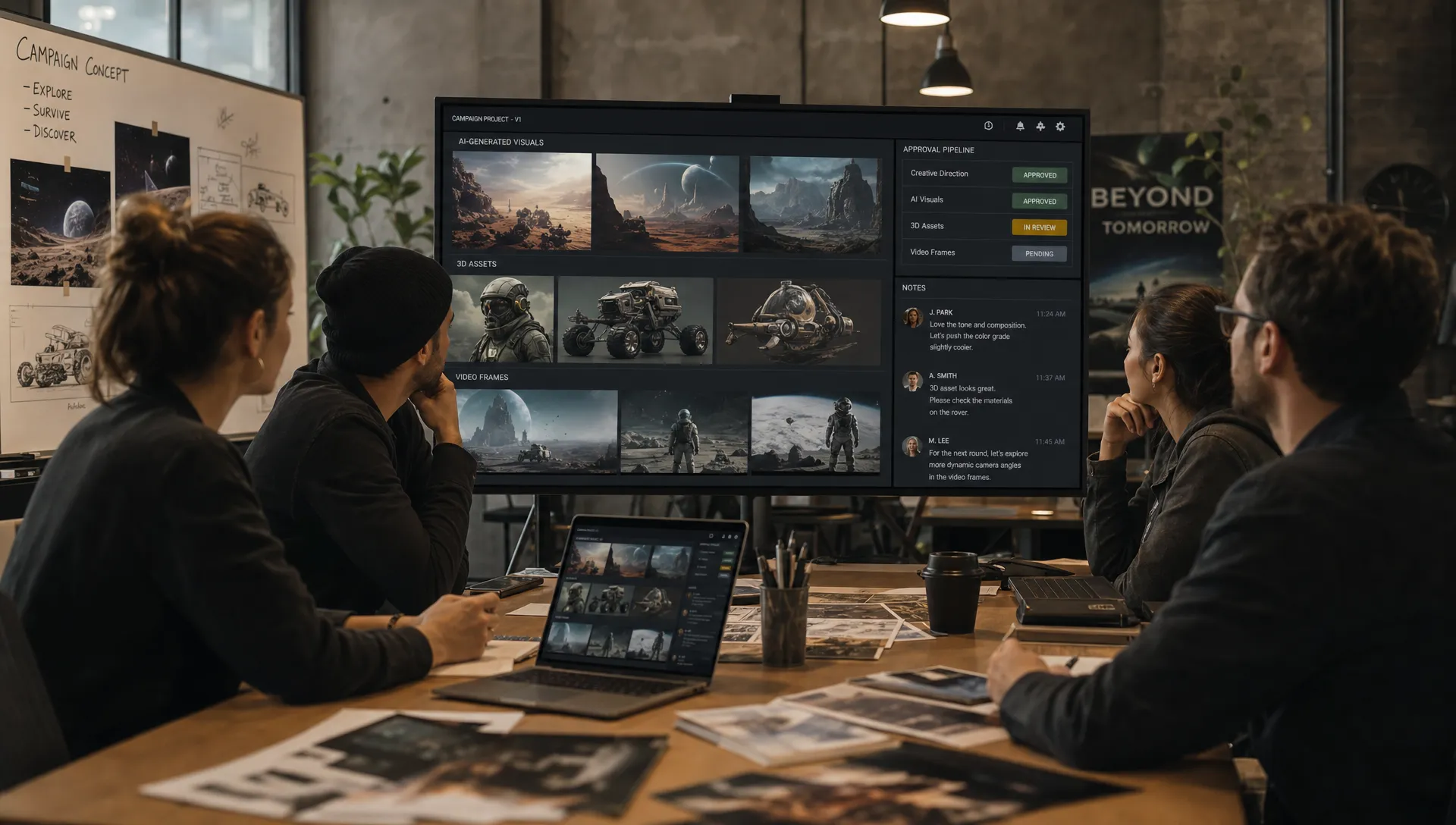
Creative teams are under pressure to produce more content, in more formats, for more channels, without losing brand quality or creative control. A campaign that once needed a handful of hero assets may now require product images, short-form video, localized variants, social cutdowns, 3D scenes, marketplace visuals, and performance iterations.
That pressure is exactly where AI solutions for studios can help. Not by replacing creative judgment, but by turning scattered AI experiments into controlled, repeatable, production-ready workflows. For enterprise studios, game teams, agencies, and brand creative departments, the real value is not simply generating a beautiful image. It is improving the entire creative workflow, from brief to approval to final asset delivery.
The difference matters. A standalone AI tool can accelerate one task. A studio-ready AI system can coordinate people, models, assets, rules, approvals, and outputs across a real production pipeline.
Why studio workflows need more than individual AI tools
Many creative teams start with AI in an informal way. A designer tests an image generator. A 3D artist uses AI for references. A marketer creates quick concept variations. These experiments often prove that AI can save time, but they also expose operational gaps.
Common problems appear quickly:
- Prompts and settings are not documented, so successful results are hard to reproduce.
- Different teams use different tools, creating inconsistent output quality.
- Brand, legal, and compliance rules depend on manual review.
- Generated assets live outside the studio’s normal asset management process.
- Teams cannot easily track who created what, which model was used, or which version was approved.
For a solo creator, this may be manageable. For an enterprise studio, it becomes a scaling problem. The larger the team, the more important it is to control how AI is used across departments, workflows, and markets.
This is why many organizations are moving from ad hoc experimentation toward a Creative AI OS, a coordinated operating layer for AI-powered production. If your team is evaluating that shift, Virtuall’s guide to the AI studio as a Creative OS for enterprise production explores the concept in more depth.
What AI solutions for studios actually improve
The strongest AI solutions for studios improve workflow performance in four connected areas: speed, consistency, collaboration, and governance. The goal is not to make every creative decision automatic. The goal is to remove friction from repetitive, low-value steps so skilled teams can focus on direction, taste, storytelling, and quality.
| Workflow challenge | Traditional studio friction | AI-enabled improvement |
|---|---|---|
| Concept development | Slow manual exploration of directions | Rapid generation of mood, style, and composition options |
| Asset variation | Time-consuming resizing, localization, and channel adaptation | Faster creation of controlled variants from approved creative intent |
| Review cycles | Feedback scattered across files, chats, and tools | Centralized annotation, approvals, and version tracking |
| Brand consistency | Quality depends on individual interpretation | Shared context, templates, and governed generation rules |
| Production handoff | Assets require manual organization and validation | Outputs can be tracked, reviewed, and routed through defined pipelines |
The best results happen when AI is integrated into the studio’s operating model, not placed beside it as another isolated app.
Faster creative exploration without losing direction
Creative work often begins with ambiguity. Teams need to explore visual territories, compare treatments, and respond to stakeholder feedback before production can begin. AI can accelerate this early phase dramatically.
An art director might explore lighting directions for a campaign. A game developer might test environment references. A CMO might need multiple campaign territories before selecting one for global rollout. In each case, AI can help teams move from vague ideas to visual options faster.
However, faster exploration only helps if it remains connected to the brief. Without structure, AI can generate endless possibilities that are interesting but not usable. Studio-ready systems solve this by preserving context, such as mood boards, campaign direction, approved references, product constraints, and brand rules.
Virtuall’s Nyx intelligence layer, for example, is designed to orchestrate multiple AI models while keeping intent and context across studios and teams. That kind of continuity is important because creative workflows rarely move in a straight line. The team may move from concept to review, back to refinement, then into image, video, or 3D production.
When AI remembers the creative context, teams do not need to restart from scratch at every step.
More consistent output through blueprints and reusable workflows
One of the biggest barriers to enterprise AI adoption is inconsistency. A prompt that works once may not work again. A style that looks right in one model may drift in another. A campaign system that looks polished in English may become fragmented when localized across regions.
Generation blueprints help solve this. A blueprint is a repeatable structure for producing a specific kind of asset or creative output. Instead of relying on each user to invent a new prompt every time, a studio can define approved workflows, inputs, style parameters, review steps, and output requirements.
This is especially useful for teams producing at scale, such as:
- Product visualization for ecommerce and retail campaigns
- Game concept art and environment iteration
- Social media adaptations from a master campaign
- Seasonal promotional assets across regions
- 3D model ideation and production support
- Video concepts, storyboards, and creative variations
Blueprints do not remove creative choice. They create guardrails, so teams can move faster without drifting away from the approved direction.
For example, an apparel brand may need campaign imagery, ecommerce product visuals, and production references to stay aligned with the physical garment development process. In that context, AI-generated concepts are most valuable when they connect cleanly to real-world production partners, such as a custom clothing manufacturer like Arcus Apparel Group, where material sourcing, pattern development, and manufacturing constraints still matter.
Better collaboration across creative, marketing, and technical teams
Creative workflows are rarely owned by one person. A single asset may involve a creative director, designer, copywriter, brand manager, legal reviewer, product owner, localization team, and technical production specialist. In game development, that chain can include concept artists, 3D artists, technical artists, producers, and engine teams.
AI can either simplify this collaboration or make it more chaotic. The outcome depends on whether the system supports shared workflows.
A studio-ready AI solution should make it easier to see what is being created, why it was created, which version is current, and what feedback has been applied. Review workflows, approvals, content annotation, and asset management are not administrative extras. They are what turn AI generation into accountable production.
For CMOs, this improves visibility and confidence. For art directors, it protects the creative standard. For application managers, it reduces tool sprawl and operational risk. For developers and technical teams, it creates clearer handoffs between ideation, production, and downstream systems.
Governance: the foundation for enterprise creative AI
In enterprise environments, governance is not optional. Teams need to know which models are used, which data enters the system, who has access, how outputs are approved, and whether the process complies with internal and external requirements.
This is particularly important for regulated industries, global brands, and organizations operating under strict data protection expectations. A studio cannot simply allow every team to upload confidential product designs, unreleased campaign assets, or customer-related materials into unapproved tools.
Strong governance controls help answer questions such as:
- Which users can generate, edit, approve, or export assets?
- Which models are permitted for which use cases?
- What brand or legal rules apply to each workflow?
- How are versions, approvals, and asset lineage tracked?
- Where does inference happen, and what compliance requirements apply?
The Creative AI OS is built around enterprise-grade governance and compliance, including EU-based infrastructure and inference. For organizations seeking AI enterprise solutions that fit real studio operations, this governance layer is often what separates a promising pilot from a scalable production system.
Multi-model orchestration across image, video, audio, and 3D
No single AI model is best for every creative task. A studio may need one model for image ideation, another for video generation, another for 3D asset support, and another for audio. The challenge is not just accessing these models. It is orchestrating them in a way that preserves creative intent and production control.
Multi-model orchestration allows teams to choose or route work through the right models for the job, while keeping the workflow consistent. This matters because creative production is increasingly multimodal. A campaign concept might begin as a mood board, become a product image, evolve into a short video, and later support a 3D scene or interactive experience.
Without orchestration, each format becomes a separate workflow. With orchestration, teams can carry context forward across formats and tools.
This is where a Creative AI OS differs from a simple generator. It does not only create outputs. It coordinates the system around those outputs, including models, assets, users, approvals, and integrations. Virtuall’s article on how to master AI production with a Creative AI OS explains why this operating layer becomes essential as AI moves into daily studio production.
Integration with existing creative and enterprise systems
AI adoption often fails when teams are asked to abandon their existing production environment. Designers, artists, marketers, and technical teams already rely on digital content creation tools, product information management systems, digital asset management platforms, and internal approval processes.
AI solutions for studios should fit into that ecosystem. Integrations with DCC tools, PIM, DAM, and other systems help ensure that AI-generated assets do not become disconnected files sitting in someone’s downloads folder.
For an application manager, integration is often the difference between a controlled rollout and shadow IT. For creative teams, it is the difference between AI that feels like a practical workflow accelerator and AI that feels like yet another tool to manage.
Good integration supports a few important outcomes:
- Assets can move from generation to review to storage without unnecessary manual work.
- Approved outputs can connect to existing production and publishing pipelines.
- Metadata, versions, and approvals can remain traceable.
- Teams can use AI where it helps without disrupting tools they already depend on.
The best AI solutions for enterprise creative teams respect the studio’s operational reality. They improve the workflow instead of forcing the workflow to bend around the tool.
How different studio roles benefit
AI workflow improvement looks different depending on the stakeholder.
For CMOs, the value is scale with control. AI can help marketing organizations produce more campaign variations, test more ideas, and respond faster to market needs while maintaining brand governance.
For art directors, the value is creative leverage. AI can accelerate exploration, reference development, and controlled variation, while leaving final taste, judgment, and direction in human hands.
For application managers, the value is operational clarity. Instead of dozens of disconnected AI accounts and unclear data flows, a governed platform can centralize access, permissions, compliance, and integrations.
For game developers and production teams, the value is pipeline efficiency. AI can support ideation, concept iteration, 3D workflows, and asset review, provided it connects to the actual production process and does not create unmanageable asset sprawl.
The common thread is not automation for its own sake. It is better coordination across creative operations.
What to evaluate before choosing an AI solution for your studio
Before selecting a platform, studios should look beyond the quality of individual generated outputs. Beautiful demos are easy to produce. Sustainable creative operations require deeper capabilities.
A practical evaluation should include:
| Evaluation area | What to ask |
|---|---|
| Governance | Can we control users, models, permissions, and approval rules? |
| Workflow orchestration | Can the platform support real production stages, not just one-off generation? |
| Context retention | Can creative intent, references, and mood boards carry across teams and formats? |
| Multi-format support | Does the system support the formats we actually produce, such as image, video, audio, and 3D? |
| Collaboration | Can teams annotate, review, approve, and track work in one place? |
| Integration | Can it connect with our DCC, DAM, PIM, or pipeline tools through plugins or API? |
| Compliance | Does the infrastructure match our regional and enterprise requirements? |
| Output readiness | Are results suitable for production workflows, or only early-stage inspiration? |
This kind of evaluation keeps the conversation focused on business value, not novelty. The right platform should reduce friction across the full creative lifecycle.
Frequently Asked Questions
How do AI solutions for studios differ from standard AI generators? Standard generators usually focus on producing a single asset or output. AI solutions for studios support broader production needs, including workflows, governance, collaboration, approvals, asset management, and integration with existing tools.
Can AI improve creative workflows without reducing creative control? Yes. The strongest approach is to use AI for acceleration, variation, and repetitive production tasks while keeping human teams responsible for creative direction, review, and final approval.
Why is governance important for creative AI in enterprises? Governance helps teams control model usage, data access, permissions, approvals, and compliance. This is essential when working with confidential campaigns, product designs, brand assets, or regulated production environments.
Do studios need multi-model AI orchestration? Many do, especially if they create across image, video, audio, and 3D. Multi-model orchestration lets teams use the right model for each task while preserving context and workflow consistency.
What is the first step toward scaling AI in a creative studio? Start by mapping your existing workflow, identifying repetitive bottlenecks, and defining the governance rules required for safe AI use. From there, evaluate platforms based on real production needs rather than isolated demos.
Bring AI into the workflow, not around it
AI can make studios faster, but speed alone is not enough. Enterprise creative teams need consistency, governance, collaboration, and production-ready outputs across every stage of the workflow.
The Creative AI OS is built as a Creative AI operating system for teams that need to operate creative AI at scale across image, video, audio, and 3D. With governance controls, workflow orchestration, generation blueprints, studio context memory, collaboration tools, asset management, pipeline tracking, compliance support, and integrations, Virtuall helps creative organizations move from AI experimentation to controlled production.
If your studio is ready to scale AI without losing control of quality, compliance, or creative intent, explore how Virtuall can support your next generation of creative workflows.