New AI Models Worth Testing Before Your Next Production Cycle
Compare new AI models for image, video, 3D, audio and multimodal workflows with a practical test plan for your next production cycle.
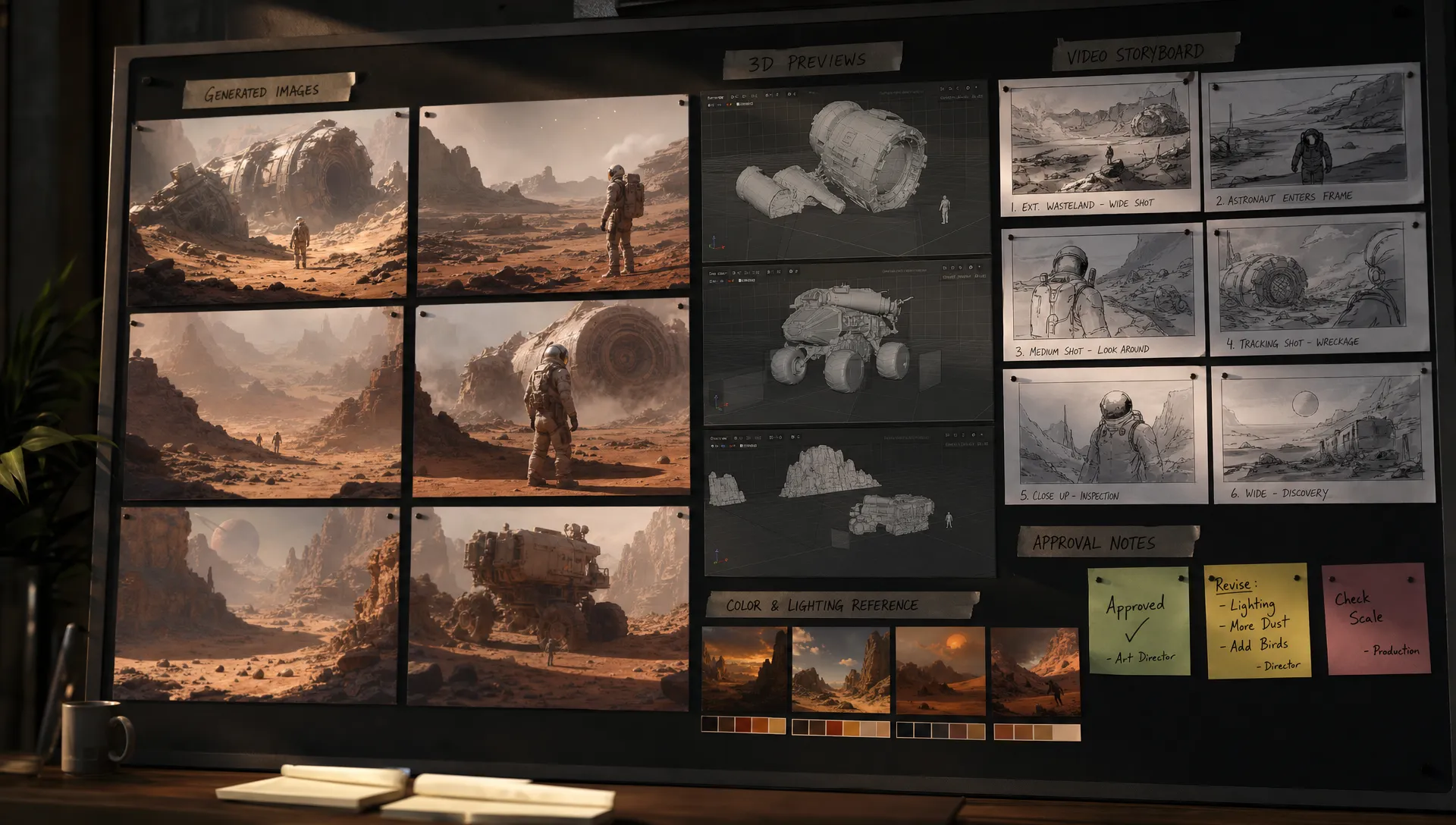
Production teams rarely get surprised by a bad AI demo. They get surprised by a model that looked exceptional in a demo, then failed under campaign constraints, brand rules, legal review or downstream tooling.
That is why the best time to evaluate new AI models is not in the middle of a launch. It is before your next production cycle, when you can test them against real briefs, real assets and real approval criteria without putting delivery at risk.
For enterprise creative teams, the question is not which model is most impressive in a public demo. The question is which model deserves a place in your governed production stack, whether that place is ideation, previsualization, asset generation, localization, QA or final output preparation.
What makes an AI model worth testing now?
A model is worth testing if it could change one of your production constraints. Better visual quality is useful, but it is only one variable. For a CMO, the key question may be campaign throughput and brand safety. For an art director, it may be controllability and style continuity. For an application manager, it is often integration, logging, access control and data handling. For a game developer, it may be whether a generated mesh survives the trip into the engine.
Before adding any model to your shortlist, define what improvement would actually matter. A strong candidate usually does at least one of the following:
- Reduces manual iteration time without lowering creative standards
- Creates a usable output type your current stack cannot produce efficiently
- Improves controllability through references, masks, camera control or structured prompts
- Fits your data governance, procurement and compliance requirements
- Connects cleanly to your DCC, DAM, PIM, review or asset management workflow
If you need a deeper framework for assigning the right model to the right task, Virtuall has a separate guide on model selection for studios. This article focuses on what to test before the next production window closes.
New AI models to put on your test bench
The model landscape changes too quickly for a static winner list to stay accurate for long. Treat the names below as practical reference points, not a complete procurement shortlist. Always verify current enterprise terms, training data policies, regional availability, API maturity and indemnity language before production use.
| Model area | Examples to evaluate | Best first production test | What a pass looks like | Main risk to check |
|---|---|---|---|---|
| Image generation and editing | FLUX.2 Pro / FLUX.2 Klein, Recraft V4.1 / Styles, Nano Banana Pro | Campaign key visuals, product concepts, style exploration | Repeatable outputs that follow brand, composition and reference constraints | Rights, data policy, brand consistency and edit control |
| Text-to-video and image-to-video | Seedance 2.5, Wan3.0, Wan3.0 Prime | Storyboards, animatics, mood films, social variants | Coherent motion, usable camera language and fewer manual previsualization passes | Temporal consistency, realism artifacts, access limits and licensing |
| 3D generation and reconstruction | Meshy-6, Meshy 7, Tripo 3D v3.1, Tripo P2 | Prototype props, background assets, concept meshes | Meshes or captures that can move into DCC cleanup without starting over | Topology, UVs, scale, PBR maps and engine import quality |
| Multimodal large language models | GPT-5, Gemini 3, Claude 4, GLM-5.3 Flash | Brief analysis, creative QA, asset tagging, prompt generation | Better feedback synthesis, faster variant planning and useful visual reasoning | Data exposure, hallucinated feedback and auditability |
| Audio, voice and music generation | ElevenLabs, latest voice and music generation models, specialist audio models | Scratch VO, localization previews, temp music, sonic exploration | Review-ready drafts that speed concept approval | Consent, likeness rights, music licensing and brand suitability |
| Open-weight and specialized models | Stable Diffusion variants, custom LoRAs, domain models | Controlled brand styles, internal workflows, sensitive concepts | More control over inference, tuning and deployment environment | MLOps burden, compute cost and governance complexity |
The strongest shortlist usually combines commercial frontier models, specialized creative tools and controlled open or private deployments. For production work, there is rarely one model to rule them all. There is a portfolio, with clear rules for when each model is allowed to run.
1. Image models for controlled campaign and concept generation
Image generation is still the most mature category for many creative teams, but the bar has moved. A model that creates a beautiful single image is no longer enough. You need to test whether it can preserve art direction across a set, apply feedback reliably and generate variants without drifting from the brand world.
For marketing teams, a useful test is a campaign concept pack: one master idea, three audience variations, two format ratios and one legal or brand constraint that must be followed. For product teams, test packshots, lifestyle settings and localized visual variants. For game teams, test concept art for props, environments and character mood, then check whether the outputs can inform downstream modeling rather than creating attractive dead ends.
FLUX.2 Pro and FLUX.2 Klein are useful reference points for teams that care about prompt adherence, typography and deployment flexibility. Recraft V4.1 and its style variants are often evaluated by enterprise teams because of strong brand-style control and vector-friendly outputs. Nano Banana Pro and other current frontier image models remain common comparison points for visual ideation, though each has different workflow and governance implications.
Do not score image models on beauty alone. Score them on repeatability, editability, prompt adherence, brand fit, rights posture and how quickly an art director can move from first generation to approved direction.
2. Video models for previsualization, motion ideas and short-form content
Video generation has become one of the most watched areas because it compresses work that once required storyboarding, motion design, stock search and editing. Models such as Seedance 2.5, Wan3.0 and Wan3.0 Prime have made creative teams take text-to-video and image-to-video more seriously.
The safest first test is not a final hero film. Start with previsualization. Ask whether the model can help directors, brand teams and stakeholders align on framing, pacing, camera movement and visual tone before full production spend begins. For game developers, video models can be useful for cinematic exploration, environment mood, creature movement references and pitch materials.
Your test should include shots that are easy for a human to judge: a product moving through a scene, a character crossing frame, a camera move around a prop or a transition between two visual states. Look for temporal consistency, object permanence, motion plausibility, artifact rates and whether the output can be edited into a real review deck.
Video models can be powerful, but they also increase governance pressure. Likeness, music, recognizable locations, synthetic people and training data questions all become more visible in video than in static concept work.
3. 3D models for asset prototyping and game production support
For 3D teams, the practical question is not whether an AI-generated asset looks good in a preview window. The question is whether it reduces the time to a usable mesh, scene or reference asset.
Text-to-3D and image-to-3D models such as Meshy-6, Meshy 7, Tripo 3D v3.1 and Tripo P2 are worth testing for background props, ideation meshes, kitbashing, tabletop product concepts, environment blocking and early game asset exploration. They are less likely to replace senior 3D artists on hero characters, optimized production assets or complex rigged models without a cleanup stage.
A good test imports outputs into the tools your team already uses. Check scale, normals, topology, UVs, texture maps, naming conventions, polygon budget and how much manual repair is required. For game development, test the path into Unity or Unreal Engine rather than stopping at a web preview.
If a model saves 30 minutes in generation but adds three hours of cleanup, it is not production-ready for that use case. It may still be valuable for ideation, but it should be labeled accordingly.
4. Multimodal models for creative operations and QA
Some of the most valuable new AI models are not the ones generating final assets. Multimodal large language models can read text, images and sometimes video frames, then help teams reason across briefs, references, feedback and asset libraries.
This category is useful for production operations. A multimodal model can help summarize stakeholder comments, compare an asset against brand rules, generate structured prompts from a mood board, extract metadata, identify missing deliverables or produce first-pass localization notes. These are not glamorous tasks, but they often determine whether a studio can scale AI beyond isolated experimentation.
GPT-5, Gemini 3, Claude 4 and GLM-5.3 Flash are common reference models for this type of evaluation. The right test is a workflow task, not a chat prompt. Give the model a real creative brief, approved references and rejected assets, then ask it to assist with classification, annotation or feedback synthesis. Human review remains necessary, especially when the model makes subjective claims about brand fit.
This is where orchestration matters. A multimodal model may not be your best image generator, but it can become a useful intelligence layer around image, video, audio and 3D workflows.
5. Audio and voice models for fast review cycles
Audio models deserve testing when your team regularly waits on temp voiceover, music direction, localization previews or sound concepts. They can help stakeholders respond to a closer approximation of the final experience, rather than approving visuals in silence.
For enterprise use, audio requires careful policy work. Voice likeness, performer consent, music rights and regional regulations can be sensitive. Test scratch tracks and internal review workflows first. Do not assume that a model suitable for internal previsualization is also cleared for paid media, game release or public distribution.
A practical test could include three versions of a product film voiceover, two regional tone variations and a temporary sound bed for an edit. Score the result on intelligibility, emotional fit, revision speed, licensing clarity and whether the output helps creative decision-making.
6. Open and specialized models for controlled environments
Open-weight and specialized models can be attractive for studios with strict control requirements. They may support private inference, custom fine-tuning, LoRA-based brand styles or deployment in a preferred region. That matters when prompts, references or unreleased assets cannot leave controlled environments.
The tradeoff is operational. Running models yourself can increase responsibility for infrastructure, monitoring, security, version control and performance optimization. An application manager should test not only the model output, but also the effort required to maintain the model over time.
For some teams, a commercial API is the fastest path. For others, controlled deployment is the only acceptable path. The decision should be made by use case, data sensitivity and production value rather than ideology.
A practical test matrix for your next production cycle
Testing new AI models against the same production scenario is the fastest way to separate demo value from workflow value. Avoid letting each vendor show their best generic example. Use your own brief, your own assets and your own constraints.
| Evaluation criterion | What to measure | Who should sign off |
|---|---|---|
| Creative quality | Aesthetic fit, composition, detail level and usefulness of the first ten outputs | Art director, creative lead |
| Control | Reference adherence, edit precision, style consistency and prompt reliability | Art director, production lead |
| Production readiness | File formats, resolution, layers, meshes, maps, metadata and cleanup time | Production lead, game developer, 3D lead |
| Throughput | Time from brief to reviewable asset, number of iterations and batch handling | Producer, studio manager |
| Cost | Generation cost, human cleanup time, infrastructure and vendor pricing model | Finance, operations, application manager |
| Compliance | Data handling, rights, audit logs, region, model terms and approval workflow | Legal, IT, procurement |
| Integration | API maturity, plugins, DAM or PIM fit, identity management and pipeline compatibility | Application manager, technical director |
A simple test plan can fit into one sprint:
- Choose one real upcoming production scenario that is representative but not mission-critical.
- Prepare a fixed input pack with the brief, brand rules, references, source assets and required formats.
- Select three to five candidate models or model workflows for the same task.
- Run the test with the same operators, time limits and acceptance criteria.
- Measure human time, output quality, revision count, cleanup effort and approval friction.
- Review legal, security and procurement concerns before any broader rollout.
- Classify each model as approved for production, approved for ideation only, held for retest or rejected.
This approach prevents the common mistake of promoting a model because it produced one impressive output. A production cycle needs repeatable outcomes.
Match the model test to the stakeholder
Different teams notice different failure modes. A CMO may see brand risk that a developer misses. A game developer may spot unusable topology that a stakeholder loves in a thumbnail. A serious evaluation gives each stakeholder a defined lens.
| Stakeholder | What they should test | Failure mode to watch |
|---|---|---|
| CMO | Brand consistency, campaign localization, approval speed and legal confidence | Beautiful assets that cannot be used in market |
| Art director | Style control, composition, references, iteration quality and creative authorship | Outputs that look polished but ignore direction |
| Application manager | API reliability, user access, audit trails, data residency and integration path | A tool that works in isolation but breaks governance |
| Game developer | Mesh quality, texture maps, animation usefulness, engine import and performance | Assets that require more cleanup than manual creation |
This is also why a governed model portfolio is usually stronger than a single preferred model. One model may be best for image ideation, another for video previsualization, another for internal QA and another for controlled 3D prototyping. If you want a broader view of production-grade options by media type, Virtuall has covered the best AI models for production-ready creative work.
Compliance should be tested, not added later
AI compliance is not a final checkbox. It affects which models you can use, which assets can be uploaded, which outputs can be published and which review records you need to keep.
In the EU, the European Commission describes the AI Act as a risk-based regulatory framework for AI systems. For enterprise creative teams, this makes governance questions more practical: where inference happens, what data is retained, who approved an output and whether synthetic content needs disclosure.
Your test should include compliance evidence from the beginning. Ask vendors or internal platform teams for documentation on data usage, retention, regional processing, model versioning, auditability and content policy. If a model cannot meet your governance requirements during a pilot, it will not magically become safer at scale.
From model testing to operating model
The teams that get value from AI do not simply collect tools. They define rules for how AI runs across studios, workflows and output types. That means approved model lists, reusable generation blueprints, review workflows, asset tracking, permissions and clear escalation paths when something fails.
This is the gap between AI experimentation and production AI. A model can be excellent and still fail inside an organization that lacks orchestration. If your team is at that transition point, the guide on how creative teams move from AI experiments to production AI is a useful next step.
For enterprise studios, the goal is not to slow creative teams down with process. It is to make good AI usage repeatable, safe and easy to scale.
Frequently Asked Questions
How often should creative teams test new AI models? Most teams should run a structured review before each major production cycle and a lighter review whenever a model release claims a major improvement in quality, control, speed or governance. Avoid constant tool switching during live production unless there is a clear business reason.
Should we test one model at a time or compare several models side by side? Side-by-side testing is more useful because it reveals tradeoffs. Use the same brief, source assets, time limits and scoring rubric so the comparison reflects production reality rather than vendor demo quality.
Are open-source or open-weight models safer for enterprise use? They can offer more control over deployment and data boundaries, but they also create operational responsibilities. Security, monitoring, model updates, compute costs and output governance still need to be handled properly.
Can AI video models be used for final production assets? Sometimes, depending on the use case, rights, quality requirements and distribution channel. Many teams should start with previsualization, pitch materials and internal concept work before approving AI-generated video for public release.
What is the biggest mistake when evaluating new AI models? The biggest mistake is scoring a model on isolated output quality instead of workflow performance. Production teams need to measure control, repeatability, cleanup time, compliance, integration and approval speed.
Bring model testing into a governed creative AI system
Testing models is only useful if the results can be operationalized. Virtuall helps studios and enterprise teams control, orchestrate and scale AI-powered content creation across image, video, 3D and audio workflows.
With the Virtuall Creative AI OS, teams can define governance rules, orchestrate multi-model generation, use generation blueprints, preserve studio context through mood boards, manage reviews and approvals, track assets and connect AI workflows to creative tools through plugins and APIs. Nyx, Virtuall’s intelligence layer, helps orchestrate multiple AI models while keeping intent and context consistent across teams.
If your next production cycle depends on faster creative output without losing control, start by testing the right models under real constraints, then move the winners into a governed operating system built for production.