Adobe Artificial Intelligence: A Practical Guide for Creatives
Discover how Adobe Artificial Intelligence, featuring Sensei and Firefly, can transform your creative process. Learn to manage your AI workflows effectively.

Welcome to the new era of responsible, studio-grade visual creation, powered by Adobe Artificial Intelligence. If you're a professional creator looking to scale your work safely, the VirtuallPRO Creative AI OS is built for you. You can try it for free and see how a governed workflow can transform your production pipeline.
Adobe's AI ecosystem really boils down to two key players: Adobe Sensei for smart enhancements and Adobe Firefly for pure content generation. Together, they offer a powerful toolkit for creative professionals focused on visual work.
This guide will demystify these tools for everyone, from freelance designers to large studio teams, and show you how to put them to work within a compliant and secure framework.
Putting Adobe Artificial Intelligence to Work
Experimenting with AI is one thing. Building it into a full-scale, safe production pipeline is another. To get there, creative teams need more than just powerful tools—they need a governed, unified workspace.
If you're ready to build secure and scalable AI workflows for your visual projects, this article will show you how to orchestrate Adobe's AI capabilities within a professional, studio-grade pipeline.
The conversation around Adobe artificial intelligence often focuses on its impressive features for generating and refining images. But for creative teams, the real value lies in the tangible benefits that speed up timelines and improve creative output. The goal is to move from isolated AI tasks to an integrated, efficient, and compliant operation.
Key Goals for Creative Teams
For modern studios and brands, adopting AI isn't about chasing trends. It's about achieving specific operational advantages for visual creative work. These include:
- Accelerating Content Creation: Slashing the time it takes to get from a rough concept to a final, polished visual asset.
- Scaling Visual Production: Pumping out a higher volume of brand-consistent visuals for campaigns, social media, and product catalogues.
- Maintaining Brand Governance: Making sure every single piece of AI-generated content follows strict brand guidelines and legal standards.
- Unifying Creative Tools: Bringing various AI models, including Adobe’s, into a single, manageable workflow to avoid a fragmented and chaotic tech stack.
To truly harness AI, you need a governed, unified workspace. It’s the critical step that transforms powerful features into a reliable production system, ensuring every asset is brand-safe, compliant, and ready for professional use.
By focusing on these objectives, creative professionals can strategically apply Adobe's AI to solve real-world production headaches. This guide will provide actionable advice on how to build a pipeline that is not only creative but also compliant and scalable.
For more on finding the right tools for your projects, check out our guide on the best AI for image generation.
Understanding Adobe's Two AI Engines
To get the most out of Adobe artificial intelligence, you first need to understand its two distinct engines. These aren't just different names for the same thing; they play fundamentally different roles in a creative workflow. Getting this distinction right is the first step to building a smarter, faster, and safer process.
Think of it like a creative workshop. You have two assistants. One is a master technician who knows every tool inside and out, optimising your process. The other is a boundless conceptual artist, ready to generate new ideas from nothing.
Adobe Sensei: The Smart Assistant
Adobe Sensei is your master technician. It’s the AI and machine learning framework that’s been working behind the scenes in Creative Cloud for years. Its job isn't to create something new, but to make the tools you already use faster, smarter, and more intuitive.
Sensei powers the features that automate the tedious stuff and speed up complex tasks. It's all about enhancement and efficiency. You’ve probably used it without even realising it.
Here are a few classic examples:
- Content-Aware Fill in Photoshop: When you remove an object and Photoshop intelligently fills in the background? That’s Sensei.
- Auto Reframe in Premiere Pro: Need to turn a widescreen video into a vertical clip for social media? Sensei automatically keeps the subject in the frame, saving you hours of manual adjustments.
- Auto-Tagging in Lightroom: It analyses your photo library and applies relevant keywords, so you don't have to.
In every case, Sensei is there to refine what already exists. It acts as an intelligent partner, handling the technical heavy lifting so you can focus on the creative decisions.
This diagram shows how Sensei's enhancement features and Firefly's generative power work together as the two pillars of Adobe's AI strategy.
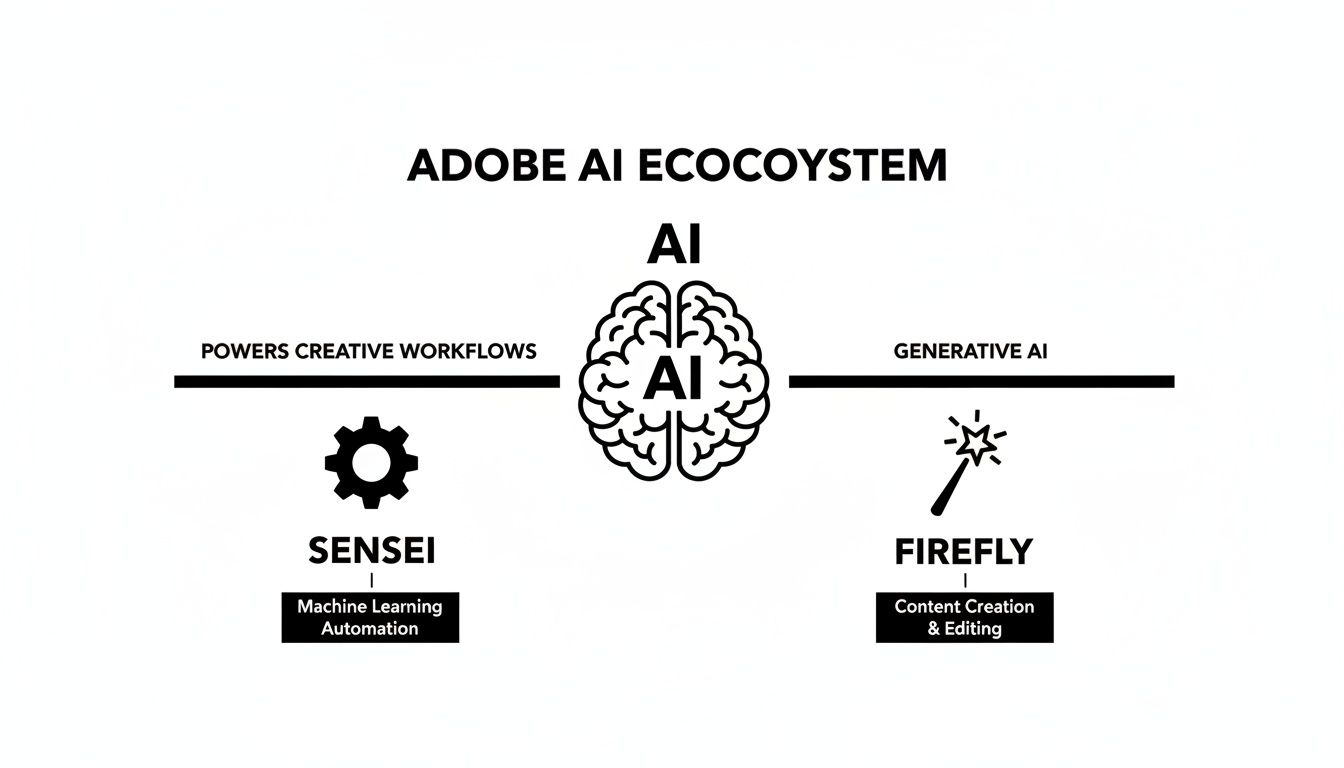
It clarifies their separate but complementary roles—one streamlines your workflow, while the other originates completely new content.
Adobe Firefly: The Generative Artist
If Sensei is the technician, Adobe Firefly is your generative artist. This is Adobe's family of creative AI models, built specifically to produce entirely new visual content from simple text prompts. Its sole purpose is to create, not just enhance.
You turn to Firefly when you're starting with a blank canvas. It can generate images, vector graphics, colour palettes, and text effects just from your descriptions.
Where Sensei asks, "How can I make this asset better?", Firefly asks, "What new asset should I create for you?"
This simple difference defines their roles in any professional pipeline. One sharpens your tools; the other gives you a new one.
Adobe Sensei vs Adobe Firefly at a Glance
To make the distinction crystal clear, here’s a simple breakdown of how these two AI engines operate within the Adobe ecosystem.
| Attribute | Adobe Sensei (The Enhancer) | Adobe Firefly (The Creator) |
|---|---|---|
| Primary Function | Enhances existing workflows and content. | Generates new content from text prompts. |
| Typical Use Cases | Content-Aware Fill, Auto Reframe, font matching, subject selection. | Text-to-image, Generative Fill, text effects, recolouring vectors. |
| Underlying Tech | Machine learning and AI frameworks. | Family of generative AI models. |
| Core Question | "How can I improve this?" | "What should I create?" |
While they serve different functions, they are designed to work together, allowing teams to both accelerate their existing processes and explore brand-new creative directions.
A huge part of Firefly's appeal for professional teams is how it was trained. Adobe built it using its own library of Adobe Stock images, openly licensed work, and public domain content.
This makes it a commercially safer option, helping to sidestep the copyright headaches often associated with other generative AI tools. For brands and studios, that focus on responsible sourcing is a massive plus.
Adobe AI in Real-World Creative Production
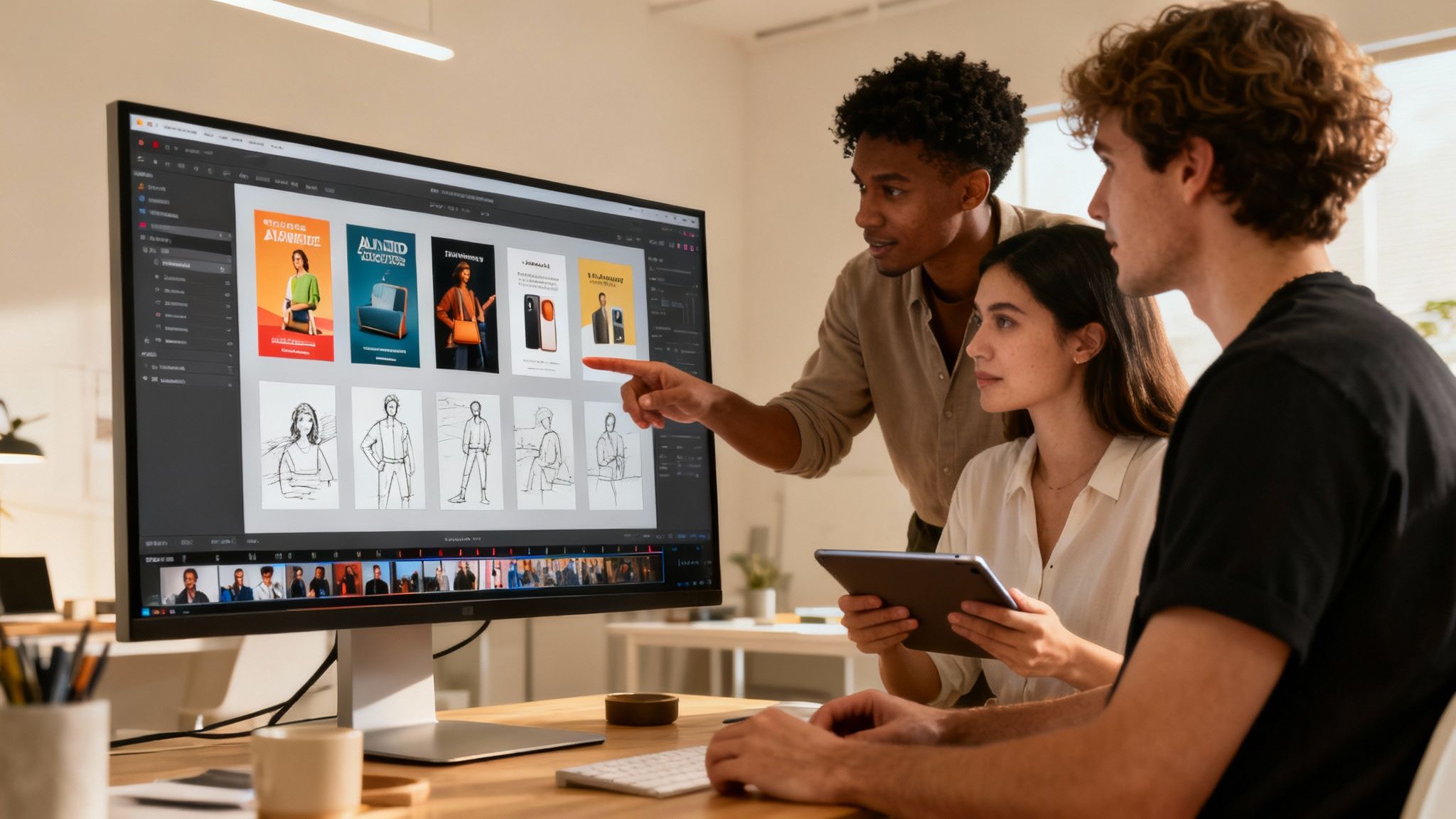
The real value of Adobe artificial intelligence isn't in a flashy feature list. It’s what happens when these tools hit the ground and start changing how creative visual work actually gets done every day.
Across industries, from marketing agencies to game development studios, teams are turning Adobe’s AI capabilities into a real strategic advantage. We’re not just talking about minor updates; this is a fundamental shift in how creative content gets made.
Speeding Up Marketing and Advertising
For any marketing team, the game is all about speed and variety. Firefly is a game-changer here, letting designers spin up dozens of ad creatives for A/B testing in minutes, not days. This means you can launch, test, and learn faster than ever before.
Then, Adobe Sensei steps in to make sense of it all. Working inside Adobe Analytics, it pinpoints which ad versions are clicking with which audiences. This isn't guesswork; it's data-driven insight that sharpens campaign performance and boosts ROI.
These aren't just features; they're strategic advantages that drive real business outcomes. Adobe’s AI tools empower teams to deliver highly personalised customer experiences at a scale previously unimaginable.
Look at what happened in the Danish telecom market. Telmore, a Copenhagen-based company, used Adobe's AI to switch from generic campaigns to hyper-personalised customer journeys. The results were instant: digital sales jumped by 21%, and cross-sales to existing customers shot up by 25%. Even personalised offers ranked purely by AI delivered an 11% sales lift. It’s a crystal-clear link between AI strategy and bottom-line growth. You can read more about how Telmore supercharged its personalisation with Adobe.
Streamlining Visual Development
The impact of Adobe artificial intelligence goes way beyond marketing. In industries like gaming and entertainment, it’s reshaping the entire visual development pipeline.
Game developers, for example, can use Firefly to quickly generate concept art, character sketches, and environmental textures right at the start of a project. This slashes the initial exploration time, freeing up artists to focus their energy on refining the strongest ideas.
For video editors, the Sensei-powered tools in Premiere Pro are a massive time-saver. Take Text-Based Editing. It lets you cut and move clips around just by editing a written transcript. A tedious job of scrubbing through timelines now feels as simple as editing a Word doc. And when artists use Adobe AI, having the right physical gear makes a difference. Finding the best iPad stylus for drawing can make digital creation feel much more natural and intuitive.
By automating the grunt work and accelerating early ideas, Adobe's AI lets creative teams put their time and talent where it matters most—on high-value, strategic work. The result is better quality visual content, delivered faster.
Solving AI Governance and Workflow Challenges
While the creative power of Adobe artificial intelligence is undeniable, these tools don't operate in a vacuum. Once creative teams start using them for daily work, a new problem emerges: a fragmented and disjointed workflow that actually slows things down.
The real challenge isn't just generating an image. It's managing the entire journey of that creative asset in a safe and compliant way.
Think about it: files scattered across different tools, the constant battle for brand consistency, runaway costs, and the legal headaches of ensuring every single asset is compliant before it goes live. This is the classic ‘last mile’ problem that separates a cool AI experiment from a production-ready, brand-safe final product.
The Governance Gap in AI Production
Even with tools like Adobe Firefly, designed with commercial safety in mind, scaling up production brings new risks. One designer experimenting is one thing. A full team pumping out hundreds of visual assets daily is a different beast entirely. That kind of volume demands a solid governance framework to keep things under control.
Without a central system, teams inevitably hit the same roadblocks:
- Asset Sprawl: Generated images and videos end up on local hard drives or random cloud folders, making them impossible to track, version, or reuse.
- Brand Inconsistency: Different team members use slightly different prompts, and suddenly the visuals start drifting away from brand guidelines.
- Compliance Risks: How can you guarantee every asset respects licensing, usage rights, and regional rules? At scale, it’s a nightmare.
This is why an organised, secure system is non-negotiable for any company serious about moving from casual AI use to a mature, efficient production pipeline. For a deeper dive into how AI impacts digital platforms, this article on AI in DXPs benefits and challenges offers some great insights.
From Local Success to Systemic Integration
The demand for integrated AI solutions is growing fast, especially in forward-thinking regions. Denmark, for instance, leads Europe in AI adoption. In 2024, 28% of Danish companies were using AI—nearly double the EU average. This isn’t an accident. It comes from a ‘digital by default’ mindset where businesses embrace new systems to work smarter and more securely.
The core challenge is transforming a promising AI generation into a production-ready, brand-safe asset. This 'last mile' problem requires a systematic approach to governance, ensuring every creative piece is tracked, approved, and compliant.
This is exactly where a dedicated governance layer becomes critical. And a huge part of that system is just managing your assets properly. You can learn more in our guide on digital asset management best practices. A central creative operating system provides the structure needed to apply Adobe’s AI power safely and consistently across every single project.
Building a Unified AI Creative Workflow
Powerful tools like Adobe Firefly are fantastic at solving one piece of the creative puzzle. But for production teams, they also create a new headache. How do you stitch all these amazing capabilities into a single, controllable, and compliant process?
The answer isn’t just another siloed tool. It’s a central operating system that can manage the entire journey of AI creation, from the first spark of an idea right through to final delivery. This is where the fragmentation stops and a governed, studio-grade workflow begins.
It’s about building a system that doesn’t just spit out assets but manages their whole lifecycle. That’s exactly what the VirtuallPRO platform from our company, Virtuall, was designed to be: a Creative AI OS, built to bring order and safety to the creative process.
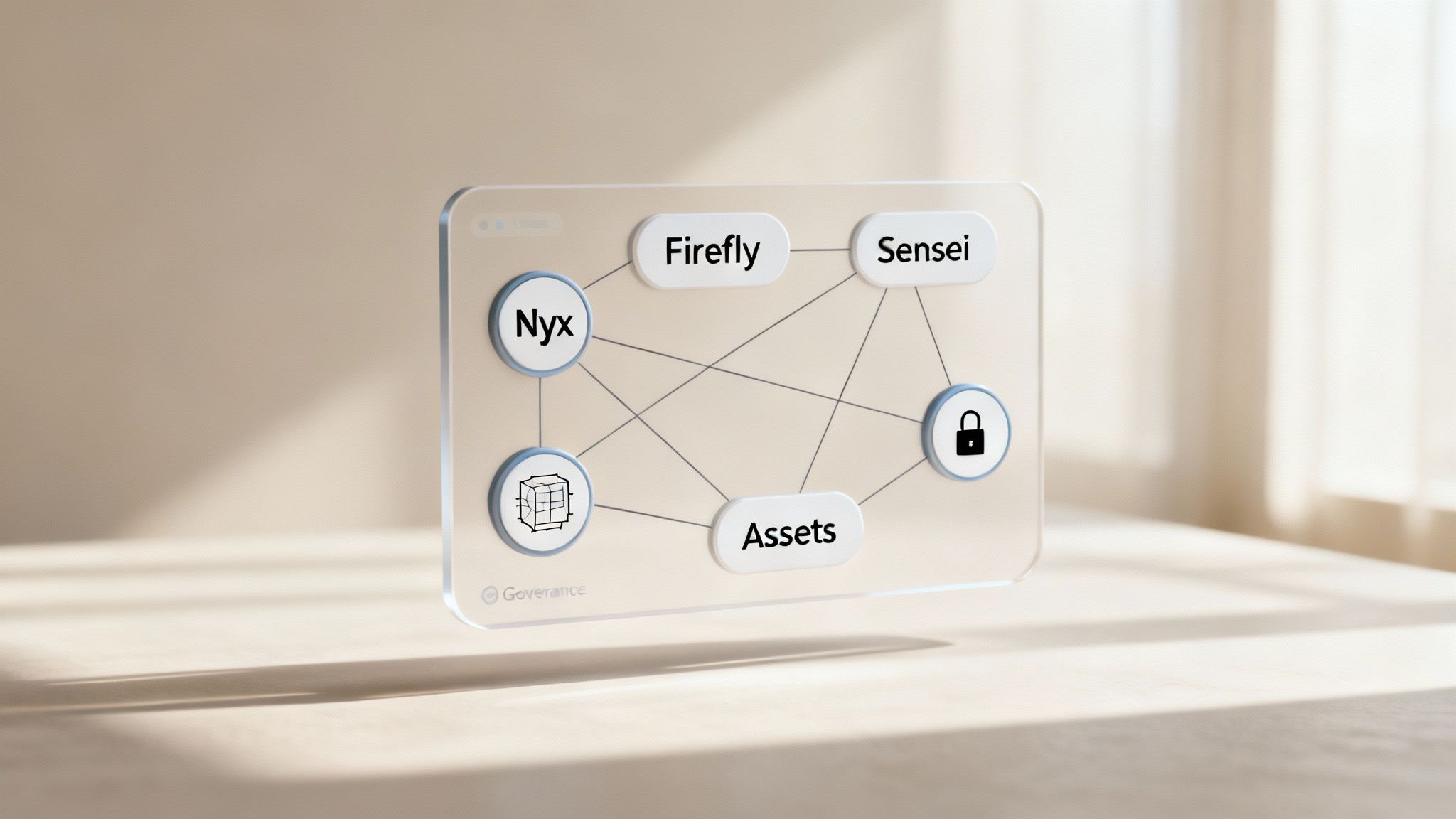
This isn't about replacing Adobe’s powerful engines. Far from it. Instead, VirtuallPRO orchestrates them alongside other best-in-class AI models, all from one secure workspace. This lets your team pick the perfect tool for any visual task without constantly switching between platforms.
Orchestrating Production with an AI Art Director
At the heart of the VirtuallPRO system is Nyx, our AI Art Director. Think of it as the intelligence layer for your entire creative production. Nyx does more than just follow simple prompts; it understands creative intent, plans out multi-step production flows, and strategically picks the right AI model for the job—whether it’s from Adobe or another provider.
Imagine Nyx acting just like a human art director. It takes the brief, breaks it down into smaller, manageable tasks, and assigns each part to the specialist best equipped to handle it. This orchestration is what keeps everything consistent, compliant, and efficient.
For instance, a campaign might need:
- An initial concept image generated in Adobe Firefly.
- A 3D model created by a specialised AI engine.
- A final video composition that pulls assets from both.
Nyx coordinates that whole sequence right inside VirtuallPRO, making sure every asset sticks to the brand rules and quality standards you’ve set.
Building Repeatable and Governed Workflows
A unified system is what allows teams to graduate from ad-hoc creation to truly scalable production. Within VirtuallPRO, you can build Blueprints—think of them as repeatable templates for campaigns, character styles, or product visuals.
These Blueprints essentially codify your creative direction and safety protocols. This means every asset that gets generated is consistent and on-brand, no matter who on the team is creating it.
This structured approach is becoming critical, especially in markets seeing rapid AI adoption. The AI market in Denmark, for example, is booming, largely thanks to generative AI and machine learning. Local success stories prove how powerful orchestrated platforms can be, lining up with Europe's projected generative AI growth to USD 202.77 billion by 2032.
When Danish firms like Telmore achieve 21% digital sales growth using Adobe AI, it shows that a governed approach is what turns cool AI features into real business results. For studio owners and marketers, this is the proof: a central system to manage AI tools is what delivers a real return on investment. You can dig into the numbers in this full analysis of Denmark's AI market.
By connecting powerful tools like Adobe artificial intelligence to a central OS, teams transform isolated creative tasks into a governed, scalable production pipeline. This is the bridge from AI experimentation to professional, enterprise-ready creative operations.
Ultimately, this unified workflow solves the huge governance challenges we talked about earlier. All assets, including those from Adobe Firefly, are managed in a shared workspace where brand and compliance rules are enforced automatically. It gives creative leaders the control they need to scale up production with confidence.
Common Questions About Adobe AI
As teams start weaving Adobe artificial intelligence into their daily visual work, the big questions pop up. It’s one thing to talk about AI in theory, but making it work in practice means getting clear on commercial use, how it fits into your workflow, and where it sits in the wider world of AI tools.
Let’s get straight to the answers your team is probably asking.
Is Content from Adobe Firefly Safe for Commercial Use?
Yes, absolutely. Adobe Firefly was built from the ground up with commercial safety in mind. Its AI models were trained exclusively on the massive Adobe Stock library, openly licensed content, and public domain material where copyrights have expired.
For any creative business, this is a huge deal. This responsible approach means you’re shielded from the copyright headaches that can come from AI models trained on scraped internet data. It makes Firefly a much safer bet for professional projects where you simply can’t afford the legal risk.
What Is the Difference Between Adobe Sensei and Adobe Firefly?
The easiest way to think about it is this: Adobe Sensei is an “enhancer,” while Adobe Firefly is a “creator.” They play two very different but complementary roles in the Adobe world.
Sensei is the AI brain that powers smart features inside Adobe apps. It automates tedious tasks and makes your workflow smoother—think auto-tagging photos in Lightroom or Content-Aware Fill in Photoshop. Firefly, on the other hand, is a generative AI model that creates entirely new content, like images or text effects, from your prompts.
So, Sensei helps you do the work you’re already doing, but faster and better. Firefly gives you a brand-new asset to kickstart your creative process. Whether you need to improve something or create it from scratch dictates which one you’ll lean on. For a deeper dive on using stock assets, check out our guide on working with Adobe Stock photos in our detailed guide.
How Does Adobe AI Integrate with Other AI Models?
While Adobe artificial intelligence is tightly woven into its own Creative Cloud suite, making it play nicely with other specialised AI tools is another story. Jumping between a dozen different apps is a recipe for a messy, disconnected workflow that’s impossible to govern properly.
This is where a central platform becomes non-negotiable. A system like VirtuallPRO acts as the bridge. As a Creative AI OS, VirtuallPRO connects to models like Firefly through an API, letting you run its engine right alongside other top-tier AI models for image, video, and 3D. The result is a single, unified environment to direct, manage, and track all your AI production in one place. You get total consistency and control over every single asset.