A Guide to Adobe Stock Photos for Creative Teams
Discover how Adobe Stock photos fit into modern workflows. Learn about licensing, pros and cons, and how to integrate stock assets with AI.

For creative teams navigating the demands of visual content, understanding how to responsibly source and manage assets is paramount. This guide explores how to balance the proven reliability of Adobe Stock photos with the growing need for scalable, unique, and compliant creative workflows, ensuring your enterprise remains both innovative and secure. Before diving in, we encourage you to explore VirtuallPRO, our Creative AI OS. It provides a safe, compliant environment for all your visual projects, and if you haven't generated anything yet, you can try it for free.
How Adobe Stock Photos Fit into a Modern Creative Workflow
We're going to break down where Adobe Stock shines in today's creative world and how to build a smarter, hybrid approach that brings traditional stock and powerful AI together in a responsible way. This unified workflow can unlock new possibilities for your projects, all within one compliant workspace.
Balancing Quality with Scalability
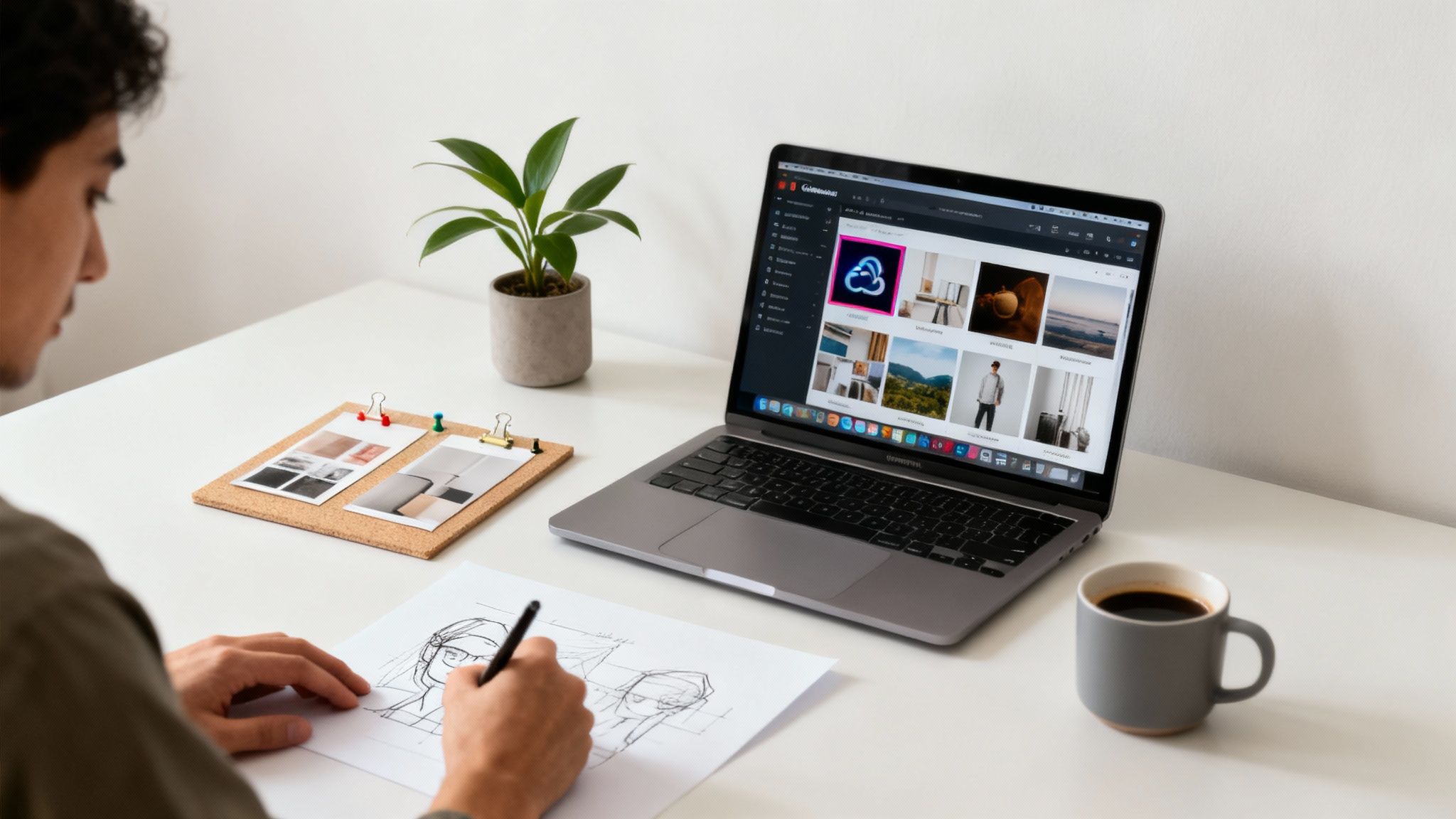
Let’s be honest, Adobe Stock photos have been a lifeline for professional-grade imagery for years. The biggest win? A huge, curated library that slots right into the Adobe Creative Cloud suite. That seamless integration is a massive time-saver for anyone living in Photoshop or Illustrator.
The problem is, today’s creative needs often outpace what traditional stock can deliver. Teams need a constant flow of fresh, distinct visuals to sidestep that generic "stock photo look" that can make a brand feel stale. When you rely only on pre-shot images, you're also running the risk that a competitor is using the exact same photo, which instantly waters down your brand's identity.
The Emerging Hybrid Approach
This is where a new way of thinking comes in. Instead of an either/or choice between stock photos and other asset sources, top-performing teams are moving to a hybrid model. They lean on Adobe Stock for its dependability, especially for core concepts or foundational imagery, but they bring in AI to generate unique content and iterate at speed.
This mixed approach gives you a few major advantages:
- Creative Flexibility: Grab a great stock photo as a starting point and then use AI to generate totally new, custom variations.
- Cost Predictability: You can shift from paying for every single asset to managing a more unified and predictable content budget.
- Enhanced Speed: Why spend hours searching when you can produce dozens of on-brand visuals in minutes?
A platform like VirtuallPRO is built for exactly this kind of hybrid workflow. It acts as a central command centre where your team can manage licensed Adobe Stock photos right alongside unique, AI-generated assets. Everything is tracked, compliant, and ready to go.
What Exactly Are Adobe Stock Photos?
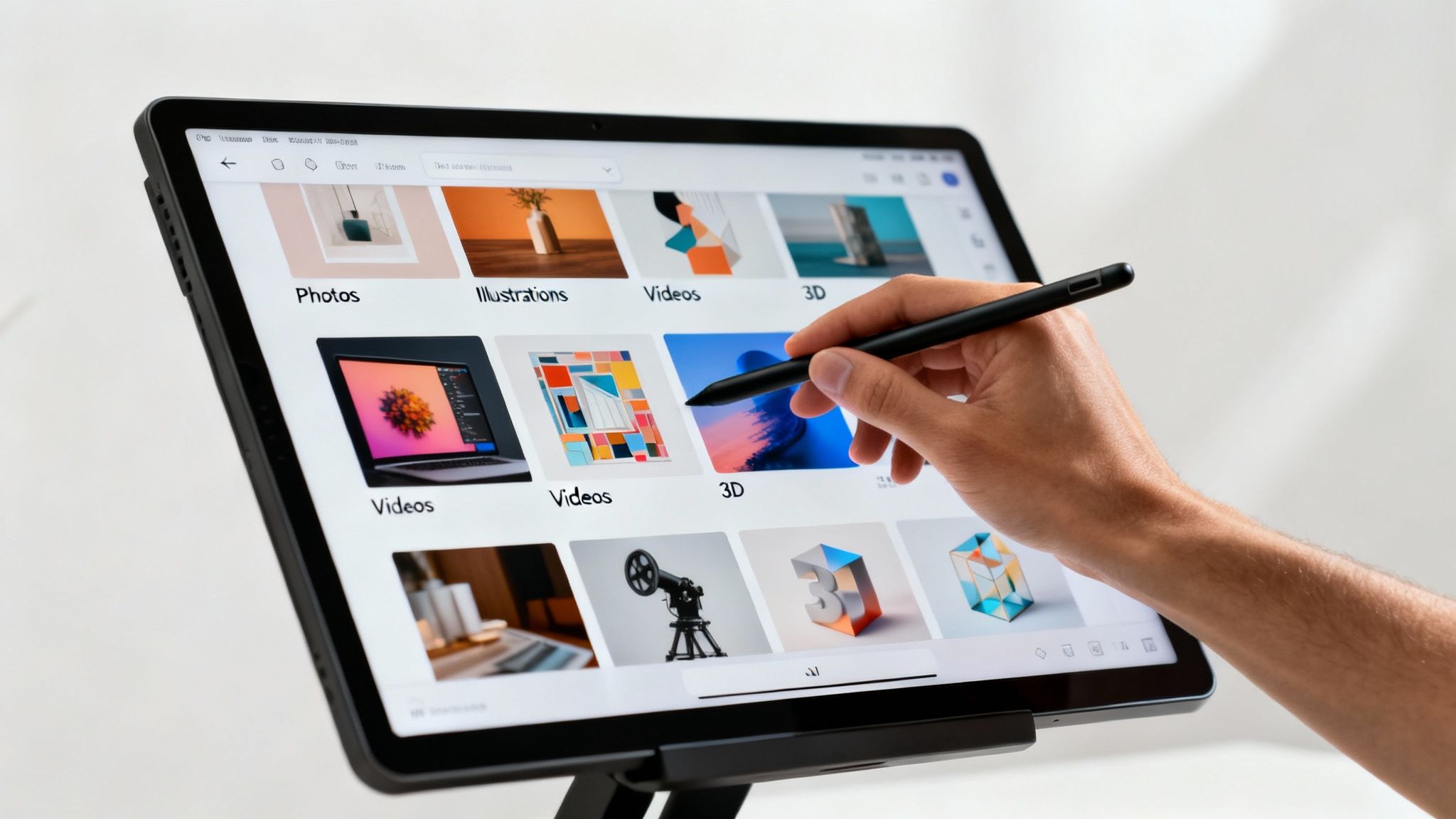
Think of Adobe Stock as a massive, professionally curated digital library built for creatives. It’s a subscription service that gives you access to a huge collection of high-quality images, illustrations, videos, and even 3D assets for just about any project you can imagine.
What makes it so handy is its history. It started life as an independent platform called Fotolia, but Adobe acquired it and wove it directly into the fabric of the Adobe Creative Cloud. This tight integration is its real superpower, letting designers find and license assets right inside programmes like Photoshop or Illustrator without ever breaking their creative stride.
This means you can search for a concept, drop a watermarked preview into your design to see how it looks, and then, with a single click, license the full-resolution version. No more downloading, importing, and swapping files.
Exploring the Asset Collections
Not all content on the platform is created equal. The library is split into a few different tiers, each designed for a specific purpose and budget. Getting your head around these categories is the key to getting the most out of Adobe Stock photos.
The collections generally break down like this:
- Standard Content: This is the heart of the library. It includes millions of photos, vectors, and illustrations perfect for most day-to-day commercial projects.
- Premium Collection: Looking for something with more of an artistic flair? The Premium Collection features higher-impact images from top-tier photographers and agencies, giving you a more curated, exclusive feel.
- Editorial Collection: These assets come from leading news agencies. They're meant to be used for illustrative purposes in news articles or stories about current events and, importantly, cannot be used for commercial advertising.
The real value of Adobe Stock is that it offers a vetted, legally sound source of creative content that’s already connected to the tools professionals rely on every single day.
Local Impact and Growth
Adobe Stock's influence is global, but its regional partnerships are what often make it truly relevant. For instance, a major step for Adobe Stock photos in the DK region happened in Q2 2023 when Adobe teamed up with the Danish Film Institute.
This move caused a 62% jump in contributions from local creators, with projections of over 450,000 new uploads by mid-2025. This collaboration, a part of the 'Creative Denmark 2030' strategy, has helped cement Adobe Stock's place within the nation's €4.2 billion creative industry. For more detail on these kinds of financial and strategic moves, it's always worth checking out Adobe’s annual reporting.
Getting to Grips with Adobe Stock Licensing and Pricing Models
For any creative team, licensing isn't just a box to tick—it's a critical part of staying compliant. When you’re dealing with Adobe Stock photos, you absolutely need to understand the rules of the road. It’s the only way to sidestep legal headaches and make sure you’re spending your project budget wisely.
The whole system is built around a simple idea: how you plan to use an image determines the license you need. Think about it – putting a photo on your company blog is worlds apart from slapping it on a t-shirt you intend to sell. Each scenario demands a different license to keep you on the right side of the law.
Cracking the Code on License Types
Adobe Stock keeps things relatively simple with three main license categories, but each has its own set of permissions you need to know. The Standard License is the one you'll encounter most often. It’s the default for most subscriptions and covers the bread-and-butter stuff: social media, website banners, and internal presentations.
Things change when your ambitions get bigger. An Enhanced License gives you all the rights of the Standard one but scraps the audience limitations. So, if your project is going to get an unlimited number of views or you need a massive print run, this is where you'll land.
The real game-changer is the Extended License. This is the only one that gives you the green light to use an image on products you plan to sell. We're talking merchandise, product packaging, or digital templates.
Getting this distinction right is non-negotiable. Using a standard image on a commercial product is one of the most common—and expensive—mistakes a team can make. This is exactly where a centralised system like VirtuallPRO comes in. It helps you track which license is tied to which asset, making sure everyone on the team stays compliant. You can dive deeper into this in our guide on stock images.
To make it easier to see how they stack up, here’s a quick comparison of the three main licenses.
Adobe Stock License Types Compared
Choosing the right license is essential for ensuring your projects are both legally compliant and cost-effective. This table breaks down the key differences between the Standard, Enhanced, and Extended licenses to help your team make informed decisions.
| Feature | Standard License | Enhanced License | Extended License |
|---|---|---|---|
| Print Runs | Up to 500,000 copies | Unlimited copies | Unlimited copies |
| Digital Views | Up to 500,000 views | Unlimited views | Unlimited views |
| Use in Merchandise | Not permitted | Not permitted | Permitted |
| Email Marketing | Permitted (up to 500,000 recipients) | Permitted (unlimited recipients) | Permitted (unlimited recipients) |
| Social Media | Permitted | Permitted | Permitted |
| Broadcast/Video | Permitted (up to 500,000 views) | Permitted (unlimited views) | Permitted (unlimited views) |
Ultimately, the license you pick must align directly with your project's end use. Always default to an Extended License if there's any chance an asset will end up on a product for sale.
How Pricing and Budgeting Work
Adobe Stock gives you two main ways to pay: subscriptions or on-demand credit packs.
- Subscriptions (monthly or annual) are perfect for teams with a steady workflow. You get a certain number of downloads each month, which brings the cost-per-image way down.
- Credit packs offer flexibility. They're great for when you only need assets occasionally or want to grab high-value content like 4K video or images from the Premium collection. The trade-off is a higher price for each asset.
Here in the DK region, Adobe Stock photos have really taken off, with downloads jumping by 47% year-over-year in 2024. At the same time, licensing costs have crept up by 15%. This has put the squeeze on smaller agencies, causing 22% of Copenhagen-based studios to look at AI-generated images as a more budget-friendly option, especially with the new EU AI Act compliance rules looming in 2025. You can read more about these market shifts and Adobe's performance on Evrim Ağacı.
The Pros and Cons for Fast-Paced Studio Workflows
In a fast-moving creative studio, every tool is judged by how well it performs under pressure. Adobe Stock photos bring some serious advantages to the table, especially with their tight integration into the software professionals live in every day. But when you really need to crank up the speed, some of its limitations can become genuine roadblocks.
The biggest win is just how convenient it is. Having a massive, professionally vetted library of content right inside your Creative Cloud apps is a game-changer. For a designer who needs a great-looking image now, being able to search, preview, and license it without ever leaving Photoshop or Illustrator saves an incredible amount of time. That seamless connection keeps projects flowing and avoids the jarring stop-and-start of switching between different tools and websites.
This built-in efficiency is a huge selling point for larger teams who depend on a steady stream of reliable, high-quality visuals. The fact that the library is curated means you're starting with a certain level of quality, saving you from having to dig through mountains of amateurish content.
The Drawbacks in High-Speed Environments
For all its strengths, leaning too heavily on Adobe Stock photos can create real friction when things get hectic. One of the most common headaches is the risk of your work looking just like everyone else's. If you use a popular stock image, there's a good chance your competitor is using the exact same one, which instantly waters down your brand's identity and makes a campaign feel uninspired.
Then there's the money side of things, which can be tricky to manage.
- Unpredictable Costs: The credit-based system for premium assets or videos often leads to unpredictable monthly bills. This makes it a real challenge to forecast your budget with any accuracy.
- Administrative Overhead: Every asset you license carries its own compliance baggage. Trying to keep track of which license applies to which image across dozens of projects and team members quickly becomes a complex administrative chore. It slows things down and dials up the risk of accidentally misusing an asset.
These issues are only amplified in studios that have to churn out a high volume of unique content every single day. The time spent hunting for that "perfect" yet original photo, layered on top of the hassle of managing all the licenses, can put a serious dent in your production speed.
The real challenge for fast-paced studios is finding the right balance: you need the quality and convenience of Adobe Stock, but you also need unique, cost-effective visuals at scale. A workflow that only ever pulls from pre-existing assets will eventually hit a wall when it comes to speed and originality.
A Data-Backed Perspective on Usage
You can see just how dominant the platform is by looking at certain industries. For instance, recent data on Adobe Stock photos in Denmark's gaming and marketing sectors tells a clear story. Game developers in the DK region downloaded a staggering 1.2 million assets, which accounted for 55% of their entire visual pipeline. In the marketing world, Danish brands licensed 750,000 images and saw an 18% higher engagement rate in their campaigns. You can dig deeper into Adobe's market performance and insights on Saxo.
This data underscores just how useful the platform is, but it also highlights how widespread its use has become—and that brings us back to the risk of content overlap. This is exactly where a tool like VirtuallPRO becomes indispensable. It helps teams break free of these limitations by letting them generate completely unique, commercially safe visuals on a predictable budget, hitting the core challenges of speed, cost, and originality head-on.
Combining Adobe Stock with AI Generation Workflows
The smartest creative teams I know aren't debating stock assets versus AI generation anymore. They're blending them. Modern production isn't an either/or choice; it's about building a hybrid system where each tool makes the other one better. This gives you a practical playbook for marrying the reliability of licensed assets with the sheer speed and originality of AI.
Think of Adobe Stock photos as a high-quality launchpad. You can use a licensed image as a visual reference to steer an AI model’s output, or it can be a solid background plate for AI-powered edits and additions. For example, you could license a shot of a pristine, modern city street and then use AI to populate the scene with custom, on-brand delivery drones or futuristic cars.
This approach creates a workflow that starts with a trusted source like Adobe Stock and flows into a flexible AI OS for the final creative touches.
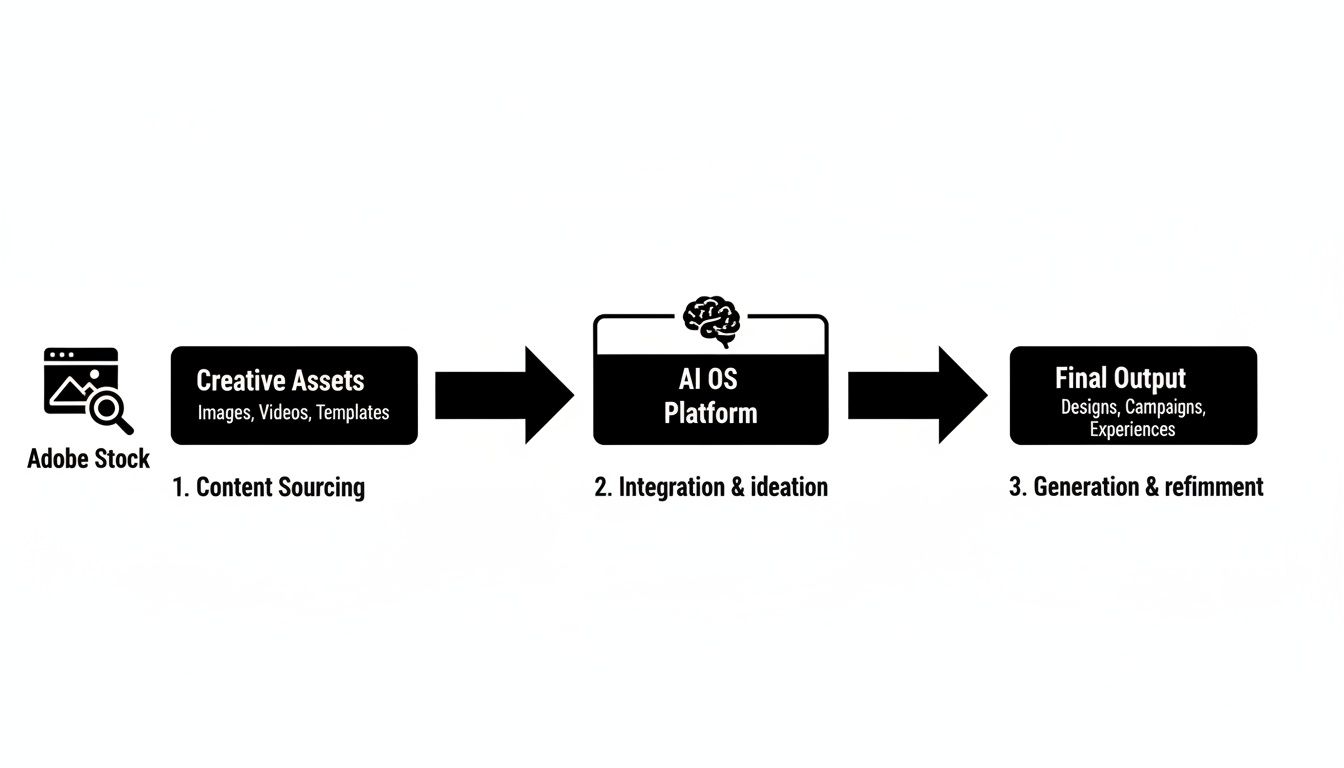
The big takeaway here is that stock photography becomes the foundation for endless creative exploration, not just the finished article.
Creating a Unified Asset Ecosystem
For a hybrid workflow to actually work, you need a central hub where your team can manage both types of assets without friction. If you don't have one, you’ll quickly end up with disconnected silos of content, which makes version control and collaboration an absolute headache. This is exactly where a platform like VirtuallPRO becomes indispensable, acting as the command centre for all your creative assets.
Inside a single workspace, your team can:
- Store and categorise licensed Adobe Stock photos right alongside AI-generated content.
- Trace an asset's entire journey, from the original stock photo to every AI-generated variant.
- Guarantee every visual—whether sourced or generated—has a complete, auditable compliance trail.
To get the most out of AI generation, mastering effective prompt engineering is non-negotiable. It’s the skill that allows your team to translate a creative brief into precise instructions for the AI, ensuring the generated elements fit perfectly with the licensed stock components. For a deeper dive, check out our guide on the https://virtuall.pro/blog/best-ai-for-image.
By bringing these two powerful resources together, you shift from simply finding images to actively creating them. This gives your team a massive advantage: the quality assurance of professional stock photography combined with the boundless customisation of AI.
Why a Hybrid Creative OS Is the Future
Let’s be honest, modern creative teams are caught in a constant tug-of-war between quality and speed. To stay ahead, you need a system that doesn't force you to choose one over the other. While Adobe Stock photos are still a vital part of the creative toolkit, the sheer volume of unique content needed today points to a new way of working: a unified creative operating system. And this is exactly where a platform like VirtuallPRO comes in.
VirtuallPRO rolls AI generation, asset management, and team collaboration into a single, compliant workspace. Think of it as your team's command centre, where you can go from a rough idea to a finished, campaign-ready asset faster than ever. This hybrid approach isn’t about replacing stock photography; it's about supercharging it, giving your team the best of both worlds.
Unifying Creative Workflows
A proper Creative OS acts as the central hub for every single visual asset your team creates or licenses. It neatly organises your trusted stock content right alongside unique, AI-generated visuals, giving you complete oversight from a single dashboard. This integration finally solves some of the biggest workflow headaches by getting rid of scattered files and confusing folder structures.
By combining the reliability of vetted Adobe Stock photos with the customisation of AI, teams can achieve a level of creative output that was previously impossible. It's about working smarter, not just harder.
Having this single source of truth is absolutely crucial for keeping your brand consistent and your licensing compliant across every project. We get into the nitty-gritty of why this matters in our deep dive on marketing asset management software.
Ultimately, a hybrid system is about future-proofing your studio. It gives you the blistering speed today’s market demands without ever compromising on the quality your clients have come to expect. The best way to see the difference is to experience it yourself. We encourage you to try VirtuallPRO for free and discover just how a Creative OS can reshape your projects.
Got Questions? We've Got Answers
Diving into Adobe Stock photos often brings up a few common questions, especially when you're trying to keep your team's creative work both compliant and on-budget. Let's tackle some of the big ones.
Can I Really Use Adobe Stock Photos for Commercial Work?
Yes, absolutely. Most of the images you'll find on Adobe Stock are covered by a Standard Licence, which is built for commercial use. Think websites, social media posts, digital ads—that sort of thing.
But here's the catch: the Standard Licence has its limits. If you're planning to print more than 500,000 copies of something or use an image on merchandise you intend to sell, you'll need to upgrade to an Extended Licence. Keeping track of who has what licence is crucial, and it’s something a dedicated platform like Virtuall simplifies by managing asset rights right alongside the asset itself.
Is Adobe Stock Better Than AI Image Generation?
That's a bit like asking if a hammer is better than a screwdriver. They're different tools for different jobs, and the best workshops have both. Adobe Stock photos are your go-to when you need a high-quality, professionally shot image that feels authentic and grounded in reality.
AI image generation, on the other hand, is all about speed and infinite customisation. It lets you dream up something completely new and unique to your brand. The smartest teams we see are now blending the two—using a central hub like VirtuallPRO to manage their trusted stock assets alongside their custom-made AI creations. It really is the best of both worlds.
How Can We Keep Our Adobe Stock Photo Costs Under Control?
If you're constantly needing fresh assets, a subscription is usually the most cost-effective route. It gives you a much better per-image price than buying credit packs as you go, which helps make your spending more predictable month to month.
For even tighter budget control, though, many teams are shifting to platforms with a unified token system. VirtuallPRO, for example, gives you one straightforward budget for every creative task, from AI generation to asset management. This completely removes the guesswork of per-asset licensing and makes financial forecasting a whole lot easier.
What Are the Real Legal Risks of Using Adobe Stock Photos?
Adobe does a good job of vetting its content, so it’s a relatively safe bet for commercial projects. The real risk isn't in the photos themselves, but in how you use them. Forgetting to upgrade your licence before putting an image on a t-shirt for sale is a classic mistake and a clear violation.
Your best defence here is solid asset governance. When everyone on the team is working from a centralised system—a core part of Virtuall's setup—you ensure every asset is used exactly as its licence allows. This simple step can save you a world of legal headaches.
Ready to build a smarter, more efficient creative workflow? Discover how Virtuall unifies asset management with powerful AI generation to help your team move from concept to final asset faster than ever. Try Virtuall for free and experience the future of creative production.