Your Guide to Becoming an Adobe Stock Contributor
Discover how to become a successful Adobe Stock contributor. Get actionable advice on submissions, metadata, and workflow to maximize your earnings.

Are you looking for a compliant and secure way to monetize your creative assets? For countless successful Adobe Stock contributors, turning visual work into passive income is a reality. This guide is your roadmap to joining them, breaking down exactly what it takes to get started and what kind of content sells in a responsible, enterprise-friendly marketplace.
Before you begin, consider accelerating your creative process with VirtuallPRO, our Creative AI OS. It's designed for professionals who need to generate high-quality, commercially safe visual assets efficiently. If you haven't generated anything already, you can try it for free.
Starting Your Adobe Stock Contributor Journey
So, what does it actually mean to be an Adobe Stock contributor? In a nutshell, you’re turning your creative work—photos, vectors, videos, even 3D models—into a source of recurring revenue.
You upload your high-quality assets to Adobe's enormous marketplace. From there, millions of buyers, from small businesses to global brands, can license them for their projects. Every single time someone downloads your work, you earn a commission.
It's a powerful model for both solo artists and creative teams looking to monetise their portfolios. This isn't about one-off sales; it's about building a solid collection of assets that can sell again and again, creating a reliable income stream over time.
To get from creation to submission faster, a platform like VirtuallPRO can be a game-changer. It’s a Creative AI OS built to manage the whole process, letting you focus on the fun part: creating. Virtuall is committed to providing a secure platform for all your visual creative work.
What Content Sells Best
Being a successful Adobe Stock contributor isn't just about artistic flair—it's about commercial viability. Buyers are always looking for content that feels authentic, relevant, and on-trend.
Here's a look at what consistently gets downloaded:
- Authentic Lifestyle Images: Think genuine, un-staged shots of people in everyday situations—working, socialising, and just living. These are always in high demand.
- Business and Technology Concepts: Visuals that capture remote work, data analytics, cybersecurity, and artificial intelligence are incredibly popular right now.
- Diverse and Inclusive Representation: Content that features people from all backgrounds, ages, and abilities is no longer a "nice to have"; it's essential for modern brands.
- Niche-Specific Content: Don't underestimate the power of specialisation. Topics like sustainable living, mental wellness, or specific industrial processes can perform brilliantly because there’s less competition.
At its core, the passive income model is a simple three-step flow: you create, you upload, and you earn.
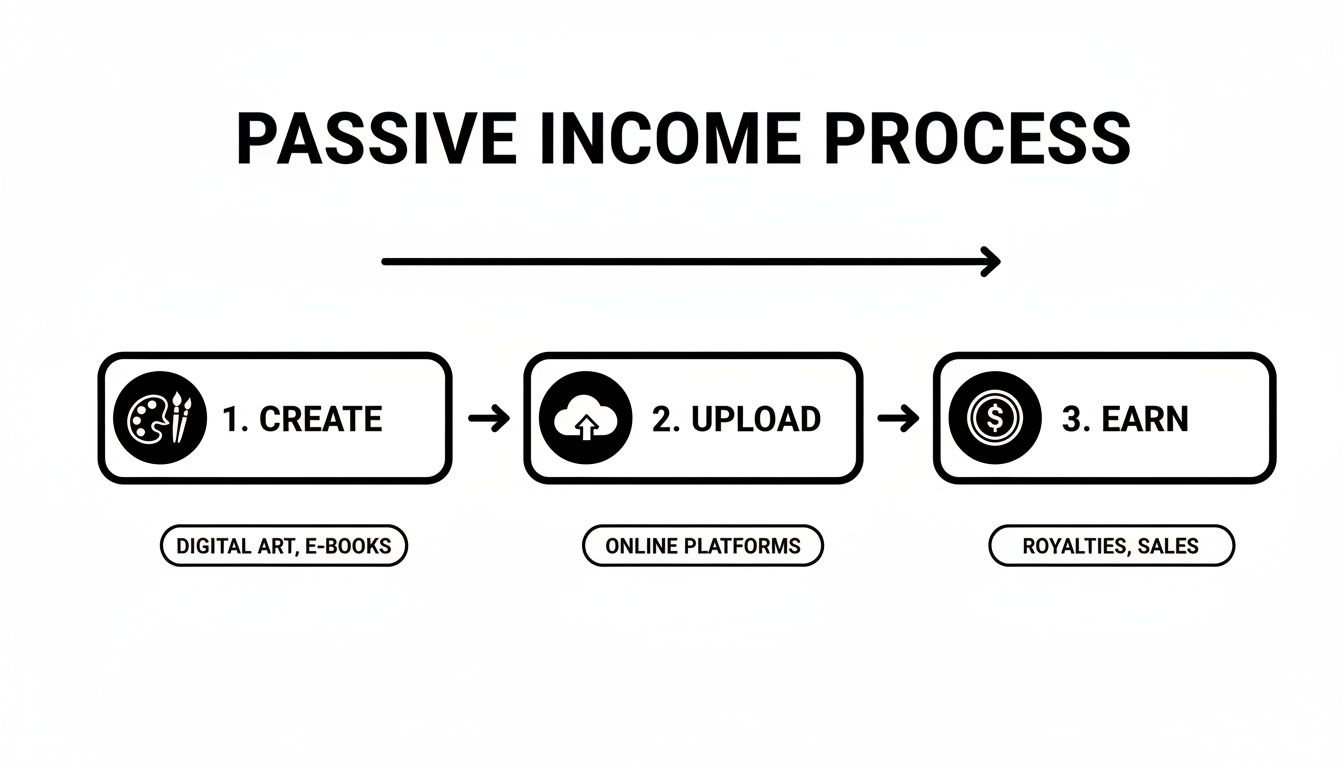
This process shows how your initial creative effort can lead to continuous earnings without you having to lift a finger for each sale. By building a diverse, high-quality portfolio, you’re essentially creating a scalable business that works for you around the clock.
Getting Your Contributor Account Set Up for Success
Jumping into Adobe Stock is pretty simple, but a few minutes spent on a proper setup now will save you a world of headaches down the line. It all starts with creating your account – the foundation for your entire stock portfolio.

Already have an Adobe ID from using Photoshop or Lightroom? Perfect. You can use that to sign right into the Adobe Stock Contributor portal. If not, creating one is quick and painless. This single login is your key to the portal where you’ll upload files, watch your sales, and manage your payouts.
Learning the Contributor Portal
Once you’re in, take a look around the dashboard. Think of it as your mission control. You’ll find clear sections for uploading new files, browsing your portfolio, and checking your earnings. But before you get to the fun part, there's one critical task: completing your profile and tax info.
Don’t put off the tax forms. Seriously. Getting them filled out accurately from day one is the most important step to getting paid. Adobe has different forms depending on where you live (like the W-9 for U.S. residents or the W-8 BEN for everyone else), and the portal walks you through choosing the right one.
Key Takeaway: An incomplete or incorrect tax form is the number one reason for payment delays. Double-check that your name, address, and tax ID number match your official records perfectly. This simple step prevents major frustrations later.
With that bit of admin out of the way, you can focus on the creative work of being an Adobe Stock contributor. Now that your account is ready, it's time to prep your assets, which means getting familiar with the technical rules. For more on this, check out our guide on where to find the best stock images.
Understanding the Technical Rules
Every single photo, video, or vector you submit has to meet specific technical standards to get accepted. Nailing these from the start will dramatically boost your approval rate and save you the pain of re-editing and re-uploading the same file over and over.
While the full list of rules is long, knowing the basics is a must.
Adobe Stock Technical Requirements at a Glance
Here’s a quick-reference table covering the bare minimums for the most common asset types. This is your baseline for getting through the door.
| Asset Type | File Format(s) | Minimum Resolution/Size | Key Technical Notes |
|---|---|---|---|
| Photos | JPEG | 4 Megapixels (MP) | Must be free of noise, artefacts, and focus issues. |
| Vectors | AI, EPS, SVG | N/A (Artboard > 15 MP) | Files must be organised, with no raster images embedded. |
| Videos | MOV, MP4, MPG | 1920x1080 (Full HD) | Audio must be clean or removed if not essential. |
| Generative AI | JPEG | 4 Megapixels (MP) | Must be clearly labelled as generative AI at submission. |
Keep in mind, exceeding these minimums—especially resolution—often makes your work far more attractive to buyers who need high-quality files for big projects. Think of these specs not as a goal, but as the starting line.
Mastering Your Submission Metadata
Uploading a technically perfect image is just half the battle. If buyers can't find your work, it doesn't matter how brilliant it is. This is where your metadata—the titles, descriptions, and keywords—becomes your most powerful tool as an Adobe Stock contributor.
Think of it as the language you use to speak directly to the platform's search algorithm. Get it right, and your content gets seen.
A great title should be clear, descriptive, and read like a normal sentence. It needs to accurately describe what’s happening in the image without sounding robotic. Definitely avoid stuffing it with a list of keywords; that's what the keyword section is for.
For instance, a generic title like "Woman at desk" is forgettable. A much better one would be: "Focused young woman working on laptop in modern home office." It paints a complete picture for both the buyer and the algorithm.
Crafting a Keyword Strategy That Works
Keywords are the absolute backbone of your discoverability. The trick is to think exactly like a buyer. What specific terms would they type into the search bar to find an image just like yours? You need to be both broad and specific.
First, list the most obvious, essential keywords. For our example image, these would be terms like: woman, laptop, working, home office, desk.
Next, get more conceptual. Think about the mood, actions, and surrounding details. This could include keywords like: remote work, freelancer, entrepreneur, concentration, professional, technology, business, lifestyle.
Pro Tip: Adobe Stock’s algorithm pays close attention to the order of your keywords. Always list the 5-10 most important and relevant keywords first. This gives them more weight in the search results and tells Adobe exactly what your content is about.
This is also where long-tail keywords come in. These are specific phrases that target niche searches. A buyer might not just search for "coffee," but for something hyper-specific like "iced latte with oat milk on marble cafe table." Adding these detailed phrases helps you capture highly motivated buyers who know exactly what they need.
Navigating Model and Property Releases
Beyond keywords, legal compliance is non-negotiable. This is where model and property releases become absolutely crucial. These legal documents are your proof that you have permission to commercially sell images featuring recognisable people or private property.
You absolutely need a model release if your photo, video, or illustration contains a recognisable person. This includes:
- Clear shots of faces, even in a crowd.
- Distinctive tattoos, birthmarks, or other unique features.
- Silhouettes, if the person could still be identified.
A property release is required for images that feature recognisable private property where the design is unique and protected by copyright or trademark. Think of:
- Private homes, unique building interiors, and identifiable businesses.
- Artwork, sculptures, or products with distinct branding.
- Pets, as they are legally considered the property of their owner.
Attaching these releases is part of the upload process in the Contributor Portal. You can download blank release forms directly from Adobe, have your models or property owners sign them (digital signatures are fine), and then upload the completed PDF with your assets. Getting this right from the start prevents rejections and protects you legally. You can find more details about file requirements by exploring our guide comparing PNG and JPEG formats.
The creative market is also influenced by wider economic trends. For instance, the resilience of Denmark's economy is creating new opportunities for Adobe Stock contributors, especially in growing fields like 3D design and marketing. Nordea's economic outlook points to continued GDP growth in 2025, with record employment and controlled inflation creating a stable environment for creative industries. This stability has contributed to an 18% rise in digital content creation jobs since 2023, showing a strong local demand for high-quality stock assets from major Danish brands. Discover more insights about Denmark's economic progress on Nordea.com.
Navigating the Review Process and Common Rejections
Once you hit that "submit" button, your work officially enters the moderation queue. This is where a real person—an actual human reviewer—combs through your submission to make sure it meets Adobe's technical and legal standards.
Now, a bit of friendly advice: get comfortable with waiting. The review timeline can be anything from a few days to a couple of weeks, mostly depending on how many other contributors are uploading at the same time. Patience is your best friend here.

Let's get one thing straight: rejection is just part of the game. Every single successful contributor has a pile of rejected files. The difference is how they see it. A rejection isn't a failure; it's a direct, personalised piece of feedback on how to get better. Use it to sharpen your skills, and you'll see your acceptance rate climb.
Understanding Technical Rejections
Technical issues are, by a long shot, the most common reason for a file to get bounced. The good news? They're usually the easiest to fix once you know what to look for. Adobe’s reviewers are meticulous, zooming right in to 100% magnification to hunt for any and all imperfections.
Here are the usual suspects:
- Focus Issues: Your main subject needs to be razor-sharp. No exceptions. If it’s even a little bit soft, it’s going back to you.
- Noise or Artefacts: This often creeps in when you're shooting in low light or get a bit too heavy-handed with your editing. Keep an eye out for grainy textures, pixelation, or weird compression patterns.
- Chromatic Aberration: See that weird purple or green fringe along the edges of a tree branch against a bright sky? That's chromatic aberration, a classic lens flaw that needs to be corrected in post.
- Sensor Dust: Those tiny, annoying dark spots that only show up in clear skies or smooth backgrounds are an instant 'no'. A clean sensor is non-negotiable.
Get into the habit of inspecting your own images at 100% before you even think about uploading. This one simple check can save you from over 90% of technical problems before a reviewer ever lays eyes on your work.
Fixing Intellectual Property and Metadata Issues
Beyond the pixels, your content has to be legally safe for commercial use. This is where intellectual property rules trip up a lot of new contributors. Any recognisable logos, brand names, or trademarked designs have to go. Think the swoosh on a trainer, the badge on a car, or the label on a laptop.
A classic rookie error is leaving a smartphone logo visible in a photo of someone texting. Even if it’s tiny and partially blurred, it’s a red flag. When in doubt, clone it out.
Your metadata is just as critical. A generic title or a handful of irrelevant keywords won't cut it. Adobe will reject a file if the metadata offers poor value to buyers, because if they can't find it, they can't buy it. Your keywords must be an accurate, honest description of the image, ordered by importance.
Every rejection is a lesson. Learn from it, apply it to your next upload, and watch your success on the platform grow.
Speeding Up Your Workflow with AI and Team Tools
To really make it as an Adobe Stock contributor, your efficiency matters just as much as your creativity. This is especially true if you're part of a team. The secret to higher earnings isn't just creating great content—it's scaling your output without letting the quality drop.
This is where modern tools, particularly those built around AI, can completely change the game. They turn the manual grind of content creation into a high-speed production line.
A Creative AI OS like VirtuallPRO is built for this exact purpose. It’s designed to help creative teams generate high-quality images, 3D models, and video concepts with leading AI, shaving hours or even days off creation time. Instead of bouncing between different apps, your team can brainstorm, generate, and fine-tune assets all in one collaborative space.
If you're just starting to explore, check out our rundown of the best free AI image generators to see what fits your style.
Making Team Collaboration Actually Work
Working on stock content as a team brings its own headaches, from keeping a consistent style to just tracking who has the latest version of a file. VirtuallPRO tackles this head-on with shared workspaces where everyone can see project progress in real time.
- No More Lost Files: All your generated assets, from rough ideas to the final polished versions, live in one central spot. This puts an end to the frustrating hunt for files scattered across different drives, emails, and chat threads.
- Feedback That Makes Sense: Forget endless email chains. Team members can annotate and comment directly on visuals, making the review process crystal clear. An art director can circle exactly what needs changing in seconds.
This approach gets everyone on the same page, cuts down on friction, and slashes the time it takes to get an asset ready for submission.
AI Governance and Staying Commercially Safe
One of the biggest hurdles for teams using AI is making sure the final assets are actually safe to use commercially. This is where a lot of contributors get nervous, and for good reason.
VirtuallPRO has built-in AI governance tools designed to manage asset rights and maintain compliance, which is absolutely critical for any serious Adobe Stock contributor. It gives you the confidence that what you're creating is cleared for commercial use.
In Denmark, creative teams are jumping on these technologies. Adobe's 2025 Digital Trends report found that 29% of creative practitioners are already piloting generative AI for images and video. The adoption rate is even higher among executives in the DK region, where 32% are prioritising this tech, fuelled by the huge demand for new visuals from 4.2 million local social media users.
By bringing AI into your workflow responsibly, you can seriously ramp up your output. For a deeper look at how artificial intelligence can reshape your process, explore the best AI tools for content creators. Using these tools smartly lets you produce more high-quality content, which translates directly to more potential earnings on stock platforms.
Common Questions for Adobe Stock Contributors

Once you dive into the world of Adobe Stock, you're bound to have some questions. It’s totally normal. Here are a few of the most common ones that pop up for new contributors, with some straight answers to help you out.
How Much Can I Realistically Earn?
Let's be real: your earnings potential is tied directly to the quality, size, and commercial appeal of your portfolio. Adobe Stock offers a 33% commission on most assets and a slightly higher 35% on videos.
A small, niche portfolio might bring in a bit of coffee money each month. But if you’re dedicated and build up a library of thousands of high-demand, well-keyworded assets, it can become a serious source of passive income over time. Consistency is everything.
Important Takeaway: Think of this as a long game. Your first few months might feel slow, with just a trickle of sales. But as you consistently upload relevant, quality content, that trickle can grow into a steady stream.
Do I Still Own the Rights to My Content?
Absolutely. You always keep the full copyright to your work.
When you upload to Adobe Stock, you're just granting them a non-exclusive licence to market and sell your content for you. This is a huge plus.
It means you’re free to sell those same photos, videos, or illustrations on other stock sites, use them in your own portfolio, or even licence them directly to a client. You never lose control.
What Types of Content Sell Best on Adobe Stock?
The golden rule is authenticity. Buyers are tired of cheesy, staged shots. They're actively searching for genuine human moments, diverse representation, and modern workplace scenes that reflect how we actually live and work—think remote setups and AI-driven tech.
Niche topics can also be a goldmine. If you can provide high-quality visuals for specific themes like sustainable living, mental wellness, or specialised B2B industries, you’ll face a lot less competition.
My best advice? Spend some time just browsing the Adobe Stock platform. See what’s being featured on the homepage, check out the best-sellers, and get a feel for the visual trends customers are buying into right now. Let the market guide your next shoot.
Ready to manage your creative assets more effectively? With VirtuallPRO, your team can generate, organise, and collaborate on 3D models, images, and video all in one place. Start creating with VirtuallPRO today.