How to Choose an AI Model Builder for Custom Creative Work
Choose an AI model builder for custom creative work with a practical enterprise checklist for quality, governance, workflows and scale.
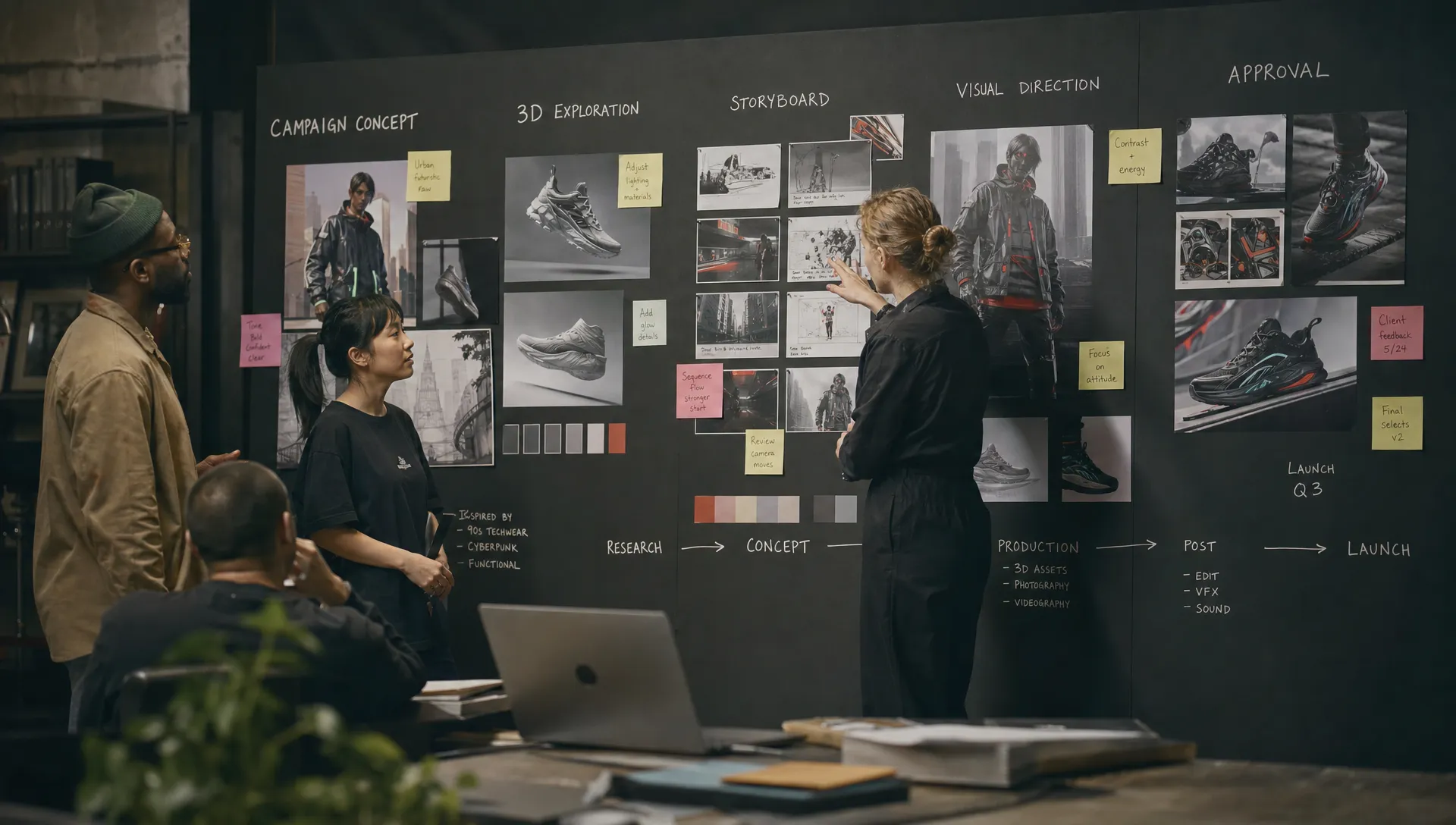
Choosing an AI model builder for creative work is no longer a research question reserved for technical teams. For CMOs, art directors, application managers and game developers, the choice now affects brand consistency, production speed, rights management, review workflows and how safely AI can be used across a studio.
The challenge is that many platforms look similar in a demo. They generate striking images, short clips, textures or concept directions from a prompt. That is useful, but it does not tell you whether the system can support custom creative work at enterprise scale. A campaign team needs repeatable outputs. A game studio needs pipeline compatibility. A brand team needs control over style, usage rights and approval paths. An application manager needs governance, security and integrations.
The right decision starts with a practical question: can this platform turn creative intent into governed, production-ready assets without forcing the team to rebuild its process around a black box?
What an AI model builder should do for creative production
An AI model builder is often described as a tool for training or customizing models. In creative production, that definition is too narrow. The useful version does more than fine-tune a model. It helps teams define the creative task, connect the right data, orchestrate the right model or model mix, preserve context, review outputs and deliver assets into the systems where work continues.
That distinction matters because most teams do not need to train a foundation model from scratch. They need controlled customization on top of strong existing models. That may mean style adaptation for a product line, reusable generation templates for campaign variants, 3D asset ideation for game environments or a governed workflow where AI outputs can be reviewed before they reach a DAM, PIM or game engine.
If your team is still deciding whether to build in-house or rely on a platform, the tradeoffs are different from a simple software purchase. Virtuall has a separate guide on how to create an AI for your studio and compare build vs buy, which is useful before you evaluate vendors in detail.
A strong AI model builder should give creative teams control over four layers: the models being used, the context that shapes outputs, the workflow that governs production and the systems that receive final assets. If any one of those layers is missing, impressive generations can become difficult to reproduce, approve or scale.
Start with the creative job, not the model
Before you compare any AI model builder, define the work it must support. A generic “better creative output” goal is too broad to evaluate. The buying team should agree on the asset types, quality bar, constraints and decision rights for the first production use case.
For example, a CMO may want faster campaign localization while protecting brand codes. An art director may want concept variations that follow an established mood board. A game developer may care about geometry, texture quality and compatibility with existing tools. An application manager may focus on identity access, logging, API coverage and security review.
Audience definition also matters. Custom creative systems perform better when they know who the work is for, what messages should be emphasized and which segments should be excluded. For B2B marketing teams, this can connect directly to data-led campaign planning, such as using AI audience creation for sharper B2B campaigns before briefs are translated into visual territories, copy angles or personalized assets.
| Stakeholder | What they should evaluate | Evidence to request |
|---|---|---|
| CMO | Brand consistency, campaign throughput, localization and compliance | Side-by-side campaign variants, approval logs and usage policies |
| Art Director | Creative control, style adherence, prompt repeatability and editability | Test outputs against mood boards, references and art direction notes |
| Application Manager | Security, access control, integrations, observability and support | Architecture documentation, API references and governance controls |
| Game Developer | 3D usefulness, asset pipeline fit, texture quality and iteration speed | Export tests, DCC compatibility checks and asset review in engine |
This alignment prevents a common failure: choosing a tool because it wins a prompt contest, then discovering it cannot support real production constraints.
Evaluate the model layer, but do not stop there
The model layer still matters. You should understand which foundation models the platform can access, whether it supports image, video, audio and 3D, how often models are updated and whether you can route different tasks to different models.
For custom creative work, multi-model flexibility is usually safer than betting everything on one model family. One model may be excellent for photoreal product imagery, another may be stronger for stylized illustration, another for video motion, another for 3D mesh generation or texturing. A platform should make these choices manageable rather than leaving each user to experiment alone.
Ask vendors how model selection works in practice. Can teams define which models are approved for specific tasks? Can the system prevent the use of models that are not compliant with company policy? Can it preserve a consistent brief when switching from image exploration to video or 3D? If the vendor cannot explain model routing clearly, your team may inherit avoidable risk.
For a deeper look at matching tasks to model capabilities, see Virtuall’s guide to model selection for studios. When choosing an AI model builder, you are not only choosing a training interface. You are choosing how your organization will access, control and combine models over time.
Check how the platform handles creative context
Creative output depends on more than a prompt. Professional work relies on references, mood boards, product information, audience insights, brand rules, legal constraints and the tacit language teams use to describe taste. If that context disappears between generations, teams spend too much time re-explaining the same intent.
A capable platform should let you capture and reuse context. That may include mood boards, brand guidelines, approved reference assets, product attributes, style rules and generation blueprints. These elements turn AI from an individual prompting tool into a repeatable studio capability.
The practical test is simple: can a new team member produce work that follows the same creative direction without copying someone else’s prompt history? If not, the system is not yet operating at a studio level.
Context handling is especially important for enterprise campaigns and game production. A seasonal fashion campaign, a global product launch or a game world bible contains more information than can fit in a single prompt. The AI model builder should help preserve that information across iterations, asset types and contributors.
Demand governance before scaling access
Governance is often treated as a late-stage procurement requirement. For creative AI, it should be part of the first evaluation. The moment teams upload proprietary references, product data, unreleased campaign material or game assets, the platform becomes part of your risk surface.
Governance questions should cover access, data use, auditability and policy enforcement. Who can upload reference material? Which models can use which assets? Are outputs traceable to workflows and inputs? Can administrators restrict capabilities by team, geography, project or asset type? Are review and approval steps documented?
For enterprise teams operating in Europe or serving regulated industries, data residency and inference location can influence vendor suitability. The EU AI Act, GDPR obligations and internal IP policies all push organizations toward clearer controls. Even when a creative use case is not classified as high risk, the business still needs to know how data is processed and how creative decisions are documented.
Governance should not make the tool unusable. The goal is to define clear rules so creative teams can work faster without guessing what is allowed.
Look for workflow orchestration, not isolated generation
A prompt box is not a workflow. Creative production includes briefing, exploration, selection, editing, review, approval, export and asset management. If the AI system only covers the generation step, the team still has to manage the rest manually.
An enterprise-ready AI model builder should support structured workflows. That can include reusable generation blueprints, review states, annotations, approvals, version tracking and handoff to downstream tools. These workflow features are not administrative extras. They are how a team turns experimentation into repeatable output.
Consider a global retail campaign. The team may need hero visuals, localized product compositions, social cutdowns and store display variations. Each output must follow brand rules, use approved product data and pass review before release. Without workflow orchestration, AI speeds up ideation but creates a new bottleneck in validation.
The same principle applies to games. Concept art may need to move into 3D exploration, then texture tests, then engine review. Teams need to know which assets are experimental, which are approved and which need rework. If status lives in chat messages and filenames, production risk increases.
Virtuall’s article on designing an AI workflow for creative teams expands on this point. When evaluating vendors, ask them to demonstrate a full workflow, not just the generation interface.
Verify integration depth with your creative stack
Custom creative work rarely ends inside the AI platform. Assets move into Adobe tools, DCC software, DAM systems, PIM platforms, game engines, review environments and content pipelines. Integration quality determines whether AI becomes part of production or remains a side experiment.
At a minimum, ask whether the platform offers APIs, plugins or connectors for the systems your team already uses. Then go beyond availability and test the actual handoff. Are metadata, versions, approvals and rights information preserved? Can assets be exported in useful formats? Can developers automate repeatable steps? Can IT monitor usage and access?
For 3D workflows, integration scrutiny should be even higher. A beautiful preview is not enough if the mesh, texture maps or file formats are unsuitable for downstream work. For video, teams should test resolution, editability, consistency across shots and how outputs move into post-production.
A useful vendor will welcome integration testing because it proves production fit. A vendor that only wants to show polished gallery outputs may not be ready for your pipeline.
Measure creative quality with real evaluation sets
Creative quality is subjective, but evaluation does not have to be vague. Build a test set that reflects real work. Include approved references, difficult prompts, edge cases, brand constraints and rejected examples. Then score outputs against criteria your team actually uses.
A practical evaluation matrix might look like this:
| Criterion | What to test | Why it matters |
|---|---|---|
| Brand adherence | Does the output follow visual identity, tone and exclusions? | Protects consistency across campaigns and regions |
| Controllability | Can users make targeted changes without starting over? | Reduces iteration waste and creative frustration |
| Repeatability | Can similar briefs produce consistent results over time? | Enables scale and template-based production |
| Production readiness | Are file formats, resolution, structure and metadata usable? | Prevents hidden cleanup costs |
| Governance fit | Are access, audit trails and approvals enforceable? | Supports compliance and enterprise rollout |
| Cost predictability | Can usage be estimated by workflow, team or output type? | Helps finance and operations plan adoption |
Run the same test with multiple user profiles. Let an art director, marketer and technical operator use the system. If only a prompt specialist can produce acceptable work, the platform may not scale across the organization.
This is also where custom model training should be judged honestly. Fine-tuning can improve style consistency or domain specificity, but it is not always the answer. Sometimes better references, stronger workflow templates or smarter model routing solve the problem with less operational overhead.
Understand customization options and their limits
Customization can mean several things. It may involve saved prompts, reusable blueprints, reference-based generation, retrieval from brand assets, model adapters, fine-tuning or full model training. Vendors may use similar language for very different technical approaches.
Ask what is actually being customized. Is the platform training on your data, referencing your data at generation time or storing project context for future workflows? Each option has different implications for quality, cost, privacy and maintenance.
You should also ask how updates are handled. If the underlying model changes, will your custom styles still work? Can teams version their blueprints or model configurations? Can previous campaign outputs be reproduced if needed for compliance or creative continuity?
For most enterprise creative teams, the best path is incremental. Start with governed access to strong models and reusable workflows. Add custom context and templates. Then fine-tune only where the return is clear, such as a high-volume product category, a recurring art style or a proprietary visual language.
Watch for red flags in vendor demos
Demos are designed to impress. Your job is to reveal operational reality. The strongest buying teams bring their own assets, constraints and workflows to the evaluation rather than relying on vendor-selected examples.
| Red flag | What it may indicate | Better question to ask |
|---|---|---|
| Only polished sample outputs are shown | The system may fail on real briefs or edge cases | Can we test with our own references and constraints? |
| Governance is described vaguely | Admin controls may be immature | Show how policies are configured and audited |
| Customization equals only prompt saving | The platform may not preserve deeper creative context | How are brand assets, mood boards and templates reused? |
| Integration claims are generic | Connectors may require heavy custom work | Can we test API or plugin workflows with our stack? |
| Pricing is tied only to generation volume | True workflow cost may be hard to forecast | Can costs be estimated by project, team and output type? |
An AI model builder that cannot explain these points may still be useful for experimentation, but it is risky as a core production system.
Build a phased rollout plan
Once a platform passes initial evaluation, avoid launching it everywhere at once. A phased rollout gives teams enough room to learn while keeping risk contained.
Start with one high-value, bounded use case. Good candidates include campaign concept exploration, product image variation, internal storyboarding, style development or early 3D ideation. Choose a workflow with enough volume to prove value, but not so much regulatory or brand risk that every iteration becomes blocked.
Define success before rollout. For creative teams, useful metrics may include cycle time, number of approved variants, reduction in manual rework, review turnaround, asset reuse and user adoption. For application managers, include governance metrics such as policy compliance, access control accuracy, audit completeness and integration reliability.
After the pilot, review what changed. Did the team produce more usable work or just more options? Did approvals become faster or more complex? Did AI outputs flow into existing systems cleanly? Those answers are more valuable than a generic productivity estimate.
How Virtuall fits this decision
Virtuall is built for teams that need creative AI to operate across studios, workflows and tools rather than live in isolated experiments. As a Creative AI OS, Virtuall focuses on orchestration, governance and production-ready outputs across image, video, audio and 3D.
For organizations evaluating a platform for custom creative work, the most relevant capabilities include AI governance controls, workflow orchestration, multi-model content generation, generation blueprints, studio context memory through mood boards, review workflows, approvals, content annotation, asset management and pipeline tracking. Virtuall also supports integration with creative tools through plugins and API, including connections into DCC, PIM and DAM environments.
Nyx, Virtuall’s intelligence layer, is designed to orchestrate multiple industry-leading AI models while keeping intent and context across studios and teams. That matters when the goal is not a single impressive output, but consistent creative production that can be governed, reviewed and scaled.
FAQ
Do we need an AI model builder if we already use generative AI tools? You may not need one for occasional concepting. You likely do if teams need reusable workflows, brand control, compliance, collaboration, integrations and consistent production outputs across multiple asset types.
Is fine-tuning always required for custom creative work? No. Fine-tuning can be valuable, but many teams get better results first by improving references, context, templates, review workflows and model routing. Fine-tuning should solve a specific production problem, not serve as a default starting point.
Who should be involved in the buying decision? Include creative leadership, marketing owners, technical administrators, legal or compliance stakeholders and the people who will use the platform daily. The best evaluation combines creative quality tests with operational and governance review.
How long should a pilot take? A focused pilot can often be scoped around one campaign, content type or game asset workflow. The timeline depends on integrations, security review and the complexity of the use case, but the pilot should be long enough to test real approvals and handoffs.
What is the biggest mistake teams make when choosing a platform? They choose based on sample output quality alone. For enterprise creative production, the platform must also support context, governance, workflow orchestration, integration and repeatability.
Choose for the operating model, not the demo
The best AI platform for custom creative work is the one that fits how your organization actually produces. It should help teams preserve intent, apply governance, collaborate across roles and deliver usable assets into existing pipelines.
When you evaluate an AI model builder, ask for more than beautiful generations. Ask how the system handles context, who controls the rules, how approvals work, what happens to your data, how models are selected and how outputs move into production.
If your goal is to operate creative AI at scale across image, video, audio and 3D, Virtuall provides the operating layer to control, orchestrate and scale that work with enterprise-grade governance.