A Creative's Guide to Image to Prompt Workflows
Learn the image to prompt process from start to finish. This guide covers how to turn any visual into a powerful AI command for creative projects.

Ever stared at a stunning reference image and wondered, "How do I describe this to an AI with the precision it needs?" You're not alone. Translating a visual idea into a text command that an AI can execute reliably is a common creative challenge in modern workflows.
This guide is here to solve that. If you're ready to start generating visuals for your creative work, you can try the Creative AI OS from Virtuall for free.
Skip the prompt guesswork — generate on-brand visuals from references inside Virtuall, the Creative AI OS for governed image production.
From Visual Concept to AI Command
We’ve all been there. You find the perfect image—the lighting, the mood, the composition—but getting a generative AI to capture that same magic feels like a guessing game. This is where artists, designers, and marketers get stuck.
Deconstructing a visual, whether it's a photo or a still from a film, is now a core skill for visual creative work. It's the bridge between your vision and what the machine creates.
This guide will walk you through mastering the image to prompt workflow, turning that spark of visual inspiration into a repeatable AI command. We'll get into methods that capture not just the subject, but the subtle details of style, lighting, and composition that make an image work. For creative teams, getting this right means better consistency and a massive speed boost.
We'll be looking at this process inside VirtuallPRO, a Creative AI OS built for professional teams. It connects multiple AI engines, so you can take a single image and spin it out into new variations, 3D models, or even video assets in a safe and compliant environment. The end goal is a reliable, scalable system that plugs right into your creative pipeline. Digging into how AI Video Generator from Image Tools work is a great way to understand how AI interprets visual concepts, which is a key part of this whole process.
If you want to jump right in, you can generate your first asset with VirtuallPRO for free. It’s time to stop guessing and start building.
Key Benefits of This Workflow
This isn't just about copying images. It's about unlocking a more structured way to create. Adopting a proper image-to-prompt workflow gives professional teams a serious edge.
- Enhanced Consistency: Keep all your assets, from 2D concepts to 3D models, aligned to a single visual style derived from your source prompts.
- Increased Efficiency: Slash the time you waste on prompt trial-and-error by starting with a solid, descriptive foundation.
- Improved Collaboration: A shared library of prompts built from reference images creates a common language for your team's creative direction.
By mastering the art of translating visuals into text, you're not just telling an AI what to create; you're teaching it to see the world through your creative lens.
Ultimately, this workflow gives you back artistic control while still tapping into the raw power of AI. For a deeper dive, check out our guide on finding the best AI for image generation to get a feel for the different models you can direct with these techniques.
Using Automated Tools for Instant Prompts
Getting a solid starting point from an image doesn't have to be a manual grind. Automated tools—often called 'interrogators' or 'CLIP analysers'—are built to instantly convert an image to a prompt, giving you a foundation to work from in seconds.
These AI systems scan your image and spit out a descriptive text prompt. They’re trained to spot the key elements—subjects, artistic styles, lighting, even composition—and translate them into the keywords that generative AI models understand.
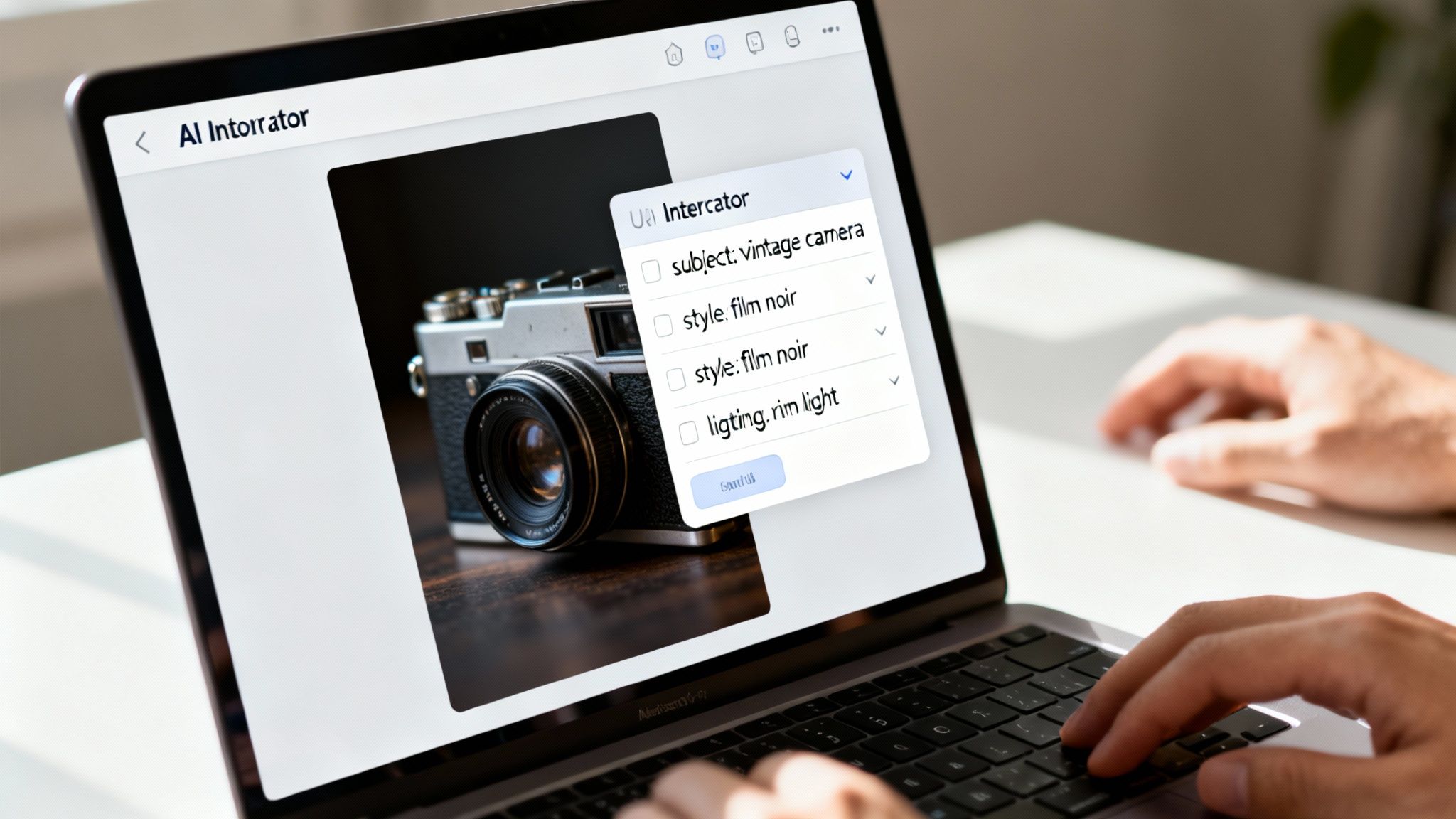
This completely flips the script for creative teams. Instead of struggling to describe a complex visual from memory, you generate a baseline prompt and jump straight into refining it.
How Automated Tools Fit into a Professional Workflow
Picture this: your team is launching a new campaign and needs visuals that match a specific mood board. An art director can just upload a reference image into VirtuallPRO, and the built-in analyser creates an initial prompt on the spot.
That prompt becomes the shared starting point. A concept artist can grab that text, inject their own creative flair, and start generating variations without guessing the core style. It turns a potential bottleneck into a quick, collaborative first step. For this initial conversion, using dedicated image to text converter tools is a proven way to automate the heavy lifting.
The real power here isn’t just the speed. It’s about creating a consistent, data-driven baseline that gives human creativity a better place to start.
These tools are brilliant for projects demanding stylistic consistency. A game development team, for instance, can use a single piece of approved concept art to generate prompts for dozens of related assets, making sure they all share the same visual DNA.
Choosing the Right Automated Tool
Not all image-to-prompt analysers are the same. Different models are trained on different datasets, which gives them unique strengths. Knowing the difference is key to getting the results you actually want.
Here’s a quick breakdown of the common types:
- General-Purpose Analysers: These are the all-rounders. They're great at identifying common objects, scenes, and popular styles like 'photorealistic' or 'anime'. Perfect for product photos or general marketing assets.
- Style-Focused Interrogators: Some tools are fine-tuned to recognise specific artistic movements, artist styles, and nuanced aesthetics. If you need to deconstruct an image with a distinct painterly feel, these are your best bet.
- Character and Portrait Specialists: These analysers are laser-focused on human features. They can pick up on facial expressions, clothing styles, and character archetypes, making them invaluable for character design.
Inside VirtuallPRO, you can switch between different analysers depending on the task. This flexibility lets your team pick the right tool for the job, whether you're creating a complex 3D character or a simple social media graphic, cutting down on the usual trial-and-error.
The goal is to get 80% of the way there in 20% of the time. The automated prompt gives you a strong foundation, freeing up your team to focus on the creative details that make the work stand out. As you refine those outputs, it helps to understand how different models interpret prompts, which you can learn by exploring some of the best free AI image generators.
Mastering Manual Prompt Deconstruction
Automated tools are fast, no doubt. But they often miss the artistic intent, the feeling of an image. For any visual creative work where total control is non-negotiable, manually breaking down an image is the only way to get a prompt with absolute precision. This is where your eye for detail gives you a massive advantage over the machine.
When you deconstruct an image yourself, you can layer in the subtle details that automated tools almost always overlook. It’s the difference between a generic description and a powerful, targeted command that produces exactly what you have in your head. This hands-on approach puts you firmly in the director's chair.
Ready to take control? Let's walk through how to break down any image into its core components to build a prompt that truly captures its essence.
A Framework For Analysing Visuals
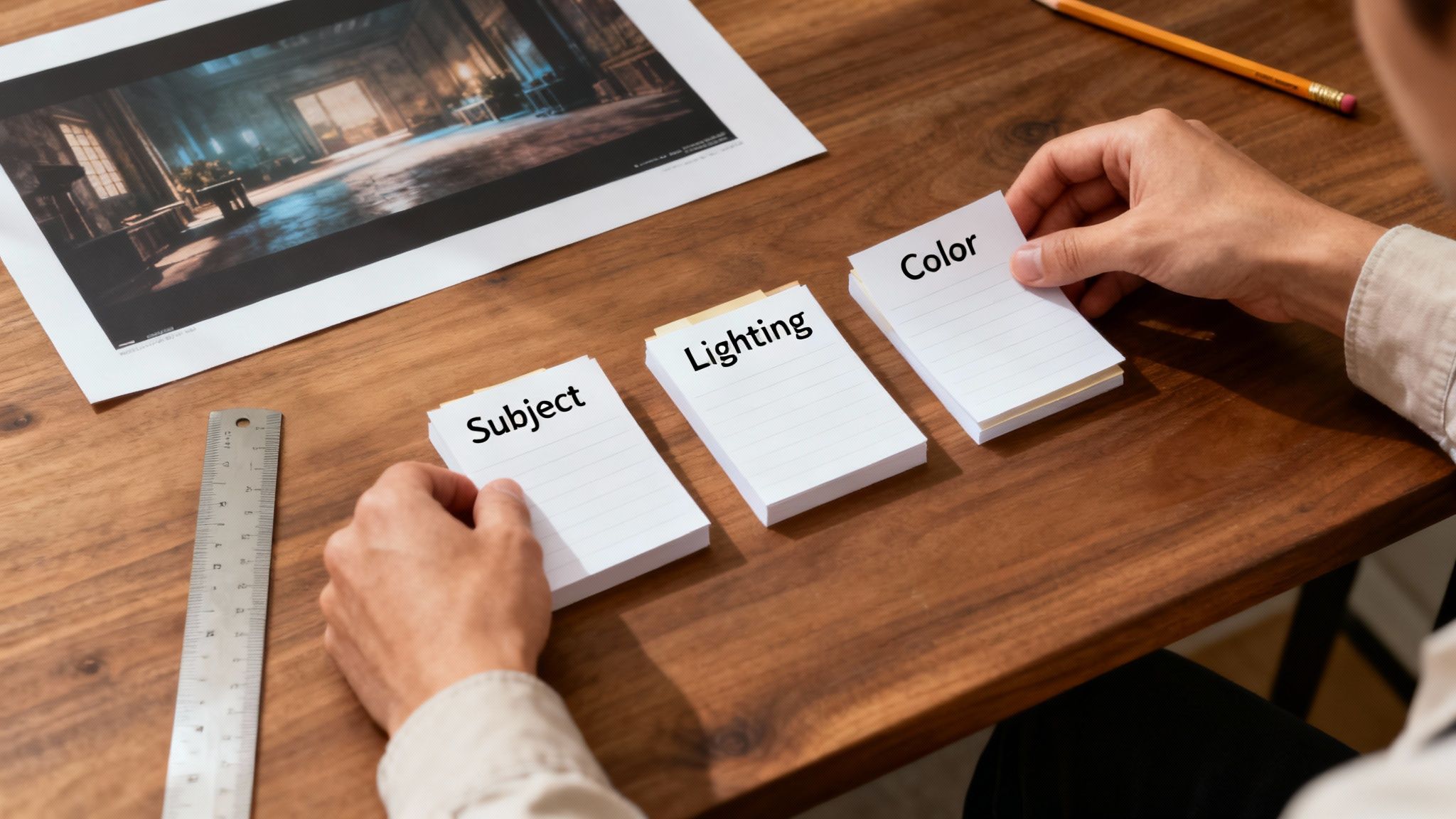
The secret to a great manual prompt is structure. Instead of just listing things you see, you need to break your analysis into distinct categories. This organised method ensures you cover every critical piece of the image, from the main subject right down to the subtle atmospheric touches.
Think of it like a recipe. Each ingredient and instruction needs to be precise and in the right order to get the result you want. This structured approach is fundamental if you want to create repeatable, high-quality outcomes. We dive deeper into how AI interprets these inputs in our guide on artificial intelligence drawing.
Here’s a practical framework I use to deconstruct any image. It breaks the visual information down into distinct, actionable parts that an AI can easily understand.
Image Deconstruction Framework
| Component | What to Analyse | Example Prompt Keywords |
|---|---|---|
| Subject & Scene | What's the main focus? Who or what is in the scene? What's the environment like? Be specific. | battle-weary knight, ornate gothic plate armour, colossal vine-choked ruins, enchanted forest |
| Artistic Style | How was it made? Is it a photo, a painting, a render? What movement or artist does it evoke? | oil painting, digital concept art, photorealistic, impressionism, cyberpunk, style of Greg Rutkowski |
| Lighting & Atmosphere | Where is the light coming from? What's the mood? Is it day or night? Clear or foggy? | dramatic backlighting, soft morning glow, neon-drenched, eerie, serene, chaotic, god rays |
| Colour Palette | What are the dominant colours and their relationships? Is the palette warm, cool, or monochromatic? | monochromatic blue, warm autumnal tones, vibrant complementary colours, deep greens and greys |
| Composition | How is the shot framed? Is it a close-up or a wide shot? Are there any guiding lines or focal points? | cinematic wide shot, extreme close-up, rule of thirds, leading lines, Dutch angle |
By systematically working through these components, you move from a vague idea to a highly specific set of instructions. This is the key to telling the AI exactly what to create.
Real-World Example: Deconstructing a Cinematic Scene
Let's apply this to a real scenario. Imagine a game developer needs to create concept art based on a cinematic still. The image shows a lone figure standing before ancient, overgrown ruins in a misty forest at dusk.
An automated tool might spit out: "figure in front of ruins in a forest."
Technically correct, but completely useless for creative direction.
Now, let's use our framework to build a prompt manually.
Example Prompt: "Epic fantasy concept art, a lone wanderer in weathered leather armour standing before colossal, vine-choked stone ruins, misty enchanted forest, atmospheric god rays filtering through the dense canopy at twilight, cinematic wide shot, deep greens and greys with ethereal gold highlights, style of an Unreal Engine 5 render."
See the difference? This prompt gives the AI specific, actionable details for every category. It defines the subject's attire, the scale of the ruins, the precise lighting, the colour scheme, and the desired final look. It’s a command, not a vague description.
This level of detail is fast becoming a cornerstone of modern creative production. The economic impact of this kind of image-to-prompt AI in Denmark is profound, enabling Virtuall's clients—from brands to VR creators—to generate and manage image-derived prompts with incredible precision. A recent Implement report estimates generative AI could add DKK 200-250 billion to our annual GDP after a decade of adoption, an 8% uplift. You can read more about the economic opportunity of AI in Denmark.
By mastering manual deconstruction, your team’s creative expertise becomes the engine driving the AI. Inside VirtuallPRO, these detailed prompts can be saved as 'blueprints,' letting your entire team replicate a specific style consistently and efficiently across a whole project.
Fine-Tuning Your Prompts for Perfect Results
Getting a basic prompt from an automated tool or your own analysis is a great start, but it's rarely the end of the road. The real magic happens when you start refining and optimising that initial text. This is where you nudge a good starting point into a great one, turning a generic description into a precise command that gets you exactly what you need.
This refinement stage is what separates amateur outputs from professional-grade assets. It’s all about developing a feel for how AI models interpret specific words and phrases, letting you guide the final image with near-surgical precision. You’re moving beyond just describing what an image is to dictating what you want it to be.
Using Negative Prompts to Cut Out the Noise
One of the most powerful tricks in the book is the negative prompt. Instead of just telling the AI what you want, you also tell it what you don’t want. This is a game-changer for cleaning up common AI quirks and dialling in a specific aesthetic.
Think of it as putting up guardrails. If your generations are plagued by distorted hands, blurry backgrounds, or an odd colour cast, a negative prompt steers the model away from those bad habits.
- For common glitches:
blurry, deformed, disfigured, poor quality, bad anatomy, extra limbs, watermark, text. - To control the style:
photorealistic(if you want something illustrative),oversaturated,dark,boring. - To fix the composition:
cropped,out of frame,tiling,asymmetrical.
For instance, you might be generating a character portrait that keeps coming out with bizarre, six-fingered hands. By adding --no hands or --no extra fingers (the syntax depends on the model), you’re telling the AI to actively avoid those mistakes, which instantly boosts the quality of your results.
Shifting Focus with Keyword Weights
Not all words are created equal. Most advanced models like Midjourney and Stable Diffusion let you assign weights to your keywords, telling the generator which parts of the prompt to prioritise. This is how you get granular control over the final image.
It’s like being the conductor of an orchestra. You can tell the violins to play louder and the percussion to soften up, making sure your creative vision takes centre stage.
The real art of prompt refinement is in the details. Tweaking keyword weights and adding negative prompts is how you go from being a user of an AI to a director of its creative output.
Here’s a practical example. Say your prompt is: A cinematic shot of a red sports car driving through a neon-lit city at night.
The AI might get fixated on the "neon-lit city" and push the car into the background. To fix that, you just need to give "red sports car" more importance.
- Before:
A cinematic shot of a red sports car driving through a neon-lit city at night. - After (with weighting):
A cinematic shot of a (red sports car:1.5) driving through a (neon-lit city:0.8) at night.
With this simple tweak, the car is now 50% more important, while the city's influence is dialled back. This kind of control is vital in a professional pipeline. It’s no surprise that Denmark is a frontrunner in AI adoption, with 15.2% of enterprises already using AI technologies. This makes it a hub for image-to-prompt innovations that help game developers and producers work smarter. You can learn more about Europe's AI adoption leaders on Eurostat.
Structuring Prompts for Different Engines
Finally, remember that different AI models speak slightly different dialects. A prompt that sings in Midjourney might fall flat in Stable Diffusion. A key part of optimisation is tailoring your prompt structure to the engine you’re using.
- Midjourney: Tends to prefer natural, descriptive sentences. It responds well to stylistic phrases ("in the style of…") and uses a simple
::for weighting and--for parameters like aspect ratio (--ar 16:9). - Stable Diffusion: Often works best with direct, comma-separated keywords. It loves specific technical terms from photography (like
50mm lens, f/1.8) and uses syntax like(keyword:1.3)for emphasis.
Inside VirtuallPRO, your team doesn't have to sweat the small stuff. The platform lets you create and save prompt blueprints for different models. An artist can perfect a prompt for a character style in one engine, save it as a blueprint, and the entire team can reuse it. This ensures consistency and quality across the board, without everyone needing to become a prompt engineering expert. It’s a simple way to turn individual discoveries into a shared, scalable asset library for the whole company.
Building an Image to Prompt Team Workflow
Knowing how to turn an image into a great prompt is one thing. Building a process around it that your whole team can use? That’s where the real magic happens.
For any creative production pipeline to run smoothly, you need more than just a few clever techniques; you need a system. A reliable, repeatable workflow ensures everyone, from the art director to a junior artist, is on the same page and working efficiently.
So, how do you actually embed this into your day-to-day operations? It’s all about creating a clear path where visual ideas are translated into actionable AI commands with total visibility. Without a shared process, you're just inviting chaos—inconsistent results, wasted effort, and a messy asset library nobody can navigate.
A proper workflow turns individual talent into a scalable team superpower. This is especially true for enterprise-level creative work, where things like governance, brand consistency, and asset management are non-negotiable. It’s about making creative AI a predictable, controlled, and safe part of your production line.
A Practical Team Workflow in VirtuallPRO
Let's walk through what this looks like inside VirtuallPRO, which acts as a central hub for modern creative teams. This isn’t just about making pictures; it’s about managing the entire creative lifecycle from a single, collaborative space.
Here’s a common scenario designed for clarity and control.
The Art Director Kicks Things Off
The whole thing starts when an art director or creative lead uploads a reference image to a shared project. This could be a photo from a mood board, a piece of concept art, or a product shot. Instantly, that image becomes the single source of truth for the desired look and feel.The Artist Takes the Baton
A concept artist or designer then uses VirtuallPRO’s built-in tools to get a first-draft prompt from that reference image. They might start with an automated analysis to get going quickly, then manually tweak and refine the text, adding their own expertise to capture the subtle details and artistic intent.The Team Iterates and Refines
From that prompt, the artist generates a few visual options. The art director and other stakeholders can then jump in and annotate the images directly on the platform, leaving specific feedback like "make the lighting more dramatic" or "shift the colour palette to warmer tones." Every version—and the prompt that created it—is automatically saved, creating a perfect audit trail.
This streamlined loop is the engine of a scalable creative process.
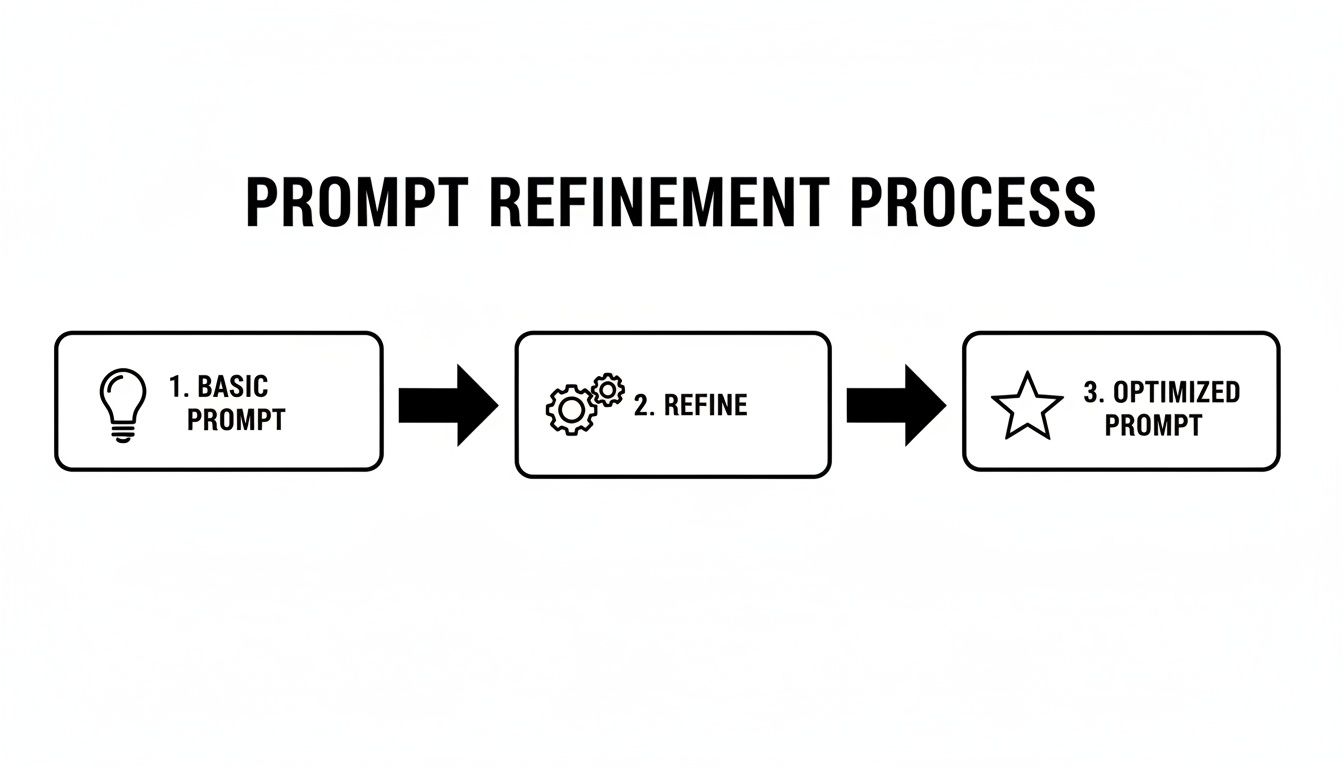
This simple flow—from a basic concept to a refined, powerful command—is what a modern, scalable creative pipeline is built on.
Creating and Managing Prompt Blueprints
One of the best things to come out of this workflow is the creation of 'prompt blueprints'. When your team nails a prompt that perfectly captures a brand style or a specific project aesthetic, you can't afford to let that knowledge get lost in a private chat or a forgotten document.
Inside VirtuallPRO, you can save these high-performing prompts as blueprints. This turns a successful deconstruction into a reusable asset that anyone on the team can grab.
A prompt blueprint is more than just saved text; it's codified creative direction. It ensures that every asset generated for a campaign—whether for a game, a film, or a marketing push—hits the same visual standard.
This is an absolute game-changer for large projects. Instead of every artist starting from square one, they can pull a pre-approved blueprint, make a few small tweaks for their specific task, and get straight to work. The impact on consistency and speed is massive.
Enterprise Benefits: Governance and Scalability
For any serious creative team, implementing a structured image-to-prompt workflow brings huge benefits. It’s about building a more efficient, collaborative, and controlled AI-powered production pipeline.
The growth of visual AI is undeniable. In Denmark's tech sector, for instance, 18% of firms now use AI for image recognition, a figure that almost doubled in just a year. You can read more about the trends in Danish AI adoption here. Our workflow is designed to help you ride this wave in a secure and compliant way.
Here’s what that means in practice:
- Governance and Compliance: With all assets and prompts in one place, you have full oversight. You can track who created what, when, and with which prompt, making it easy to stick to brand and legal guidelines.
- Centralised Asset Management: No more digging through different drives or platforms. Every generated image, 3D model, or video—along with its creative DNA (the prompt)—is organised and versioned automatically.
- Scalability: When new people join the team, they can get up to speed in minutes by using the established blueprints and looking at past projects. This makes scaling your creative output possible without dropping the ball on quality.
By using VirtuallPRO as a complete creative OS, you turn a potentially chaotic process into a predictable, manageable, and scalable operation.
Common Questions About Image to Prompt
As you start weaving the image to prompt process into your creative pipeline, you're bound to have some questions. It’s a powerful new way of working, but it helps to know the capabilities—and the limits—especially when you’re in a professional setting. Let's tackle some of the most common queries to give you a clearer picture.
This isn’t just about turning a picture into words. It’s about building a reliable bridge between a visual concept and AI-driven creation. Understanding the nuances here is key to helping your team use these tools effectively and responsibly.
How Accurate Are Automated Image to Prompt Tools?
Automated tools are incredibly fast. They’re great at identifying core subjects, styles, and colours, often capturing about 80% of the key descriptive elements you need for a solid starting prompt. That initial analysis can save a huge amount of time.
But they have their blind spots. They can easily miss nuanced artistic details, subtle atmospheric effects, or complex compositions that a trained human eye would catch instantly.
For high-fidelity, professional work, the best approach is to use an automated tool for the baseline prompt. Then, have a skilled artist or prompt engineer manually refine it. That’s how you add the creative intent and precision needed to make sure the final output perfectly matches the project’s vision.
Can I Use Image to Prompt for 3D Models and Videos?
Absolutely. The text prompt you generate from an image is a universal starting point that you can easily adapt for different kinds of media. Inside a unified workspace like VirtuallPRO, you can feed that core description straight into a 3D or video generation model.
You'll probably need to add a few format-specific keywords to guide the output.
- For 3D, you might add terms like
photorealistic 3D model, Unreal Engine 5, PBR textures. - For video, you could append keywords such as
cinematic 4K video, slow motion, dramatic lighting.
Even with these additions, the core description extracted from the original image remains the foundation. This ensures stylistic and thematic consistency, letting you build a cohesive campaign across different media formats—all from a single visual concept.
This cross-media capability is a cornerstone of a modern creative workflow. It allows teams to maintain brand integrity and visual consistency, whether they're producing a 2D advertisement, a 3D product visualisation, or an animated video.
How Does VirtuallPRO Help Manage Prompts for a Large Team?
This is where simple generation tools fall short. VirtuallPRO is designed from the ground up for team collaboration and governance. It lets you save your most successful and refined prompts as ‘blueprints’ that anyone on the team can find and reuse. This is a game-changer for keeping brand consistency across large-scale projects with multiple contributors.
All generated assets and their corresponding prompts are version-controlled and neatly organised in shared workspaces. This creates a transparent and auditable trail, so you can always track which prompt created which asset. Team members can collaborate on refinements and build a powerful, shared library of creative commands.
Ultimately, it gives you a centralised, secure, and compliant environment to manage your entire creative pipeline.
Ready to build a smarter, more consistent creative workflow? With VirtuallPRO, your team can move from visual inspiration to final asset faster than ever. Generate, manage, and collaborate on your entire creative pipeline in one secure workspace. Try it for free and see the difference a true Creative AI OS can make.
Start generating for free at Virtuall.pro