Professional Generative AI Without Workflow Chaos
Learn how professional generative AI keeps creative teams fast, consistent, and compliant without workflow chaos across image, video, and 3D.
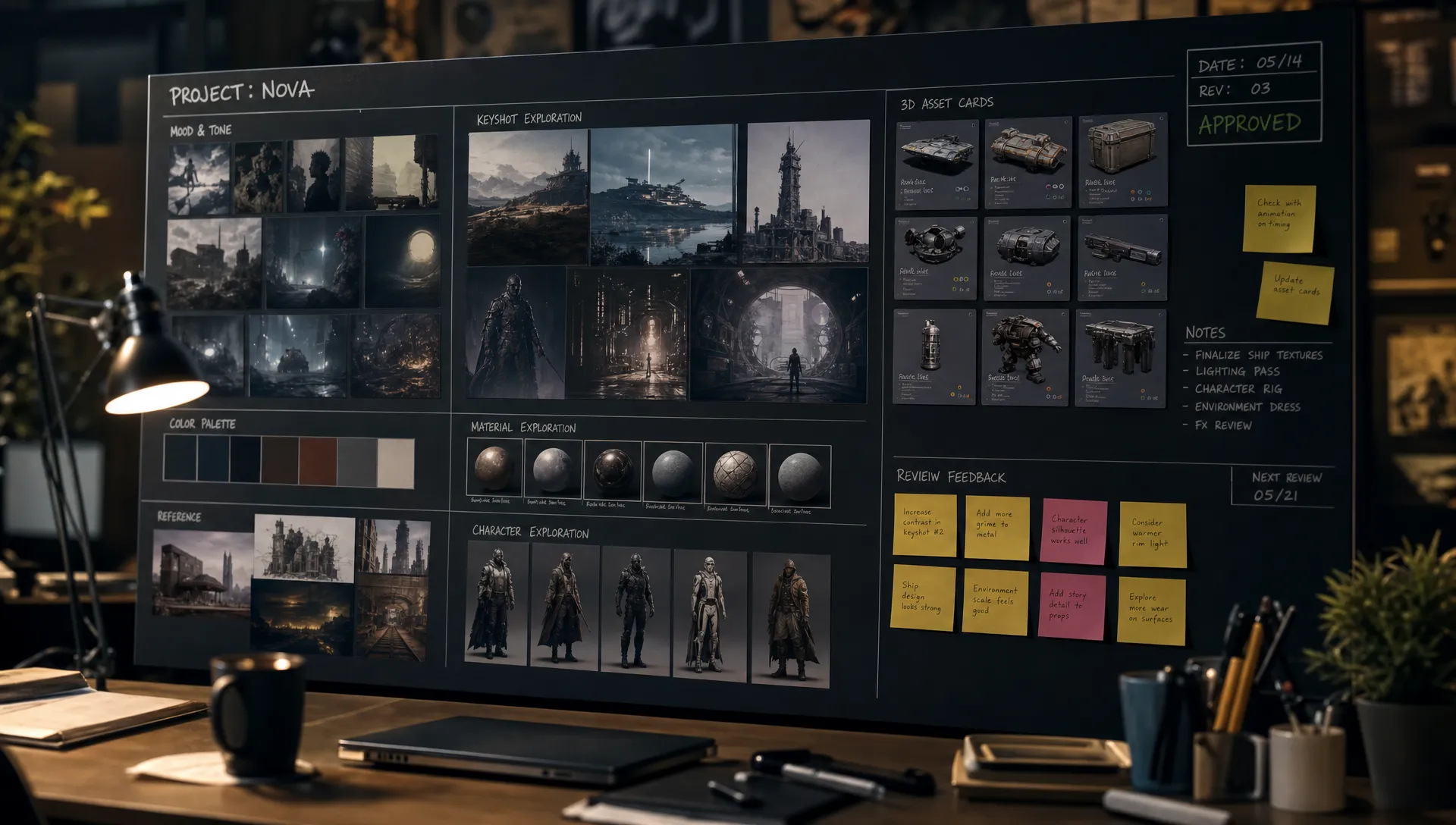
Generative AI has become easy to try, but hard to operate. A designer can produce ten concepts before lunch. A marketing team can localize a campaign in a day. A game studio can explore props, textures, and environments faster than ever. Then the problems appear: files live in personal folders, prompts are impossible to reproduce, brand direction drifts, legal review arrives too late, and nobody knows which model produced which asset.
That is workflow chaos. It is not caused by AI itself. It is caused by treating AI as a set of individual tools instead of a managed production capability.
For enterprise creative teams, the goal is not simply to generate more. The goal is to generate with control, context, and repeatability. Professional generative AI for creative teams needs to behave like a production system, not a collection of disconnected experiments.
What workflow chaos looks like in creative AI
Workflow chaos usually starts quietly. A small team tests a model for concept art. Another team uses a different tool for social variations. A 3D team experiments with AI-assisted textures. The results are exciting, so usage spreads. But because every group works differently, the organization gets speed without structure.
Common symptoms include inconsistent prompt quality, duplicated experiments, unclear approval paths, missing source files, and assets that cannot be safely reused. Teams may also face uncertainty about whether confidential inputs were shared with external systems, whether usage rights are clear, or whether generated work matches brand and campaign rules.
The problem is especially visible across enterprise roles. A CMO wants consistency across regions and channels. An art director wants creative control, not random outputs. An application manager needs security, integrations, and governance. A game developer needs usable assets that fit pipeline constraints. If each role solves AI independently, the workflow becomes fragmented.
Professional AI adoption begins when teams stop asking, “Which generator should we use?” and start asking, “How should AI run inside our creative operating model?” That shift is also why teams need a more structured view of how creative teams use generative AI professionally, from brief to review to final output.
Why consumer-style AI tools break at professional scale
Consumer AI tools are designed for individual productivity. They are excellent for exploration, inspiration, and quick drafts. But professional creative production has different requirements. A campaign, product launch, game asset, or 3D experience must pass through briefs, brand systems, legal standards, technical constraints, review cycles, and asset management.
At scale, the output is only one part of the workflow. The surrounding system matters just as much. Teams need to know what intent was used, which references were approved, which model created the result, who reviewed it, whether it can be reused, and where the final asset belongs.
Without that structure, AI creates hidden operational debt. Teams move quickly at first, then slow down when they have to rework assets, rebuild lost prompts, manually check compliance, or reconcile different versions of the same creative direction.
The difference between experimentation and production is control. Experimentation asks whether a model can produce something interesting. Production asks whether the team can produce the right thing repeatedly, safely, and efficiently.
The control layer professional generative AI needs
The core mistake is placing AI generators directly into creative workflows without an operating layer around them. Teams need a layer that manages context, rules, permissions, orchestration, review, and asset flow.
This is where a Creative AI operating system becomes important. Instead of every team member choosing tools, models, prompts, and storage habits independently, the organization defines how AI should behave across the studio. A true operating layer gives creative teams the freedom to explore while keeping the production system stable.
A practical way to think about it is to map each chaos risk to a workflow control.
| Workflow risk | Operating control | Production benefit |
|---|---|---|
| Prompt drift between team members | Generation blueprints and shared templates | More repeatable outputs across campaigns and projects |
| Brand inconsistency | Studio context memory, mood boards, and approved references | Better alignment with art direction and brand systems |
| Model sprawl | Multi-model orchestration under defined rules | Teams use the right model without unmanaged tool switching |
| Compliance uncertainty | Governance controls and approved inference policies | Lower risk when handling sensitive inputs and outputs |
| Review bottlenecks | Annotation, approvals, and structured review workflows | Faster feedback loops with clearer accountability |
| Lost assets and versions | Asset management and pipeline tracking | Easier reuse, traceability, and handoff to production |
| Tool fragmentation | Plugins, APIs, and integrations with creative systems | Less manual transfer between DCC, DAM, PIM, and studio tools |
This is the same principle behind the Creative OS approach to repeatable AI production: AI should not sit outside the production system. It should be governed and orchestrated inside it.
Start with intent, not the model
Many AI workflows become chaotic because teams begin by choosing a model. That is backwards. The model is a means of execution. The workflow should start with intent.
A strong AI brief captures the job to be done, the audience, the campaign or project context, the required format, the creative boundaries, and the approval criteria. For an art director, that might include composition, mood, lighting, materials, and references. For a CMO, it might include brand values, regional constraints, channel requirements, and messaging hierarchy. For a game team, it might include platform limits, polygon expectations, texture style, scale, and engine compatibility.
Once intent is clear, the system can route the task to the appropriate model or workflow. This prevents teams from forcing every creative problem through the same tool. It also makes AI outputs easier to evaluate because reviewers can compare results against a defined brief instead of subjective impressions.
Intent should be reusable. If a seasonal product campaign requires hundreds of variations, the team should not rebuild the same prompt logic every time. They should convert strong briefs into generation blueprints that capture repeatable structure while allowing controlled variation.
Preserve context across the studio
Creative work depends on context. A single prompt rarely contains enough information to guide a professional output. Brand systems, previous campaigns, art direction, mood boards, approved assets, product details, and market context all influence the final result.
When context lives in scattered documents, chat threads, personal folders, and meeting notes, AI tools cannot reliably use it. Team members compensate by rewriting prompts manually, uploading inconsistent references, or relying on memory. That is where brand drift begins.
A professional workflow keeps context available where generation happens. Mood boards, reference assets, product data, style rules, and project history should be part of the system, not external reminders. This helps teams maintain continuity across outputs, even when multiple people, models, and formats are involved.
For enterprise teams, context memory is not only about aesthetics. It also protects institutional knowledge. When an experienced art director defines a visual approach, that direction should become part of the production environment so the wider team can build on it consistently.
Make governance part of the workflow, not a separate checkpoint
Governance often fails when it feels like a blocker added after the creative work is done. In professional generative AI, governance should be embedded into the workflow from the start.
The NIST AI Risk Management Framework emphasizes governance, mapping, measurement, and management as core AI risk functions. For enterprises, that translates into practical creative controls: which models are approved, what data can be used, which assets require human review, how outputs are documented, and what happens when an asset is rejected.
Organizations operating in regulated or brand-sensitive environments may also look to standards such as ISO/IEC 42001, which focuses on AI management systems, and regional requirements such as the EU AI Act framework. Creative teams do not need to become legal departments, but they do need workflows that make compliance visible and operational.
A useful governance model answers five questions before content reaches production:
- What input data is allowed for this workflow?
- Which models or services may be used for this type of output?
- What brand, legal, or technical rules must the output follow?
- Who must review or approve the result before use?
- What record should remain for audit, reuse, or future editing?
When those answers are built into the workflow, teams do not have to slow down to interpret policy manually. The system guides the work, and reviewers focus on creative and business decisions.
Use blueprints to turn good work into repeatable work
One of the biggest differences between ad hoc AI use and professional AI use is repeatability. A single impressive output is useful, but a repeatable workflow is valuable.
Generation blueprints are reusable structures for common creative tasks. They can define required inputs, style parameters, reference materials, model routing, output formats, review steps, and handoff rules. Instead of starting from a blank prompt, teams start from an approved production pattern.
For marketing teams, a blueprint might support localized campaign visuals across regions while preserving core brand direction. For product visualization teams, it might define how image, video, and 3D outputs should reflect product attributes. For game studios, it might guide exploration of props or environments while keeping art direction and technical constraints visible.
Blueprints also help creative leaders scale quality. The art director does not need to personally rewrite every prompt. The application manager does not need to manually police every tool. The team works inside repeatable patterns that encode approved practices.
This does not remove creativity. It removes unnecessary reinvention.
Orchestrate models instead of multiplying tools
Model sprawl is one of the fastest paths to AI chaos. Different models may excel at different tasks, such as concept images, product scenes, video motion, audio, or 3D exploration. But if every team selects models independently, the organization loses visibility and control.
Professional AI workflows should orchestrate models behind the scenes. The team defines the task and constraints, while the operating layer selects or coordinates the appropriate models according to approved rules. This approach gives creative teams access to specialized capabilities without requiring every user to become a model operations expert.
Multi-model orchestration is especially important as creative AI expands beyond static images. Enterprise studios increasingly need to coordinate image, video, audio, and 3D workflows. A single campaign may require product renders, short video variations, immersive assets, social crops, localization, and internal review materials. If each output format has a separate process, production becomes fragmented.
A managed orchestration layer keeps the workflow connected. It can preserve intent and context across different generation steps, helping teams move from concept to production-ready output without losing the creative thread.
Keep review and approvals close to generation
AI can accelerate production, but only if review cycles accelerate too. If generated assets are exported into emails, chat threads, spreadsheets, and disconnected project boards, feedback becomes difficult to track. Comments get lost. Versions multiply. Approvals become ambiguous.
Professional generative AI workflows need review, annotation, and approval built into the same environment where generation and asset management happen. This keeps feedback attached to the asset and makes decisions traceable.
For art directors, this means they can guide composition, style, and quality without hunting across folders. For CMOs, it creates confidence that brand and campaign standards are being applied. For application managers, it improves auditability and reduces unmanaged file movement. For game developers, it supports practical iteration because feedback can stay linked to the asset and pipeline stage.
The best review systems do not slow teams down. They clarify what is approved, what needs revision, and what can move forward.
Integrate AI into existing production pipelines
AI should not require teams to abandon the systems they already rely on. Creative production often depends on digital content creation tools, product information management systems, digital asset management platforms, project trackers, and internal pipelines. If AI sits outside that ecosystem, teams spend too much time moving files and reconstructing context.
Integration is therefore a core requirement, not a technical afterthought. APIs, plugins, and workflow connections help AI-generated assets move into the right systems with the right metadata, approvals, and versions. This is especially important for enterprise teams that manage large asset libraries, product catalogs, regional campaigns, or game production pipelines.
A practical integration strategy usually starts with the highest-friction handoffs. Where do teams copy and paste prompts? Where do reviewers lose context? Where do assets need manual renaming or reformatting? Where does legal or brand approval happen too late? Solving those handoffs often creates more value than adding another model.
If you are still defining the structure of your AI process, a practical companion is this guide to designing an AI workflow for creative teams, which covers how to map the process before scaling it.
Align responsibilities across creative, technical, and compliance teams
Professional generative AI works best when responsibilities are explicit. This does not mean creating bureaucracy. It means making sure each stakeholder owns the decisions they are best equipped to make.
| Role | What they should own | What they need from the AI workflow |
|---|---|---|
| CMO | Brand consistency, campaign outcomes, market trust | Visibility into approved workflows, brand guardrails, and performance of AI-assisted production |
| Art Director | Creative quality, style direction, visual coherence | Context memory, reference control, review tools, and repeatable generation blueprints |
| Application Manager | Security, integrations, access, system reliability | Governance controls, APIs, permissioning, and compatibility with existing tools |
| Game Developer or 3D Lead | Technical usability, asset constraints, pipeline fit | Output tracking, format awareness, 3D workflow support, and controlled iteration |
| Legal or Compliance Lead | Risk policy, data use, rights review, auditability | Clear records of inputs, model usage, approvals, and governance rules |
When ownership is unclear, AI decisions fall into gaps. Creative teams make technical choices without security context. IT teams restrict tools without understanding production needs. Legal teams review too late. A shared operating model prevents those conflicts.
Measure whether AI is reducing chaos or adding to it
AI success should not be measured only by the number of assets generated. In fact, volume can be misleading. A team can produce more outputs while creating more rework, more confusion, and more risk.
Better metrics focus on production health. Are teams approving assets faster? Are fewer outputs being rejected for brand inconsistency? Are prompts and workflows reusable? Can approved assets be traced back to their source context? Are handoffs smoother? Are teams reducing tool sprawl?
| Metric | What it reveals |
|---|---|
| Time from brief to approved asset | Whether AI is improving real production speed |
| Revision rounds per asset | Whether outputs are aligned with creative intent early |
| Blueprint reuse rate | Whether good workflows are becoming repeatable |
| Brand or legal exception rate | Whether governance is working in practice |
| Asset traceability | Whether teams can understand source, model, version, and approval history |
| Tool and model usage visibility | Whether the organization is reducing unmanaged AI sprawl |
| Production acceptance rate | Whether generated outputs are usable, not just impressive |
These metrics help leaders distinguish acceleration from activity. The objective is not to make AI busier. The objective is to make creative production more reliable.
Where Virtuall fits
The Creative AI OS is built for teams that need to operate creative AI at scale without losing control of their workflow. As a Creative AI operating system, Virtuall helps studios and enterprises orchestrate AI-powered content creation across image, video, audio, and 3D while keeping governance, compliance, and production context in the workflow.
The platform brings together AI governance controls, workflow orchestration, multi-model content generation, generation blueprints, studio context memory through mood boards, collaboration tools for review and approvals, asset management, pipeline tracking, and integrations with creative tools through plugins and APIs.
Nyx, Virtuall’s intelligence layer, orchestrates multiple industry-leading AI models while keeping intent and context across studios and teams. That matters because professional creative work is not just about generating assets. It is about preserving the creative direction from brief to final production.
For enterprises concerned with compliance and regional control, Virtuall also supports EU-based infrastructure and inference. For creative teams, that means AI can be adopted with stronger operational confidence instead of becoming another unmanaged tool category.
Frequently Asked Questions
What causes workflow chaos in generative AI? Workflow chaos usually comes from tool sprawl, inconsistent prompts, missing context, unclear approvals, and disconnected asset storage. The issue is rarely the model alone. It is the absence of a managed workflow around the model.
What makes generative AI professional rather than experimental? Professional generative AI is governed, repeatable, and integrated into production workflows. It includes clear briefs, approved context, model orchestration, human review, asset tracking, and compliance controls.
Can creative teams stay flexible with governance in place? Yes. Good governance does not remove creative freedom. It defines safe boundaries, approved workflows, and clear review paths so teams can explore faster without creating operational risk.
Why are generation blueprints useful? Generation blueprints turn successful prompts and workflow patterns into reusable production templates. They help teams maintain consistency while reducing repetitive setup work.
How should enterprises start reducing AI workflow chaos? Start with one high-value workflow, such as campaign variations, concept exploration, product visualization, or 3D asset iteration. Define the brief structure, governance rules, review process, required integrations, and success metrics before scaling to more teams.
Move from AI experiments to operated creative production
Professional generative AI should make creative teams faster, not more fragmented. The difference is the operating layer around the models: context, governance, orchestration, review, asset management, and pipeline integration.
If your team is ready to move beyond scattered AI experiments, Virtuall gives enterprise creative teams a controlled way to operate AI across studios, workflows, and tools while keeping results consistent, compliant, and production-ready.