Master instagram stories size: A Complete Guide for Visual Creatives
Discover the exact instagram stories size specs, safe zones, and pro tips for flawless, studio-grade visuals.
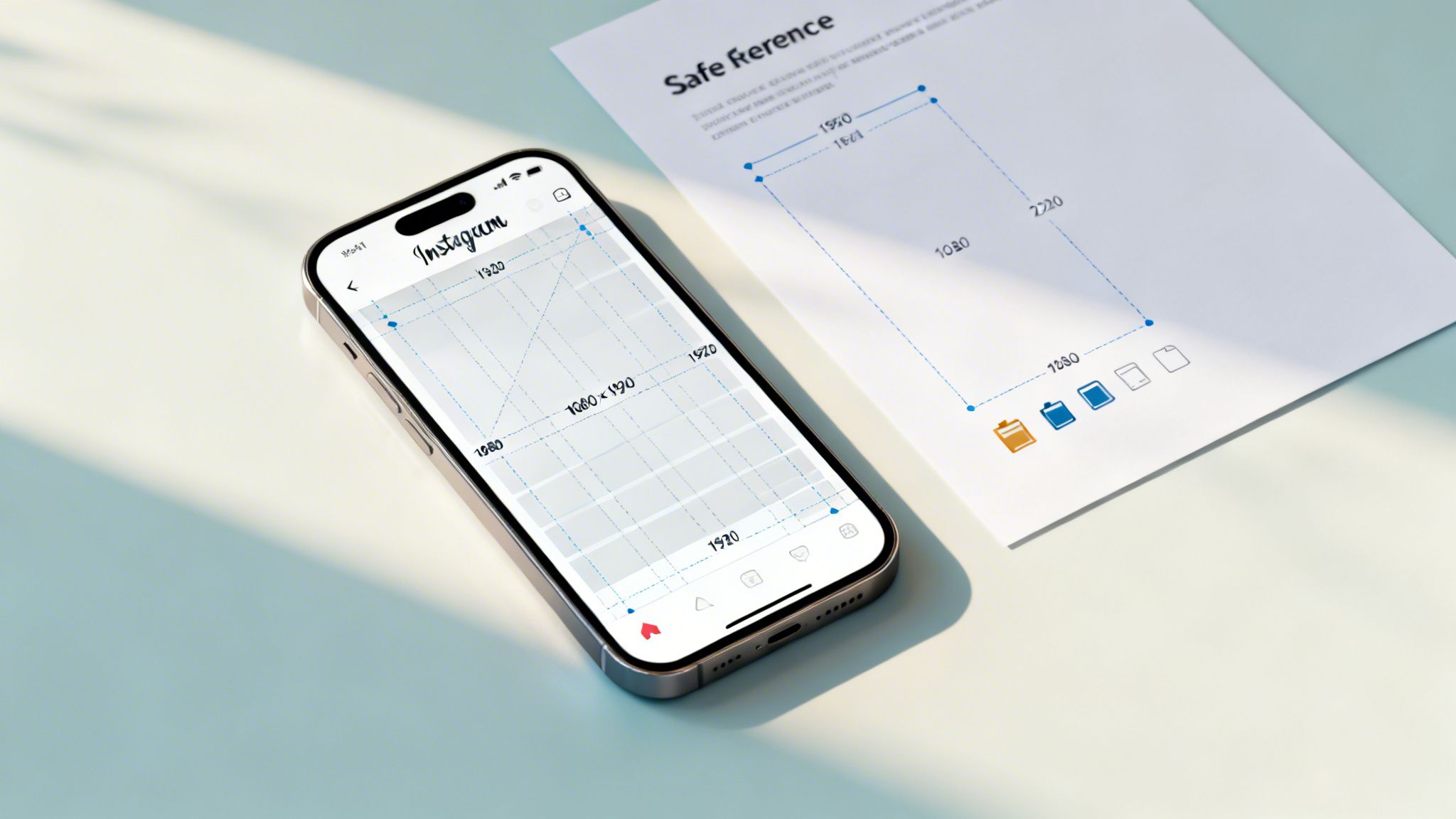
Getting the Instagram Stories size right is the first, most critical step for any visual creative work. The magic numbers are 1080 x 1920 pixels, which works out to a clean 9:16 aspect ratio.
Nailing these dimensions means your content perfectly fills the screen. No awkward black bars, no surprise cropping. For any creative professional, this isn't just a technical detail—it's the foundation of an immersive, professional-looking Story. If you're ready to create compliant, studio-grade visuals, you can try VirtuallPRO's Creative AI OS today. For new users, your first generations are free.
Your Quick Reference for Instagram Stories Size
For busy creative teams, having the specs on hand is non-negotiable. It’s about workflow efficiency. When every asset—from a quick image poll to a polished video ad—is built to the correct Instagram Stories size from the start, it looks exactly as you intended. This is about more than just aesthetics; it’s about upholding your brand’s quality standards.
A crucial part of this is designing within the 'safe zones'. Think of these as the no-go areas at the top and bottom of the screen where Instagram places its own UI—your profile icon, the message reply box, and other interactive elements. Anything important you place there will get covered up.
This visual breaks down the three pillars of a perfectly formatted Story: the dimensions, the aspect ratio, and that all-important safe zone.
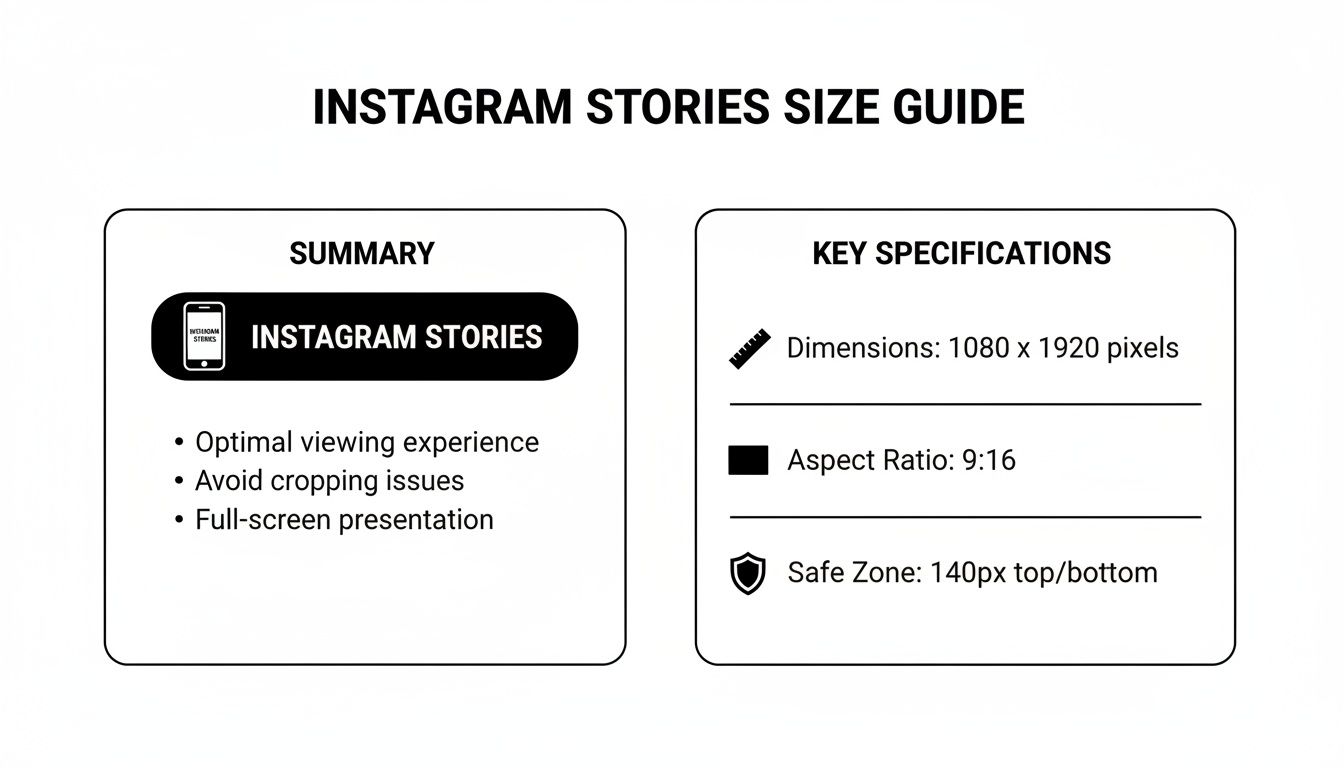
Master these three, and your work will always look professional and land with impact. While you're focused on the size, don't forget to consider the instagram story maximum length to map out your narrative effectively. And for a complete picture of the platform's requirements, check out our guide to the ideal Instagram post size.
To make sure your team always gets it right, you can bake these exact specs into a reusable Blueprint inside VirtuallPRO. This lets our Creative AI OS generate perfectly formatted assets every single time, removing the guesswork.
Why You Can’t Afford to Guess Your Story Dimensions
Getting your Instagram Story dimensions right—sticking to that perfect 1080 x 1920 pixel standard—isn't just a technical detail. It’s a strategic move. For creative directors and studios, it's the line between a polished, professional output and a jarring visual that screams amateur.
Mishandle the dimensions, and the consequences are immediate.
When you upload an asset that doesn't fit the 9:16 aspect ratio, Instagram's algorithm steps in and makes a brutal decision for you. It will crop, zoom, or slap on ugly black bars to force your creative into its vertical box. This isn’t a gentle process; it’s an indiscriminate chop that can slice off your logo, a key message, or the very focal point of your work. The result is a broken experience that instantly undermines your brand's credibility.
Protect Your Brand's Quality and Professionalism
Another killer is pixelation. If you upload a low-resolution image, Instagram will stretch it to fill the screen, leaving it blurry, soft, and unprofessional. It's a dead giveaway that attention to detail isn't a priority, and that small mistake can quickly erode an audience's trust. In a world of high-impact visuals, every single pixel contributes to a premium, polished feel.
For creative teams, every asset is a direct reflection of the brand’s standards. Nailing your Story dimensions isn't about following rules; it's about safeguarding the perceived quality of your work in a ridiculously competitive visual space.
Build an Uninterrupted Viewer Experience
At the end of the day, an Instagram Story is meant to be an immersive, full-screen experience. The goal is to pull your viewer in and hold their attention. Using the correct Instagram Stories size is the absolute foundation for making that happen.
A perfectly formatted Story feels native and seamless, letting your narrative flow without clumsy distractions. This is exactly why VirtuallPRO’s Creative AI OS is engineered with these parameters built-in. Every AI-generated asset comes out perfectly optimised and ready to go, ensuring your work delivers the intended experience and protects your brand’s visual integrity, every single time.
Aspect Ratio Versus Resolution: Getting the Basics Right
Anyone in the creative space has heard the terms ‘aspect ratio’ and ‘resolution’ thrown around, but it’s shocking how often they're used interchangeably. They're not the same thing. While both are critical for the final Instagram Stories size, they define two completely different things about your asset.
Nailing this distinction is non-negotiable for any team that wants to produce professional-grade content and sidestep those amateurish, costly mistakes.
Let's break it down. Aspect ratio is just the shape of your canvas—the relationship between its width and its height. For Instagram Stories, that shape is a non-negotiable 9:16. Think of it as a tall, skinny rectangle. The actual size doesn't matter for the aspect ratio; only the proportions do.
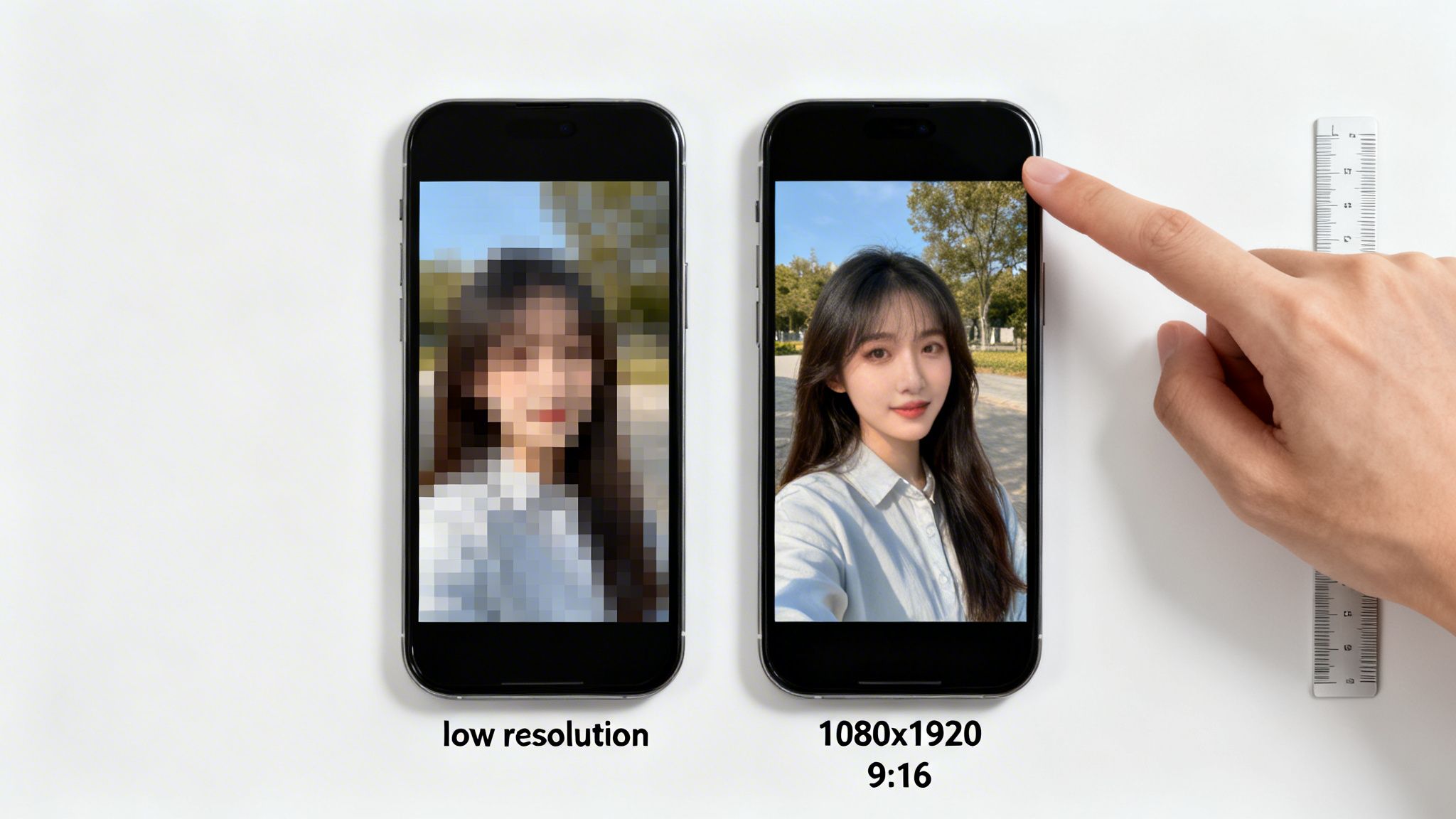
Resolution, on the other hand, is all about the detail packed into that canvas. It’s the total number of pixels. For Stories, the gold standard is 1080 pixels wide by 1920 pixels tall. More pixels equal a sharper, clearer image. It’s that simple.
Why You Need Both
This is where things get interesting. Getting one right but messing up the other leads to very different, very specific problems. If you know what to look for, you can diagnose and fix issues before they ever go live.
Here’s what happens when you get the mix wrong:
- Correct Aspect Ratio, Wrong Resolution: You upload an image that’s the right shape (9:16) but the resolution is too low (say, 540x960 pixels). Instagram won't crop it, because the shape is perfect. Instead, it stretches the image to fill the screen, resulting in a blurry, pixelated mess that screams unprofessional.
- Wrong Aspect Ratio, Correct Resolution: Now, let's say you upload a beautiful, high-res widescreen photo (1920x1080). It’s got plenty of pixels, but the shape is wrong for the vertical Story frame. Instagram’s solution? It’ll brutally crop the sides or zoom in on the centre, completely ruining your composition.
In short: aspect ratio gets your content to fit the screen. Resolution makes it look good when it gets there. You absolutely need both.
To stop these headaches before they start, your team needs to speak the same technical language. When every designer, videographer, and social media manager is on the same page, you eliminate wasted time and keep the brand looking sharp.
This is exactly why we built Blueprints into VirtuallPRO. You can lock in both the 9:16 aspect ratio and 1080x1920 resolution as a standard. That way, every single asset generated by your team meets Instagram’s requirements from the get-go. No guesswork, no mistakes.
Navigating Instagram Stories Safe Zones
Getting your Instagram Stories size right is just the start. The real challenge? Making sure your key message isn't hidden behind an interface element. This is where a solid understanding of Instagram’s ‘safe zones’ becomes absolutely critical for any serious creative.
Think of them as the guaranteed-to-be-seen parts of your design. Instagram slaps its own UI on top of every Story—your profile icon and username at the top, the reply box at the bottom. Drop your logo, CTA, or crucial text in those areas, and it’s gone. It's a simple mistake that can completely undermine an otherwise brilliant design.
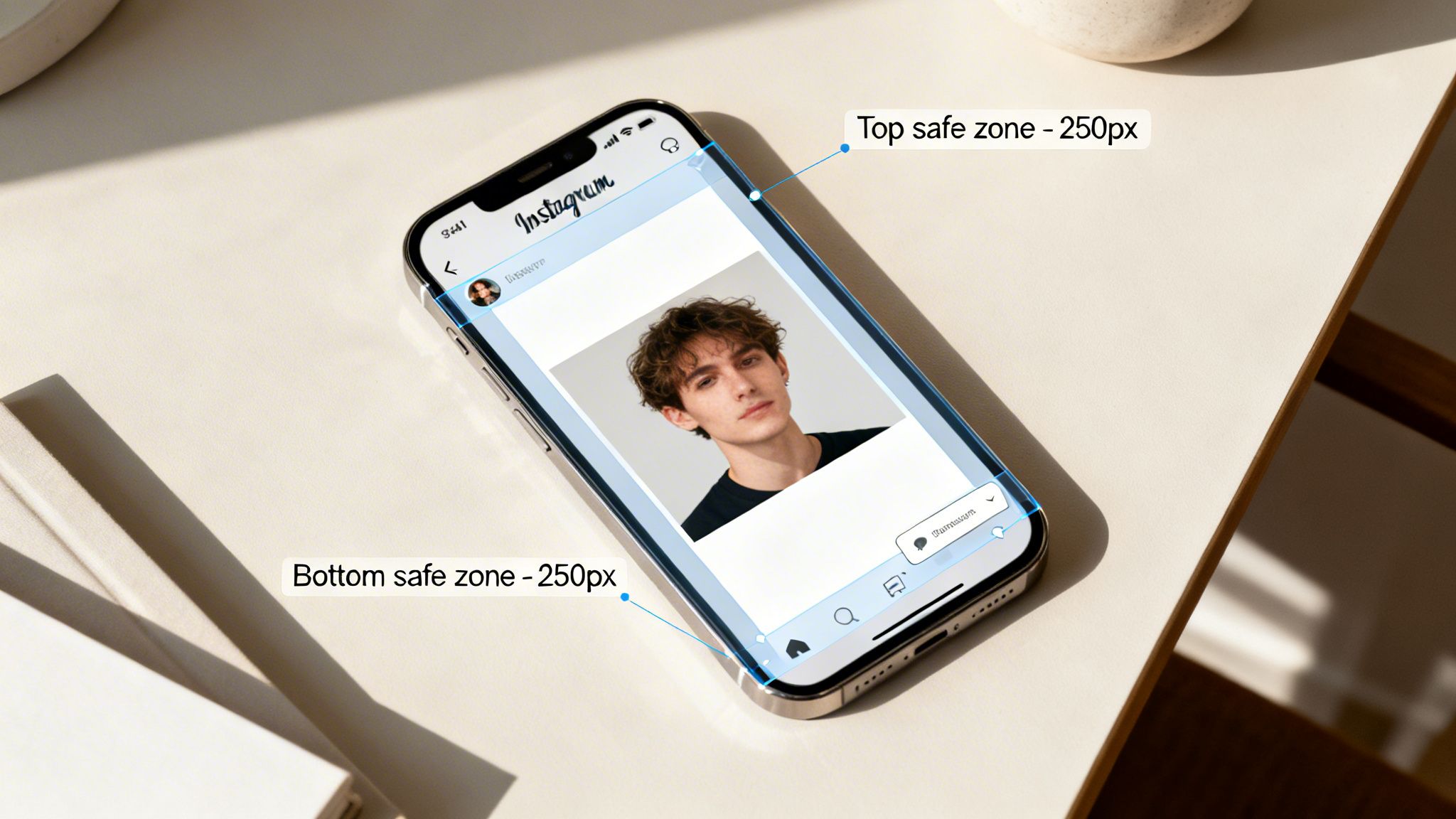
To avoid this all-too-common pitfall, you have to design within specific boundaries.
Defining the Safe Zone Boundaries
While the exact pixel count can shift slightly depending on the phone, the rule of thumb is to keep your most important elements well clear of the top and bottom edges of your 1080x1920 pixel canvas. This carves out a central sweet spot where your message is always safe.
Stick to these measurements for a bulletproof layout:
- Top Buffer: Leave about 250 pixels of empty space from the top edge.
- Bottom Buffer: Give yourself a slightly larger margin of around 250 pixels from the bottom.
That leaves you with a central safe area of roughly 1080 x 1420 pixels. If you keep your core content inside this box, you can be confident it’ll be seen by everyone, on any device.
For any studio-level work, designing within safe zones isn't optional—it's fundamental. It protects the integrity of your creative and ensures your message actually lands, preventing vital info from getting lost behind a button.
For teams obsessed with efficiency and brand consistency, these safe zone guides can be baked directly into reusable Blueprints inside VirtuallPRO. This feature lets our Creative AI OS intelligently place key elements within the viewable area for you, automatically. It takes human error out of the equation and ensures every single asset is not only perfectly sized but also strategically composed for maximum impact.
Technical Specifications for Instagram Stories Video
While the 1080 x 1920 pixel dimension is the foundation for all Story content, video adds another layer of technical hurdles that creative teams have to get right.
Nailing these specs is what ensures your video plays smoothly, looks professional, and—most importantly—avoids getting mangled by Instagram’s unforgiving compression algorithm. Think of it as the difference between studio-grade quality and a pixelated mess.
File Format, Size, and Length
Before you even get to the export settings, your final video file has to meet some basic requirements. Instagram is built for mobile, which means every export is a balancing act between quality and performance.
- Recommended Formats: Stick with MP4 or MOV. These two container types are the most reliable and guarantee compatibility. No need to get fancy here.
- Maximum File Size: Keep your video file under 4GB. That’s a pretty generous limit, but uncompressed or poorly optimised videos can hit it surprisingly fast.
- Maximum Duration: Each individual Story segment is capped at 60 seconds. If your video is longer, you’ll need to slice it into multiple 60-second clips and upload them one after another.
Essential Video and Audio Settings
Beyond the file type and size, it's the nitty-gritty encoding details that truly dictate the final quality on the platform. Get the codecs or frame rates wrong, and you’re looking at visual artefacts, choppy playback, or audio sync issues that just scream unprofessional.
For a polished, flawless result, your export settings need to be precise.
- Video Codec: Use H.264. It's the industry standard for a reason—it gives you high-quality compression that perfectly balances file size and visual sharpness.
- Audio Codec: Go with AAC (Advanced Audio Coding). This will give you crisp, clear sound that’s optimised for streaming.
- Frame Rate: A consistent 30 frames per second (FPS) is what you should aim for. It delivers smooth, natural motion that plays nicely with Instagram's standards.
Mastering these technical video specs isn't optional; it's essential for producing professional Story content. It stops common upload errors in their tracks and ensures your final output looks exactly how you intended, protecting your brand's commitment to quality.
For teams using VirtuallPRO, this headache is managed automatically. Our Creative AI OS orchestrates video generation models to ensure every single output strictly follows these technical rules. This means your team can stay focused on the creative side, knowing every video is perfectly formatted for Instagram Stories.
If you want to dive deeper into video formats, our guide on how to convert MOV to MP4 has some extra helpful details.
Image File Types and Compression Best Practices
Getting your file format right for Instagram Stories is a classic balancing act. You're chasing that perfect blend of stunning visual quality and near-instant loading times. After all, a Story that lags is a Story that gets skipped, making your choice of file type a make-or-break decision for a polished, professional feel.
When it comes to the ideal Instagram Stories size, you’ve really got two main players: JPG and PNG. Each has a very specific job.
JPG (or JPEG) is your workhorse for photographs and any complex image loaded with colours and gradients. Its compression is incredibly clever, keeping file sizes down while holding onto photographic detail—perfect for making sure your Stories pop up quickly.
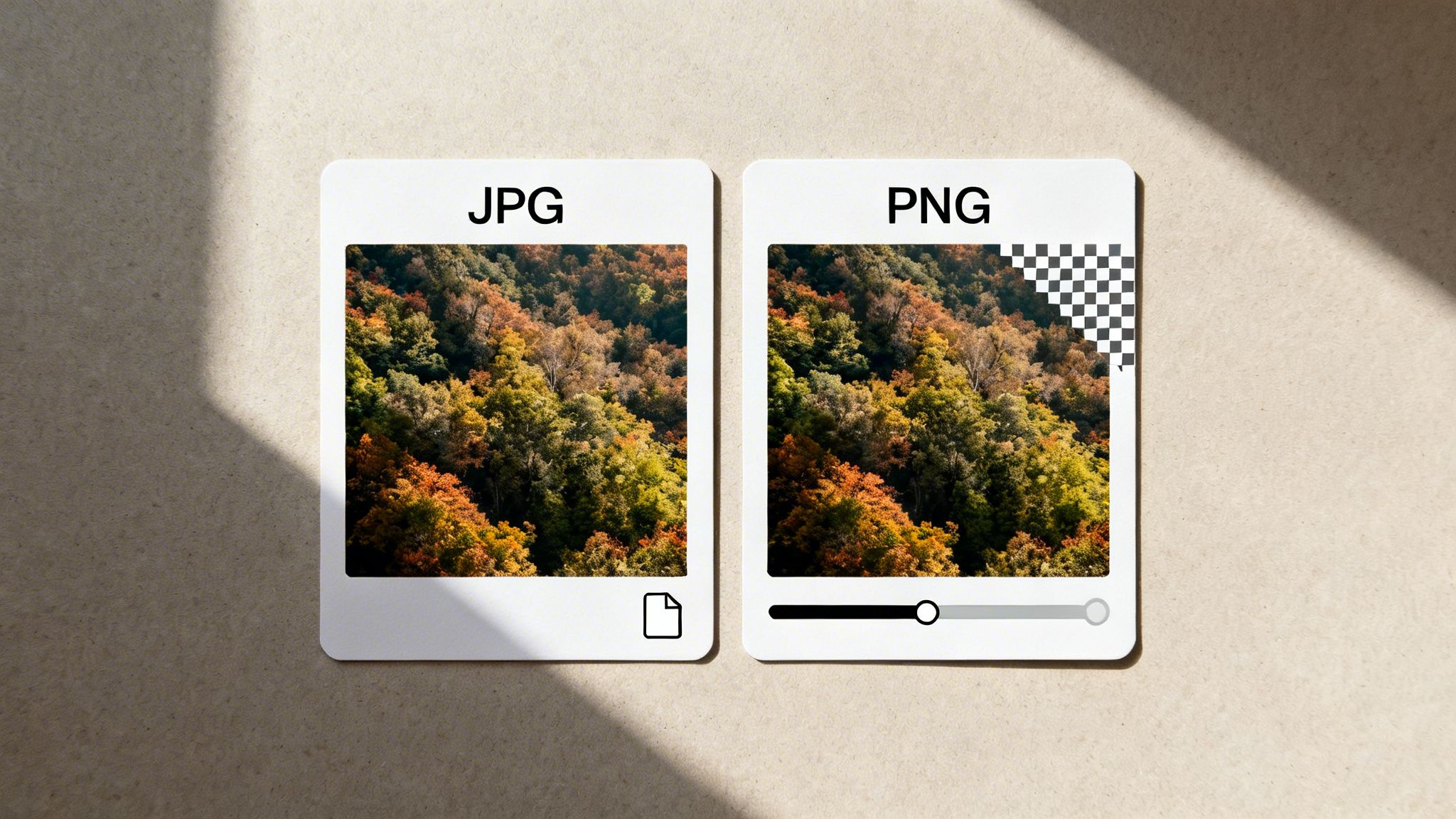
On the other hand, PNG is the undisputed champ for any graphic that needs a transparent background. Think logos, icons, or text overlays. It uses lossless compression, which means it keeps sharp lines and solid colours perfectly intact, avoiding the blocky artefacts you sometimes see with JPGs. This makes it the go-to for crisp, clean graphic elements.
If you want to go a bit deeper on when to use which, our guide on the core differences between JPEG vs PNG has you covered.
Exporting for Maximum Quality
Here’s the thing: Instagram is going to compress whatever you upload. Your goal is to give its algorithm the best possible file to start with.
When you export from your creative software, always start with the correct 1080 x 1920 pixel dimensions. If you're exporting a JPG, crank the quality setting way up (somewhere around 80-100%) to minimise any compression artefacts on your end. This gives your image the best chance of surviving Instagram’s own processing with its sharpness and clarity intact.
A well-prepared file is your best defence against aggressive compression. By optimising your export settings, you dictate the quality, ensuring your final Story looks as crisp and professional as it did on your artboard.
For creative studios juggling tons of assets, this process has to be rock-solid and consistent. This is where VirtuallPRO’s asset management system comes in, helping teams store, version, and collaborate on these files. Inside our governed workspace, you can set up Blueprints that lock in not just the dimensions but also the optimal file format for final delivery. It’s how you make sure every single Story meets studio-grade quality.
Optimising Content for High-Impact Audiences
Nailing the technical Instagram Stories size is step one. But real success? That comes from deeply understanding the audience you’re creating for. Your content’s impact is directly tied to how well it lands with specific, highly engaged groups in your key markets.
For brands targeting regions like Denmark, for instance, Instagram isn't just another app—it’s a central hub for visual culture. When every Story is perfectly formatted to 1080x1920 pixels, creative teams are delivering a sharp, professional experience that grabs attention instantly. It’s a small detail that prevents any hint of low quality, which is crucial when a huge slice of the population is active on the platform.
Connecting with a Captive Audience
The potential reach in these markets is massive. Take Denmark again: Instagram’s advertising audience hit 2.65 million users by late 2025. That’s 44.1% of the entire country's population. It drives home just how much of a powerhouse Stories are for visual communication, making pixel-perfect sizing non-negotiable if you want to captivate that kind of user base. You can explore more data about digital trends in Denmark on Datareportal.
This direct line to consumers gives studios using VirtuallPRO a real edge. The platform orchestrates AI creation at scale, letting teams churn out a high volume of precisely formatted, culturally relevant content.
Of course, beyond the visuals, when and how your stories appear can dramatically lift their impact. For more advanced planning, you can even schedule an Instagram Story to keep your delivery consistent and timely. With VirtuallPRO, you can keep your content on-spec and engage this huge audience effectively, turning precise formatting into a competitive advantage.
Common Questions About Story Sizing
Even with the specs laid out, teams often hit the same roadblocks when making content. Let’s cut through the noise and answer the most common questions about the correct Instagram Stories size. Getting these right is the fastest way to fix recurring issues.
What Happens If I Upload the Wrong Size?
If you upload an image or video that doesn’t hit that 9:16 aspect ratio, Instagram takes over. It will automatically crop or zoom in on your work to force a fit.
This is where things go wrong. Your logo, product details, or key visuals get awkwardly chopped off, and your creative vision is compromised. A classic mistake is uploading a horizontal 16:9 video. Instagram will display it vertically, but fill the top and bottom with massive, unprofessional-looking black bars. The only way to ensure your work shows up as intended is to use the correct 1080x1920 pixel dimensions from the very start.
Can I Use a Higher Resolution Than 1080x1920?
Technically, yes. You could upload a 2160x3840 pixel image, as long as it maintains the 9:16 ratio. But there’s zero advantage to it. Instagram will just compress and downscale it to its standard display size anyway.
Uploading at a higher resolution doesn’t guarantee better quality. In fact, it can sometimes introduce weird compression artefacts. For the most predictable and professional results, always export your assets at the native 1080x1920 resolution.
Working at the native resolution gives you total control over the final look. It ensures your image stays sharp and clear, without letting Instagram's algorithm make aggressive, quality-killing adjustments for you.
How Do I Create Reusable Templates for My Team?
For any creative studio or in-house team, consistency is everything. The simplest approach is to build standard templates in your design software, like Adobe Photoshop or Figma. These files should be set to 1080x1920 pixels and include guides for your safe zones.
For a more scalable workflow, however, a platform like VirtuallPRO lets you create repeatable "Blueprints." These aren't just templates; they're intelligent production guides. They lock in the right dimensions, safe zones, brand elements, and even stylistic rules. This empowers your entire team to use AI to generate on-brand, perfectly formatted Story assets every single time, killing the guesswork and ensuring everything is ready to go live.
At Virtuall, we're focused on giving creative teams the tools to produce compliant, studio-grade content at scale. Our Creative AI OS orchestrates the entire production process, making sure every asset hits the exact specifications you need. See how VirtuallPRO can streamline your workflow.