Remove Watermark from Picture: How to remove watermark from picture easily
Discover safe, ethical ways to remove watermark from picture and achieve clean results with AI and manual tweaks.
When you need to remove a watermark from a picture, you’ve got options. For painstaking, pixel-perfect work, manual methods like Photoshop's Clone Stamp tool give you total control. If speed is the goal, AI-driven features like Content-Aware Fill can get you there much faster. The right choice really hinges on how complex the watermark is and what’s going on in the background of the image.
Before you start, every visual creative professional should have a process that is repeatable, secure, and fully auditable. At Virtuall, our Creative AI OS helps you build exactly that. If you haven't generated anything with us before, you can try VirtuallPRO for free.
Your Professional Guide to Removing Watermarks
A clean, unblemished image is non-negotiable for professional campaigns, presentations, and creative assets. For producers, art directors, and marketers, a stray watermark can completely derail an otherwise perfect visual. This guide dives into the studio-grade techniques you need for flawless results, from classic manual editing to modern automated AI solutions.
Why Watermark Removal is a Critical Skill
For creative teams, the need to remove a watermark isn't about skirting copyrights—it’s about maintaining creative control and asset integrity in legitimate, high-stakes scenarios.
Think about these common professional situations:
- Restoring Original Assets: You have full licensing rights to an image but have somehow lost the original file. All that’s left is a watermarked version from a stock photo library.
- Preparing Internal Mock-ups: Your team might use watermarked assets as placeholders for concepts or presentation decks before committing to a final purchase and license.
- Cleaning Up User-Generated Content: Brands often repurpose customer photos for campaigns (with permission, of course), which may contain unwanted text, logos, or other marks.
- Correcting Team Errors: It happens. A "draft" watermark gets accidentally left on a final version of an asset created in-house, and it needs a quick, clean fix before going live.
In every case, the goal is a high-quality final product. This is more than a simple edit; it's a crucial step in the post-production pipeline that demands precision. For tasks like these, our guide on how to remove text from a picture covers very similar ground.
For professional studios, the key isn't just removing a watermark—it's doing so within a governed, auditable process. Traceability is non-negotiable when managing client assets and ensuring compliance.
This is where individual edits fall short and modern creative operations take over. Instead of relying on a patchwork of different tools and one-off fixes, leading studios implement structured workflows. Every edit is tracked, versioned, and approved, creating a solid foundation for perfect results while upholding brand integrity.
The Ethical and Legal Lines in Watermark Removal
Before you even think about the "how," you need to get crystal clear on the "when" and "why." The ability to remove a watermark is a powerful skill, but it comes with serious ethical and legal responsibilities that every creative professional has to respect.
Getting this right isn't just about protecting the original creator; it's about protecting your own brand from major risks. It's a matter of professional integrity.
Understanding Copyright and Intellectual Property
At its core, a watermark is a copyright notice. Think of it as a digital signature that says, "I made this, and I own the rights to it." Removing that signature without permission can land you in hot water for copyright infringement.
Copyright law is what gives creators the exclusive right to control how their work is used, shared, and reproduced. When you see a watermarked image, you're looking at a legally protected asset. Ignoring that can lead to some pretty nasty consequences, from expensive legal battles to a professional reputation that’s hard to rebuild.
This legal framework is the bedrock of the entire creative industry. Respecting it keeps things fair for every artist, photographer, and designer out there.
Legitimate Reasons to Remove a Watermark
Okay, so unauthorised removal is a big no-no. But there are plenty of legitimate, everyday situations where a creative team might need to clean up a watermarked image. The key difference is always ownership or explicit permission.
Here are a few common professional scenarios:
- You Own the Rights: You've misplaced the original, high-res file for an image your company owns, and all you can find is a watermarked copy. In this case, removing your own mark to restore the asset is perfectly fine.
- You Have Explicit Permission: A photographer sends over watermarked proofs for you to review. Once you've got their sign-off, you’re clear to work on the version they provide.
- Internal Use and Mockups: It's standard practice to use watermarked images for internal mood boards, concepts, or presentations before you commit to buying the licence. The work is purely for conceptual purposes, not public distribution.
- Purchased but Incorrectly Delivered: It happens. You buy an asset from a stock site but accidentally download the watermarked preview instead of the clean, licensed file.
The question you always need to ask is: "Do I have the legal right to use this image in this way?" If the answer is yes, you're on solid ground. If there's any doubt, stop and get clarification before you do anything else.
Navigating the Risks of Unauthorised Removal
The fallout from improperly removing a watermark from a picture you don't own can be substantial. Legal penalties might include hefty fines and orders to pay damages to the copyright holder. For a brand, the reputational damage can be even worse, eroding client trust and public goodwill.
The rise of AI-generated content has added a whole new layer of complexity. In Denmark, for example, the explosion of deepfake content has sent the demand for image editing tools through the roof as brands fight back against unauthorised AI manipulation of their work. Projections cited in Danish legislative discussions show deepfake sharing surged from 500,000 instances in 2023 to an expected 8 million by 2025—a staggering 1,500% increase that threatens brand integrity. This crisis prompted proposals for new copyright amendments, proving how critical responsible digital asset management has become. You can read more about Denmark’s approach to protecting digital likenesses.
For professional teams, this just highlights how crucial it is to work in a governed space. Platforms like VirtuallPRO provide an auditable environment where every single edit is tracked. This ensures compliance and helps manage risk effectively, turning a simple edit into a controlled, professional workflow—something every modern studio needs.
Mastering Manual Watermark Removal in Photoshop
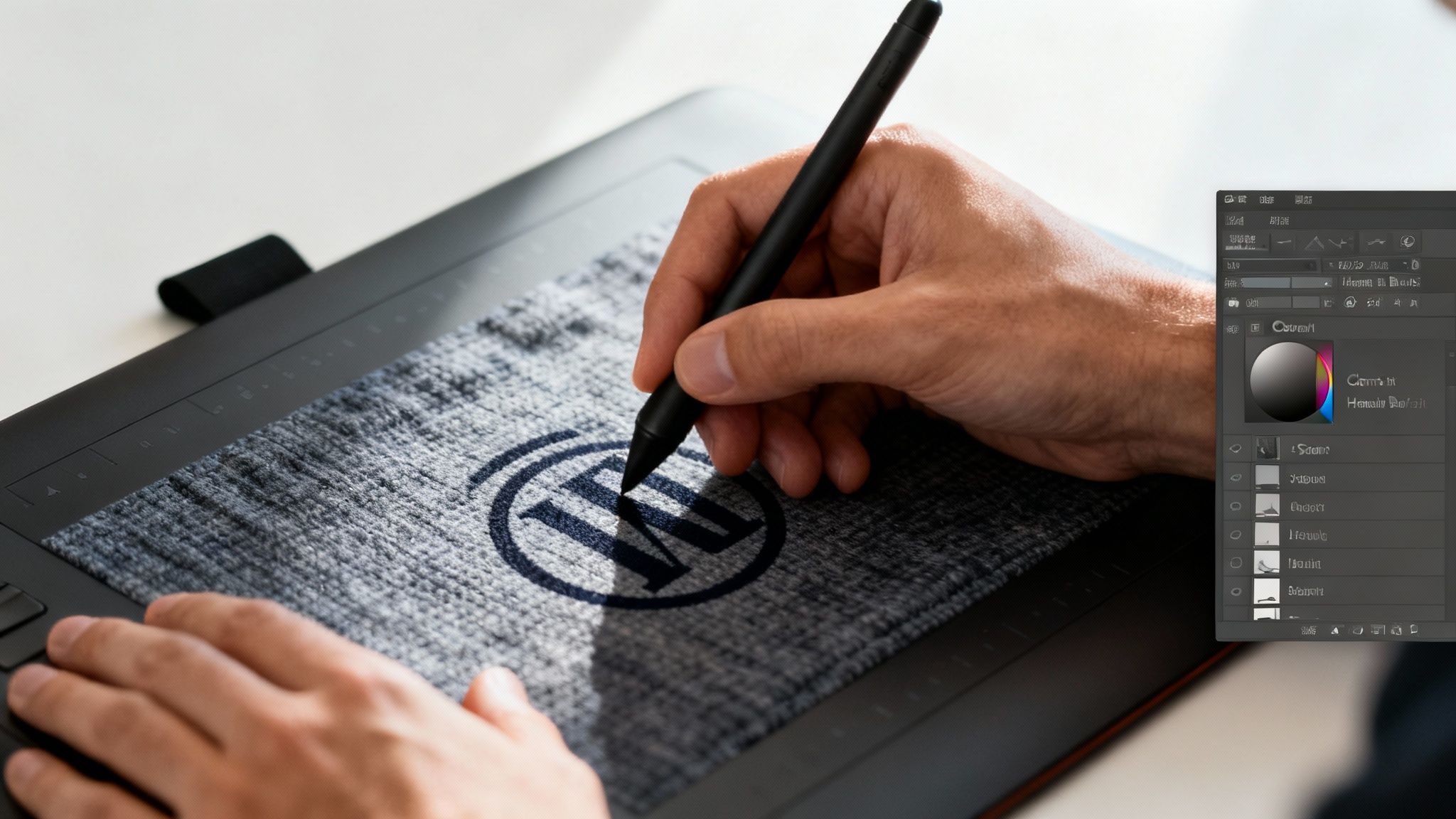
While automated tools are fast, nothing beats the precision of manual editing in Adobe Photoshop. For art directors and designers who can't afford any compromises, these foundational tools are the gold standard for a reason. When you need a truly seamless result, this is how you get it.
The real art isn't just erasing the watermark; it's about meticulously reconstructing the image that lies beneath it. It takes a delicate touch and a good eye, but the payoff is an asset that looks like it was never touched.
Using the Clone Stamp for Perfect Replication
The Clone Stamp Tool is your go-to for duplicating textures and patterns with pixel-perfect accuracy. It works by sampling pixels from one area and painting them over another, which makes it ideal for watermarks sitting on consistent backgrounds like a brick wall or patterned fabric.
Imagine a logo stamped over a shirt's texture. You select a clean, unblemished piece of the pattern as your source. Then, you carefully paint over the watermark, replacing it with the authentic texture. The trick is to constantly re-sample from nearby source points to avoid creating an obvious, repeating pattern that screams "edited."
For the most natural-looking edits:
- Always work on a new, transparent layer. It's non-destructive and saves you headaches.
- Use a soft-edged brush to blend the cloned areas seamlessly.
- Lower the brush opacity and build up the effect gradually to avoid harsh lines.
This technique is powerful because it preserves the original texture and lighting. It's time-consuming, sure, but the control is unmatched. If you're tackling other advanced edits, our guide on how to delete a background in Photoshop uses similar studio-grade principles.
Blending with the Healing Brush and Patch Tool
Where the Clone Stamp copies pixels exactly, the Healing Brush Tool and Patch Tool are smarter. They don't just copy the texture—they also blend its colour, tone, and brightness with the destination area. This makes them incredibly effective for removing watermarks from areas with subtle gradients, like a cloudy sky or skin.
The Healing Brush works much like the Clone Stamp: Alt-click (or Option-click on Mac) to define a source, then paint over the blemish. Photoshop handles all the complex blending for you.
The Patch Tool is a bit different. You select the entire watermarked area first, then drag that selection over to a clean, similar part of the image. When you let go, Photoshop replaces the section and blends the edges automatically. It’s a lifesaver for larger or oddly shaped watermarks.
A pro tip I live by: always work zoomed in to at least 100%. This lets you see the individual pixels and ensures your edits are precise, avoiding the blurry patches that are obvious at full resolution.
Actionable Scenarios and Best Practices
Applying these tools well means understanding the context of the image. Let's walk through two common professional scenarios.
Scenario 1: Removing Text from a Gradient Sky A watermark over a sunset is a perfect job for the Healing Brush. The sky has subtle shifts in colour and light that the tool can handle beautifully. You'd sample a clean area of the sky right next to the text and paint over it in short strokes, re-sampling frequently as the gradient changes.
Scenario 2: Erasing a Logo from Clothing A logo on a patterned shirt is a different challenge, one that's ideal for the Clone Stamp. You'd select a source point that matches the fabric's pattern right beside the logo, align it carefully, and paint. You’ll need to keep selecting new source points along the pattern to maintain its flow and avoid repetition.
By choosing the right tool for the job, you can tackle almost any watermark. The manual approach demands patience, but for creatives who value quality above all, the flawless results are always worth it.
How AI Tools Get Rid of Watermarks for You
Forget the painstaking pixel-by-pixel work of manual edits. The new frontier for removing watermarks is Artificial Intelligence, and it's a game-changer for busy creative teams. AI-powered tools offer a shockingly fast and effective way to clean up images, completely changing post-production workflows.
So, how do they work? In short, these tools intelligently analyse the pixels around a watermark. Using complex algorithms, they predict and reconstruct what the underlying image should look like, essentially "inpainting" the blank space with new, context-aware content. The result is often a seamless fix that takes seconds, not hours.
The Tech Behind the Magic
This isn't just smoke and mirrors. The power behind these tools comes from two core technologies: Content-Aware Fill and advanced generative inpainting models. You might know Content-Aware Fill from programs like Photoshop—it examines the area you've selected and generates a fill that matches the surrounding texture, lighting, and patterns.
Generative models take this a huge step further. These AI systems have been trained on millions of images, so they have a deep, almost intuitive understanding of what objects and scenes are supposed to look like. When you ask one to remove a watermark, it doesn't just copy nearby pixels. It generates entirely new image data that logically completes the scene, making it incredibly powerful for complex backgrounds where simple cloning would fail.
For any team that needs to process visuals at scale—think hundreds of product shots or a mountain of user-generated content for a campaign—this technology is a lifesaver. It delivers consistency and quality without the mind-numbing repetition of manual edits.
Standalone Tools vs. Integrated Platforms
When you need an AI to remove a watermark, you have two main options: standalone web tools or integrated platform solutions.
Standalone AI Web Tools: These are usually simple websites where you upload an image, and the AI does its thing. They're quick and easy, perfect for a one-off job. The downside? You often have limited control, and uploading sensitive client assets to a random website can be a major security risk.
Integrated Solutions like VirtuallPRO: A platform like VirtuallPRO brings this power into a controlled, collaborative workspace. The big win here is governance and security. Edits become part of a larger, auditable workflow where you can version assets, manage feedback, and maintain compliance.
For professional studios and agencies, the choice is pretty clear. An integrated system gives you the rails needed to manage edits at scale while keeping everything locked down. You can see how different AI tools for content creation fit into a proper professional pipeline.
Getting the Best Results from AI
Just clicking "remove" doesn't always give you a perfect result. To get the most out of these AI models, you need to guide them.
The key is making a tight, precise selection around the watermark. The less guesswork you give the AI, the better it can understand the context. If the first pass isn't quite right, try breaking the watermark into smaller chunks and tackling them one by one. Many of these same principles apply when you're removing unwanted elements like people from photos too.
The best AI workflows almost always have a human touch. Let the AI do the heavy lifting—the first 80-90% of the removal—then jump in with manual tools for that final polish. This hybrid approach gives you both speed and studio-grade quality.
As AI gets more powerful, the conversation around ethics becomes critical. The same tech used to fix an image can be misused to create deceptive content. According to Deep Media, over 500,000 deepfakes hit social media in 2023, a number Danish policymakers have linked to a rise in fraud. The problem is accelerating, with Resemble.ai reporting a 300% yearly jump in public deepfake attacks by Q2 2025, leading to $350 million in global losses. For professionals, this context is everything. Platforms like VirtuallPRO are designed to orchestrate AI models ethically, performing tasks like watermark removal within a governed, auditable workspace that ensures full compliance.
Building a Compliant Studio Workflow for Editing
For any creative studio, removing a watermark isn't just a one-off fix. It's one small step in a much bigger production pipeline that absolutely demands consistency, security, and a clear audit trail. When you're juggling hundreds of assets, moving from a messy collection of standalone tools to a unified system isn't just a nice-to-have—it's essential for scaling up without losing control.
This is exactly where a Creative AI OS like VirtuallPRO comes into its own. Instead of different artists using their own preferred methods and tools, teams can build governed, repeatable workflows for every single editing task. The result? Every asset meets the same quality and compliance standards, from the first edit to the final export.
Here’s a simple look at how an AI-driven process breaks down an image cleaning task.
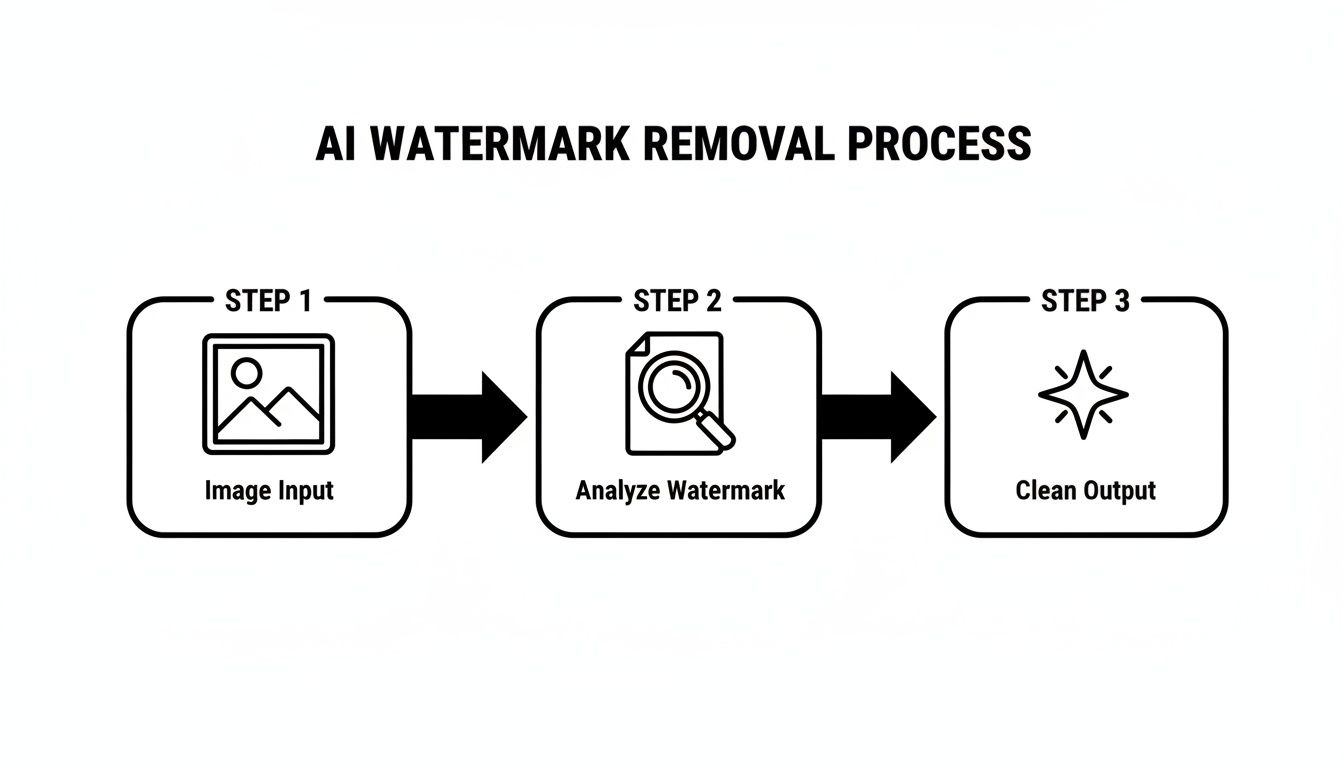
This visual shows the core stages—input, analysis, and cleaning—that a platform like VirtuallPRO can manage automatically, turning a tedious job into a background task.
Creating Repeatable Editing Blueprints
Picture this: your team has to process a batch of 500 licensed product photos, and each one has a small, annoying distributor watermark in the corner. Doing this by hand is not only painfully slow, but it’s also a recipe for inconsistency. One designer might favour the Clone Stamp tool, while another uses an AI filler, leading to subtle but noticeable differences in the final images.
With VirtuallPRO, you can build a Blueprint for this specific job. This isn't just a simple preset; it's an entire automated workflow from start to finish. You can configure the Blueprint to:
- Automatically find the watermark on each image.
- Apply a specific AI inpainting model to remove it cleanly.
- Run a standardised colour correction pass immediately after.
- Save the new version and flag it for a final human review.
This kind of repeatable process guarantees every single image is handled the exact same way, ensuring brand consistency across a whole campaign. It transforms a mind-numbing manual task into a scalable, automated operation that just works.
Orchestration with an AI Art Director
At the core of any truly modern creative workflow is orchestration. This is where Nyx, Virtuall’s AI Art Director, steps in. Nyx is designed to manage complex, multi-step creative flows that go way beyond a simple edit. For example, after that watermark is gone, the project might need several more things to happen.
Nyx can orchestrate the whole sequence for you:
- First, the watermark gets removed using the best AI model for the job.
- Next, the asset is automatically resized for different social media formats.
- Then, brand-approved filters or colour grades are applied.
- Finally, the finished assets are organised and dropped into the correct project folder.
This level of automation frees up your creative team from getting bogged down in repetitive post-production, letting them focus on the conceptual work they were hired to do.
For a professional studio, the ultimate goal is a "fire-and-forget" workflow for routine edits. You set up the compliant process once, and the system executes it flawlessly every time, with a full audit trail.
The Importance of Versioning and Collaboration
A compliant workflow is an auditable one. Simple as that. When you’re working with client assets or licensed content, being able to prove you have the rights and track every single modification is non-negotiable. A patchwork of different tools just creates a chaotic paper trail that's impossible to follow.
Inside a shared workspace like VirtuallPRO, every action creates a new, trackable version of the asset. If a client questions an edit or you need to roll back to a previous state for any reason, the entire history is right there at a glance.
This collaborative setup also tightens up feedback loops. Team members can annotate directly on an image, request changes, and approve final versions—all within the same platform. This builds a clear, auditable record of every decision, which is crucial for maintaining brand governance and proving compliance.
And once those watermarks are gone, the next step is to optimize images for the web to make sure they load quickly and perform well, polishing off your professional presentation.
Common Questions About Removing Watermarks
Even with the best tools, you’re bound to hit a few tricky questions when removing watermarks. It’s a common task, but the details around legality, quality, and the best methods can be murky.
Here are some straight answers to the questions we see most often from creative teams.
Is It Always Illegal to Remove a Watermark From a Picture?
No, not always. But you have to be careful—the context is everything. The legality boils down to who owns the image rights and what you plan to do with it.
It’s perfectly fine to remove a watermark if:
- You own the copyright and are just cleaning up your own asset.
- You’ve paid for a licence that gives you the right to the unwatermarked version.
- You have clear, written permission from the person who created it.
Where you run into trouble is when you strip a watermark from a picture you don’t have the rights to. That’s copyright infringement, plain and simple, especially if you use it for commercial work. Always double-check permissions before you start editing.
What Is the Best Method for Complex Watermarks?
For those really tricky watermarks—the ones spread across detailed backgrounds with lots of different textures—a single tool just won’t cut it. Going fully manual is slow, and relying only on AI can leave weird artefacts.
The best workflow we’ve found is a hybrid one.
Start with a powerful AI tool, like Photoshop’s Content-Aware Fill or a dedicated inpainting model. This does the heavy lifting, wiping out 80-90% of the watermark in just a few seconds.
Then, jump in with manual tools to nail the details. Use the Clone Stamp and Healing Brush to fix any little imperfections or smooth out textures the AI might have missed. This combination gives you the speed of automation and the precision of a human touch. The result? A flawless finish.
How Can I Remove a Watermark Without Losing Quality?
Keeping the image quality high is non-negotiable. The golden rule is to always work non-destructively. Never, ever edit your original file directly. Work on a duplicate layer so you can easily undo mistakes without starting over.
To get the best results:
- Start with a High-Resolution File: You can’t create detail that isn’t there. Editing a blurry, compressed image will only make its flaws more obvious.
- Use Soft-Edged Brushes: When you’re cloning or healing, a soft brush is your best friend. It helps blend your edits seamlessly into the surrounding areas.
- Sample from Multiple Source Points: Don’t just clone from one spot over and over. That’s how you get those repetitive, unnatural-looking patterns. Keep selecting new source points close to your target area.
Once you’re done, save your work in a lossless format like TIFF or PNG. Only export to a compressed format like JPEG as the very last step. Saving a JPEG repeatedly will degrade its quality each time.
Can AI Perfectly Remove Any Watermark?
AI has gotten incredibly good, but it’s not magic. It shines when a watermark is sitting on a simple background—think clear skies, flat walls, or grassy fields. It can easily analyse the pattern and fill in the gap almost perfectly.
But AI starts to struggle when the watermark covers something complex and unique, like a person’s face, intricate patterns, or detailed machinery. In those cases, the AI can’t always guess what’s supposed to be underneath, leaving you with a blurry or smudged mess.
The takeaway? AI is a phenomenal assistant, but it still needs a skilled professional to guide it and handle the final, critical touch-ups.
For teams looking to perform these edits within a secure, auditable, and collaborative environment, VirtuallPRO provides the necessary production infrastructure. Explore how our Creative AI OS can standardise your editing workflows and ensure compliance at scale. Try it for free.