A Practical Guide to AI in Creative Production
Discover how AI is revolutionizing creative production. This guide explains key AI models, scalable workflows, and governance for professional visual content.
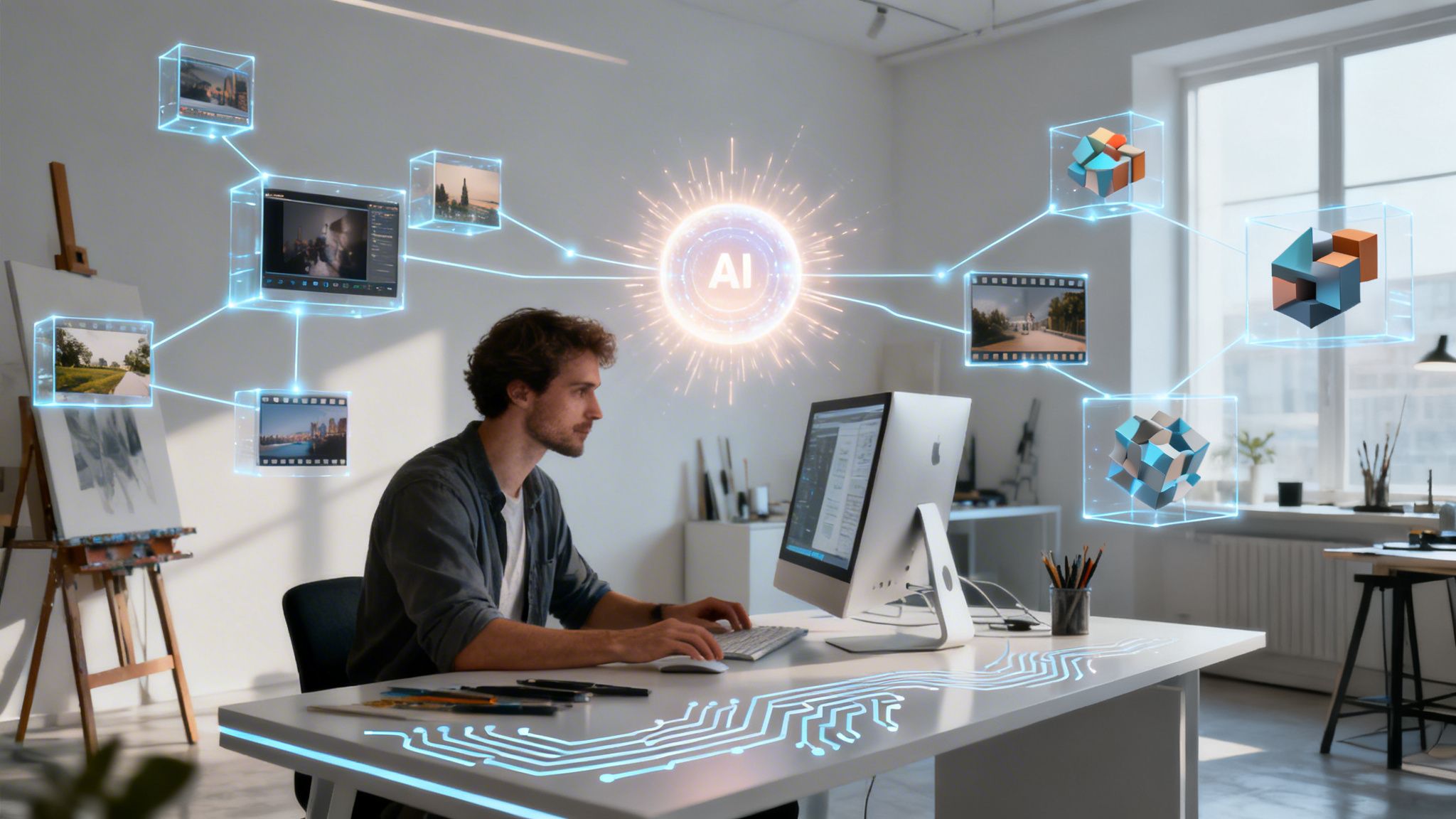
When people talk about Artificial Intelligence (AI), they’re usually referring to computer systems that can do things that normally require a human brain. For creatives, this has opened up a whole new world of generating images, videos, and 3D models, completely changing how we think about producing visual content. We're moving from a hands-on, manual process to a more directed, intelligent one.
But reading about it is one thing. Before we dive into the nuts and bolts, we encourage you to see it for yourself. At Virtuall, we built VirtuallPRO as a Creative AI OS to provide a responsible, compliant, and safe environment for studio-grade production. It unifies image, video, and 3D generation so your teams can work seamlessly and securely. If you have not generated anything already, you can try it for free.
Your Starting Point for Professional Creative AI
The creative world is rapidly moving on from a patchwork of separate tools to smart, integrated systems. This guide is for any creative professional who’s ready to go beyond just tinkering with AI image generators and start building a governed, scalable production pipeline. The real challenge we're here to solve is how to aim the raw power of AI to create studio-quality visuals with control, safety, and consistency.

Beyond Generation to Orchestration
Getting an AI to create a single image is just the first, tiny step. Using AI professionally demands a structured approach, one that makes sure every single asset hits your brand and project goals. This is about managing a whole suite of AI models, keeping a consistent visual style, and having a clear view of the entire production workflow. It’s the difference between a fun one-off experiment and a reliable, scalable creative operation. To get started on your own journey, it's a good idea to see what's out there by checking out some of the top AI tools for content creators.
As the technology matures, the conversation is shifting. It's less about which individual model is "best" and more about how these incredible systems can work together. We’re already seeing this with the newest multimodal models, which can understand text, images, and video all at once.
- Google's Gemini 3 Pro: This powerful model excels at understanding complex, nuanced instructions that combine different types of input, making it ideal for sophisticated creative briefs.
- ByteDance’s SeeDance 2.0: Specializing in video generation, this model demonstrates major advancements in creating dynamic, high-quality motion content from textual or image prompts.
Here at Virtuall, we designed our platform, VirtuallPRO, to do more than just give you access to these models—it orchestrates them. This ensures your creative vision comes to life with precision, compliance, and scale, turning powerful tech into a dependable part of your day-to-day workflow.
Understanding the AI Models Powering Modern Creativity
To really get a grip on creative AI, you have to understand the engines under the hood. Think of AI models as different specialists in your studio. You wouldn't ask a master painter to sculpt a statue, right? It's the same idea here. Knowing which model to use for which task is the key to getting professional, predictable results. This isn't about memorising technical jargon; it's about getting a feel for what each technology does best.
At the heart of modern visual AI are two foundational concepts: diffusion models and transformer models.
Diffusion models are like digital sculptors. They start with a block of random noise and meticulously chip away at it, step-by-step, until a clear image emerges. This process makes them incredibly good at generating rich, detailed, and photorealistic imagery from simple text prompts.
Transformers, on the other hand, are the master linguists and context experts. They’re brilliant at understanding relationships and sequences—it’s why they first took the language world by storm. In visual work, they can interpret complex briefs, keep a character looking consistent across dozens of images, and even map out entire scenes. That makes them essential for storytelling and campaign work.
The New Wave of Multimodal AI
The biggest leaps forward have come from smashing these strengths together into multimodal models—AI that can understand and process information from different sources like text, images, and audio all at once. This is where the tech goes from a simple generator to a genuine creative partner.
Two of the big players leading the charge are Google's Gemini family and ByteDance’s SeeDance 2.0. These models represent a huge step up for creative production. To get the most out of them, you’ll need to master prompt engineering to guide them toward reliable, high-quality results.
Imagine feeding an AI a written creative brief, a brand guide’s colour palette, and a reference photo of a specific location. A multimodal AI like Gemini can digest all of that and generate a scene that’s not just visually stunning but also perfectly aligned with every single project constraint.
This ability to interpret complex, mixed-media instructions is exactly what VirtuallPRO's AI Art Director orchestrates inside your workflow. Instead of you having to manually translate your vision for ten different tools, it directs the right models for the job based on a complete understanding of your goals. You can see how this is changing the game for established toolkits in our article on Adobe artificial intelligence tools.
Practical Applications of Leading AI Models
So, what does this actually look like in a real-world creative workflow? Let’s break down what these models can do and where they fit in.
- Google Gemini 3 Pro: This model’s superpower is its massive context window and deep reasoning. For a creative director, this means it can "read" an entire storyboard, analyse character reference sheets, and generate concept art that stays true to the narrative. Its ability to process huge amounts of information at once makes it perfect for large-scale, complex projects.
- ByteDance SeeDance 2.0: Specialising in high-fidelity video generation, this one is a game-changer for motion graphics and short-form content. It excels at creating fluid, dynamic video from simple text prompts or still images, slashing the time it takes to produce animatics and promotional videos.
To make this clearer, let's compare these leading models side-by-side.
Comparing Leading AI Models for Creative Production
This table breaks down the latest AI models, their primary strengths, and where they fit best in a professional creative workflow.
| AI Model | Developer | Core Strength | Best Use Case for Creatives |
|---|---|---|---|
| Gemini 3 Pro | Advanced multimodal reasoning and a large context window. | Guiding entire productions, from interpreting complex briefs with mixed media to ensuring narrative consistency across campaign assets. | |
| SeeDance 2.0 | ByteDance | High-quality, coherent text-to-video and image-to-video generation. | Rapidly producing animatics, social media video content, and motion storyboards with impressive visual fidelity. |
Ultimately, these breakthroughs aren't just about making prettier pictures or slicker videos. They're about building a smarter, more responsive creative process. By understanding what makes each model tick, you can start to see how a system like VirtuallPRO can mix and match their strengths to execute a creative vision with incredible precision and control.
How to Orchestrate AI for Scalable Production
Anyone can generate one cool image. That’s just an experiment. But producing an entire, consistent campaign? That’s a professional operation. This is where you move beyond simple tools and unlock the real power of AI in a managed production environment.
The key to making this leap is orchestration—the art of coordinating multiple, specialised AI models to pull off complex, multi-step creative workflows.
Think of it like a film crew. You don't have one person doing everything. You have a director, a cinematographer, a sound designer, and an editor. Each is a specialist. An AI orchestration layer, like the one in VirtuallPRO, acts as your AI Art Director. It assigns the right tasks to the right models to bring a complete vision to life. This is how you stop gambling with prompts and start building a reliable production pipeline.
The whole process can be broken down into three core stages: concept, generation, and refinement.
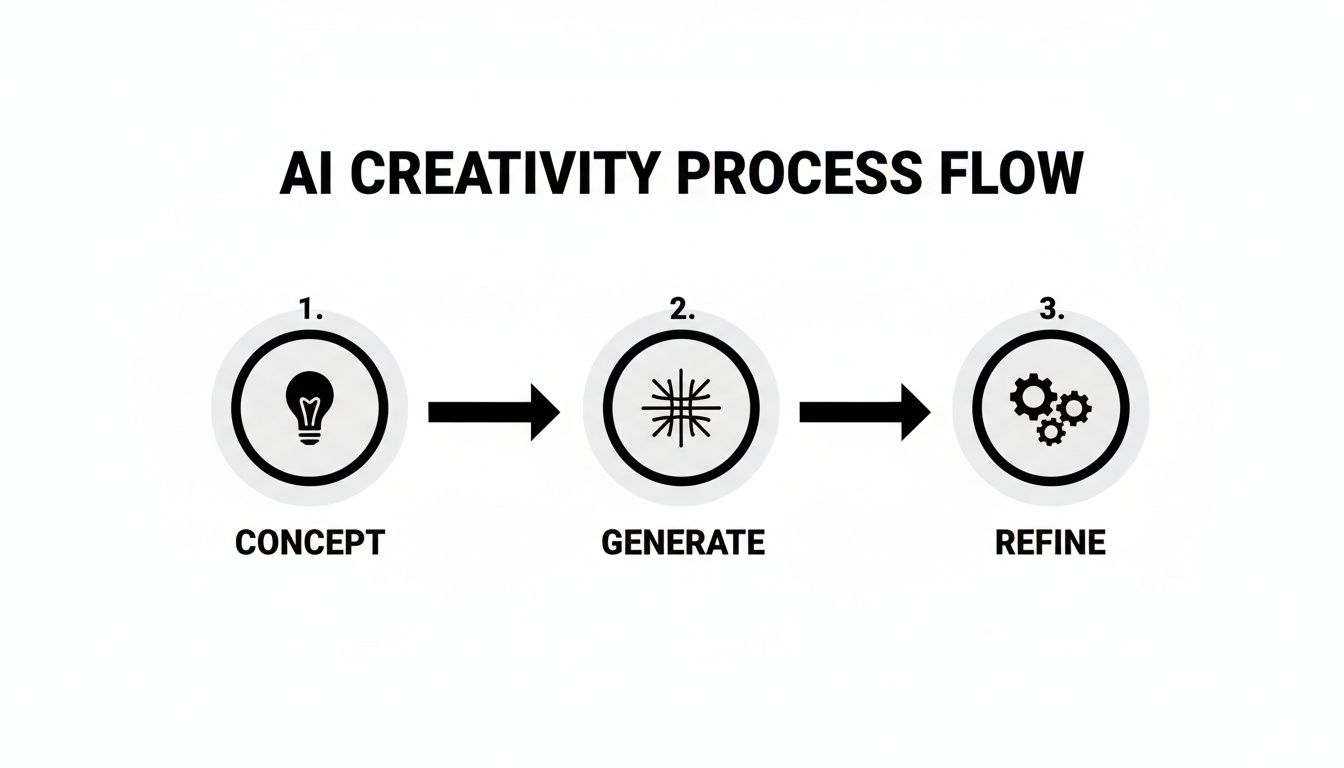
This shows that great AI production isn't just about that first spark of an idea. It’s a governed, iterative process built for quality and consistency, especially when you need to scale up.
A Real-World Campaign Workflow
So, how does this actually work? Let’s walk through a practical example for a marketing campaign. Imagine you're creating a set of promos for a new video game, all centred on a specific hero character. An orchestrated workflow would look something like this:
Concept Art Generation: First up, you need to nail the visual tone. You'd use a model that’s brilliant at artistic interpretation to generate dozens of high-concept images for the game's world and main character. VirtuallPRO's orchestration makes sure these initial ideas align with your creative brief from the get-go.
Character-Consistent Storyboards: Once the character design is locked in, consistency is everything. Now, you switch to a different model—one with a strong grasp of context and object permanence—to create a storyboard. The AI Art Director feeds it the approved character, ensuring your hero looks identical in every single frame, from every angle.
Animated Video Sequences: Finally, those storyboard frames are handed off to a video generation model like SeeDance 2.0. This model turns the static images into short, dynamic animations, perfect for social media teasers. Throughout this entire chain, the orchestration layer handles the handoffs smoothly, maintaining perfect visual continuity.
Trying to manage a multi-model, multi-step process like this with a bunch of disconnected tools is a nightmare. Orchestration makes it a seamless flow.
Creating Repeatable Blueprints
The real magic of an orchestrated approach appears when you can standardise these workflows. Within VirtuallPRO, you can save a successful process like the one above as a Blueprint. This isn't just a template; it's a complete recipe containing the sequence of models, specific style parameters, character references, and prompt structures you used.
A Blueprint transforms a complex creative process into a repeatable, one-click operation. It's the key to ensuring brand consistency across thousands of assets, whether you're generating product shots, social media content, or in-game textures.
By creating Blueprints for different campaigns or styles, you take the guesswork out of production. Your team no longer has to remember the exact cocktail of prompts and models that produced that perfect look two months ago. If you want to dive deeper into crafting the inputs for these systems, check out our guide on effective prompt engineering techniques.
This level of standardisation is what finally turns AI from a creative wildcard into a dependable, scalable production engine. It’s how you guarantee every single asset is on-brand, on-brief, and delivered with studio-grade quality. Every time.
Maintaining Governance and Control in AI Workflows
As creative teams weave artificial intelligence into their daily work, strong governance stops being a “nice-to-have” and becomes absolutely essential. The freedom to generate content at this new scale brings with it serious responsibilities. Without the right framework, teams can quickly find themselves facing budget blowouts, brand safety nightmares, and a tangled mess of compliance issues.
This is where control becomes a creative enabler, not a blocker. Good governance is what turns AI from a risky experiment into a dependable, professional production tool. The whole point is to build a system where creativity can flourish within safe, predictable, and compliant boundaries.
Establishing Centralised Control
The first step is to get rid of scattered, individual accounts for various AI models. A decentralised free-for-all makes it impossible to track spending, enforce brand rules, or manage asset rights. It's organised chaos. A centralised platform like VirtuallPRO provides the infrastructure needed to bring order to that chaos.
This unified environment gives studio managers and creative directors a bird's-eye view of the entire production process. They can see who is generating what, which models are being used, and how resources are being spent. That transparency is the foundation for scaling creative output responsibly.
A properly controlled environment includes a few key components:
- Shared Workspaces: Teams can collaborate on projects with full visibility, killing off siloed efforts and making sure everyone works from the same approved assets and guidelines.
- Version Control: Just like in software development, tracking changes to AI-generated assets is critical. This creates a clear audit trail and lets you roll back to a previous version if a new direction doesn't work out.
- Annotation and Feedback Tools: Directors and clients can leave notes directly on generated visuals right inside the platform, keeping the revision process organised and efficient.
Managing Budgets and Brand Safety
Unchecked AI use can make costs spiral out of control. Juggling dozens of different subscriptions for different models is inefficient and hides the true cost of production. A unified credit system—a core feature of VirtuallPRO—solves this by pooling resources into a single, trackable budget.
With a centralised credit system, producers get a clear, real-time view of AI spending. This allows for accurate project costing and prevents those dreaded budget blowouts, making AI a financially predictable part of the pipeline.
Brand safety is the other big worry. Governance tools are crucial for making sure every piece of generated content follows brand guidelines. By setting up pre-approved style guides, colour palettes, and asset libraries within the system, you ensure every AI output aligns with your brand identity. This proactive control stops off-brand or inappropriate content from ever entering the production chain. You can dig deeper into the nature of this content in our article covering what is AI-generated content.
Ensuring Compliance and Responsible Adoption
Finally, governance is about making sure every asset is compliant with licensing rights and usage permissions. A governed workflow automatically tracks the provenance of assets, noting which models were used and under what terms. This is non-negotiable for commercial work where intellectual property rights are everything.
Interestingly, strong governance doesn't slow down adoption; it speeds it up. A great example comes from recent research showing Denmark as the Nordic leader in GenAI adoption, with 65% of knowledge workers using it. But here's the crucial part: this high usage is paired with strong oversight, as 71% of Danish organisations have implemented AI guidelines. This proves that control and innovation go hand-in-hand.
This model of high adoption within a governed framework is exactly what creative directors and producers need to scale AI production safely. You can find more insights about these Nordic GenAI adoption findings on solita.fi.
Weaving Creative AI Into Your Existing Pipelines
The best AI tools don’t force you to start over. They slot right into the creative workflows your team already knows and loves, acting as an accelerator, not a roadblock. The goal is to make AI a seamless part of your production process, plugging directly into the systems you use every day.
This is where a Creative AI OS like VirtuallPRO becomes your central nervous system. Using APIs (Application Programming Interfaces), it connects your project management software, Digital Asset Management (DAM) platforms, and core creative tools into one intelligent ecosystem.
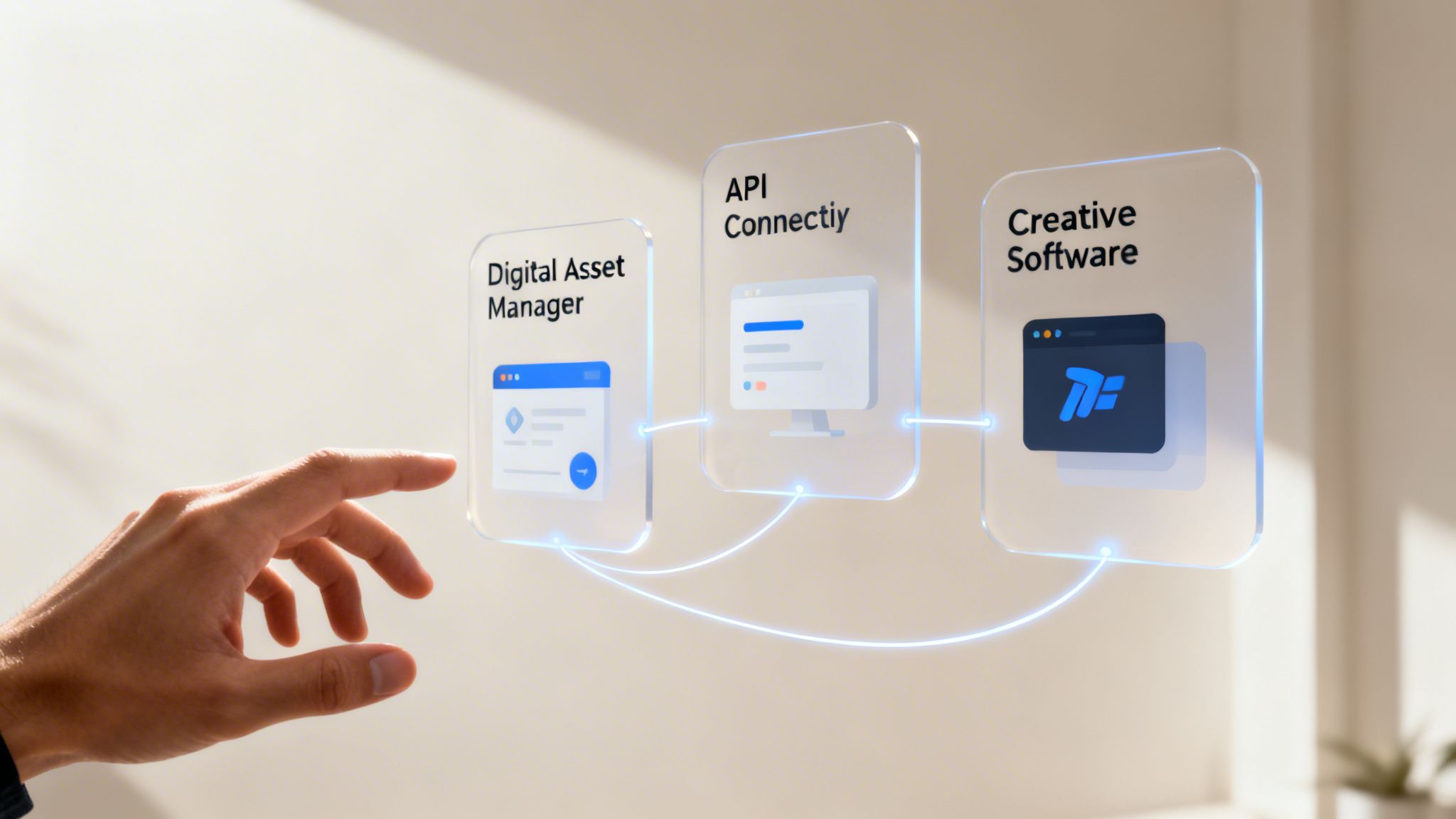
A Look at Practical Integration: E-commerce and Marketing
Think about the relentless demand for fresh product imagery in e-commerce. Manually shooting and editing visuals for thousands of SKUs is a soul-crushing, never-ending task. With a properly integrated AI pipeline, you can put that whole process on autopilot.
By linking your inventory database to VirtuallPRO through an API, you can set up a trigger. Every time a new product gets added, an AI Blueprint automatically kicks off, generating a full suite of on-brand marketing assets. We’re talking clean product shots for the website, lifestyle images for social media, and even short promo videos—all without a single click.
This flips the script entirely. What was once a reactive, labour-intensive chore becomes a proactive, infinitely scalable system. Every product gets high-quality visuals the moment it goes live, slashing your time-to-market and letting your creative team think about the next big campaign instead of grinding out repetitive production work.
Supercharging 3D and Game Development Pipelines
For 3D designers and game developers, the benefits are just as profound. Their pipelines are notoriously complex, with assets bouncing between multiple specialised programs. Keeping that momentum going is everything.
An AI OS can plug straight into that workflow, acting like an on-demand asset factory. A 3D artist working in Blender or Maya can request a set of unique, stylistically consistent textures without ever leaving their software. The AI generates them and pipes them directly into their project, killing the context-switching and manual file imports that drain creative energy.
It’s the perfect example of AI as a powerful assistant, not a replacement. It takes on the grunt work—generating concept art variations, crafting environmental textures—so designers can iterate faster and focus on the hard creative problems that actually require a human touch.
Why Integration Is Non-Negotiable for Scaling AI
A scattergun approach to AI just won’t work. You end up with a collection of disconnected tools, creating more silos and friction than you started with. Real value comes from embedding these capabilities right where the work already happens. This integrated model is quickly becoming the standard for any serious professional team.
The numbers don’t lie. In 2024, Denmark led the EU in enterprise AI adoption, with 27.58% of companies using at least one AI technology. For big companies, that number jumped to a staggering 55%. The sectors leading the charge? Information and communication—the home turf of Virtuall’s audience of game developers, marketers, and studio owners who are building these exact AI-powered pipelines. You can discover more about enterprise AI adoption trends in the EU.
This data all points to one thing: AI isn’t some experimental add-on anymore. It’s a core part of modern business operations. For creative industries, that means building pipelines that are connected, governed, and ready to scale.
The Future Is Orchestrated Creative AI
The whole conversation around creative AI is shifting. It’s moving away from just generating cool stuff towards something far more sophisticated: governed, predictable production. The future isn’t about hunting for one perfect AI model that does everything. It's about building an intelligent system that knows exactly which model to pick for each step in a complex creative workflow.
That’s the core idea behind Virtuall and our platform, VirtuallPRO. We’re building the intelligence, control, and production layer that lets creative teams scale up their work with total consistency and control.
From A Single Model to A Smart System
The focus is no longer on what a single AI can do, but on the power of an orchestrated system. You can see the big players moving in this direction already. Google’s work on models like Gemini 3 Pro shows a deep understanding of multi-layered, complex instructions. At the same time, ByteDance is pushing the limits of video quality with tools like SeeDance 2.0.
These are incredible, powerful tools, but they’re also highly specialised. They highlight the need for a conductor. An individual AI model can create an instrument, but a system orchestrates the entire symphony.
The real breakthrough isn't finding one AI to rule them all. It's creating an operational layer that can direct many specialised AIs. It’s about moving from a single tool to a fully managed production line.
Your Path Forward in AI Production
Whether your team is creating stunning campaign visuals, immersive game assets, or slick video content, the only sustainable path forward is through orchestration. It’s how you guarantee that every single asset—from the first sketch to the final render—is on-brand, on-brief, and ready for production.
This is the professional, scalable way to use AI. It turns a series of creative experiments into a reliable, governed operation that’s ready to meet the demands of any project, no matter the size.
We invite you again to try VirtuallPRO for free. See for yourself how a Creative AI OS can fundamentally reshape your workflow from the ground up, giving you the control and consistency you need to produce at scale.
Your Questions About Creative AI, Answered
As teams start folding AI into their creative work, some important questions always pop up. It’s only natural. How do you actually manage this powerful new toolkit without creating chaos? Here are the most common things we hear from creative leaders trying to get it right.
How Can AI Keep Our Brand Consistent?
This is a big one. The key is moving away from one-off prompts and into repeatable, governed workflows—we call them ‘Blueprints’.
Think of it this way: within a Creative AI OS like VirtuallPRO, you can lock in your exact style guides. That includes everything from specific colour palettes and character models to the rules of composition that define your look. The system’s orchestration layer then uses these Blueprints to direct the AI models, ensuring every single image or video clip it produces feels like it came from your team.
It’s the difference between getting lucky with a prompt once and building a reliable, professional pipeline for generating on-brand content at scale.
Is AI Going to Replace Art Directors?
Nope. It’s changing the job, not eliminating it. If anything, it’s making the role more strategic.
AI is brilliant at handling the grunt work—the repetitive, time-sucking tasks that bog down production. This frees up your best creative minds to focus on what humans do best: high-level strategy, ideation, and refinement. An Art Director's role shifts from hands-on execution to strategically directing the AI.
Using a platform like VirtuallPRO, their expertise is spent orchestrating complex productions and setting the creative vision for the AI to execute. The job becomes less about the how and more about the what and why.
An Art Director's expertise doesn't disappear; it gets amplified. They become the conductor of an AI-powered orchestra, ensuring every element works in harmony to achieve a singular creative vision.
How Do I Keep AI Costs From Spiralling Out of Control?
Juggling separate subscriptions and pay-as-you-go plans for a dozen different AI models is a recipe for a headache and a budget blowout. It’s inefficient and totally unpredictable.
A Creative AI OS like VirtuallPRO fixes this with a unified credit system. Instead of dealing with multiple vendors and invoices, all your AI usage is rolled into a single, central pool of credits.
Better yet, this is paired with detailed analytics that give producers and studio managers a crystal-clear, real-time view of spending across every project and team. What was once a chaotic expense becomes a predictable, manageable, and strategic investment.
What's the Difference Between an AI Generator and a Creative AI OS?
It’s a great question, and the difference is huge.
A simple AI generator—like the ones you see all over the web—is a standalone tool. It does one thing, like making an image from a text prompt. It’s like having a really good power drill. Useful, but limited.
A Creative AI OS (Operating System) like VirtuallPRO is the entire professional workshop. It’s a complete production infrastructure built for teams. It goes way beyond just generation and includes:
- Project and asset management to keep everything organised.
- Team collaboration and annotation tools for clear feedback.
- Version control and approval workflows so nothing gets lost.
- Strict governance and compliance controls to keep work on-brand and safe.
- Orchestration of multiple specialised AI models for complex, multi-step projects.
One is a single tool. The other is a fully equipped, professionally managed system designed for scalable, repeatable creative production.
Ready to see how a governed, orchestrated approach to AI can transform your creative pipeline? Try VirtuallPRO today.